https://github.com/codephiliax/chat2db-sqlcoder-deploy
It shows how to deploy your own sqlcoder and use it in chat2db
https://github.com/codephiliax/chat2db-sqlcoder-deploy
Last synced: over 1 year ago
JSON representation
It shows how to deploy your own sqlcoder and use it in chat2db
- Host: GitHub
- URL: https://github.com/codephiliax/chat2db-sqlcoder-deploy
- Owner: CodePhiliaX
- Created: 2023-09-06T13:15:45.000Z (almost 3 years ago)
- Default Branch: main
- Last Pushed: 2023-09-07T12:45:00.000Z (almost 3 years ago)
- Last Synced: 2025-04-02T02:02:02.351Z (over 1 year ago)
- Language: Python
- Size: 5.86 KB
- Stars: 14
- Watchers: 6
- Forks: 5
- Open Issues: 7
-
Metadata Files:
- Readme: README.md
Awesome Lists containing this project
README
# chat2db-sqlcoder-deploy
Languages: English | [中文](README_CN.md)
## 📖 Introduction
This project introduces how to deploy the 8-bit quantized sqlcoder model on Alibaba Cloud for free, and apply the large model to the Chat2DB client.
!!! Please note that the sqlcoder project is mainly for SQL generation, so it performs better in natural language to SQL, but slightly worse in SQL interpretation, optimization and transformation. Use it for reference only, do not blame the model or product.
## 📦 Hardware Requirements
| Model | Minimum GPU Memory (Inference) | Minimum GPU Memory (Efficient Tuning) |
|:------|:------------------------------|:-------------------------------------|
| sqlcoder-int8 | 20GB | 20GB |
## 📦 Deployment
### 📦 Deploy 8-bit model on Alibaba Cloud DSW
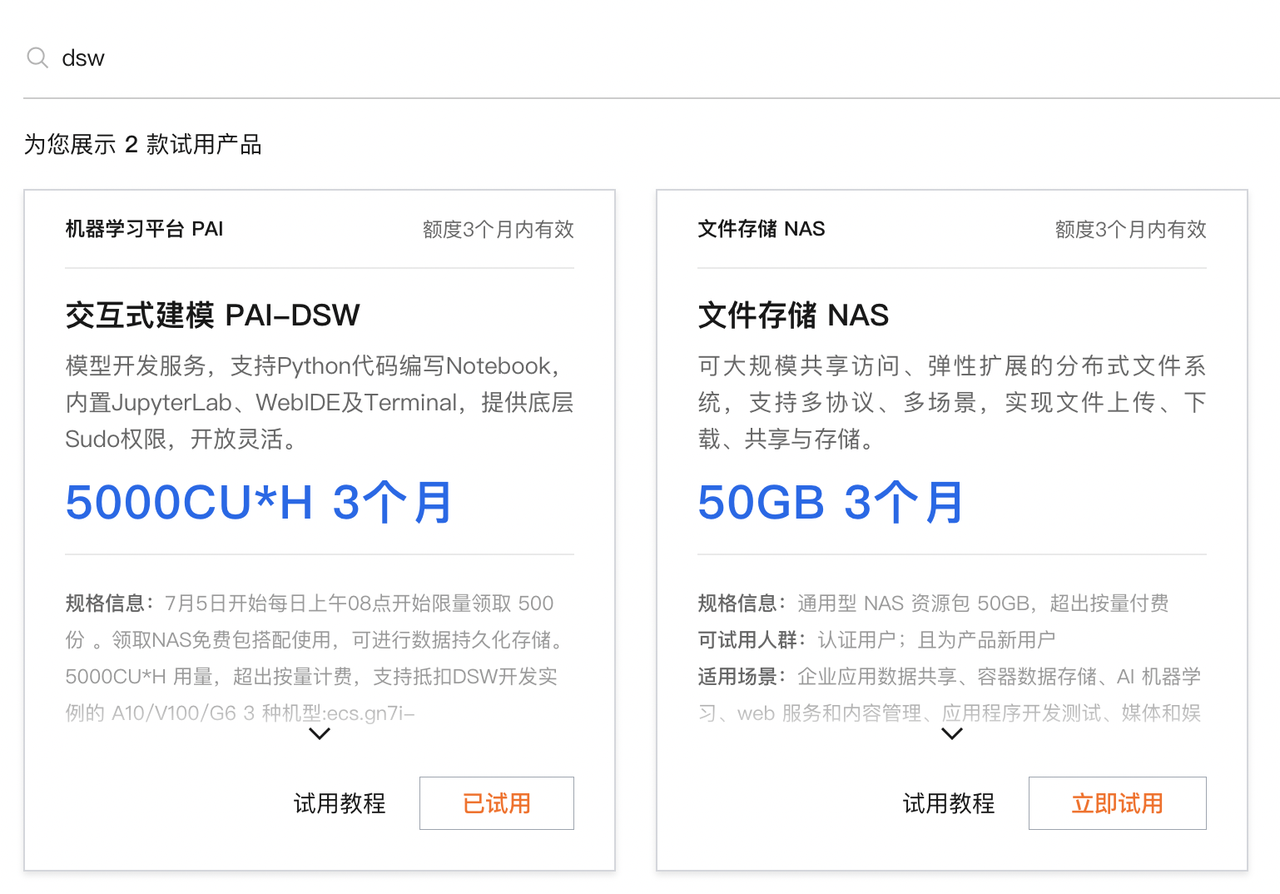
1. Apply for free trial of [Alibaba Cloud DSW](https://www.alibabacloud.com/).
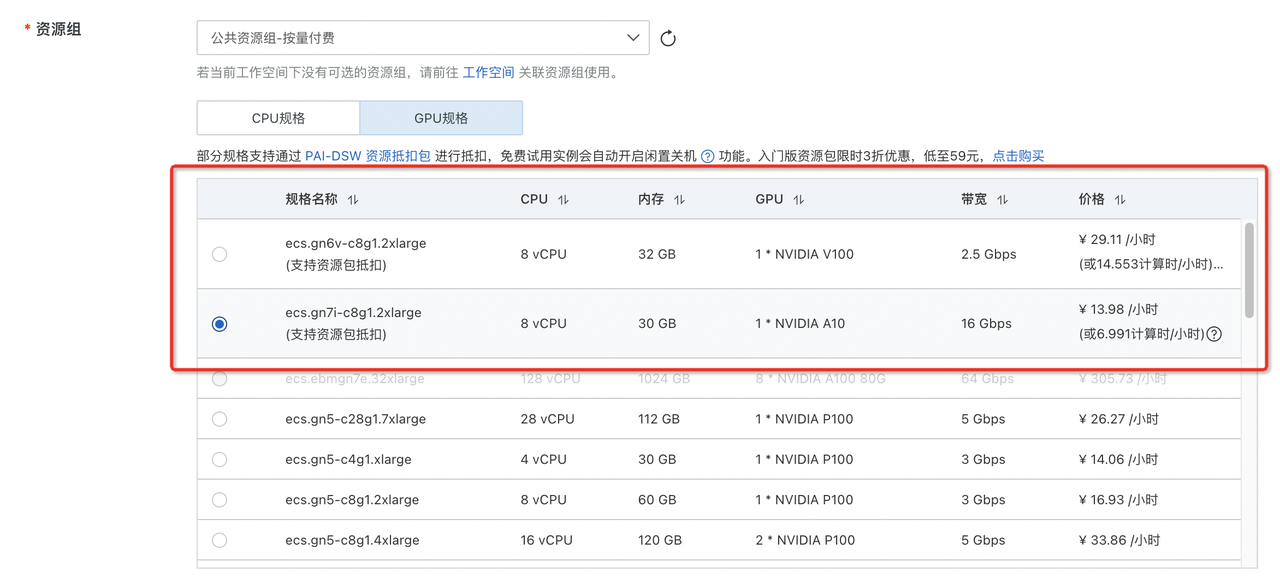
2. Create a DSW instance, select the resource group that can deduct resource package, and select the instance image pytorch:1.12-gpu-py39-cu113-ubuntu20.04

3. Install the dependencies in [requirements.txt](requirements.txt)
```bash
pip install -r requirements.txt
```
4. Download the latest bitsandbytes package to support 8-bit models:
```bash
pip install -i https://test.pypi.org/simple/ bitsandbytes
```
5. Create folders named sqlcoder-model and sqlcoder in DSW instance under the path "/mnt/workspace".
6. Download sqlcoder model under sqlcoder-model folder:
```bash
git clone https://huggingface.co/defog/sqlcoder
```
7. Copy api.py and prompt.md to sqlcoder folder.
8. Install FastAPI related packages:
```bash
pip install fastapi nest-asyncio pyngrok uvicorn
```
9. Start the API service under sqlcoder folder:
```bash
python api.py
```
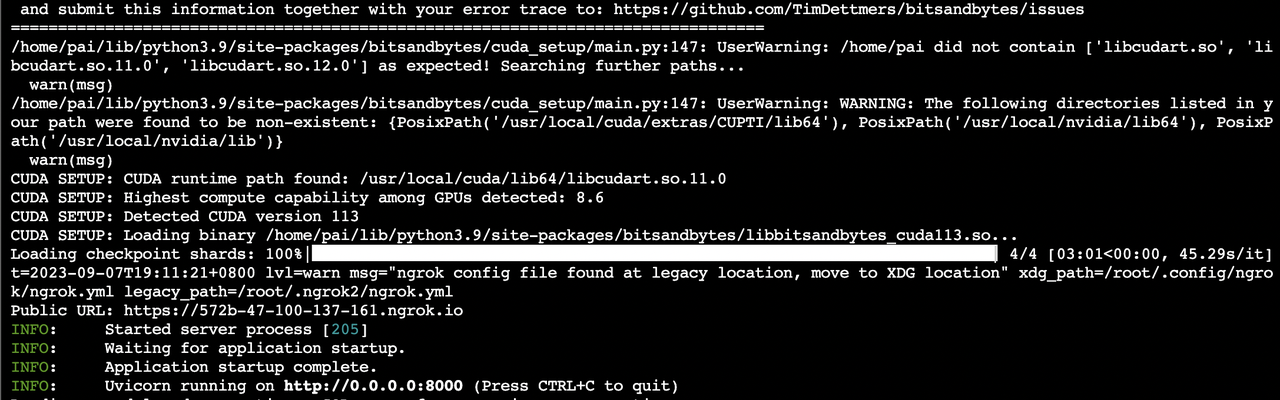
10. You will get an API url like `https://dfb1-34-87-2-137.ngrok.io`.
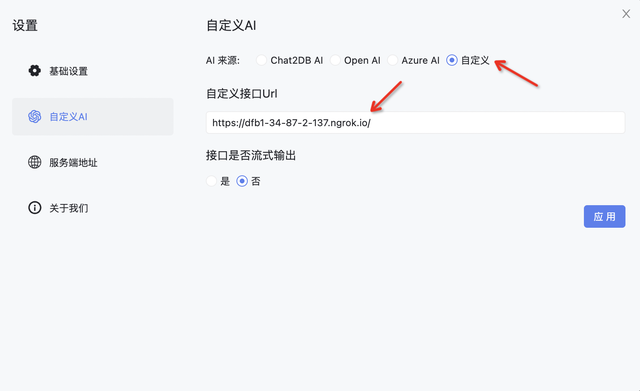
11. Configure the API url in Chat2DB client to use the model for SQL generation.
### 📦 Deploy fp16 model on Alibaba Cloud DSW
* If resources permit, you can try deploying the non-quantized sqlcoder model, which will have slightly higher accuracy in SQL generation than the 8-bit model, but requires more GPU memory and longer inference time.
* Just modify the model loading in api.py to fp16 model:
```python
model = AutoModelForCausalLM.from_pretrained("/mnt/workspace/sqlcoder-model/sqlcoder",
trust_remote_code=True,
torch_dtype=torch.float16,
device_map="auto",
use_cache=True)
```
### 📦 Deploy on other cloud platforms
* Although this tutorial uses Alibaba Cloud DSW as example, the scripts and commands have no customization. In theory, sqlcoder can be deployed on any cloud by following the steps above.