https://github.com/codexpuneet/post-app
Blog application. CRUD Operation Implemented and Searching Sorting Included
https://github.com/codexpuneet/post-app
bootstrap reactjs redux redux-thunk
Last synced: 2 months ago
JSON representation
Blog application. CRUD Operation Implemented and Searching Sorting Included
- Host: GitHub
- URL: https://github.com/codexpuneet/post-app
- Owner: CodexPuneet
- Created: 2023-03-20T16:59:08.000Z (over 3 years ago)
- Default Branch: main
- Last Pushed: 2023-03-20T18:15:12.000Z (over 3 years ago)
- Last Synced: 2025-04-02T12:22:03.519Z (over 1 year ago)
- Topics: bootstrap, reactjs, redux, redux-thunk
- Language: JavaScript
- Homepage: https://post-app-tau.vercel.app/
- Size: 362 KB
- Stars: 0
- Watchers: 1
- Forks: 0
- Open Issues: 0
-
Metadata Files:
- Readme: README.md
Awesome Lists containing this project
README
Blog App
This is a Blog Post App created for a company. In this app bassically you can use CRUD Operations, you can also Search the post or sort the post according to posted date.
## 🛠 Built with
Technologies used in the project:






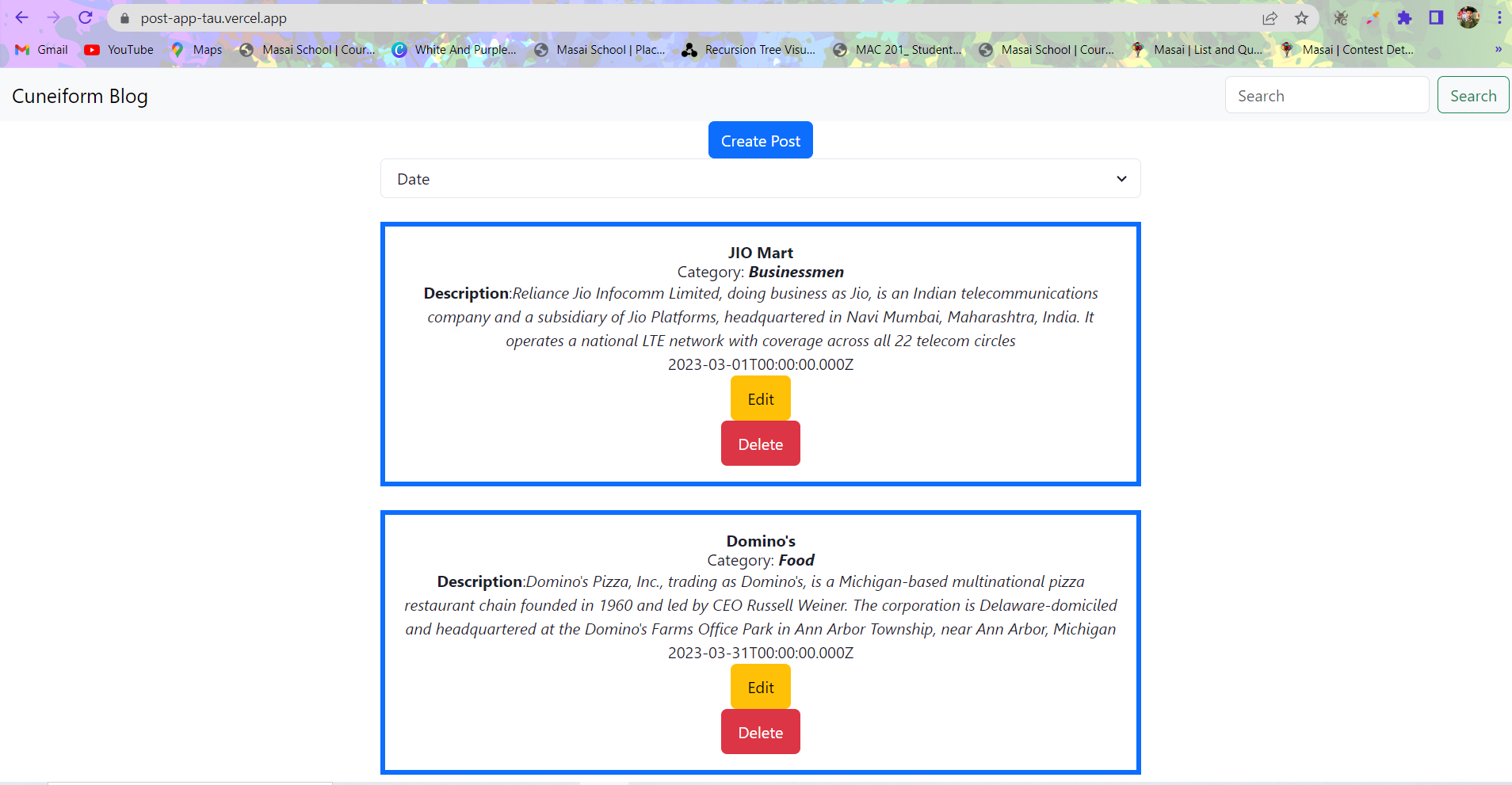
## 💻 Screenshots
**BLOG Page:**
## ✨ Features
- Live previews
- Fullscreen mode
- Cross platform
- Responsiveness
## 🚀 Demo
**Front-end deployed URL:**
https://post-app-tau.vercel.app/
**Back-end deployed URL:**
https://elated-ray-hosiery.cyclic.app/
## 📁 Folder structure
#### `Frontend` - Holds the client application
- #### `public` - This holds all of our static files
- #### `src`
- #### `components` - This folder holds all of the different components that will make up our pages
- #### `redux` - It consists of store, reducer, action and actiontypes and is responsible for global state management of our app.
- #### `App.js` - This is what renders all of our different components
- #### `index.js` - This is what renders the react app by rendering App.js.
- #### `package.json` - Defines npm behaviors and packages for the client
# Installation
Clone the project
```bash
git clone https://github.com/CodexPuneet/Post-App.git
```
Go to the project directory
```bash
$ cd Post-App // go to client folder
$ yarn # or npm i // npm install packages
$ npm run start // run it locally
// deployment for client app
$ npm run build // this will compile the react code using webpack and generate a folder called docs in the root level
```
## Server-side usage
Server Side Backend is another repository POST BACKEND
**Environment Variables:-**
To run this project, you will need to add the following environment variables to your .env file
```
port // the port on which the server will run
mongoDbUrl // your mongoDB URI to connect to the mongoDB atlas