https://github.com/codingseb/csharpregextools4npp
Some tools to use C# Regex in Notepad++ (Plugin) (Search and Replace, Selection, Extraction...)
https://github.com/codingseb/csharpregextools4npp
Last synced: 9 months ago
JSON representation
Some tools to use C# Regex in Notepad++ (Plugin) (Search and Replace, Selection, Extraction...)
- Host: GitHub
- URL: https://github.com/codingseb/csharpregextools4npp
- Owner: codingseb
- License: mit
- Created: 2019-02-25T09:36:54.000Z (over 7 years ago)
- Default Branch: master
- Last Pushed: 2025-04-07T09:38:28.000Z (about 1 year ago)
- Last Synced: 2025-04-14T20:12:43.170Z (about 1 year ago)
- Language: C#
- Homepage:
- Size: 10.9 MB
- Stars: 9
- Watchers: 2
- Forks: 2
- Open Issues: 0
-
Metadata Files:
- Readme: README.md
- License: LICENSE
Awesome Lists containing this project
README
# CSharpRegexTools4Npp
Some tools to use C# Regex in Notepad++ (As Notepad++ Plugin)
## Features
* Syntax Highlight of the C# Regex
* List all matches (With groups and captures)
* Select All matches
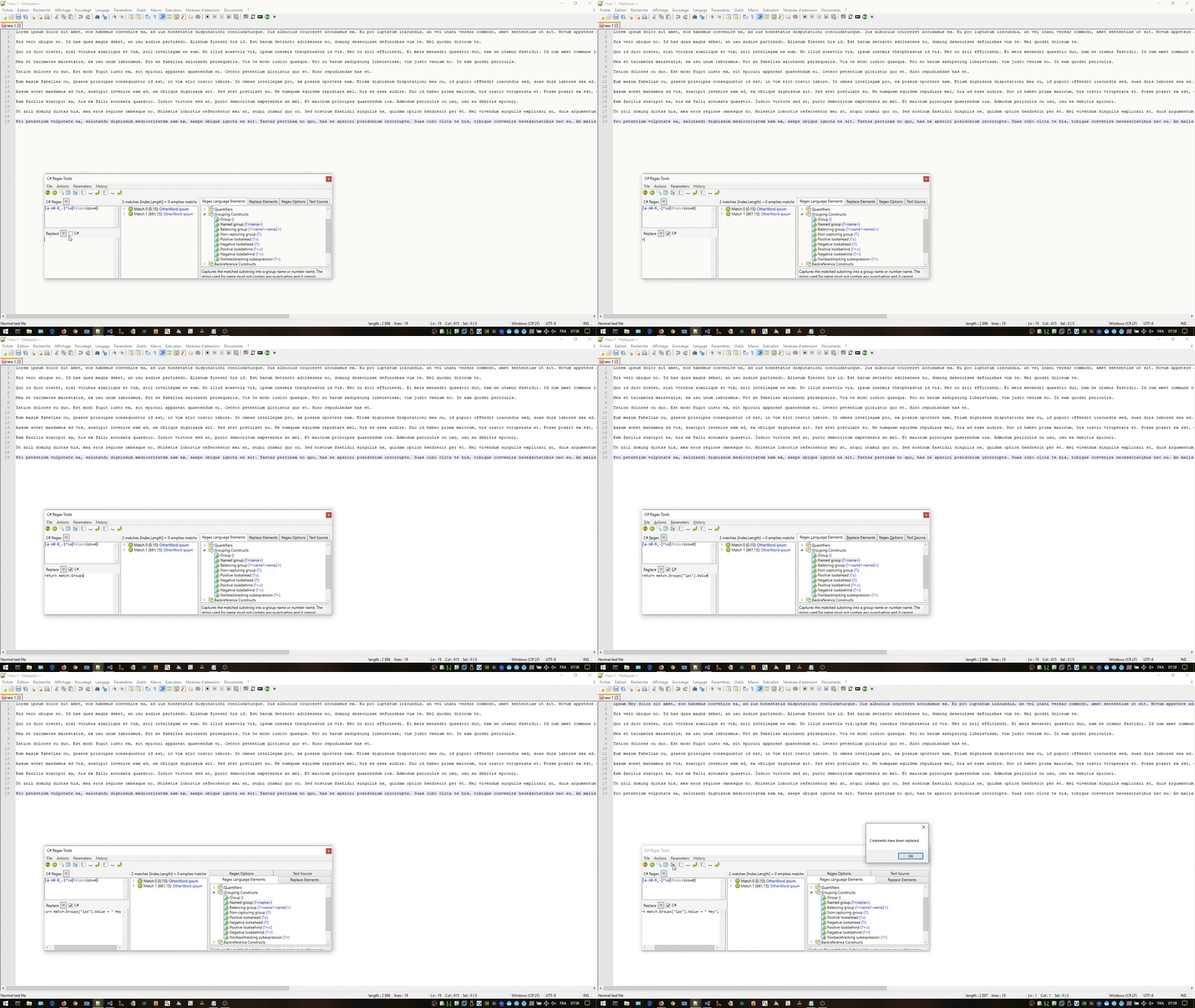
* Replace All matches (with replace syntax or C#)
* Extract All matches in a new Notepad++ tab
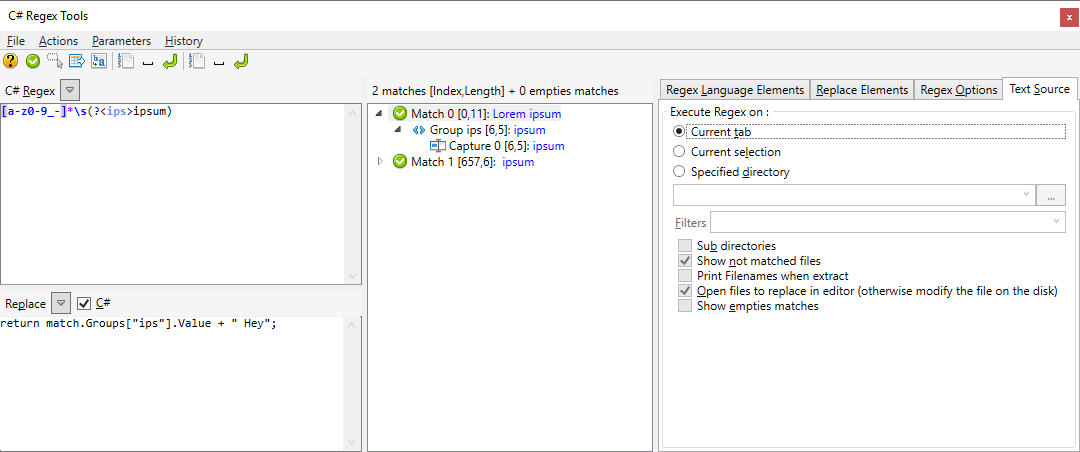
* Work on current Notepad++ tab text, on current selection or in a directory
* Named groups, lookbehind, lookforward and all features of C# Regex
* Keep an history of typed regex
* Save/Reload Regex
## Prerequistes
Need a [Notepad++](https://notepad-plus-plus.org/) x86 or x64 installed on the machine and the right to write in the plugin directory.
(At least version 7.6.3, older versions can work but need modification of the file [NppPlugin.DllExport.targets](https://github.com/codingseb/CSharpRegexTools4Npp/blob/master/CSharpRegexTools4Npp/PluginInfrastructure/DllExport/NppPlugin.DllExport.targets) see [Notepad++ plugins new directories structures](https://notepad-plus-plus.org/community/topic/16996/new-plugins-home-round-2))
Need .Net Framework 4.7 or greater
## Installation
* Download the [last release zip](https://github.com/codingseb/CSharpRegexTools4Npp/releases)
* Uncompress it in the "%PROGRAMFILES%\Notepad++\plugins\" directory
**Or**
* Clone this repo
* Give write access to "%PROGRAMFILES%\Notepad++\plugins\" directory
* Launch CSharpRegexTools4Npp.sln in Visual Studio
* Select the target platform x86 or x64 depending on your version of Notepad++
* Compile and launch (F5) (It will copy the plugin in the right place and launch Notepad++)
## Usage
To Launch the tools use one of these 3 methods :
* Click on the toolbar button 
* Click on Menu "Plugins" -> "C# Regex Tools 4 Npp" -> "C# Regex Tools"
* Press "Ctrl+Shift+H" on your keyboard
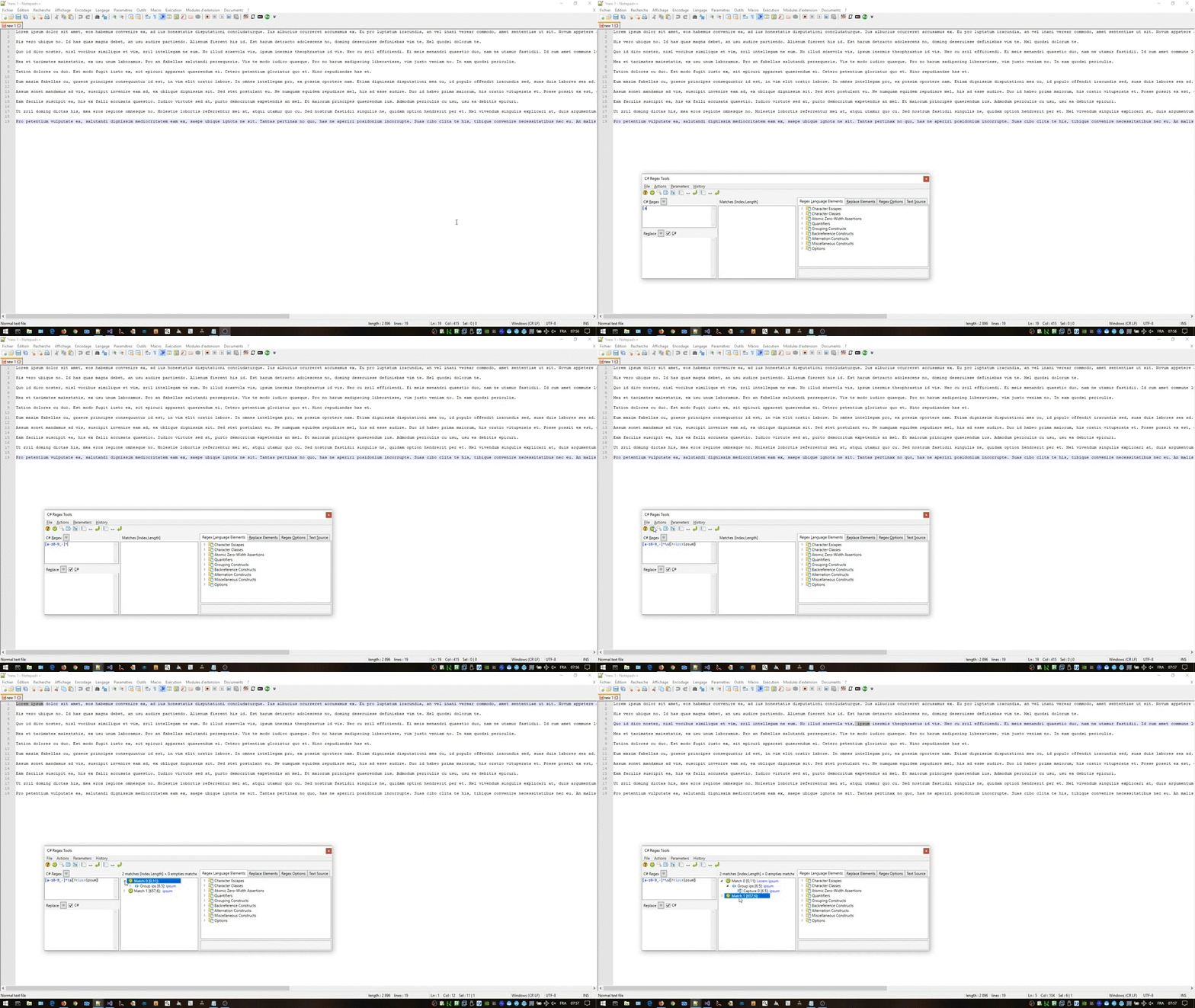
#### Show matches of the Regex
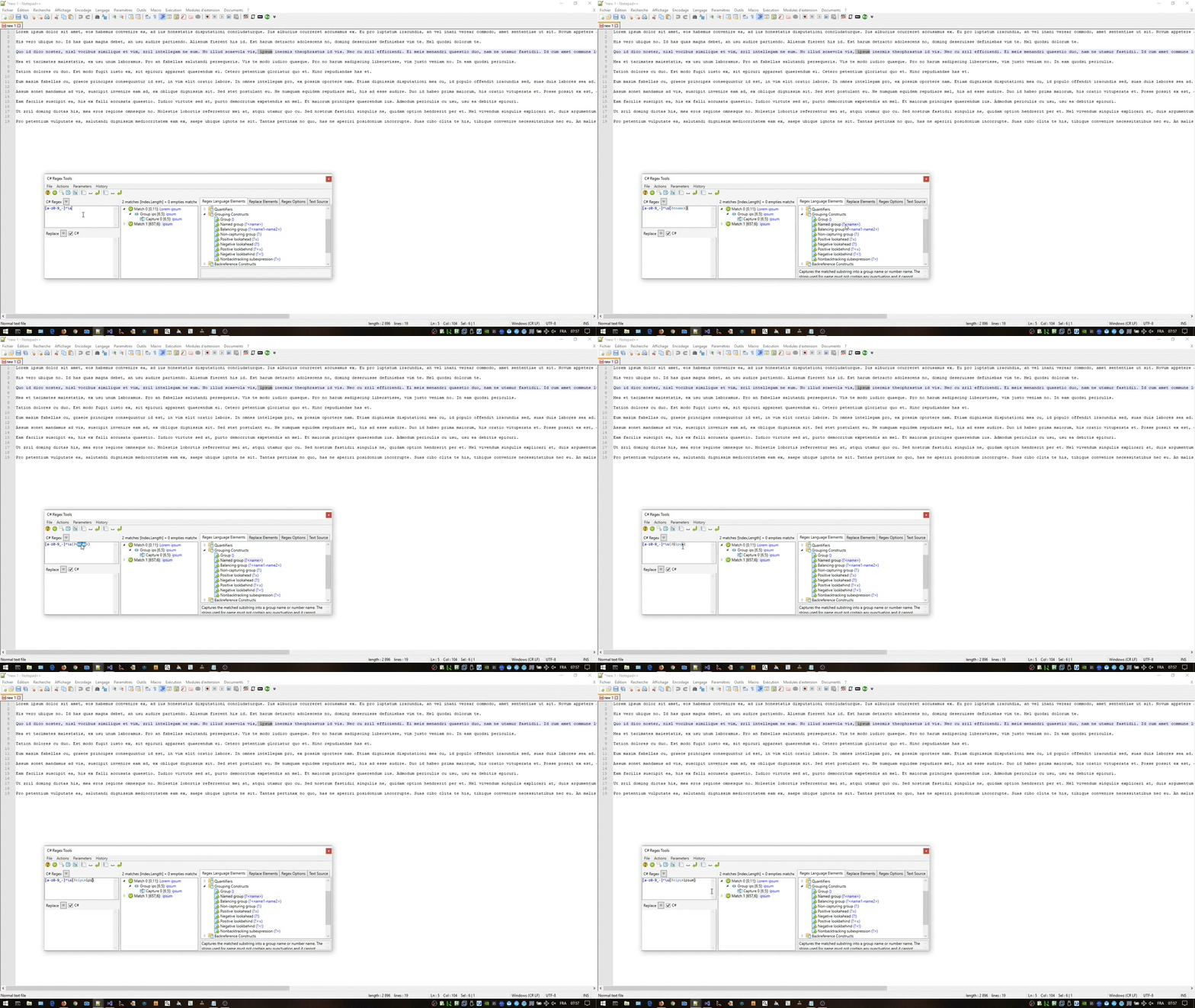
#### Use Regex snippets
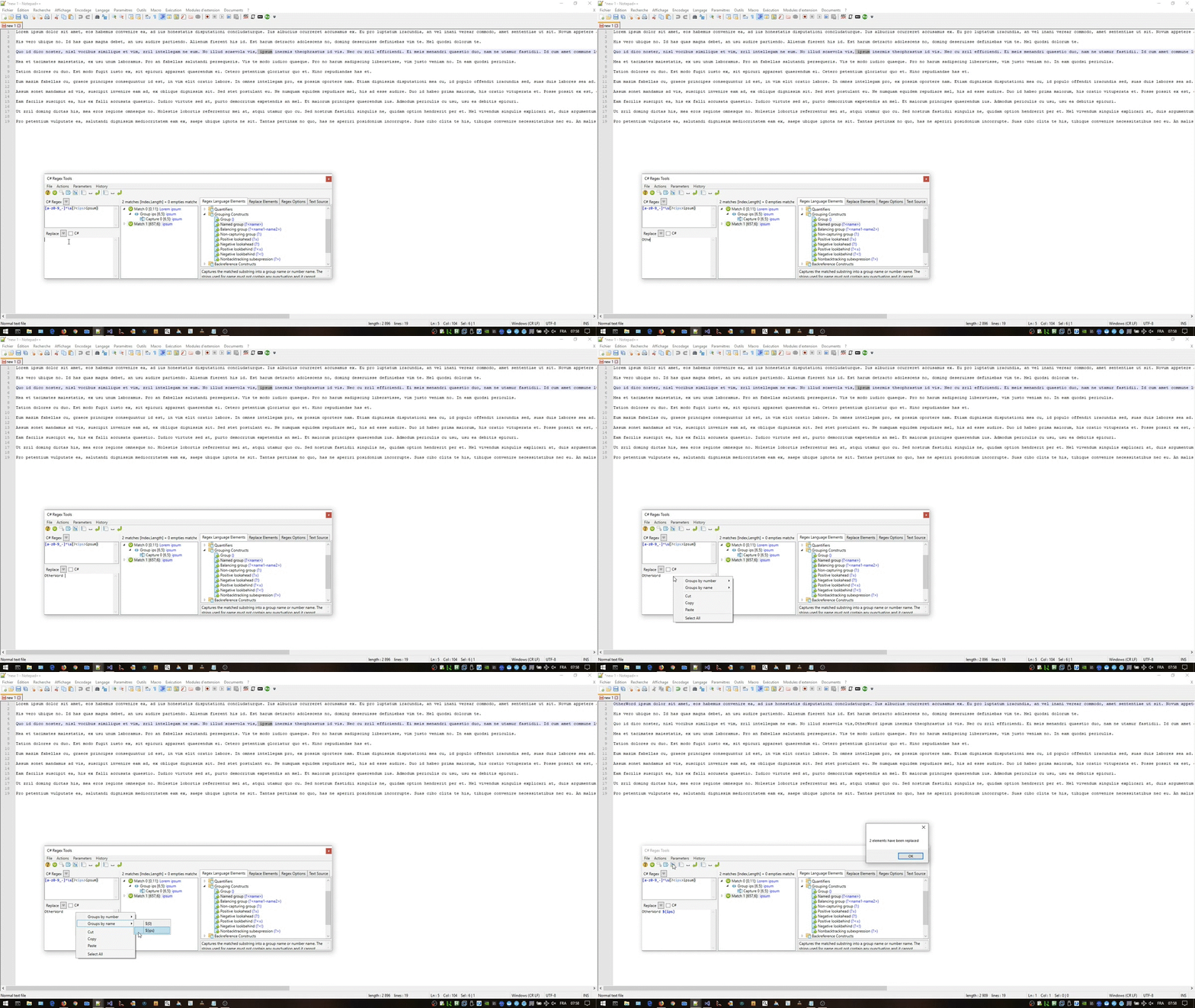
#### Replace all occurences
#### Replace with C# script
#### Standards Regex operations from the toolbar
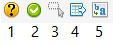
1. **Is Match ?** : Show a "Yes" if at least one match is found in the text source. Show a "No" otherwise
2. **Matches** : Fill the list of all found matches with Groups and Captures
3. **Select All Matches** : Select all found matches in the current Notepad++ tab (Can be use for multi-edition)
4. **Extract All** : Extract all matches results in a new Notepad++ tab
5. **Replace All** : Replace all matches in the text source
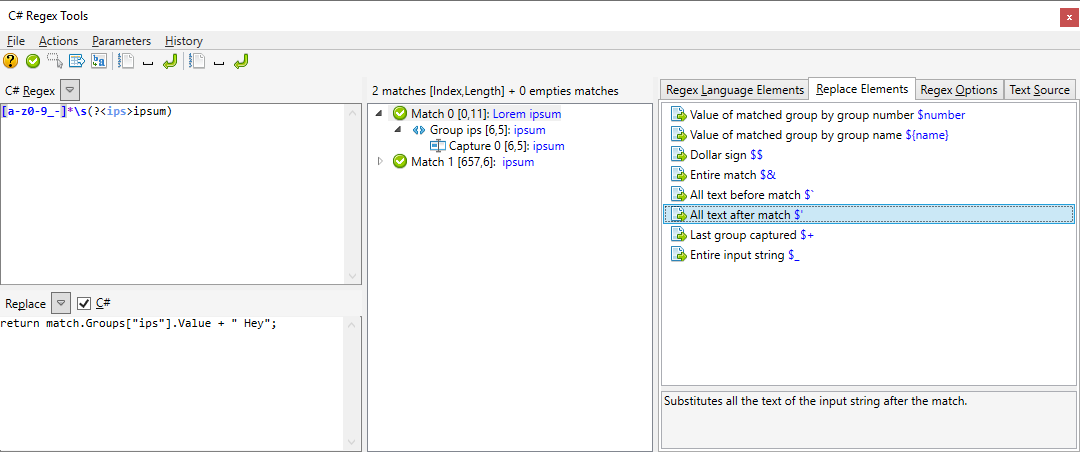
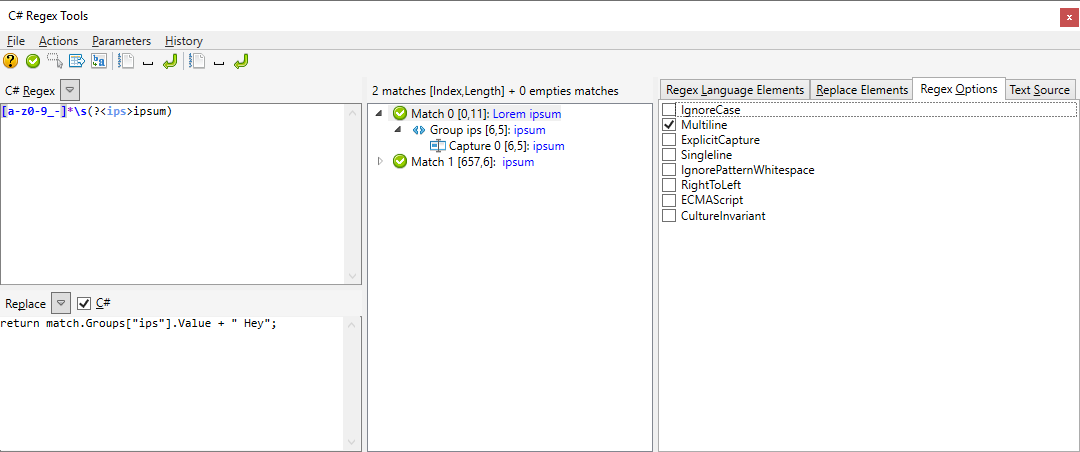
#### Some others functionalities (options) preview
## Credits
Based on : [NotepadPlusPlusPluginPack](https://github.com/kbilsted/NotepadPlusPlusPluginPack.Net) and from version 1.3.0.0 on [NppCSharpPluginPack](https://github.com/molsonkiko/NppCSharpPluginPack) ([Apache-2.0 license](https://github.com/molsonkiko/NppCSharpPluginPack?tab=Apache-2.0-1-ov-file#readme)) Merged manually with a part of the version used in [CS-Script.Npp](https://github.com/oleg-shilo/cs-script.npp) (under MIT license) for better x64 support and remodified for the way I use it.
use :
[AvalonEdit](https://github.com/icsharpcode/AvalonEdit) For Regex edition and syntax Highlighting (MIT license)
[CS-Script](https://github.com/oleg-shilo/cs-script/) For C# Match replace (MIT license)
[Newtonsoft.Json](https://www.newtonsoft.com/json) (MIT license)
[Ookii.Dialogs](http://www.ookii.org/software/dialogs/) (For Open and Save dialogs [specific license](https://github.com/codingseb/CSharpRegexTools4Npp/blob/master/Licenses/Ooki%20license.txt))
[PropertyChanged.Fody](https://github.com/Fody/PropertyChanged) (MIT license)
[Costura.fody](https://github.com/Fody/Costura) Merge all in one DLL, without it it doesn't work (MIT license)
And for icons :
GUI : [FatCow](https://www.fatcow.com/free-icons) ([Creative Commons 3.0](https://creativecommons.org/licenses/by/3.0/us/))
C# Autocomplete : [vscode-icons](https://github.com/microsoft/vscode-icons) : ([Creative Commons Attribution 4.0 International](https://github.com/microsoft/vscode-icons/blob/main/LICENSE)