https://github.com/cokaholic/donut
Donut is a library for arranging views circularly like a donut.
https://github.com/cokaholic/donut
animation animation-3d animation-library carthage circular cocoapods ios swift swift-library swift3 xcode
Last synced: about 1 year ago
JSON representation
Donut is a library for arranging views circularly like a donut.
- Host: GitHub
- URL: https://github.com/cokaholic/donut
- Owner: cokaholic
- License: mit
- Created: 2017-09-15T06:29:40.000Z (almost 9 years ago)
- Default Branch: master
- Last Pushed: 2017-09-27T07:22:51.000Z (over 8 years ago)
- Last Synced: 2025-05-12T01:16:48.413Z (about 1 year ago)
- Topics: animation, animation-3d, animation-library, carthage, circular, cocoapods, ios, swift, swift-library, swift3, xcode
- Language: Swift
- Size: 6.65 MB
- Stars: 143
- Watchers: 3
- Forks: 9
- Open Issues: 0
-
Metadata Files:
- Readme: README.md
- License: LICENSE
Awesome Lists containing this project
README

# Overview

Donut is a library for arranging views circularly like a donut.
You can use it so easily, and it will be a wonderful experience for you.
This library is inspired by EMCarousel.
# Contents
- [Features](#features)
- [Usage](#usage)
- [Requirements](#requirements)
- [Installation](#installation)
- [Author](#author)
## Features

[](https://img.shields.io/badge/Cocoapods-compatible-brightgreen.svg?style=flat-square)
[](https://github.com/Carthage/Carthage)
[](http://mit-license.org)


- [x] Animated item selection
- [x] Add items with animation
- [x] Support auto cell alignment center
- [x] Support 3D inclination angle (x, z)
- [x] Support animation curve (linear, easeInOut, easeIn, easeOut)
- [x] Support Interface Builder
- [x] Support `Swift3`
- [x] And more...
#### [Run example app in your browser](https://appetize.io/app/u8pqek1414r8degeq4u9ttegpg?device=iphone6s&scale=75&orientation=portrait&osVersion=11.0)
## Usage
### *1. Frame Size And Center Diff*
It is better to set **frame of a UIViewController's view to frame of the donutView**.
If you want to move center point of the donutView, please use `setCenterDiff(CGPoint(x: #X_Diff, y: #Y_Diff))`.
### *2. Set Configures*
### Inclinations
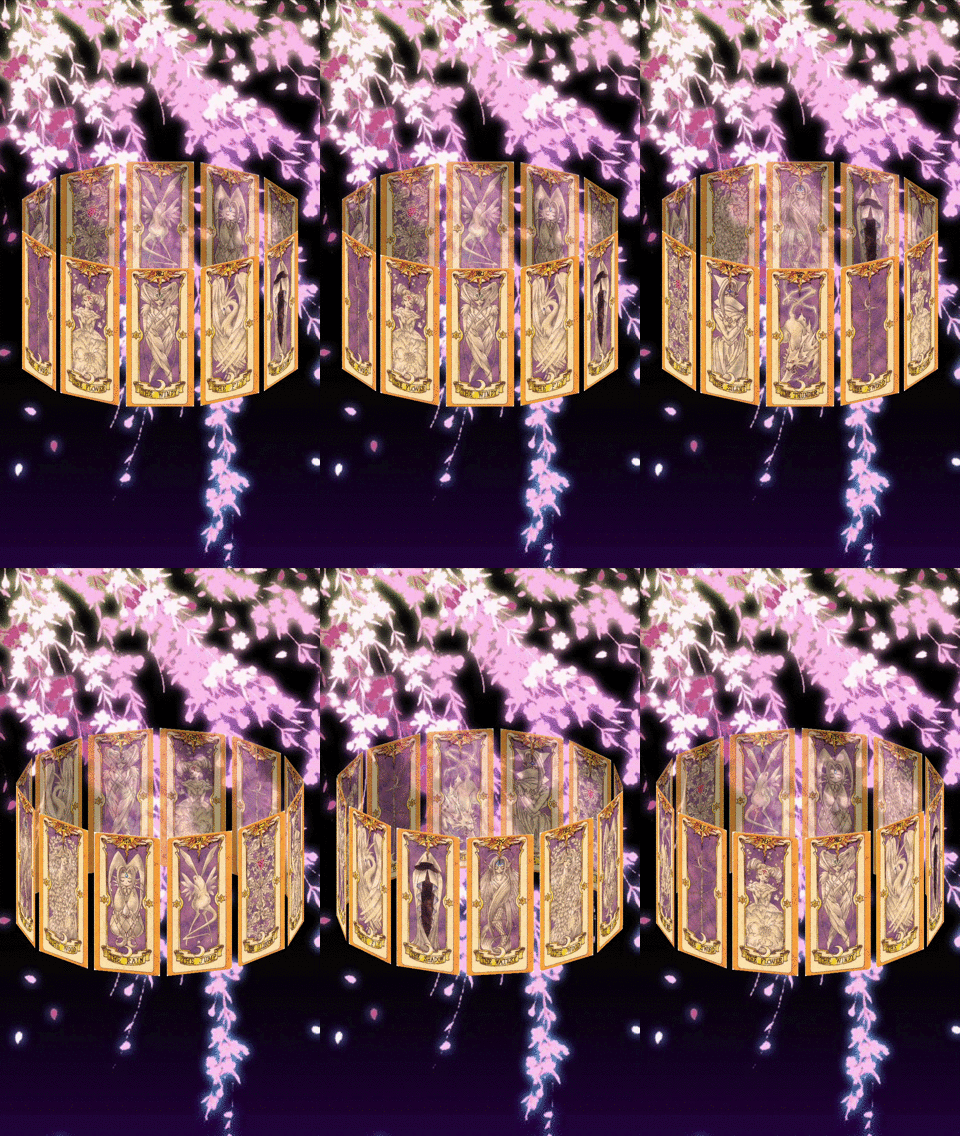
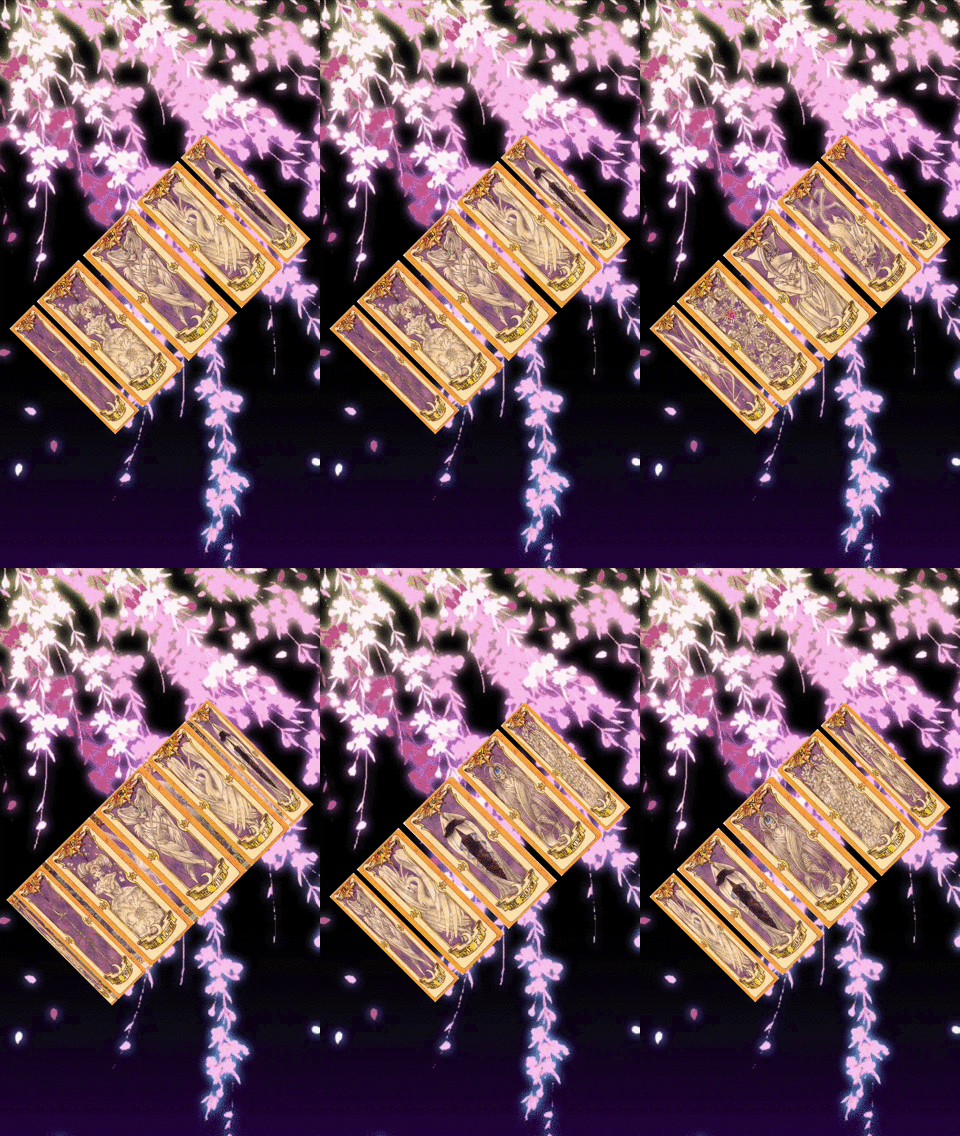
If you want to change the inclinations of DonutView, please use `setCarouselInclination(angleX: #AngleX, angleZ: #AngleZ)`.
You can change it about X and Z angles.
| **#AngleX = -.pi / 8.0** | **#AngleZ = -.pi / 4.0** |
|---|---|
|  |  |
### Cells Alpha
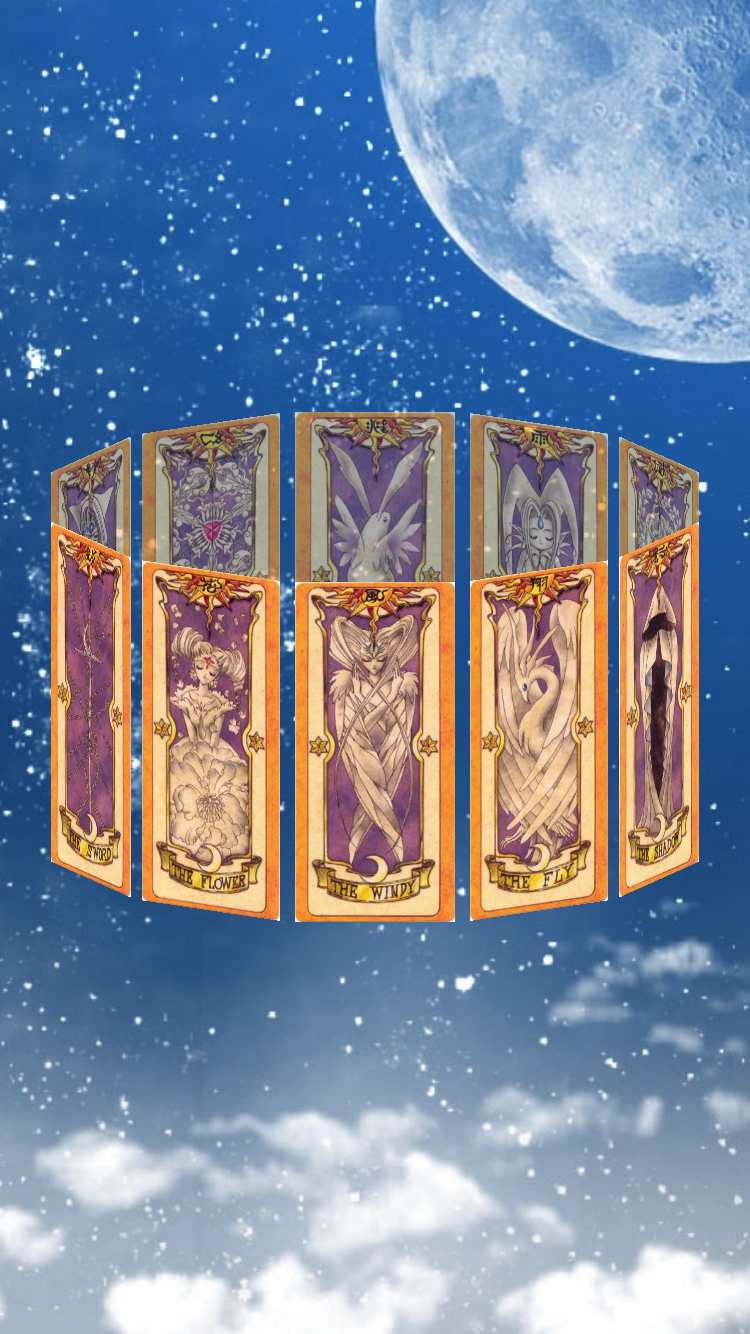
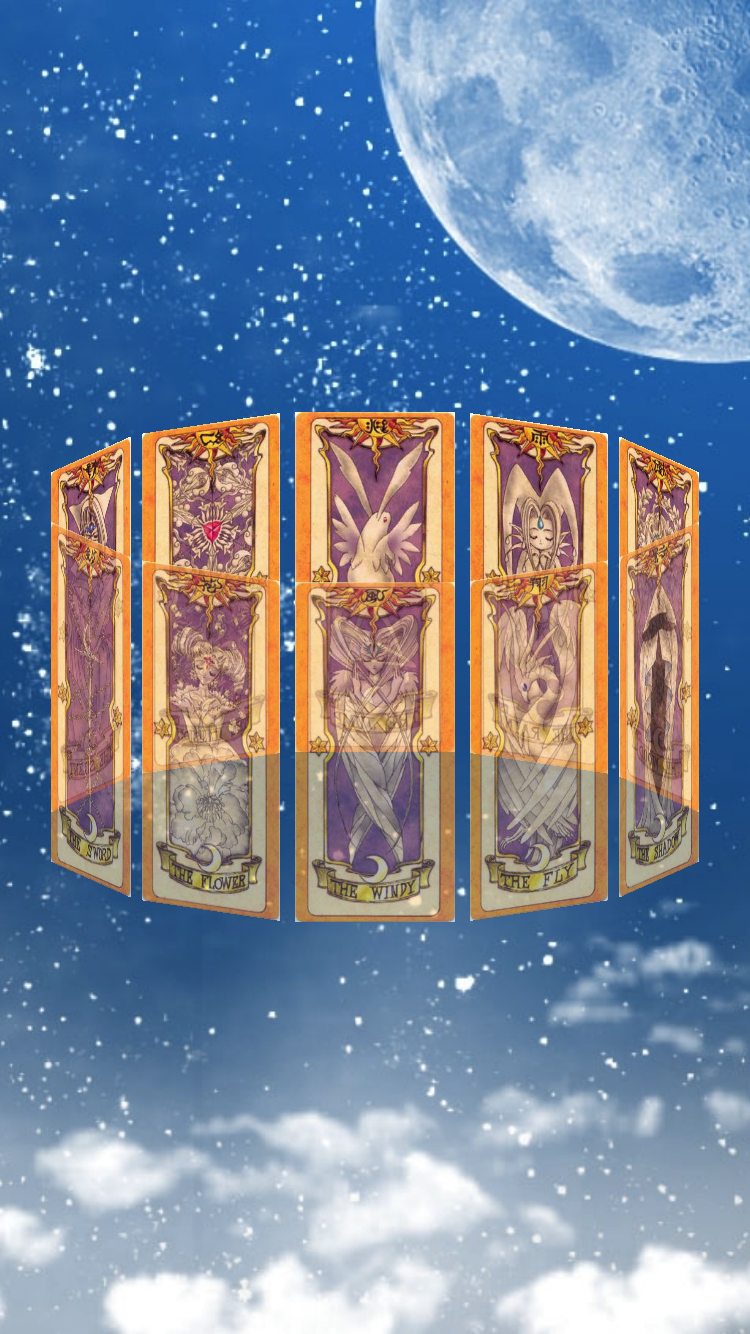
If you want to change the alpha of front or back DonutViewCells, please use `setFrontCellAlpha(#AlphaFront)` or `setBackCellAlpha(#AlphaBack)`.
| **#AlphaFront = 1.0, #AlphaBack = 0.7** | **#AlphaFront = 0.7, #AlphaBack = 1.0** |
|---|---|
|  |  |
### Selectable
You can set whether DonutView is selectable or not by `setSelectableCell(Bool)`.
If the cells is selectable, the selected cell is scrolled to the center.
### Auto Cell Alignment Center
You can set whether the alignment of DonutView is center or not by `setCellAlignmentCenter(Bool)`.
| **true** | **false** |
|---|---|
| 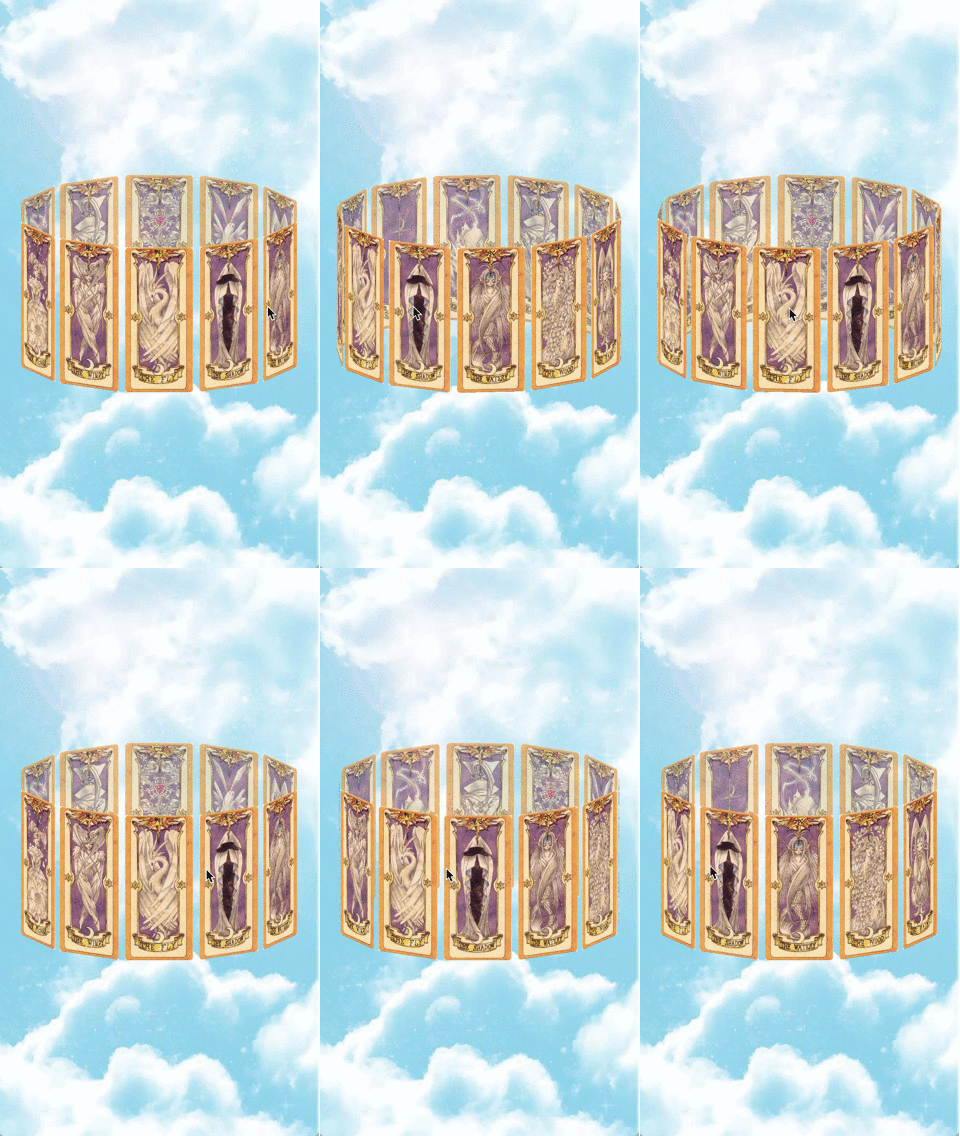 | 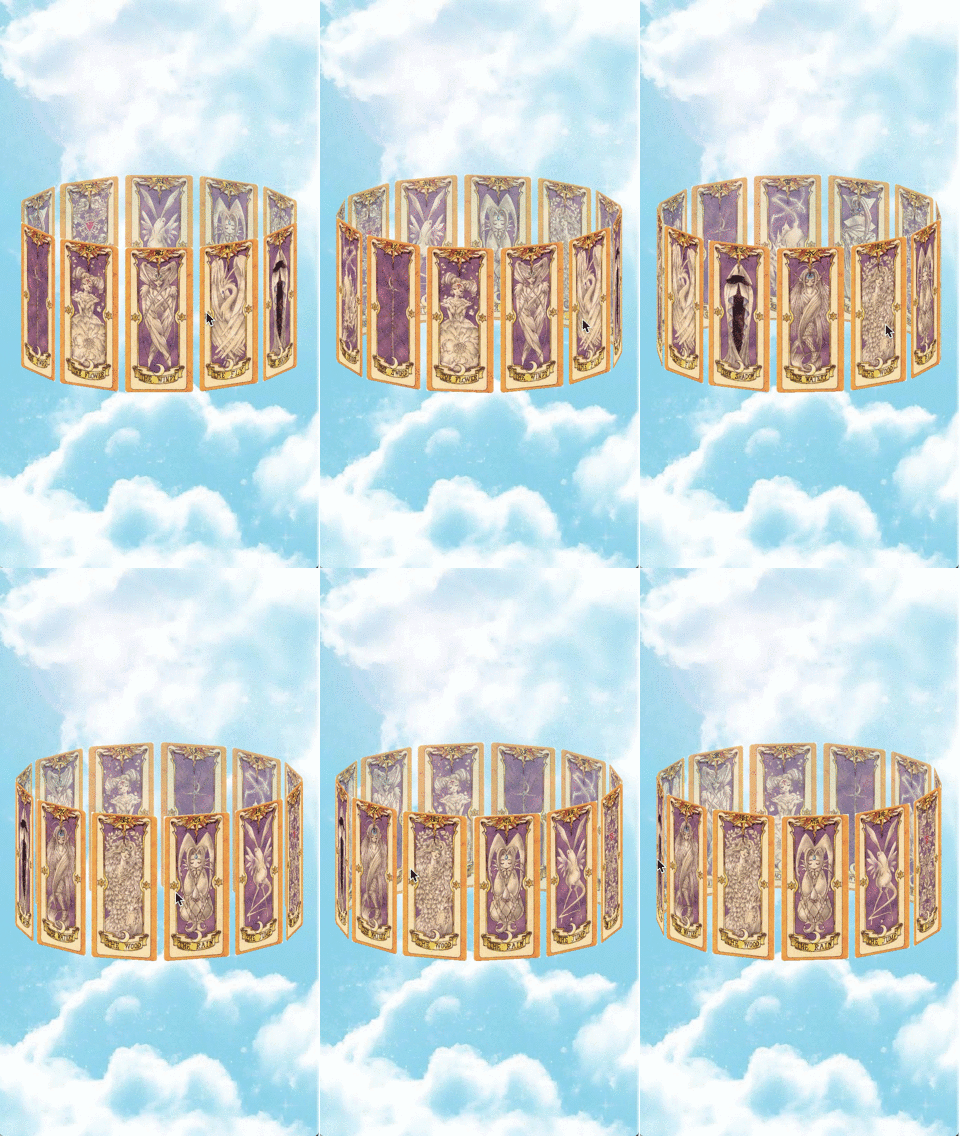 |
### Back Cells Interaction Enabled
You can set whether the interaction of DonutView's back cells is enable or not by `setBackCellInteractionEnabled(Bool)`.
### Only Cells Interaction Enabled
You can set whether the interaction of DonutView is enable only cells or not by `setOnlyCellInteractionEnabled(Bool)`.
### Animation Curve
If you want to change the animation curve of DonutView, please use `setAnimationCurve(UIViewAnimationCurve)`.
You can set an animation curve from below list.
```swift
public enum UIViewAnimationCurve : Int {
case easeInOut // slow at beginning and end
case easeIn // slow at beginning
case easeOut // slow at end
case linear
}
```
### *3. DonutViewDelegate (if you need)*
If you want to know at changed center cell or selected cell, you can use below delegate methods.
```swift
optional func donutView(_ donutView: DonutView, didChangeCenter cell: DonutViewCell)
optional func donutView(_ donutView: DonutView, didSelect cell: DonutViewCell)
```
### *4. Add Cells*
You can add one or more cells inherited from DonutViewCell to DonutView.
**Attention Please!: Before adding a cell, you need to set the frame size for the added cell!!!**
If you want to add cell, please use `addCell(_ cell: DonutViewCell)` or `addCells(_ cells: [DonutViewCell])`.
```swift
class ViewController: UIViewController, DonutViewDelegate {
private let donutView = DonutView()
override func viewDidLoad() {
super.viewDidLoad()
donutView.frame = view.bounds // It's better
donutView.setCenterDiff(CGPoint(x: 0, y: 0)) // Set center diff
donutView.setFrontCellAlpha(1.0) // Set front cells alpha
donutView.setBackCellAlpha(0.7) // Set back cells alpha
donutView.setSelectableCell(true) // Set selectable
donutView.setCellAlignmentCenter(true) // Set auto cell alignment center
donutView.setBackCellInteractionEnabled(false) // Set back cells interaction
donutView.setOnlyCellInteractionEnabled(true) // Set only cells interaction
donutView.setAnimationCurve(.linear) // Set animation curve
donutView.addCells(getCardCells()) // Add cells
donutView.delegate = self // Set delegate
view.addSubview(donutView)
}
// MARK: - DonutViewDelegate
func donutView(_ donutView: DonutView, didChangeCenter cell: DonutViewCell) {
print("current center cell: \(cell)")
}
func donutView(_ donutView: DonutView, didSelect cell: DonutViewCell) {
print("selected cell: \(cell)")
}
}
```
See [Example](https://github.com/cokaholic/Donut/tree/master/Example), for more details.
## Requirements
- Xcode 8.0+
- Swift 3.0+
- iOS 9.0+
## Installation
### CocoaPods
Donut is available through [CocoaPods](http://cocoapods.org).
To install
it, simply add the following line to your Podfile:
```ruby
pod "Donut"
```
### Carthage
Add the following line to your `Cartfile`:
```ruby
github "cokaholic/Donut"
```
### Manually
Add the [Donut](./Donut) directory to your project.
## Author
Keisuke Tatsumi
- [GitHub](https://github.com/cokaholic)
- [Facebook](https://www.facebook.com/keisuke.tatsumi.50)
- [Twitter](https://twitter.com/TK_u_nya)
- Gmail: nietzsche.god.is.dead@gmail.com
## License
Donut is available under the MIT license.
See the [LICENSE file](https://github.com/cokaholic/Donut/blob/master/LICENSE) for more info.