https://github.com/colelawrence/phoenix_watch_together
:tv: Watch YouTube videos together. Originated phoenix app based on tutorial in programming phoenix
https://github.com/colelawrence/phoenix_watch_together
angular-2 elixir-lang phoenix typescript webpack
Last synced: 4 months ago
JSON representation
:tv: Watch YouTube videos together. Originated phoenix app based on tutorial in programming phoenix
- Host: GitHub
- URL: https://github.com/colelawrence/phoenix_watch_together
- Owner: colelawrence
- Created: 2016-11-13T02:23:35.000Z (over 9 years ago)
- Default Branch: watch-together
- Last Pushed: 2017-11-19T20:52:31.000Z (over 8 years ago)
- Last Synced: 2025-02-11T22:05:04.590Z (over 1 year ago)
- Topics: angular-2, elixir-lang, phoenix, typescript, webpack
- Language: Elixir
- Homepage:
- Size: 3.36 MB
- Stars: 2
- Watchers: 3
- Forks: 0
- Open Issues: 0
-
Metadata Files:
- Readme: README.md
Awesome Lists containing this project
README
# Watch Together
[](https://travis-ci.org/colelawrence/phoenix_watch_together)
Watch YouTube videos with multiple people, and then vote for the next video to be played!
[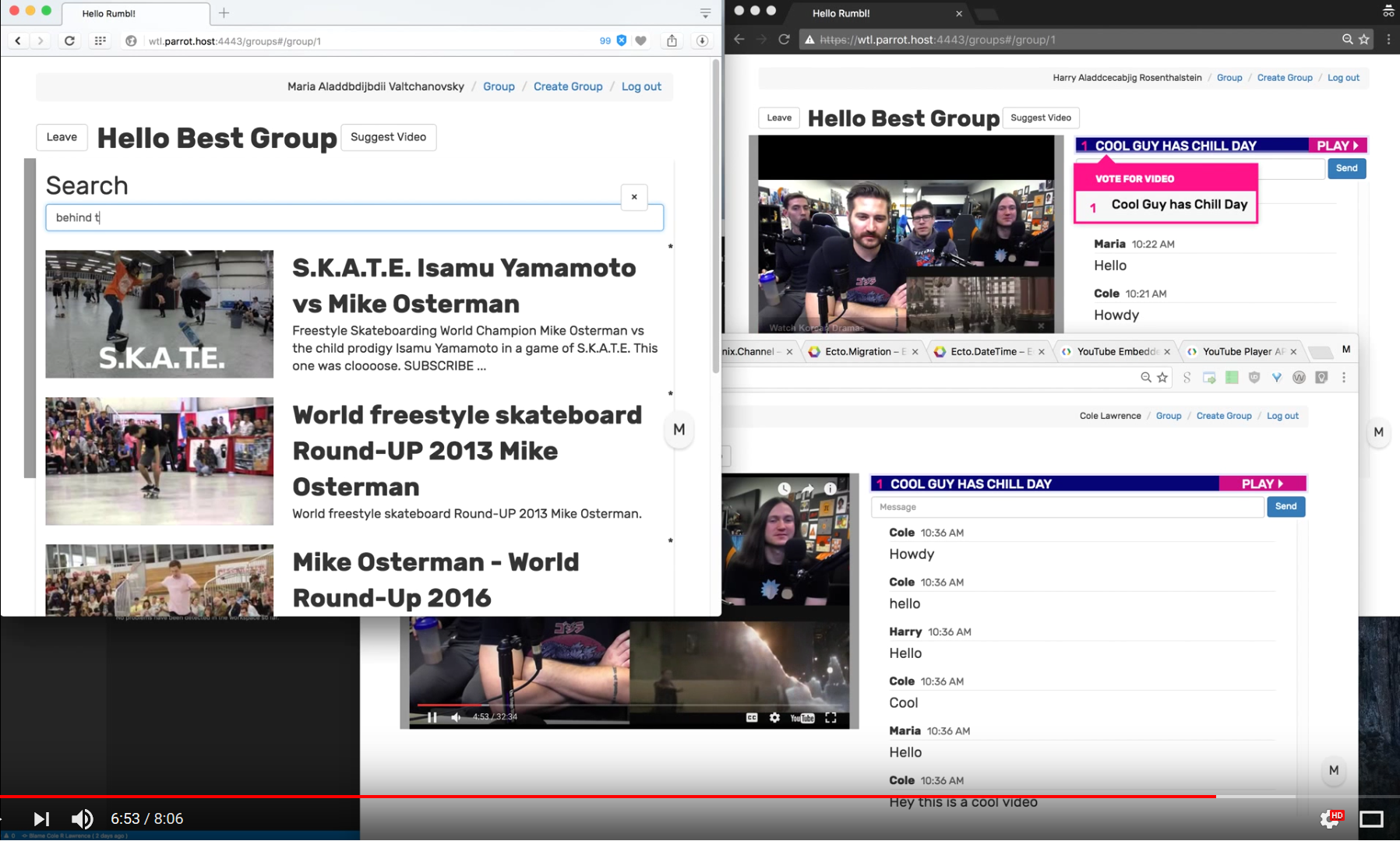](https://youtu.be/auam8-ga6gE)
This is based on another website I forget the name of, but it was a cool idea to try and recreate using Phoenix.
## Windows
Start postgresql server using:
```shell
pg_ctl start -D C:\Users\Cole\.postgresql\data
pg_ctl status -D C:\Users\Cole\.postgresql\data
```
More commands on https://www.postgresql.org/docs/9.6/static/app-pg-ctl.html
### Compiling for Windows
> We had issues trying to compile using the latest Visual Studio, so we use VS12 here.
```shell
# Initialize environment for VCBuild tools
"C:\Program Files (x86)\Microsoft Visual Studio 12.0\VC\vcvarsall.bat" amd64
# Compile dependencies
mix compile
```
## Mac OSX
```shell
brew install postgres
# start detached postgres database
pg_ctl -D /usr/local/var/postgres start
# add default postgres user
createuser -s postgres
# Proceed to "Starting App"
```
## Starting App
To start your Phoenix app:
* Install dependencies with `mix deps.get`
* Create and migrate your database with `mix ecto.create && mix ecto.migrate`
* Install Node.js dependencies with `npm install`
* Start Phoenix endpoint with `mix phoenix.server`
> We may need to seed the database with categories using: `mix run priv/repo/seeds.exs`
Now you can visit [`localhost:4000`](http://localhost:4000) from your browser.
Ready to run in production? Please [check our deployment guides](http://www.phoenixframework.org/docs/deployment).
### Debugging Notes
```sh
# run app with code reloading and interactive session
iex -S mix phoenix.server
```
### Deploying App with Docker
#### Setup server
1. Get a Digital Ocean droplet based off of One-click app: `Ubuntu Docker 1.12.3 on 16.04`
2. Install `docker-compose` with `apt install docker-compose` (and might as well update docker)
#### Run containers
Prerequisite:
1. From the droplet command line, git clone this repo.
2. Run `bash ./install-dependencies.bash`
> This installs all the things you'll need for installing the elixir deps and creating and migrating the database. (read the file for more information)
Then:
```bash
# From project directory
# Start up stack (-d detached, web service)
docker-compose up -d web
```
#### Kill docker containers
```bash
# From project directory
docker-compose kill
```
#### Restart docker containers
```bash
# From project directory
# Restart service (web service)
docker-compose restart web
```
#### Test power cycle
```bash
# From project directory
# Do not kill services
# Restart docker os service
sudo service docker restart
```
## Learn more
* Official website: http://www.phoenixframework.org/
* Guides: http://phoenixframework.org/docs/overview
* Docs: https://hexdocs.pm/phoenix
* Mailing list: http://groups.google.com/group/phoenix-talk
* Source: https://github.com/phoenixframework/phoenix