https://github.com/complexicon/openhere
create your own "open here" helpers for finder!
https://github.com/complexicon/openhere
coding finder helper macos utilities
Last synced: 2 months ago
JSON representation
create your own "open here" helpers for finder!
- Host: GitHub
- URL: https://github.com/complexicon/openhere
- Owner: Complexicon
- License: mit
- Created: 2024-01-02T19:31:44.000Z (over 2 years ago)
- Default Branch: main
- Last Pushed: 2024-03-25T18:22:19.000Z (about 2 years ago)
- Last Synced: 2025-07-29T11:06:15.181Z (11 months ago)
- Topics: coding, finder, helper, macos, utilities
- Language: Swift
- Homepage:
- Size: 561 KB
- Stars: 2
- Watchers: 1
- Forks: 0
- Open Issues: 0
-
Metadata Files:
- Readme: README.md
- License: LICENSE
Awesome Lists containing this project
README
# OpenHere
OpenHere is a dead simple tool to open your favorite apps from Finder, alot like OpenInTerminal-Lite.
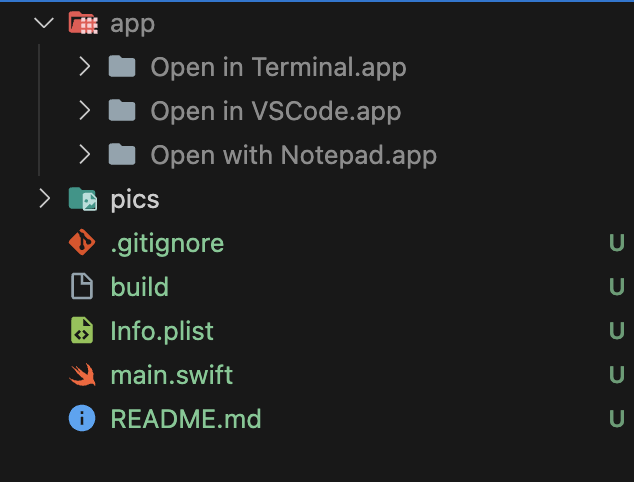
You can create multiple different openers with the build script. see the pictures
these helpers will clone the icon of the app they will open
# pictures
build output for my personal opener helpers
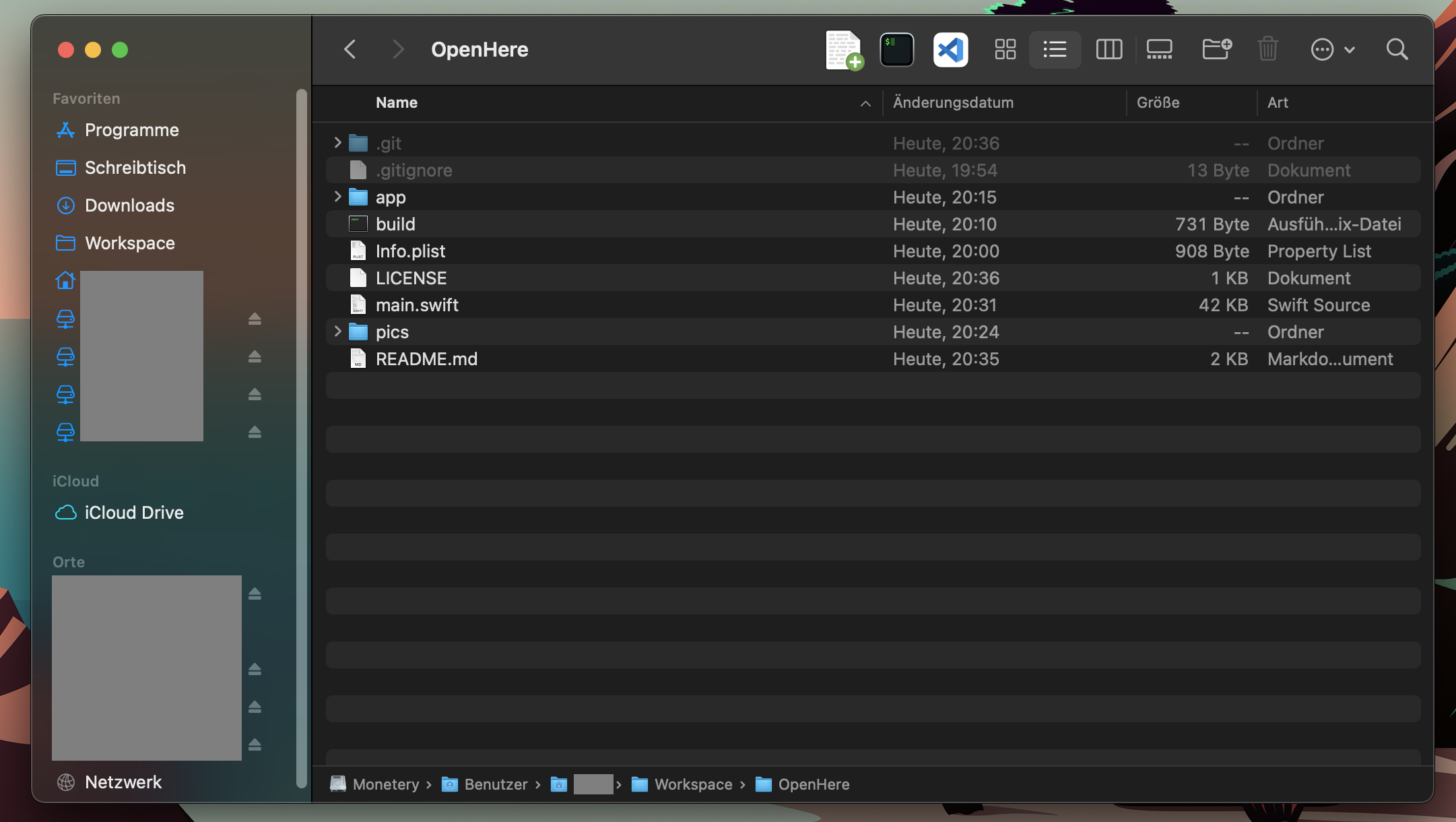
how they look in your toolbar
# install
after building your apps with the build command place them somewhere comfy.
then drag them into your toolbar while holding down (Cmd)
> ⚠️ on first start macOS will ask for your permissions to access Finder. these openers need this permission to determine your current working directory
i am going to just steal this gif from OpenInTerminal-Lite

# what you need
- the swiftc compiler
- some sort of terminal
thats it.
# getting a bundleid from an app
`osascript -e 'id of app "NotepadNext"'`
# examples
`usage: ./build `
```sh
./build com.googlecode.iterm2 "Open in Terminal" # create opener app for iterm2
./build com.microsoft.VSCode "Open in VSCode"
```
# credits
a part of this code is based on the amazing OpenInTerminal Project -> https://github.com/Ji4n1ng/OpenInTerminal
go there if you want more functionality