https://github.com/confluentinc/quickstart-streaming-agents
Build, deploy, and orchestrate event-driven agents natively on Apache Flink® and Apache Kafka®
https://github.com/confluentinc/quickstart-streaming-agents
agentic-ai agentic-framework agents ai azure-ai bedrock claude embeddings flink inference kafka llm mcp openai rag vector-search
Last synced: 4 months ago
JSON representation
Build, deploy, and orchestrate event-driven agents natively on Apache Flink® and Apache Kafka®
- Host: GitHub
- URL: https://github.com/confluentinc/quickstart-streaming-agents
- Owner: confluentinc
- License: apache-2.0
- Created: 2025-08-11T13:43:26.000Z (11 months ago)
- Default Branch: master
- Last Pushed: 2026-03-12T15:36:50.000Z (4 months ago)
- Last Synced: 2026-03-12T21:43:34.643Z (4 months ago)
- Topics: agentic-ai, agentic-framework, agents, ai, azure-ai, bedrock, claude, embeddings, flink, inference, kafka, llm, mcp, openai, rag, vector-search
- Language: Python
- Homepage: https://confluent.io/product/streaming-agents/
- Size: 20.6 MB
- Stars: 62
- Watchers: 5
- Forks: 36
- Open Issues: 0
-
Metadata Files:
- Readme: README.md
- License: LICENSE
- Codeowners: .github/CODEOWNERS
Awesome Lists containing this project
README
# Streaming Agents on Confluent Cloud Quickstart
[](https://www.confluent.io/get-started/?utm_campaign=tm.pmm_cd.q4fy25-quickstart-streaming-agents&utm_source=github&utm_medium=demo)
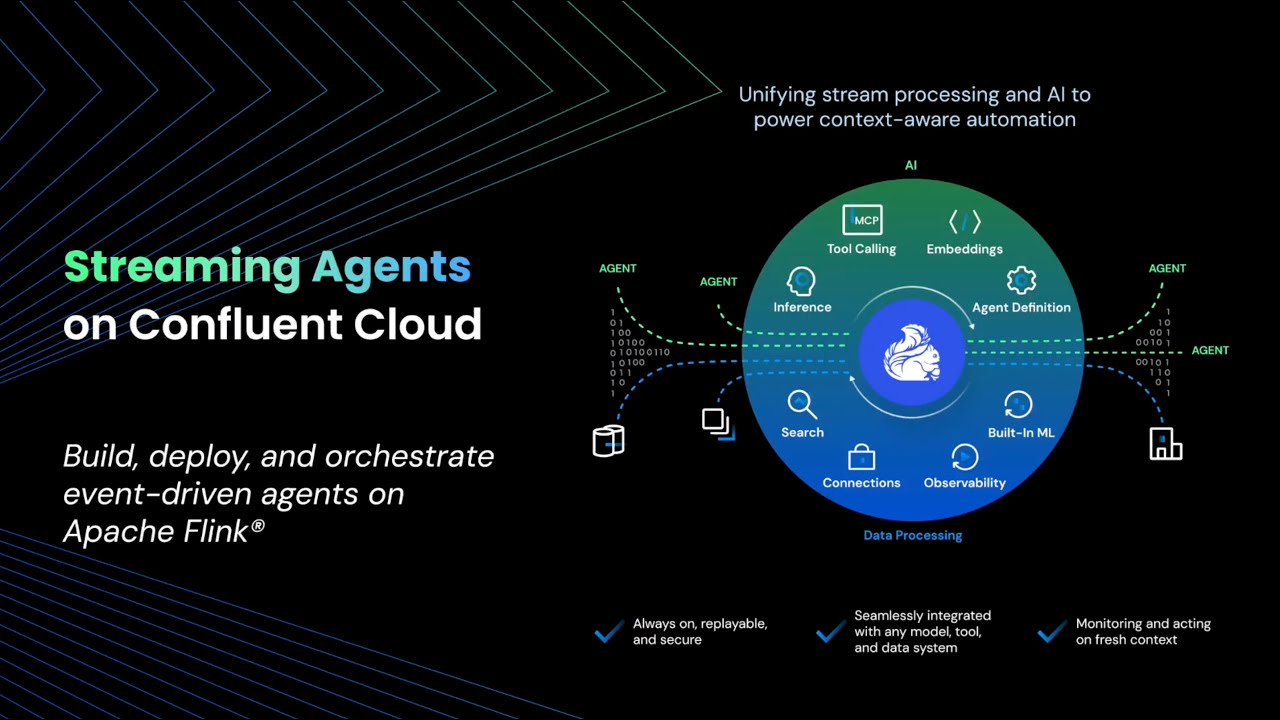
Build real-time AI agents with [Confluent Cloud Streaming Agents](https://docs.confluent.io/cloud/current/ai/streaming-agents/overview.html). This quickstart includes three hands-on labs:
Lab
Description
Lab1 - Price Matching Orders With MCP Tool Calling
*NEW!* Now using new Agent Definition (CREATE AGENT) syntax. Price matching agent that scrapes competitor websites and adjusts prices in real-time.

Lab2 - Vector Search & RAG
Vector search pipeline template with retrieval augmented generation (RAG). Use the included Flink documentation chunks, or bring your own documents for intelligent document retrieval.

Lab3 - Agentic Fleet Management Using Confluent Intelligence
End-to-end boat fleet management demo showing use of Agent Definition, MCP tool calling, vector search, and anomaly detection.

Lab4 - Public Sector Insurance Claims Fraud Detection Using Confluent Intelligence
Real-time fraud detection system that autonomously identifies suspicious claim patterns in disaster insurance claims applications using anomaly detection, pattern recognition, and LLM-powered analysis.

## Prerequisites
**Required accounts & credentials:**
- [](https://www.confluent.io/get-started/?utm_campaign=tm.pmm_cd.q4fy25-quickstart-streaming-agents&utm_source=github&utm_medium=demo)
- **LLM Provider:** AWS Bedrock API keys **OR** Azure OpenAI keys - or BYOK
- **Lab1 & Lab3:** Zapier remote MCP server ([Setup guide](./assets/pre-setup/Zapier-Setup.md))
> **Note:** SSE endpoints are now deprecated by Zapier. If you previously created an SSE endpoint, you'll need to create a new Streamable HTTP endpoint and copy the Zapier token instead. See the [Zapier Setup guide](./assets/pre-setup/Zapier-Setup.md) for updated instructions.
**Required tools:**
- **[Confluent CLI](https://docs.confluent.io/confluent-cli/current/overview.html)** - must be logged in
- **[Docker](https://github.com/docker)** - for Lab1 & Lab3 data generation only
- **[Git](https://github.com/git/git)**
- **[Terraform](https://github.com/hashicorp/terraform)**
- **[uv](https://github.com/astral-sh/uv)**
- **[AWS CLI](https://github.com/aws/aws-cli)** or **[Azure CLI](https://github.com/Azure/azure-cli)** tools for generating API keys
Installation commands (Mac/Windows)
**Mac:**
```bash
brew install uv git python && brew tap hashicorp/tap && brew install hashicorp/tap/terraform && brew install --cask confluent-cli docker-desktop && brew install awscli # or azure-cli
```
**Windows:**
```powershell
winget install astral-sh.uv Git.Git Docker.DockerDesktop Hashicorp.Terraform ConfluentInc.Confluent-CLI Python.Python
```
## 🚀 Quick Start
**1. Clone the repository and navigate to the Quickstart directory:**
```bash
git clone https://github.com/confluentinc/quickstart-streaming-agents.git
cd quickstart-streaming-agents
```
**2. Auto-generate AWS Bedrock or Azure OpenAI keys:**
```bash
# Creates API-KEYS-[AWS|AZURE].md and auto-populates them in next step
uv run api-keys create
```
3. **One command deployment:**
```bash
uv run deploy
```
That's it! The script will autofill generated credentials and guide you through setup and deployment of your chosen lab(s).
> [!NOTE]
>
> See the [Workshop Mode Setup Guide](./assets/pre-setup/Workshop-Mode-Setup.md) for details about auto-generating API keys and tips for running demo workshops.
## Directory Structure
```
quickstart-streaming-agents/
├── terraform/
│ ├── core/ # Shared Confluent Cloud infra for all labs
│ ├── lab1-tool-calling/ # Lab1-specific infra
│ ├── lab2-vector-search/ # Lab2-specific infra
│ └── lab3-agentic-fleet-management/ # Lab3-specific infra
├── deploy.py # Start here with uv run deploy
└── scripts/ # Python utilities invoked with uv
```
**[NEW!] Streamlined architecture:**
- No heavyweight AWS/Azure Terraform providers needed - just LLM API keys generated with one command
- **MongoDB is now pre-configured:** No need to set up your own MongoDB Atlas cluster anymore - we provide MongoDB endpoints with read-only credentials, pre-populated with vectorized documents so you can get started faster
## Cleanup
```bash
# Automated
uv run destroy
```
## Sign up for early access to Flink AI features
For early access to exciting new Flink AI features, [fill out this form and we'll add you to our early access previews.](https://events.confluent.io/early-access-flink-features)