https://github.com/cookiecutter-openedx/openedx-plugin-example
Python-Django scaffolding for common use cases
https://github.com/cookiecutter-openedx/openedx-plugin-example
django full-stack openedx python python3
Last synced: about 1 month ago
JSON representation
Python-Django scaffolding for common use cases
- Host: GitHub
- URL: https://github.com/cookiecutter-openedx/openedx-plugin-example
- Owner: cookiecutter-openedx
- License: agpl-3.0
- Created: 2022-03-10T18:54:11.000Z (over 4 years ago)
- Default Branch: main
- Last Pushed: 2024-05-12T14:24:57.000Z (about 2 years ago)
- Last Synced: 2025-09-11T14:05:15.672Z (10 months ago)
- Topics: django, full-stack, openedx, python, python3
- Language: Python
- Homepage:
- Size: 2.37 MB
- Stars: 19
- Watchers: 2
- Forks: 10
- Open Issues: 2
-
Metadata Files:
- Readme: README.md
- Changelog: CHANGELOG.md
- Funding: .github/FUNDING.yml
- License: LICENSE.txt
Awesome Lists containing this project
README
# Open edX Plugin Examples
[](https://github.com/cookiecutter-openedx/openedx-plugin-example)
[](https://discuss.openedx.org/tag/cookiecutter)
[](https://github.com/cookiecutter-openedx/openedx-plugin-example)
[](https://pypi.org/project/openedx-plugin-example)
[](https://www.gnu.org/licenses/agpl-3.0.en.html)
[](https://lawrencemcdaniel.com)
An Open edX plugin showcasing a curated collection of code samples for extending and modifying the stock functionality of an Open edX installation using the built-in plugin architecture. This plugin can be installed in any Open edX installation version Juniper or later, independent of the installation method. This plugin currently runs in native builds, tutor installations, and Cookiecutter-openedx Kubernetes, amongst other proprietary installation methodologies.
Open edX official documentation recommends that you leverage its plugin architecture rather than fork its code repositories. This project provides more than two dozen code examples to help you accomplish this.
[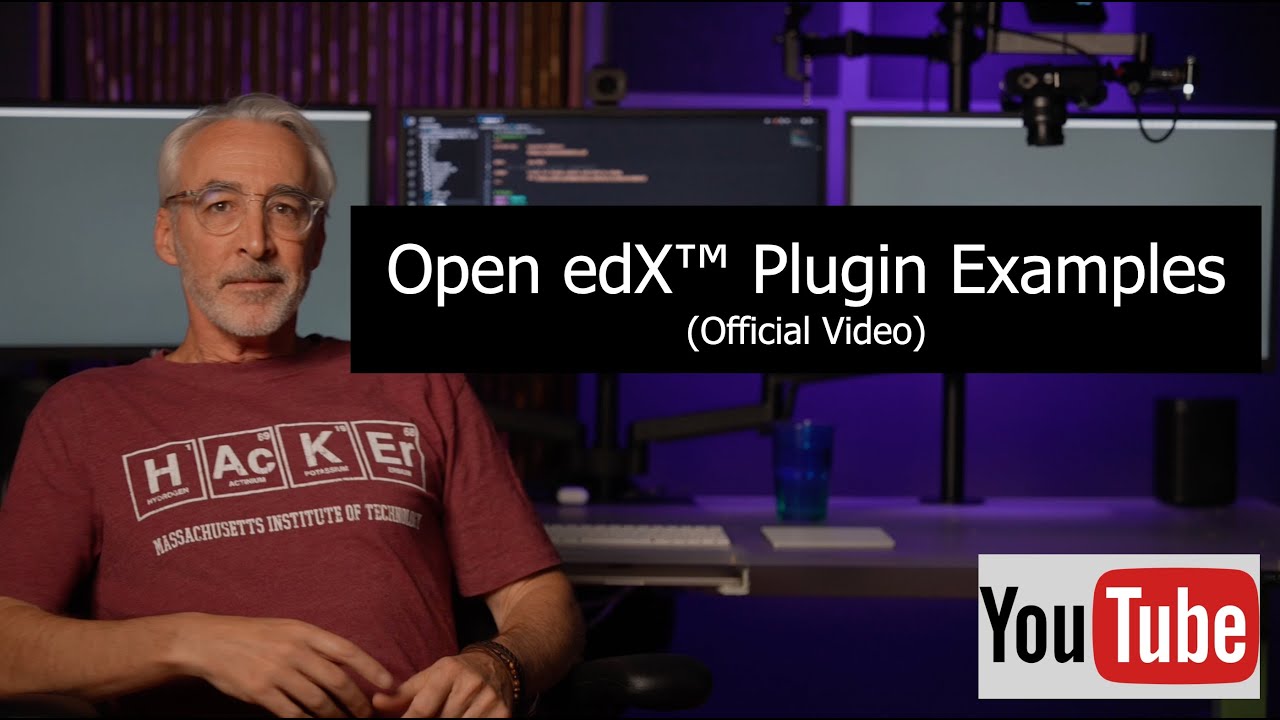](https://www.youtube.com/watch?v=4TcSrEzciHA)
Usage:
```bash
pip install openedx-plugin-example
```
Technical features and coding techniques that are showcased in this repo include:
* Iterate and introspect structured course content
* Custom oauth backend that seamlessly integrates with Open edX third party authentication
* Custom url to auto-enroll students in a course
* Automatically detect and adapt to the browser OS locale setting
* Usage examples of Open edX's extensive library of Python decorators
* Open edX Django configuration settings
* Open edX Django urls
* Open edX Django logging
* Open edX Django signals
* Open edX Django RestFramework custom api
* Django app setup
* Django models
* Django and Mako templating
* Django static assets
* Django Admin
* Django middleware
* Django manage.py custom commands
* Django Waffle flags
* Python environment variables
* How to bundle multiple plugins in a single pip package
* How to redirect Open edX urls in lms and cms to endpoints created in this plugin
* How to automatically initialize Django model data during app startup
* Adding unit tests to plugin code
* Semantic version control
* Pre-commit with linting by flake8 and black, both of which are configured to match the opinionated styling that you'll find in Open edX repositories
* pip configuration, requirements, constraints, setup.py, pyproject.toml
* Publishing to PyPi
## Open edX Plugins in this Repository
### openedx_plugin
Demonstrates how to create an all-in-one Open edX plugin, with a heterogeneous collection of custom feature additions, including:
* A custom third party authentication [Oauth2 client backend](./openedx_plugin/wordpress_oauth2_backend.py).
* Extending [new user registration](./openedx_plugin/signals.py) functionality. Demonstrates how to leverage Django Signals to extend basic native Open edX operations.
* Extending the openedx feature set with [Django Signals](./openedx_plugin/signals.py)
* Implementing a [rest api](./openedx_plugin/api/README.md) from scratch that is accessible from an LMS url.
* Advanced Internationalization: [customizing static page links](./openedx_plugin/locale/README.md) based on the language locale setting
### openedx_plugin_api
Implements a full-featured [REST API](./openedx_plugin_api/README.md) which is built from snippets of Open edX's built-in rest api libraries. Demonstrates the following:
* Best practices with Django RestFramework for Open edX
* Adding custom URL endpoints to LMS
* Adding Django Admin views
* Creating custom Django models for your plugin
* How to create custom entries in the openedx app log
* How to leverage Django Signals to create customized event-driven features
* How to implement Waffle Switches to control optional features at run-time
### openedx_plugin_cms
Implements a [custom course audit report](openedx_plugin_cms/README.md) in Course Management Studio that depends on a backend Python process to iterate the course content. This process is highly instructive about the Open edX course object hierarchy. This plugin demonstrates the following:
* Adding custom URL endpoints to Course Management Studio
* Adding Django Admin views
* Adding custom manage.py commands to CMS
* Creating custom Django models for your plugin
* How to create custom entries in the openedx app log
* How to leverage Django Signals to create customized event-driven features
* How to implement Waffle Switches to control optional features at run-time
* Advanced usage of Mako templating within an Open edX plugin
* How to programatically iterate and inspect course content
* How to leverage Open edX object caching
### openedx_plugin_mobile_api
Implements a modified version of the Open edX LMS Mobile REST API. This plugin illustrates best practices for modifying edx-platform source code without actually forking this repository. Demonstrates the following:
* How to implement Django middleware to modify the destination of existing LMS url endpoints
* Best practices with Django RestFramework for Open edX
## Getting Started
### Install using Tutor
See [Installing extra xblocks and requirements](https://docs.tutor.edly.io/configuration.html#installing-extra-xblocks-and-requirements)
```bash
tutor config save # to ensure that tutor's root folder system has been created
echo "openedx-plugin-example" >> "$(tutor config printroot)/env/build/openedx/requirements/private.txt"
tutor images build openedx
tutor local launch
# you'll also need to run this on your very first install
# -----------------------------------------------------------------------------
# 1. run migrations
tutor local run lms ./manage.py lms makemigrations
tutor local run lms ./manage.py lms migrate
tutor local run cms ./manage.py cms makemigrations
tutor local run cms ./manage.py cms migrate
# 2. add configuration data to custom models
tutor local run lms ./manage.py lms openedx_plugin_init
tutor local run lms ./manage.py lms openedx_plugin_api_init
tutor local run lms ./manage.py lms openedx_plugin_mobile_api_init
tutor local run cms ./manage.py cms openedx_plugin_cms_init
```
### Notes About Django-Waffle
* Each of these four Open edX plugins use [django-waffle](https://waffle.readthedocs.io/en/stable/) to toggle features on and off. While edx-platform also uses waffle switches, you should note that they separately manage a wrapper project named [edx-toggles](https://edx.readthedocs.io/projects/edx-toggles/en/latest/readme.html), and therefore the source code in this repo interacts with both of these.
* Waffle switches in each of these four plugins are automatically initialized. You'll therefore find the switches in the LMS Django Admin console (admin/waffle/switch/) of your Open edX installation. Additionally, you'll find the raw MySL database records in the waffle_switch table 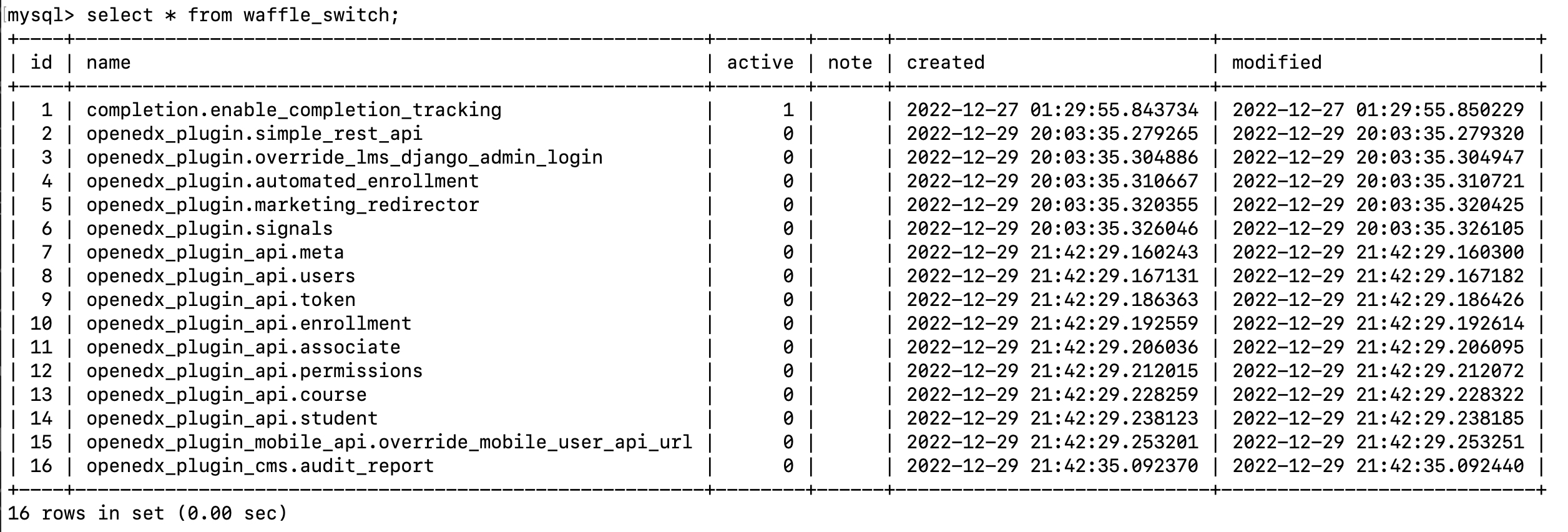
* Look for app startup entries in the LMS app log for diagnostics information about the state of each waffle switch 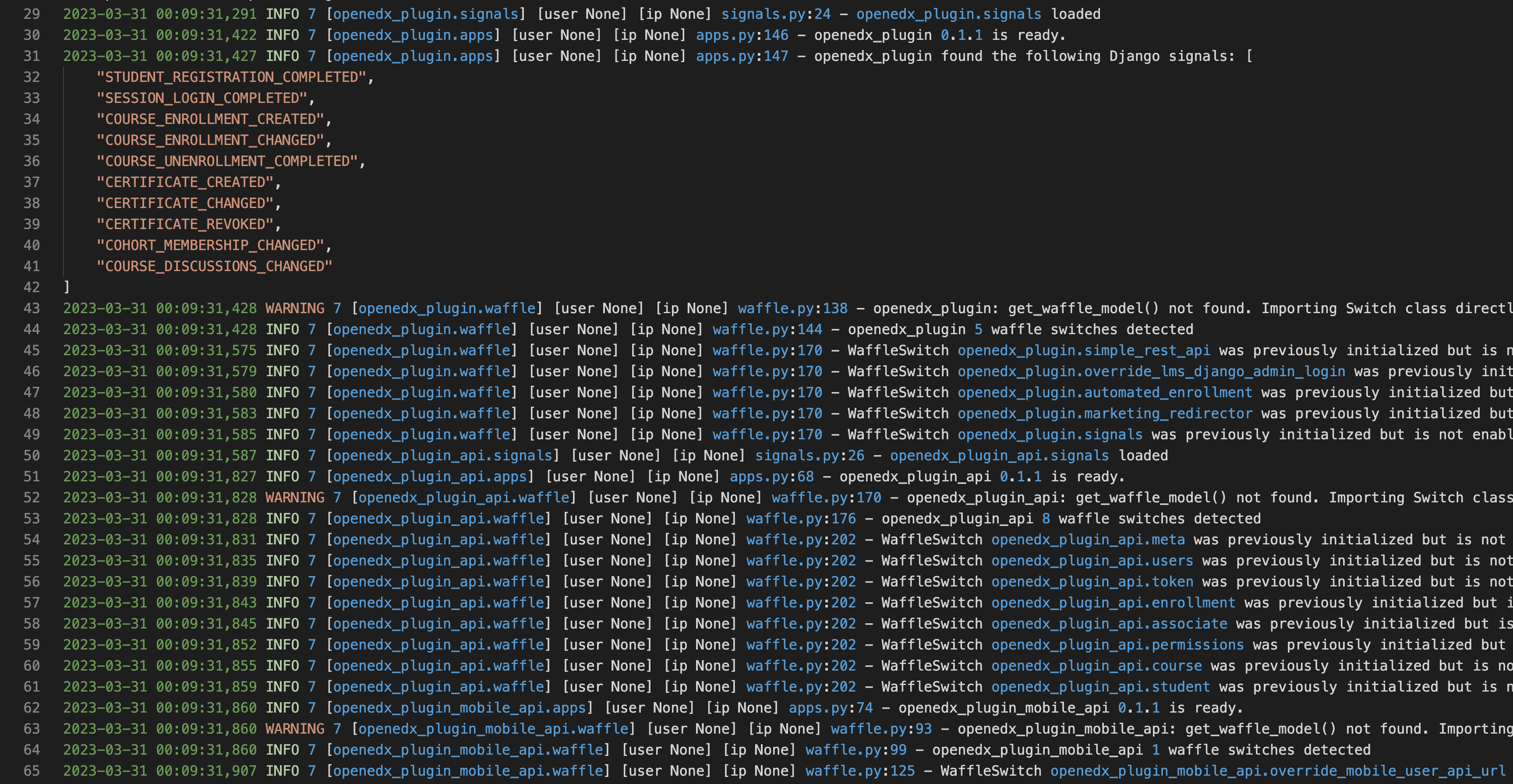
### Documentation
Documentation is available here: [Documentation](https://github.com/cookiecutter-openedx/openedx-plugin-example)
### Support
To get community support, go to the official Open edX discussion forum: [https://discuss.openedx.org](https://discuss.openedx.org).
### Contributing
We welcome contributions! openedx-plugin-example is part of the [cookiecutter-openedx](https://github.com/cookiecutter-openedx) project. Pull requests are welcome in all repos belonging to this organization. You can also contact [Lawrence McDaniel](https://lawrencemcdaniel.com/contact) directly.
### Getting Started With Local development
* Use the same virtual environment that you use for edx-platform
* Ensure that your Python interpreter to 3.8x
* install black:
* install flake8:
* install flake8-coding:
```bash
# Run these from within your edx-platform virtual environment
python3 -m venv venv
source venv/bin/activate
cd /path/to/edx-platform
pip install -r requirements/edx/base.txt
pip install -r requirements/edx/coverage.txt
pip install -r requirements/edx/development.txt
pip install -r requirements/edx/pip-tools.txt
pip install -r requirements/edx/testing.txt
pip install -r requirements/edx/doc.txt
pip install -r requirements/edx/paver.txt
pip install pre-commit black flake8
pre-commit install
```
#### Local development good practices
* run `black` on modified code before committing.
* run `flake8 . --count --select=E9,F63,F7,F82 --show-source --statistics`
* run `flake8 . --count --exit-zero --max-complexity=10 --max-line-length=127 --statistics`
* run `pre-commit run --all-files` before pushing. see:
#### edx-platform dependencies
To avoid freaky version conflicts in prod it's a good idea to install all of the edx-platform requirements to your local dev virtual environment.
* requirements/edx/base.txt
* requirements/edx/develop.txt,
* requirements/edx/testing.txt
At a minimum this will give you the full benefit of your IDE's linter.