https://github.com/coolapso/aeye
A set of tools to train and run a **Convolutional Neural Network (CNN)** for object detection.
https://github.com/coolapso/aeye
Last synced: about 2 months ago
JSON representation
A set of tools to train and run a **Convolutional Neural Network (CNN)** for object detection.
- Host: GitHub
- URL: https://github.com/coolapso/aeye
- Owner: coolapso
- License: apache-2.0
- Created: 2025-02-27T20:18:39.000Z (over 1 year ago)
- Default Branch: main
- Last Pushed: 2025-11-30T16:02:43.000Z (7 months ago)
- Last Synced: 2025-12-02T23:24:23.213Z (7 months ago)
- Language: Python
- Size: 79.8 MB
- Stars: 0
- Watchers: 1
- Forks: 0
- Open Issues: 0
-
Metadata Files:
- Readme: README.md
- License: LICENSE
Awesome Lists containing this project
README
# 🤖AEye 👀
A set of tools to train and run a **Convolutional Neural Network (CNN)** for object detection.
## Why This Project Exists
Have you ever wanted to create a custom AI model that analyzes video feeds or images and generates alerts or notifications—without breaking the bank or handing your data over to big corporations? This repository is designed to make that possible, offering an **accessible** and **cost-effective** way to deploy AI-powered image analysis.
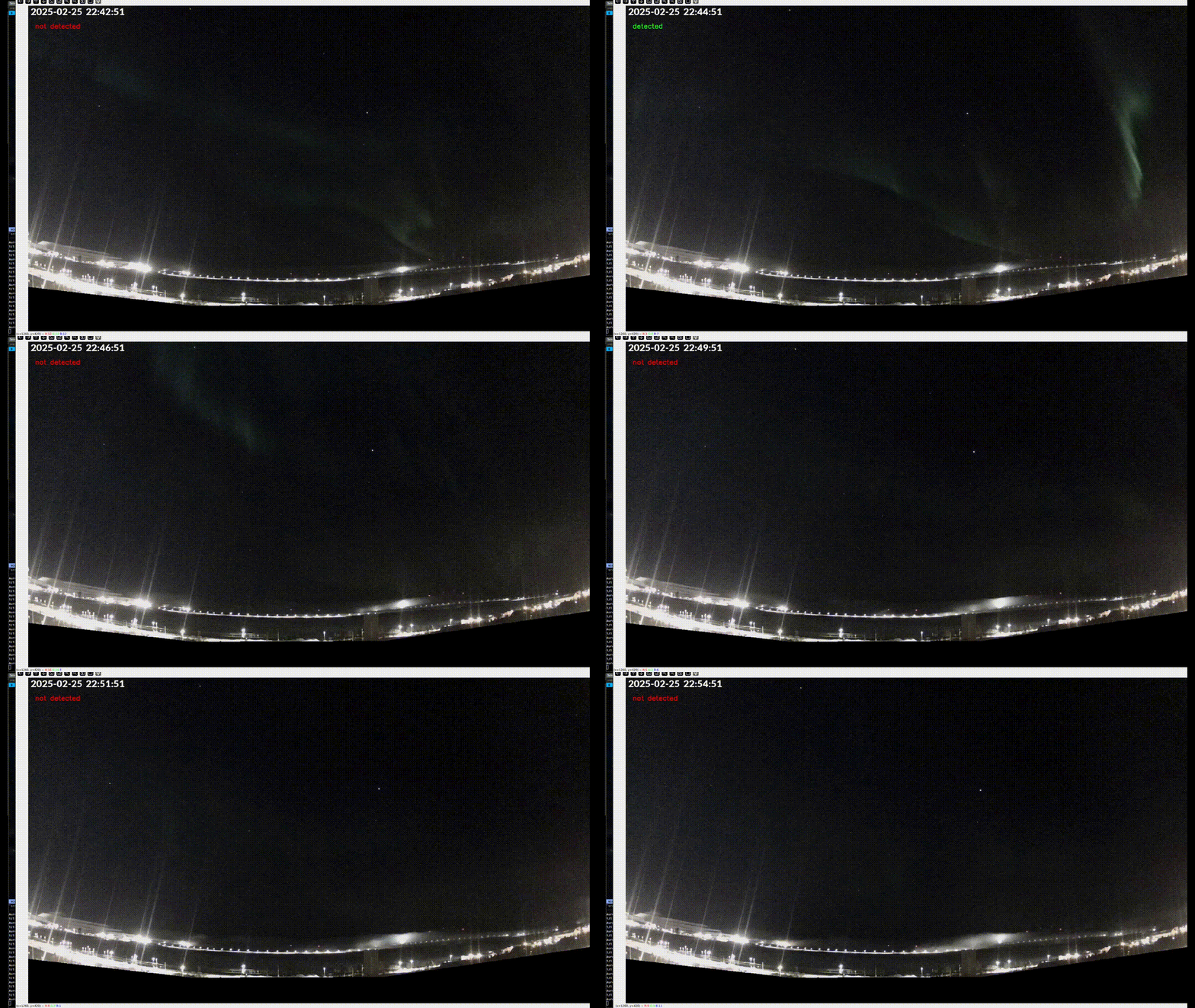
When I moved to the **Arctic Circle**, where the **Northern Lights** are a common sight, I launched [The Arctic Skies](https://www.youtube.com/@TheArcticSkies) to **capture and share these breathtaking moments** with the world. While setting up my livestream, I had one thought:
> **"How cool would it be to have an AI model watching the sky and notifying me when an aurora appears?"**
After some research, I realized two things:
- I couldn't find any **pre-trained models** specifically for detecting the Northern Lights.
- There weren’t many **accessible tools** or **clear documentation** on how to build one.
So, I rolled up my sleeves and built this repository—a **set of tools to train and run AI models using TensorFlow and Keras**. And since I was already doing the work, I made it **generic and reusable**—so anyone can use it for their own projects.
Whether you're tracking auroras, wildlife, or any other visual phenomenon, this project is here to help you build your own **AI-powered image detection system**.
## Features
✅ **class detection** – the model can be trained to detect diferent classes of objects, ex: cat, dogs, birds, etc. In My case I am training it to detect northern lights in diferent scenarios: Clear skies, Aurora in clear sky, Cloudy skies, aurora in cloudy sky, and each is a class.
✅ **Efficient Image Resizing** – High-resolution images are **resource-intensive** and often unnecessary for training the sorting tool will **downscale images** to an optimal resolution.
✅ **Train Your Own AI Model** – Use `train.py` to **train a custom TensorFlow/Keras model** on your dataset. Currently, only **binary classification** (detected/not detected) is supported. If you need multi-class detection, feel free to open an issue—I’d be happy to add support for it!
✅ **Real-Time Model Execution with Metrics** – The main application **runs your trained model** and generates **Prometheus-formatted metrics**, which can be scraped by **Prometheus** or other monitoring tools.
✅ **Dockerized Deployment** – Easily deploy your model in a **Docker container** using the provided image, or build your own from the base image.
## Requirements
- **Python 3.12**
- **OpenCV & TensorFlow**
- Check your OS documentation on how to install them.
---
## How It Works
Even though this repository simplifies the process significantly, there’s still some work to do! Hopefully, this documentation will guide you through it smoothly.
### 1️⃣ Collect Training Dat
To train the AI model, you need an **initial dataset**. While smaller datasets work the more data you have the better. ideally you should have 60% of your dataset for training, 20% for validation and 20% for testing. this being said, having a dataset with at least:
- *800* images per obect for training
- *200* images per object for validation
- *200* images per object for testing
For **best performance**, images should be resized to a smaller resolution. Training on full-resolution images provides **little benefit** but requires significantly more resources.
Sorting images can be tedious, but the `sort.py` script helps automate this process.
---
## 2️⃣ Set Up the Environment
Before using the tools, set up a **virtual environment** and install dependencies:
```sh
python -m venv venv
source venv/bin/activate
pip install -r requirements.txt
pip install -r tools/requirements.txt
```
---
## 3️⃣ Prepare the Images
Use [picsort](https://github.com/coolapso/picsort) to categorize images, this tool will provide you with a nice UI and ergonomic workflow to sort your images and will allow you to export a balanced dataset divided into training, validation and testing sets.
---
## 4️⃣ Train the Model
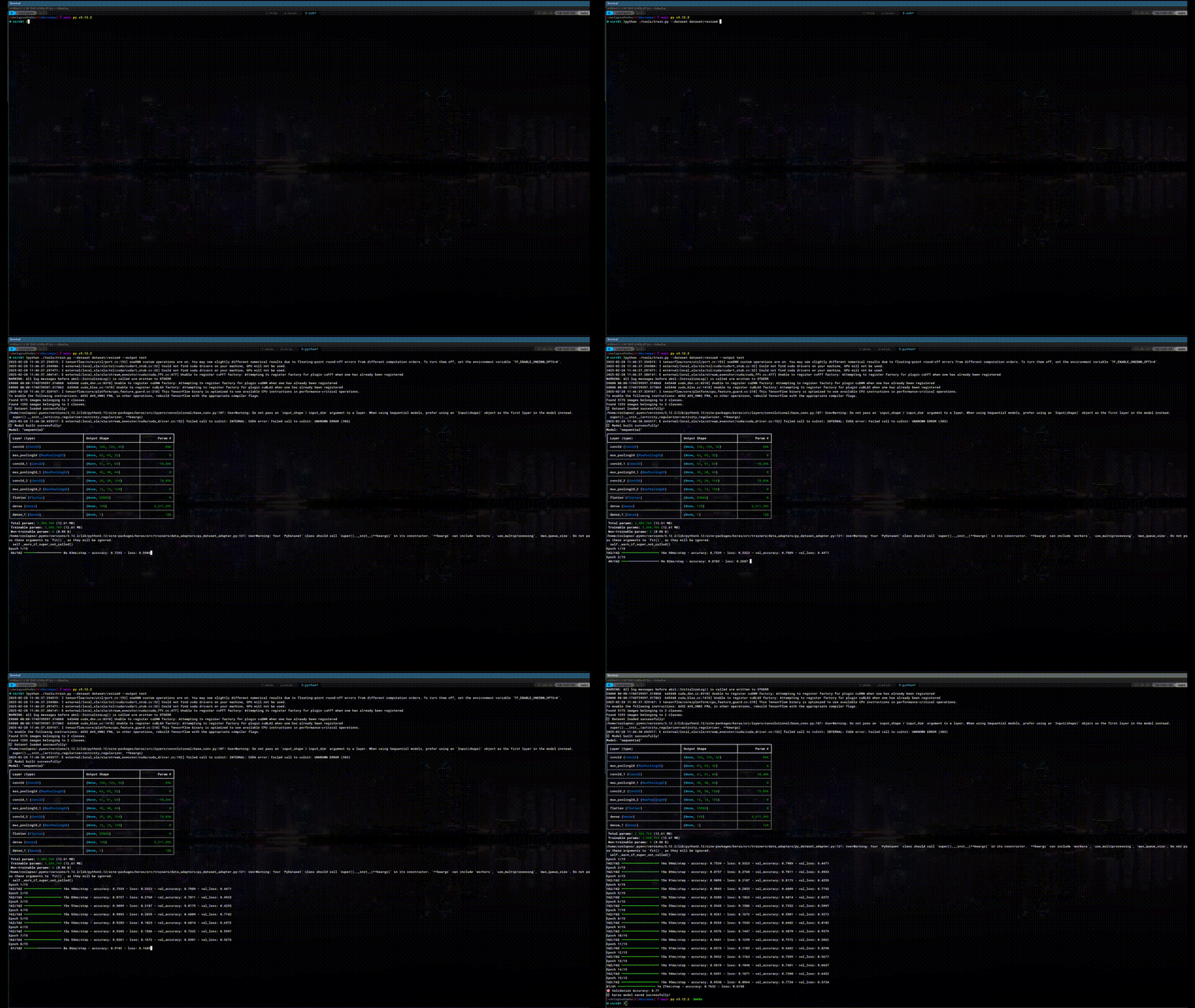
Use `train.py` to train the AI model, the script expect you to have training, validation and testing datasets, you can use the ones you created with picsort.
```sh
python tools/train.py -t dataset/balanced_export_full/training -v dataset/balanced_export_full/validation -e dataset/balanced_export_full/test --output models/test_full_3.keras
```
---
## 5️⃣ Run the Model
The application loads the trained model and generates **Prometheus metrics** for monitoring.
### Configuration via Environment Variables:
| Variable Name | Description | Default Value |
|--------------------------|-------------|--------------|
| `VIDEO_SOURCE` | Video file or RTSP stream for analysis | - |
| `MODEL_NAME` | Model filename (must be in `models/` directory) | - |
| `BASE_MODEL_NAME` | Base model used for transfer learning (`mobilenet` or `efficientnet`) | `efficientnet` |
| `MODE` | Operation mode (`default`, `testing`) | `default` |
| `READ_ALL_FRAMES` | Analyze every frame instead of 1 FPS | `false` |
Metrics are available at [`http://localhost:8000`](http://localhost:8000).
### Running Locally
Activate the virtual environment and run:
```sh
VIDEO_SOURCE="..." MODEL_NAME="my_model.keras" BASE_MODEL_NAME="mobilenet" python src/aeye.py
```
---
### Running with Docker
```sh
docker run -tid -p 8000:8000 -v models/:models/ \
-e VIDEO_SOURCE="..." -e MODEL_NAME="my_model.keras" -e BASE_MODEL_NAME="mobilenet" my_docker_image
```
---
#### 🛠️ Build Your Own Docker Image
While the main Docker image **contains models trained for** [The Arctic Skies](https://youtube.com/@TheArcticSkies), a **base image** without any pre-bundled models is also provided. You can use it to build your own Docker image and bundle your custom model.
**Example Dockerfile:**
```dockerfile
FROM ghcr.io/coolapso/AICoach:latest-base
COPY models/yourmodel.keras models/yourmodel.keras
```
You can also set environment variables directly in the Dockerfile instead of passing them at runtime:
```dockerfile
FROM ghcr.io/coolapso/AICoach:latest-base
COPY models/yourmodel.keras models/yourmodel.keras
ENV MODEL_NAME=yourmodel.keras
ENV VIDEO_SOURCE="..."
```
## Exposed metrics
| Metric name | Type | Description |
|---------------------------|-------|-----------------------------------------------------------------------|
| aeye_detected_class_index | Gauge | The index of the detected class. |
| aeye_confidence | Gauge | The confidence of the detection |
# 🤝 Contributions
All contributions are welcome!
I’m still learning in this domain, and I’d love to make this project more **user-friendly and accessible** for a broader audience—not just makers and developers!
If you’d like to support the project:
[:heart: Sponsor Me](https://github.com/sponsors/coolapso) or
[](https://www.buymeacoffee.com/coolapso)