https://github.com/corbaz/next-tailwind-typescript
https://github.com/corbaz/next-tailwind-typescript
git headless jamstack nextjs ssg stackbit static
Last synced: 3 months ago
JSON representation
- Host: GitHub
- URL: https://github.com/corbaz/next-tailwind-typescript
- Owner: corbaz
- License: mit
- Created: 2021-10-29T11:48:54.000Z (over 4 years ago)
- Default Branch: master
- Last Pushed: 2021-10-29T15:22:13.000Z (over 4 years ago)
- Last Synced: 2025-06-03T18:47:18.239Z (about 1 year ago)
- Topics: git, headless, jamstack, nextjs, ssg, stackbit, static
- Language: TypeScript
- Homepage:
- Size: 469 KB
- Stars: 0
- Watchers: 0
- Forks: 0
- Open Issues: 0
-
Metadata Files:
- Readme: README.md
- Funding: .github/FUNDING.yml
- License: LICENSE
Awesome Lists containing this project
README
# Boilerplate and Starter for Next JS 12+, Tailwind CSS 2.0 and TypeScript [](https://twitter.com/ixartz)

🚀 Boilerplate and Starter for Next.js, Tailwind CSS and TypeScript ⚡️ Made with developer experience first: Next.js, TypeScript, ESLint, Prettier, Husky, Lint-Staged, VSCode, Netlify, PostCSS, Tailwind CSS.
Clone this project and use it to create your own [Next.js](https://nextjs.org) project. You can check a [Next js templates demo](https://creativedesignsguru.com/demo/Nextjs-Boilerplate/).
### Features
Developer experience first:
- 🔥 [Next.js](https://nextjs.org) for Static Site Generator
- 🎨 Integrate with [Tailwind CSS](https://tailwindcss.com) (w/ JIT mode)
- 💅 PostCSS for processing Tailwind CSS and integrated to `styled-jsx`
- 🎉 Type checking [TypeScript](https://www.typescriptlang.org)
- ✅ Strict Mode for TypeScript and React 17
- ✏️ Linter with [ESLint](https://eslint.org) (default NextJS, NextJS Core Web Vitals and Airbnb configuration)
- 🛠 Code Formatter with [Prettier](https://prettier.io)
- 🦊 Husky for Git Hooks
- 🚫 Lint-staged for running linters on Git staged files
- 🗂 VSCode configuration: Debug, Settings, Tasks and extension for PostCSS, ESLint, Prettier, TypeScript
- 🤖 SEO metadata, JSON-LD and Open Graph tags with Next SEO
- ⚙️ [Bundler Analyzer](https://www.npmjs.com/package/@next/bundle-analyzer)
- 🖱️ One click deployment with Vercel or Netlify (or manual deployment to any hosting services)
- 🌈 Include a FREE minimalist theme
- 💯 Maximize lighthouse score
Built-in feature from Next.js:
- ☕ Minify HTML & CSS
- 💨 Live reload
- ✅ Cache busting
### Philosophy
- Minimal code
- SEO-friendly
- 🚀 Production-ready
### Nextless.js SaaS Boilerplate
Building your SaaS product faster with [Nextless JS SaaS Boilerplate](https://nextlessjs.com).
[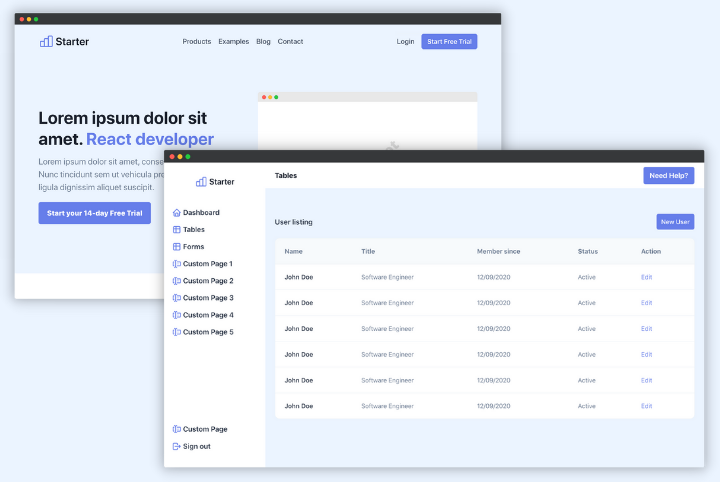](https://nextlessjs.com)
### Premium Themes
| [Green Nextjs Landing Page Template](https://creativedesignsguru.com/landing-green-modern-nextjs-theme/) | [Purple Saas Nextjs Theme](https://creativedesignsguru.com/landing-purple-modern-react-theme/) |
| --- | --- |
| [](https://creativedesignsguru.com/landing-green-modern-nextjs-theme/) | [](https://creativedesignsguru.com/landing-blue-modern-react-theme/) |
Find more [Nextjs Themes](https://creativedesignsguru.com/category/nextjs/).
### Requirements
- Node.js and npm
### Getting started
Run the following command on your local environment:
```
git clone --depth=1 https://github.com/ixartz/Next-js-Boilerplate.git my-project-name
cd my-project-name
npm install
```
Then, you can run locally in development mode with live reload:
```
npm run dev
```
Open http://localhost:3000 with your favorite browser to see your project.
```
.
├── README.md # README file
├── next.config.js # Next JS configuration
├── public # Public folder
│ └── assets
│ └── images # Image used by default template
├── src
│ ├── layout # Atomic layout components
│ ├── pages # Next JS pages
│ ├── styles # PostCSS style folder with Tailwind
│ ├── templates # Default template
│ └── utils # Utility folder
├── tailwind.config.js # Tailwind CSS configuration
└── tsconfig.json # TypeScript configuration
```
### Customization
You can easily configure Next js Boilerplate. Please change the following file:
- `public/apple-touch-icon.png`, `public/favicon.ico`, `public/favicon-16x16.png` and `public/favicon-32x32.png`: your website favicon, you can generate from https://favicon.io/favicon-converter/
- `src/styles/main.css`: your CSS file using Tailwind CSS
- `src/utils/AppConfig.ts`: configuration file
- `src/templates/Main.tsx`: default theme
### Deploy to production
You can see the results locally in production mode with:
```
$ npm run build
$ npm run start
```
The generated HTML and CSS files are minified (built-in feature from Next js). It will also removed unused CSS from [Tailwind CSS](https://tailwindcss.com).
You can create an optimized production build with:
```
npm run build-prod
```
Now, your blog is ready to be deployed. All generated files are located at `out` folder, which you can deploy with any hosting service.
### Deploy to Netlify
Clone this repository on own GitHub account and deploy to Netlify:
[](https://app.netlify.com/start/deploy?repository=https://github.com/ixartz/Next-js-Boilerplate)
### Deploy to Vercel
Deploy this Next JS Boilerplate on Vercel in one click:
[](https://vercel.com/new/git/external?repository-url=https%3A%2F%2Fgithub.com%2Fixartz%2FNext-js-Boilerplate)
### VSCode information (optional)
If you are VSCode users, you can have a better integration with VSCode by installing the suggested extension in `.vscode/extension.json`. The starter code comes up with Settings for a seamless integration with VSCode. The Debug configuration is also provided for frontend and backend debugging experience.
Pro tips: if you need a project wide type checking with TypeScript, you can run a build with Cmd + Shift + B on Mac.
### Contributions
Everyone is welcome to contribute to this project. Feel free to open an issue if you have question or found a bug.
### License
Licensed under the MIT License, Copyright © 2020
See [LICENSE](LICENSE) for more information.
---
Made with ♥ by [CreativeDesignsGuru](https://creativedesignsguru.com) [](https://twitter.com/ixartz)
[](https://www.buymeacoffee.com/ixartz)
```bash
C:\www\next-tailwind-typescript>ncu
Checking C:\www\next-tailwind-typescript\package.json
[====================] 31/31 100%
@next/bundle-analyzer ^12.0.0 → ^12.0.1
@typescript-eslint/eslint-plugin ^4.32.0 → ^5.2.0
@typescript-eslint/parser ^4.32.0 → ^5.2.0
autoprefixer ^10.3.7 → ^10.4.0
eslint ^7.32.0 → ^8.1.0
eslint-config-next ^12.0.0 → ^12.0.1
lint-staged ^11.2.5 → ^11.2.6
tailwindcss ^2.2.17 → ^2.2.19
next ^12.0.0 → ^12.0.1
Run ncu -u to upgrade package.json
C:\www\next-tailwind-typescript>ncu -u
Upgrading C:\www\next-tailwind-typescript\package.json
[====================] 31/31 100%
@next/bundle-analyzer ^12.0.0 → ^12.0.1
@typescript-eslint/eslint-plugin ^4.32.0 → ^5.2.0
@typescript-eslint/parser ^4.32.0 → ^5.2.0
autoprefixer ^10.3.7 → ^10.4.0
eslint ^7.32.0 → ^8.1.0
eslint-config-next ^12.0.0 → ^12.0.1
lint-staged ^11.2.5 → ^11.2.6
tailwindcss ^2.2.17 → ^2.2.19
next ^12.0.0 → ^12.0.1
Run npm install to install new versions.
C:\www\next-tailwind-typescript>yarn install
```