https://github.com/cornelk/beadmachine
Bead Pattern Generator
https://github.com/cornelk/beadmachine
beads golang image-processing
Last synced: about 1 year ago
JSON representation
Bead Pattern Generator
- Host: GitHub
- URL: https://github.com/cornelk/beadmachine
- Owner: cornelk
- License: mit
- Created: 2015-03-03T10:46:51.000Z (over 11 years ago)
- Default Branch: main
- Last Pushed: 2024-11-27T15:36:57.000Z (over 1 year ago)
- Last Synced: 2025-03-28T02:53:21.791Z (about 1 year ago)
- Topics: beads, golang, image-processing
- Language: Go
- Homepage:
- Size: 800 KB
- Stars: 14
- Watchers: 2
- Forks: 6
- Open Issues: 2
-
Metadata Files:
- Readme: README.md
- License: LICENSE
Awesome Lists containing this project
README
# beadmachine
A bead pattern creator. Convert any imagine into a suitable color palette pixel by pixel in order to be able to create a matching, beadable pattern.
It also shows you a statistic about the used beads.
## Features
- Cross-platform
- Uses all available CPU cores to process the image
- Supports gif/jpg/png as input file formats
- Can output a HTML file with detailed info on which bead to use for each pixel
- Color matching based on [CIEDE2000](http://en.wikipedia.org/wiki/Color_difference#CIEDE2000 "")
- Included bead palettes: [Hama](http://www.hama.dk "")
- Optional image resizing
- Image filters to preprocess the input image
## Installation
Compiling the tool from source code needs to have a recent version of [Golang](https://go.dev/) installed.
```
go install github.com/cornelk/beadmachine@latest
```
## Command-line options:
```
Bead pattern creator
--verbose, -v verbose output
--input INPUT, -i INPUT
image to process
--output OUTPUT, -o OUTPUT
output filename for the converted PNG image
--html HTML, -l HTML output filename for a HTML based bead pattern file
--palette PALETTE, -p PALETTE
filename of the bead palette [default: colors_hama.json]
--width WIDTH, -w WIDTH
resize image to width in pixel
--height HEIGHT, -e HEIGHT
resize image to height in pixel
--boardwidth BOARDWIDTH, -x BOARDWIDTH
resize image to width in amount of boards
--boardheight BOARDHEIGHT, -y BOARDHEIGHT
resize image to height in amount of boards
--boarddimension BOARDDIMENSION, -y BOARDDIMENSION
dimension of a board [default: 20]
--beadstyle, -b make output file look like a beads board
--translucent, -t include translucent colors for the conversion
--nocolormatching, -n
skip the bead color matching
--grey, -g convert the image to greyscale
--blur BLUR apply blur filter (0.0 - 10.0)
--sharpen apply sharpen filter
--gamma GAMMA apply gamma filter (0.0 - 10.0)
--contrast CONTRAST apply contrast adjustment (-100 - 100)
--brightness BRIGHTNESS
apply brightness adjustment (-1 - 1)
--help, -h display this help and exit
```
## Example Usage
To convert the sample yoshi image to Hama bead colors:
```bash
./beadmachine -i examples/yoshi_thinking_in.png -o out.png -l pattern.html
```
 ->
-> 
And will print out a statistic:
```bash
2023-08-01 19:22:28 INFO Image pixels {"width":28,"height":32}
2023-08-01 19:22:28 INFO Bead board used {"width":1,"height":1}
2023-08-01 19:22:28 INFO Bead board measurement in cm {"width":14,"height":16}
2023-08-01 19:22:28 INFO Bead colors {"count":9}
2023-08-01 19:22:28 INFO Beads used {"color":"H38 Neon orange","count":18}
2023-08-01 19:22:28 INFO Beads used {"color":"H35 Neon red","count":13}
2023-08-01 19:22:28 INFO Beads used {"color":"H1 White","count":525}
2023-08-01 19:22:28 INFO Beads used {"color":"H18 Black","count":179}
2023-08-01 19:22:28 INFO Beads used {"color":"H10 Green","count":30}
2023-08-01 19:22:28 INFO Beads used {"color":"H42 fluorescent green","count":38}
2023-08-01 19:22:28 INFO Beads used {"color":"H47 Pastel Green","count":72}
2023-08-01 19:22:28 INFO Beads used {"color":"H4 Orange","count":10}
2023-08-01 19:22:28 INFO Beads used {"color":"H27 Beige","count":11}
```
The output of the HTML pattern file will look similar to this:
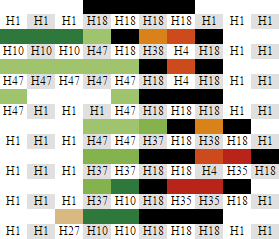
To convert the sample Mona Lisa image to Hama bead colors, resize to a width of 58 pixel and create a bead style output:
```bash
./beadmachine -i examples/mona_lisa_in.jpg -o out.png -w 58 -b --blur 2
```
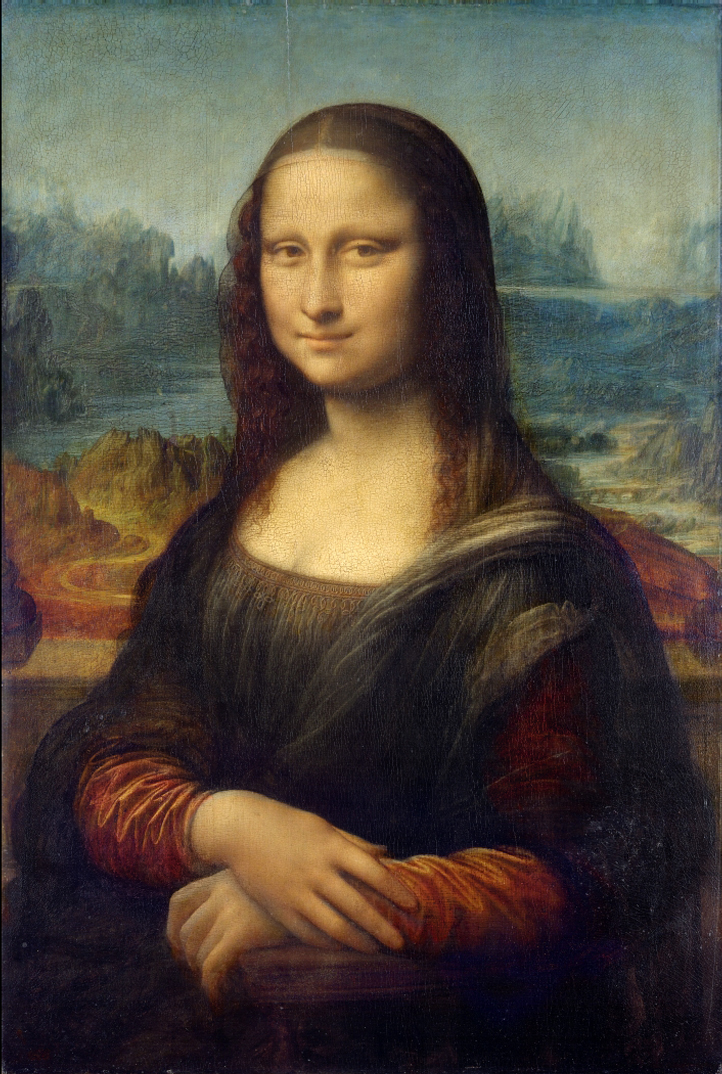 ->
-> 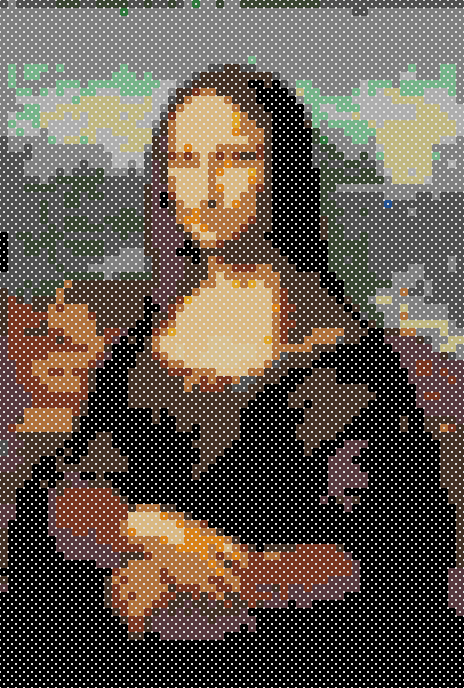
And will print out a statistic:
```bash
2023-08-01 19:22:28 INFO Image pixels {"width":722,"height":1074}
2023-08-01 19:22:28 INFO Bead board used {"width":2,"height":3}
2023-08-01 19:22:28 INFO Bead board measurement in cm {"width":29,"height":43}
2023-08-01 19:22:28 INFO Output image pixels {"width":58,"height":86}
2023-08-01 19:22:28 INFO Bead colors {"count":17}
```