https://github.com/corysanin/seance
A self-hostable contact form for Ghost
https://github.com/corysanin/seance
bun contact-form ghost ghost-blog
Last synced: 2 months ago
JSON representation
A self-hostable contact form for Ghost
- Host: GitHub
- URL: https://github.com/corysanin/seance
- Owner: CorySanin
- License: gpl-3.0
- Created: 2024-01-12T05:26:02.000Z (over 2 years ago)
- Default Branch: master
- Last Pushed: 2025-08-11T06:42:17.000Z (10 months ago)
- Last Synced: 2025-08-11T08:20:40.515Z (10 months ago)
- Topics: bun, contact-form, ghost, ghost-blog
- Language: TypeScript
- Homepage:
- Size: 238 KB
- Stars: 10
- Watchers: 1
- Forks: 0
- Open Issues: 5
-
Metadata Files:
- Readme: README.md
- Funding: .github/FUNDING.yml
- License: LICENSE
Awesome Lists containing this project
README

[](https://github.com/CorySanin/seance/actions)
[](https://github.com/CorySanin/seance)
[](https://github.com/CorySanin/seance/releases/latest)
[](https://github.com/CorySanin/seance/releases/latest)
[](https://hub.docker.com/r/corysanin/seance)
[](/LICENSE)
# Seance for Ghost
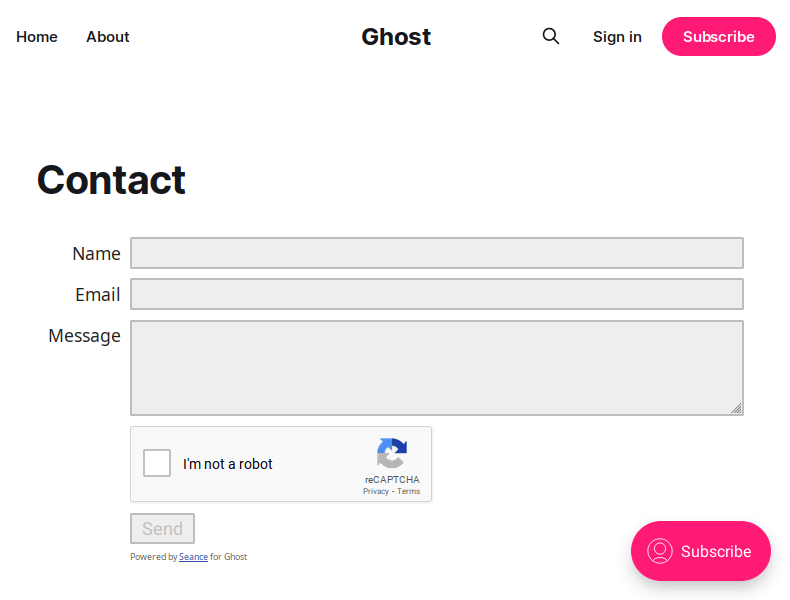
Self-hostable contact form service for Ghost blogs. Or any other applications you can think of. The limit is in your mind.
Add a contact form to your Ghost site without a subscription! Supports captchas from reCAPTCHA and hCaptcha.
## Install and run
```bash
npm install
npm run build
```
To run:
```bash
npm run start
```
A docker image `ghcr.io/corysanin/seance` is provided. A list of tags is available [here](https://github.com/CorySanin/seance/pkgs/container/seance/versions?filters%5Bversion_type%5D=tagged).
See [docker-compose.yml](/docker-compose.yml).
## Configuration
Seance takes a JSON or JSON5 config file (default location is config/config.json5):
```
{
// The port the web server will run on (default 8080)
"port": number,
// URL prefix, for example: '/seance'
// Useful for using reverse proxy to use a single domain
"prefix": string
// Array of hosts allowed to embed the contact form.
// Default is to allow all (not recommended)
allowedHosts: string[],
// If using reCAPTCHA, provide the site key
recaptchaKey: string,
// If using reCAPTCHA, provide the site secret
recaptchaSecret: string,
// If using hCaptcha, provide the site key
hCaptchaKey: string,
// If using hCaptcha, provide the account secret
hCaptchaSecret: string,
// The Nodemailer transport configuration. See https://nodemailer.com/smtp/
smtp: SMTPTransport | SMTPTransport.Options,
// The address to send emails from. Defaults to the smtp username
senderAddress: string,
// The address to send emails to
recipientAddress: string,
// The subject prefix for all mail sent using this form. Default is "Form submission"
subject: string,
// Options for express-rate-limit
limiter: LimiterOptions
}
```
## Ghost Installation
Create a page for your contact form. Add an "Other" embed section. Enter your Seance instance's URL:
```
https://contact.example.com/?dark=false
```
If you're using a dark theme you can change the `dark` parameter to `true`. Note that the dark mode may look weird in the editor. It will look better on the live site.