https://github.com/cosmicjs/cli
AI-powered CLI for Cosmic - manage content, media, deployments, and AI agents through natural language and direct commands
https://github.com/cosmicjs/cli
ai cli cms content-management cosmic developer-tools headless-cms
Last synced: 3 months ago
JSON representation
AI-powered CLI for Cosmic - manage content, media, deployments, and AI agents through natural language and direct commands
- Host: GitHub
- URL: https://github.com/cosmicjs/cli
- Owner: cosmicjs
- License: mit
- Created: 2026-01-28T08:29:40.000Z (5 months ago)
- Default Branch: main
- Last Pushed: 2026-03-30T18:12:09.000Z (3 months ago)
- Last Synced: 2026-03-30T20:05:05.256Z (3 months ago)
- Topics: ai, cli, cms, content-management, cosmic, developer-tools, headless-cms
- Language: TypeScript
- Homepage: https://www.npmjs.com/package/@cosmicjs/cli
- Size: 485 KB
- Stars: 4
- Watchers: 0
- Forks: 0
- Open Issues: 0
-
Metadata Files:
- Readme: README.md
- License: LICENSE
Awesome Lists containing this project
README
# Cosmic CLI
[](https://www.npmjs.com/package/@cosmicjs/cli)
[](https://opensource.org/licenses/MIT)
AI-powered command-line interface for [Cosmic](https://www.cosmicjs.com). Manage your content, media, repositories, deployments, workflows, and AI agents through natural language and direct commands.
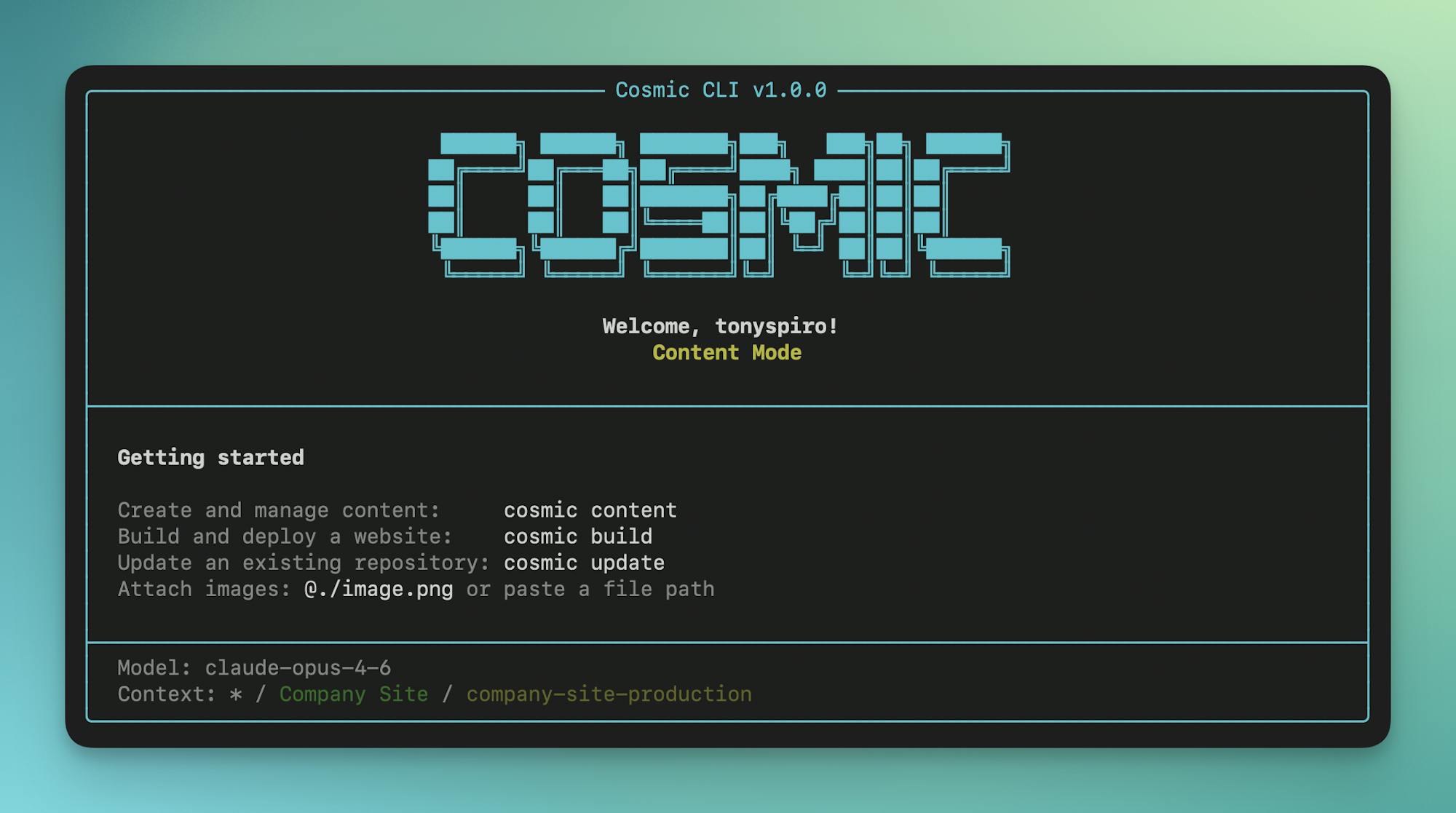
## Zero to Production in One Command
```bash
cosmic login && cosmic projects create && cosmic build -p "A recipe blog" && cosmic deploy start --watch
# → Creates project, generates content model, builds Next.js app, deploys to Vercel
```
## Table of Contents
- [Features](#features)
- [Installation](#installation)
- [Quick Start](#quick-start)
- [Authentication](#authentication)
- [Interactive Shell](#interactive-shell)
- [Core Commands](#core-commands)
- [Context & Navigation](#context--navigation)
- [Objects](#objects)
- [Types](#types)
- [Media](#media)
- [Media Folders](#media-folders)
- [Billing](#billing)
- [Repositories](#repositories)
- [Deployments](#deployments)
- [Webhooks](#webhooks)
- [Team](#team)
- [Domains](#domains)
- [Workflows](#workflows)
- [Agents](#agents)
- [AI Generation](#ai-generation)
- [Shortcut Commands](#shortcut-commands)
- [Content Mode](#content-mode)
- [Build Mode](#build-mode)
- [Update Mode](#update-mode)
- [Automate Mode](#automate-mode)
- [Interactive Chat Mode](#interactive-chat-mode)
- [Configuration](#configuration)
- [AI Models](#ai-models)
- [Examples](#examples)
- [Testing](#testing)
- [Support](#support)
## Features
- **Interactive Shell** - Run commands without the `cosmic` prefix
- **AI-Powered Chat Mode** - Interact with your content using natural language
- **Shortcut Commands** - `content`, `build`, `update`, and `automate` for common AI workflows
- **Direct Commands** - Full CRUD for objects, media, types, repos, workflows, and agents
- **Media Folders** - Create, update, delete folders and move media between them
- **Billing Management** - View plans, subscribe to addons, check usage, open billing portal
- **Team Management** - Add, update, and remove project team members
- **Webhooks** - Create and manage webhooks for content events
- **Domains & DNS** - Import domains, manage DNS records, connect to deployments
- **Repository & Deploy** - Connect GitHub repos and deploy to Vercel
- **Multiple Auth Methods** - User login, Personal Access Tokens, or bucket keys
- **Context Management** - Navigate workspaces, projects, and buckets like a filesystem
- **AI Generation** - Generate text, images, and audio with streaming output
- **AI Agents** - Content, repository, and computer use agents with scheduling
- **AI Automation** - Create agents and workflows with natural language
- **Auth Capture** - Capture browser auth locally for computer use agents
> **Full Reference:** See [docs/CLI_REFERENCE.md](docs/CLI_REFERENCE.md) for complete command documentation.
## Installation
```bash
# Install globally with npm
npm install -g @cosmicjs/cli
# Or with bun
bun add -g @cosmicjs/cli
```
## Quick Start
```bash
# Login to your Cosmic account
cosmic login
# Set your working context (interactive selection)
cosmic use
# Start interactive shell (no "cosmic" prefix needed)
cosmic shell
# Or run individual commands
cosmic chat # Start AI chat mode
cosmic content # Create/manage content with AI
cosmic build # Build a new app with AI
cosmic update my-repo # Update existing code with AI
cosmic automate # Create agents & workflows with AI
```
## Authentication
### User Authentication
Login with your Cosmic account for full dashboard access:
```bash
cosmic login
cosmic whoami # Show current user
cosmic logout # Clear credentials
```
### Personal Access Token
Authenticate with a [Personal Access Token](https://app.cosmicjs.com/account/api-tokens) for scripts, CI/CD, and automation:
```bash
# Login with a token
cosmic login --token cos_YOUR_TOKEN
# Or set the COSMIC_TOKEN environment variable
export COSMIC_TOKEN=cos_YOUR_TOKEN
cosmic whoami
```
Create tokens at [Account Settings > API Tokens](https://app.cosmicjs.com/account/api-tokens). The `COSMIC_TOKEN` env var takes priority over stored credentials, making it ideal for CI/CD pipelines.
### Bucket Key Authentication
For quick bucket-level access without logging in:
```bash
cosmic use --bucket=my-bucket --read-key=your-read-key --write-key=your-write-key
```
## Interactive Shell
Start an interactive shell where you can run commands without typing `cosmic` each time:
```bash
cosmic shell
Cosmic Shell v1.0.0
Logged in as: you@example.com
cosmic default> ls
cosmic default> cd my-project
cosmic my-project> objects list
cosmic my-project> !git status # Use ! prefix for system commands
cosmic my-project> exit
```
### Shell Features
- No `cosmic` prefix needed for commands
- `!` prefix runs system shell commands (`!ls`, `!git status`)
- Prompt shows current workspace/bucket context
- Command history with arrow keys
- `help` shows available commands
- `exit` or `quit` to leave
**Alias:** `cosmic sh`
## Core Commands
### Context & Navigation
```bash
# Set working context
cosmic use # Interactive workspace selection
cosmic use my-workspace # Switch to a workspace
cosmic use - # Switch to default projects (no workspace)
cosmic context # Show current context
# Navigate like a filesystem
cosmic ls # List contents at current level
cosmic cd my-project # Navigate into project
cosmic cd my-bucket # Navigate into bucket
cosmic cd posts # Navigate into object type
cosmic cd .. # Go up one level
cosmic pwd # Show current location
```
### Objects
```bash
cosmic objects list # List objects
cosmic objects list --type=posts # Filter by type
cosmic objects list --status=draft # Filter by status
cosmic objects list --props "id,title,metadata" # Select specific fields
cosmic objects get # Get object details
cosmic objects get --depth 2 # With nested references
cosmic objects create --type=posts # Create object (interactive)
cosmic objects update --title="New" # Update object
cosmic objects delete # Delete object
cosmic objects publish # Publish object
cosmic objects types # List object types
```
### Types
```bash
cosmic types list # List object types
cosmic types get # Get type details & metafields
cosmic types create --title "Posts" # Create object type (interactive)
cosmic types update --emoji "📝" # Update object type
cosmic types delete # Delete type (and all its objects)
cosmic types duplicate # Duplicate a type
```
### Media
```bash
cosmic media list # List media files
cosmic media list --folder=images # Filter by folder
cosmic media get # Get media details
cosmic media upload ./image.png # Upload file
cosmic media delete # Delete media
cosmic media move --folder=photos # Move media to a folder
cosmic media unfolder # Remove media from folder
```
### Media Folders
```bash
cosmic media folders list # List all media folders
cosmic media folders create --title "Photos" # Create folder
cosmic media folders update --title "Images" # Update folder
cosmic media folders delete # Delete folder
```
### Billing
```bash
cosmic billing usage # Show project usage statistics
cosmic billing open # Open billing page in browser
cosmic billing portal # Open Stripe billing portal in browser
cosmic billing plans list # List available plans with pricing
cosmic billing plans subscribe # Subscribe to a plan (interactive, with confirmation)
cosmic billing plans cancel # Cancel plan subscription
cosmic billing addons list # List addons with current quantities
cosmic billing addons subscribe # Subscribe/update addons (interactive, with confirmation)
cosmic billing addons cancel # Cancel addon subscription
```
> Quantity-based addons (users, buckets, AI tokens) are handled through `addons subscribe` -- it prompts for quantities, defaults to current values, and manages AI input/output tokens together.
### Repositories
```bash
cosmic repos list # List connected repos
cosmic repos get # Get repo details
cosmic repos connect --url # Connect a GitHub repo
cosmic repos clone # Clone repo & create .env with Cosmic keys
cosmic repos clone # Clone specific repo
cosmic repos clone # Clone from URL
cosmic repos delete # Disconnect repo
# Branch management
cosmic repos branches list # List branches
cosmic repos branches create # Create branch
cosmic repos branches delete # Delete branch
# Pull request management
cosmic repos pr list # List pull requests
cosmic repos pr get # Get PR details
cosmic repos pr create # Create pull request
cosmic repos pr merge # Merge pull request
cosmic repos pr close # Close pull request
# Environment variables (Vercel deployment)
cosmic repos env list # List env vars
cosmic repos env create -k KEY -v VALUE # Add env var (alias: add)
cosmic repos env edit KEY -v VALUE # Edit env var
cosmic repos env delete KEY # Delete env var
# Custom domains (Vercel deployment)
cosmic repos domains list # List domains
cosmic repos domains create # Add domain (alias: add)
cosmic repos domains create www.example.com --redirect example.com # Add with redirect
cosmic repos domains edit -r # Update redirect
cosmic repos domains delete # Remove domain
```
### Deployments
```bash
cosmic deploy start # Deploy to Vercel
cosmic deploy start --watch # Deploy and watch progress
cosmic deploy start --branch main # Deploy from specific branch (repos with Vercel project)
cosmic deploy redeploy # Redeploy with branch selection (interactive)
cosmic deploy redeploy --branch main # Redeploy from specific branch
cosmic deploy list # List deployments
cosmic deploy logs # Get logs
cosmic deploy logs --follow # Stream logs
cosmic deploy cancel # Cancel deployment
```
### Webhooks
```bash
cosmic webhooks list # List webhooks
cosmic webhooks get # Get webhook details
cosmic webhooks create # Create webhook (interactive)
cosmic webhooks create --title "Notify" \
--endpoint https://example.com/hook \
--resource objects --events created,edited # Create with options
cosmic webhooks update --endpoint https://new.url # Update webhook
cosmic webhooks delete # Delete webhook
```
### Team
```bash
cosmic team list # List project team members
cosmic team add user@example.com # Add team member (interactive role)
cosmic team add user@example.com --role admin # Add with specific role
cosmic team update --role manager # Change member role
cosmic team remove # Remove team member
```
### Domains
```bash
cosmic domains list # List all domains
cosmic domains get # Get domain details
cosmic domains search example.com # Search available domains
cosmic domains import example.com # Import external domain
cosmic domains connect --repo # Connect domain to repo
cosmic domains disconnect --repo # Disconnect from repo
cosmic domains delete # Delete domain
# DNS record management
cosmic domains dns list # List DNS records
cosmic domains dns add # Add record (interactive)
cosmic domains dns add -t A -n @ -v 1.2.3.4 # Add with options
cosmic domains dns update # Update record
cosmic domains dns delete # Delete record
```
### Workflows
```bash
cosmic workflows list # List workflows
cosmic workflows get # Get workflow details
cosmic workflows create --agent # Create with initial agent
cosmic workflows add-step --agent # Add agent as step
cosmic workflows remove-step --step 2 # Remove step
cosmic workflows run # Execute workflow
cosmic workflows executions # List executions
cosmic workflows executions # Get execution details
cosmic workflows executions --watch # Watch until complete
cosmic workflows cancel # Cancel execution
```
### Agents
```bash
cosmic agents list # List agents
cosmic agents get # Get agent details
cosmic agents create --type=content # Create agent (interactive)
cosmic agents run # Run agent
cosmic agents executions # List executions
cosmic agents delete # Delete agent
# Advanced agent operations
cosmic agents follow-up # Continue work on same branch
cosmic agents pr # Create PR from agent work
cosmic agents approve # Approve pending operations
cosmic agents capture-auth --url # Capture browser auth
```
#### Agent Types
| Type | Alias | Description |
|------|-------|-------------|
| `content` | - | Creates and manages content in your bucket |
| `repository` | `code`, `repo` | Makes code changes to connected repositories |
| `computer_use` | - | Browser automation with AI vision |
### AI Generation
```bash
cosmic ai generate "Your prompt" # Generate text (streaming)
cosmic ai generate "prompt" --model=gpt-5 # Specify model
cosmic ai image "A sunset over mountains" # Generate image
cosmic ai image "prompt" --folder=heroes # Save to folder
cosmic ai audio "Welcome to our podcast" # Generate audio (text-to-speech)
cosmic ai audio "prompt" --voice=alloy # Specify voice
cosmic ai chat "Tell me about my content" # Single chat message
```
## Shortcut Commands
These shortcuts make common AI workflows faster:
### Content Mode
Create and manage content with AI assistance:
```bash
cosmic content # Start content chat
cosmic content -p "Create 5 blog posts" # With initial prompt
cosmic content --types posts,authors # Include specific object types
cosmic content --ask # Read-only mode (no changes)
```
### Build Mode
Generate complete applications:
```bash
cosmic build # Start build chat (interactive)
cosmic build -p "A blog with dark mode" # With description
cosmic build --types posts # Include content as context
cosmic build --ask # Ask questions without generating
```
### Update Mode
Modify existing repository code:
```bash
cosmic update # Select repo interactively
cosmic update my-repo # Specify repo
cosmic update my-repo -b feature-branch # Specify branch
cosmic update my-repo -p "Add dark mode" # With instructions
cosmic update --ask # Explore code without changes
```
### Automate Mode
Create AI agents and workflows with natural language:
```bash
cosmic automate # Start automate chat
cosmic automate -p "Create a weekly content agent" # With initial prompt
cosmic automate --ask # Ask about automation without creating
```
## Interactive Chat Mode
Start an interactive AI chat session:
```bash
cosmic chat # Default ask mode (read-only)
cosmic chat --content # Content mode (can modify content)
cosmic chat --build # Build mode (generate apps)
cosmic chat --repo # Repository mode (code changes)
cosmic chat --automate # Automation mode (create agents & workflows)
```
### Context Options
Provide context to the AI:
```bash
cosmic chat --types posts,authors # Include object types
cosmic chat --links "https://docs.example.com" # Include external URLs
cosmic chat --objects-limit 50 # Max objects per type
cosmic chat --objects-depth 2 # Nested metafield depth
```
### Chat Commands
Inside chat mode:
- `exit` / `quit` - Exit chat
- `clear` - Clear conversation history
- `context` - Show current context
- `help` - Show available commands
## Configuration
```bash
cosmic config get # Show all config
cosmic config get defaultModel # Get specific value
cosmic config set defaultModel gpt-5 # Set value
```
### Config Options
| Option | Description |
|--------|-------------|
| `defaultModel` | Default AI model for generation |
| `apiUrl` | Custom API URL |
| `sdkUrl` | Custom SDK URL (for local development) |
Configuration stored in `~/.cosmic/`:
- `config.json` - Settings
- `credentials.json` - Auth tokens
## AI Models
```bash
cosmic models # List all available models
```
Set your default model:
```bash
cosmic config set defaultModel claude-opus-4-5-20251101
```
Or specify per-command:
```bash
cosmic ai generate --model=gpt-5 "Your prompt"
```
**Available models:**
- **Claude (Anthropic):** `claude-sonnet-4-6`, `claude-opus-4-5-20251101`, `claude-sonnet-4-5-20250929`, `claude-haiku-4-5-20251001`
- **GPT (OpenAI):** `gpt-5`, `gpt-5.2`, `gpt-5-mini`, `gpt-4o`
- **Gemini (Google):** `gemini-3-pro-preview`
## Examples
### Clone and Develop Locally
```bash
# Clone a connected repository with auto-configured .env
cosmic repos clone # Interactive selection
cosmic repos clone # By repository ID
cosmic repos clone https://github.com/user/repo # By URL
# The clone command:
# - Clones the repo to a local directory
# - Creates .env with COSMIC_BUCKET_SLUG, COSMIC_READ_KEY, COSMIC_WRITE_KEY
# - Also adds NEXT_PUBLIC_ variants for Next.js apps
# Start developing immediately
cd my-repo
npm install
npm run dev
```
### Build and Deploy an App (Full Walkthrough)
```bash
# 1. Login to Cosmic
cosmic login
# 2. Create a new project with AI-generated content
cosmic projects create
# Follow prompts: name your project, choose "Use AI to generate content model"
# Describe: "A recipe blog with recipes, categories, and authors"
# 3. Generate more content with AI
cosmic content -p "Create 5 recipes with images across different categories"
# 4. Build an app from your content
cosmic build -p "A modern recipe blog with search and category filtering"
# AI generates a complete Next.js app and creates a GitHub repo
# 5. Deploy to Vercel
cosmic repos list # Find your repo ID
cosmic deploy start --watch # Deploy and watch progress
# ✓ Deployment ready: https://recipe-blog-abc123.vercel.app
# 6. Clone locally for development
cosmic repos clone # Clone with .env auto-configured
cd recipe-blog && npm install && npm run dev # Start local dev
# 7. Make updates to the app
cosmic update -p "Add a favorites feature and dark mode" -b theme
# AI makes changes to the code on branch theme
# 8. Create a PR for the changes
cosmic repos pr create
# ✓ Created pull request: #1
# Title: Add a favorites feature and dark mode
# Branch: theme → main
# URL: https://github.com/user/recipe-blog/pull/1
# 9. Wait for deployment to complete, type open to preview and review
open
# Opens preview deployment in browser
# 10. Merge the PR
cosmic repos pr merge 1
# Auto deploys to production. Type open again to view live.
open
```
### Agent Workflow
```bash
# Create a scheduled content agent
cosmic agents create \
--type content \
--name "Weekly Roundup" \
--prompt "Create a weekly summary of new products" \
--schedule \
--schedule-frequency weekly
# Create a repository agent
cosmic agents create \
--type repo \
--name "Bug Fixer" \
--prompt "Fix the accessibility issues" \
--run
# Create PR from agent's work
cosmic agents pr
```
### Computer Use Agent with Auth
```bash
# Capture authentication
cosmic agents capture-auth --url https://dashboard.example.com/login
# (Browser opens, log in, click "Done - Capture Auth")
# Returns session ID: abc123...
# Create agent with pre-captured auth
cosmic agents create \
--type computer_use \
--name "Dashboard Reporter" \
--start-url "https://dashboard.example.com" \
--prompt "Screenshot the weekly metrics" \
--auth-session abc123...
```
### Multi-Step Workflow
```bash
# Create workflow with initial agent
cosmic workflows create --name "Content Pipeline" --agent writer-id
# Add more steps
cosmic workflows add-step --agent editor-id
cosmic workflows add-step --agent publisher-id
# Execute
cosmic workflows run
# Monitor
cosmic workflows executions
```
## Global Options
All commands support:
```bash
--json # Output as JSON (for scripting)
--verbose, -v # Enable verbose output
--no-color # Disable colored output
```
## Environment Variables
```bash
COSMIC_DEBUG=1 # Enable debug output
```
## Development
```bash
git clone https://github.com/cosmicjs/cli.git
cd cli
bun install
bun run build
bun run dev
```
## Testing
The CLI includes an integration test suite that runs against a real Cosmic bucket using your existing CLI credentials.
### Prerequisites
1. Log in to your Cosmic account:
```bash
cosmic login
```
2. Select a bucket to test against:
```bash
cosmic use
```
### Running Tests
```bash
bun test
```
This runs all tests sequentially via [Vitest](https://vitest.dev/). Each test creates resources, verifies them, and cleans up after itself. If you're not logged in or no bucket is selected, the tests will skip with a helpful message.
### Test Coverage
| File | Area | Operations |
|------|------|------------|
| `objects.test.ts` | Objects (SDK) | Create, list, get, update, delete, publish, unpublish |
| `types.test.ts` | Object Types (Dashboard API) | Create, list, get, update, duplicate, delete |
| `media.test.ts` | Media & Folders (Dashboard API) | List, upload, get, delete media; create, list, update, delete folders |
| `webhooks.test.ts` | Webhooks (Dashboard API) | Create, list, get, update, delete |
| `ai.test.ts` | AI (Dashboard API) | List models, generate text, generate audio |
| `workflows.test.ts` | Workflows (Dashboard API) | Create, list, get, update, delete |
| `agents.test.ts` | Agents (Dashboard API) | List, get (read-only) |
## Support
- [Cosmic Documentation](https://www.cosmicjs.com/docs)
- [Full CLI Reference](docs/CLI_REFERENCE.md)
- [Discord Community](https://discord.gg/MSCwQ7D6Mg)
- [GitHub Issues](https://github.com/cosmicjs/cli/issues)
## License
MIT License - see [LICENSE](LICENSE) for details.