https://github.com/cosmo0/arcade-manager
Arcade management tool to handle your MAME/FBA romsets
https://github.com/cosmo0/arcade-manager
arcade arcade-management best-game emulation fba filter game mame recalbox retropie rom-management romset
Last synced: about 1 month ago
JSON representation
Arcade management tool to handle your MAME/FBA romsets
- Host: GitHub
- URL: https://github.com/cosmo0/arcade-manager
- Owner: cosmo0
- License: mit
- Created: 2018-02-23T11:55:13.000Z (over 8 years ago)
- Default Branch: master
- Last Pushed: 2026-05-21T21:00:26.000Z (about 2 months ago)
- Last Synced: 2026-05-29T17:42:30.680Z (about 1 month ago)
- Topics: arcade, arcade-management, best-game, emulation, fba, filter, game, mame, recalbox, retropie, rom-management, romset
- Language: C#
- Homepage: https://cosmo0.github.io/arcade-manager/
- Size: 24.3 MB
- Stars: 244
- Watchers: 12
- Forks: 9
- Open Issues: 9
-
Metadata Files:
- Readme: README.md
- License: LICENSE.md
Awesome Lists containing this project
- awesome-emulators - ArcadeManager
- awesome-emulators-android - ArcadeManager
README
# Arcade manager for Retropie & Recalbox
[](https://github.com/cosmo0/arcade-manager/actions/workflows/win.yml)
[](https://github.com/cosmo0/arcade-manager/actions/workflows/linux.yml)
[](https://github.com/cosmo0/arcade-manager/actions/workflows/mac.yml)
[](https://hosted.weblate.org/engage/arcademanager/)
[](https://sonarcloud.io/dashboard?id=cosmo0_arcade-manager)
[](https://sonarcloud.io/dashboard?id=cosmo0_arcade-manager)
[](https://sonarcloud.io/dashboard?id=cosmo0_arcade-manager)
[](https://sonarcloud.io/dashboard?id=cosmo0_arcade-manager)
[](https://sonarcloud.io/dashboard?id=cosmo0_arcade-manager)
ArcadeManager is a rom management tool that will work with any arcade emulator romset. It helps you filter your arcade rom collection (MAME/FBNeo) by removing unwanted, bad, and unplayable games.
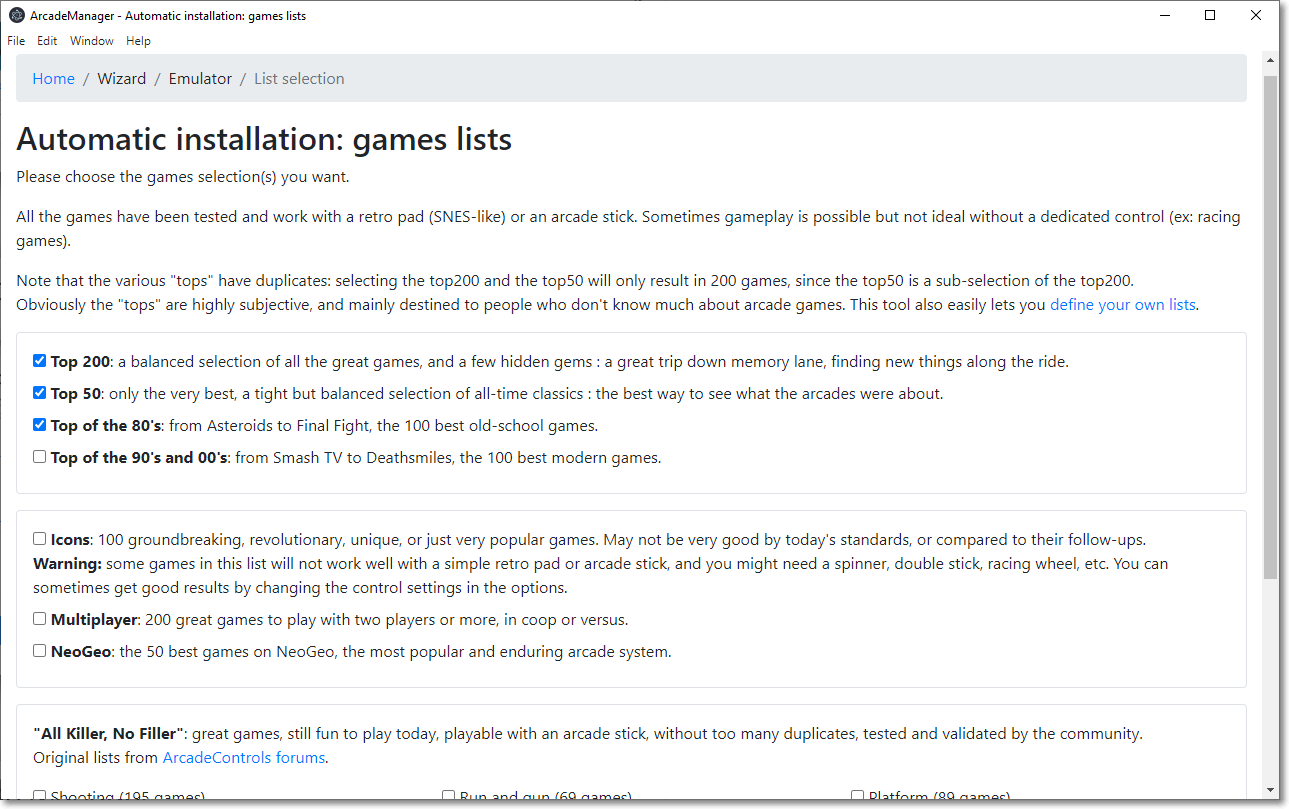
It also includes several selection of "best games", if you feel a bit lost among the several thousand games that full MAME romsets provide, and want a quick way to just keep the best ones.
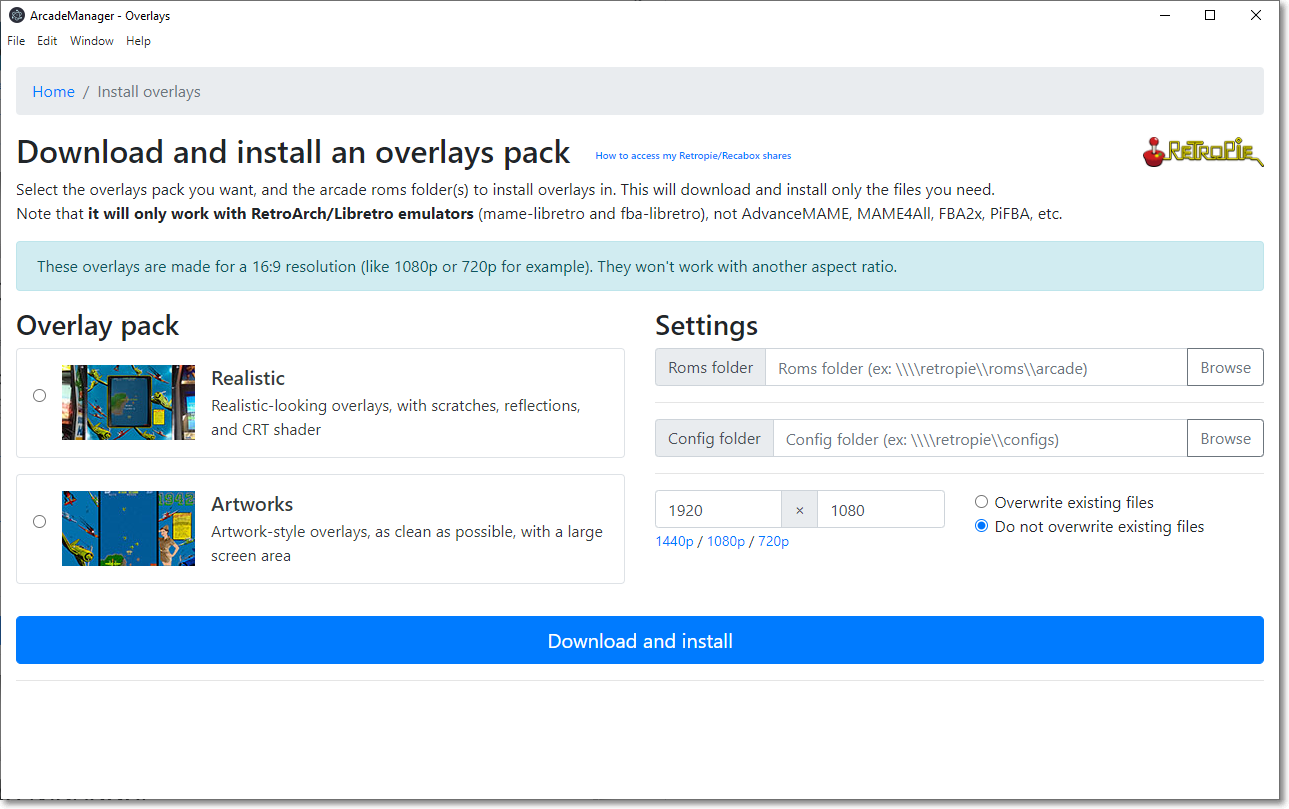
It also installs overlays/bezels, but only Retropie and Recalbox are currently supported.
## Download
The latest version is available here:
## Features
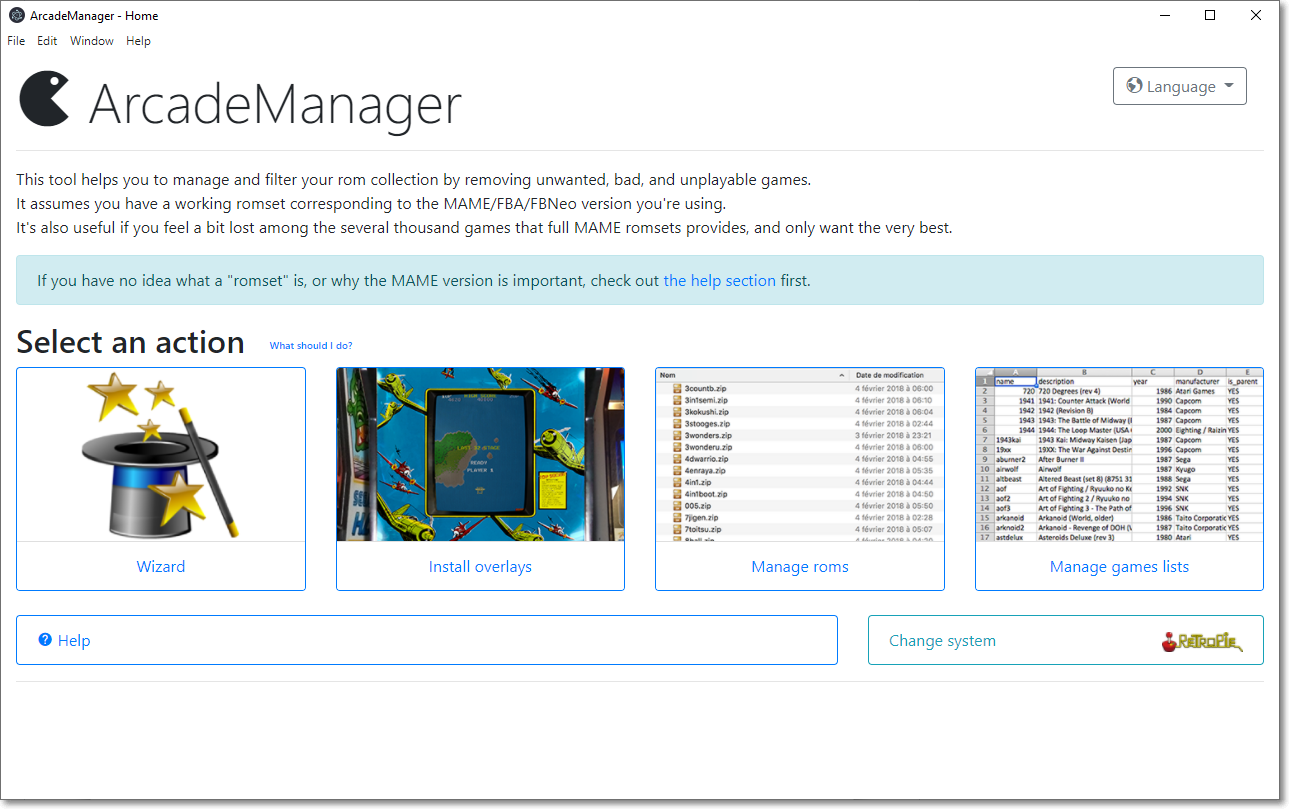
* User-friendly, easy to use interface with included extensive help
* Wizard with various pre-built lists of "best games"
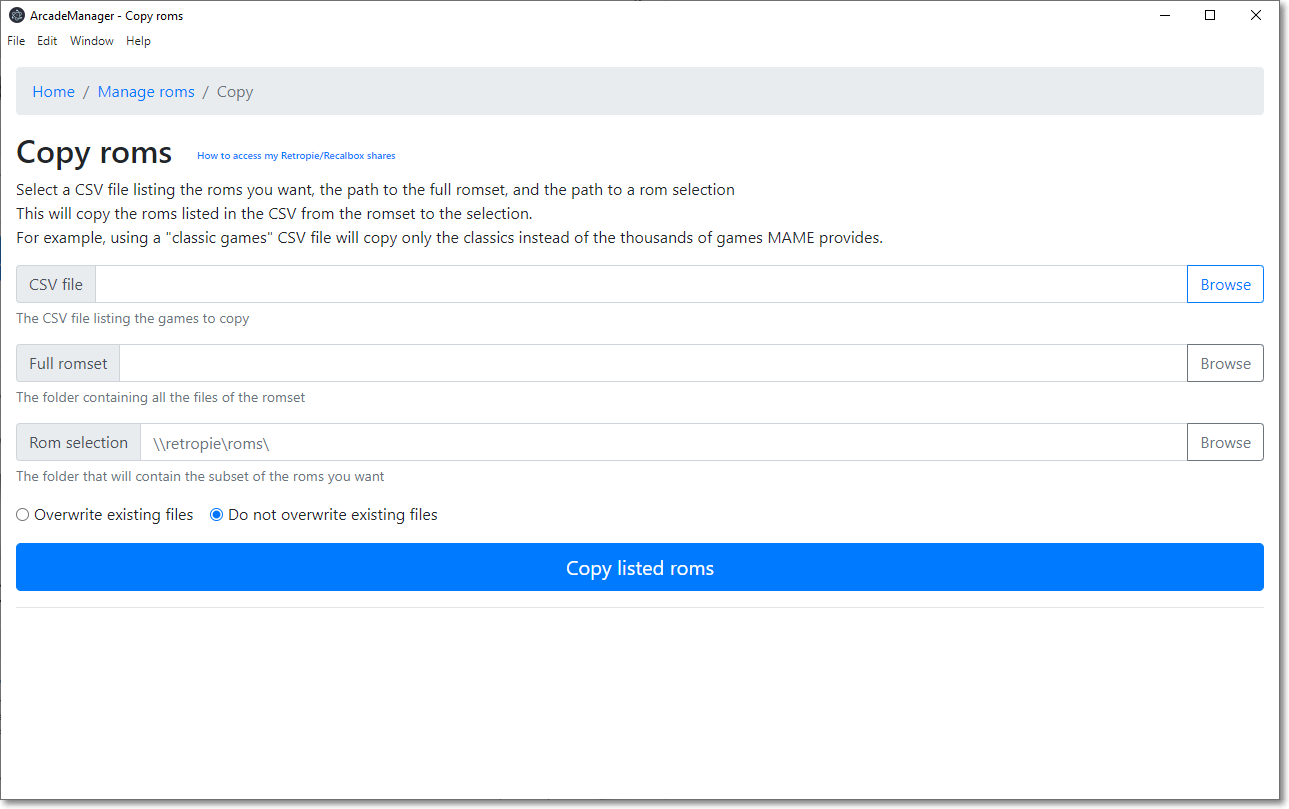
* Manage rom files: copy or cleanup a selection of roms
* Checks and fixes a romset, and converts it to non-merged (other types are not supported)
* Download and install an overlays pack (Retropie or Recalbox)
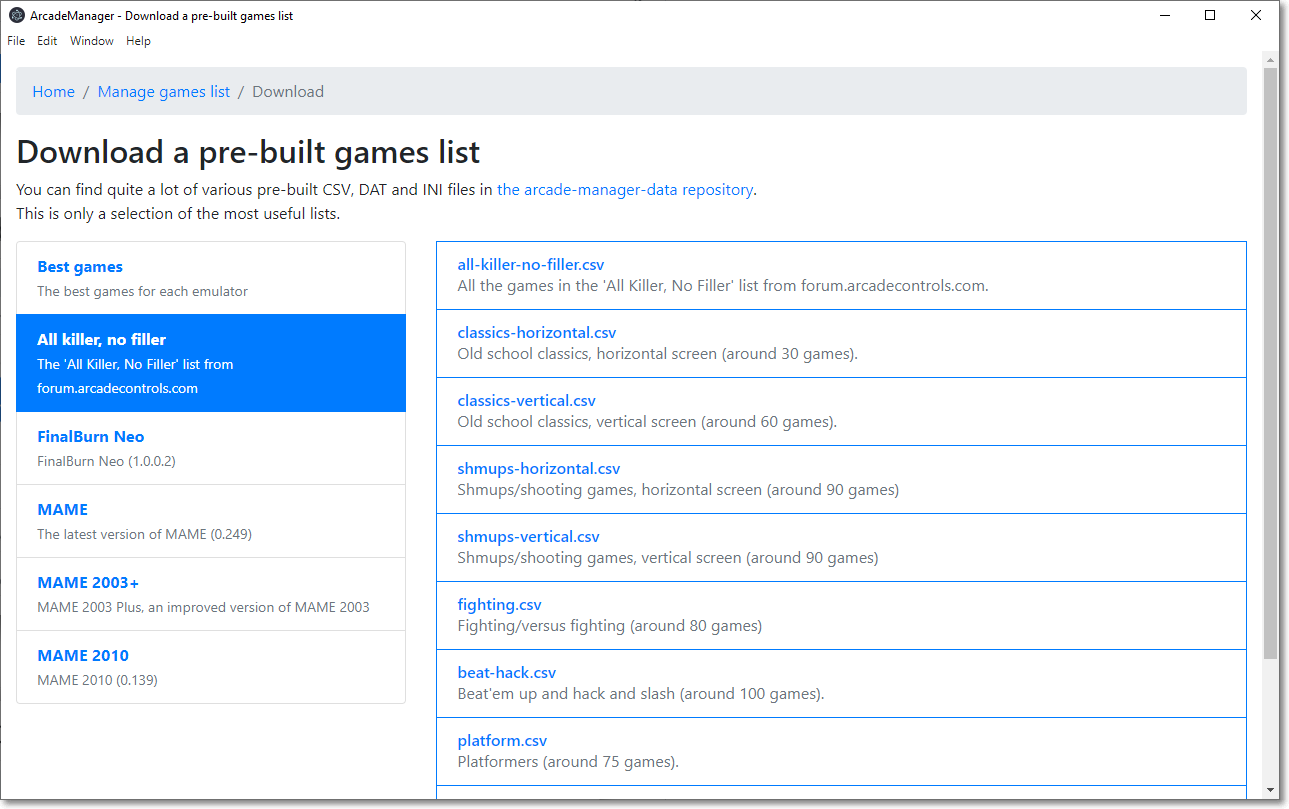
* Manage games lists to use with the roms file management: merge and split files, convert DAT or INI files, and more
And also:
* Multi-platform, works on Windows, MacOS and Linux
* Multi-language (check "translating" if you want to help)
Copying files assumes you have a working romset corresponding to the MAME/FBNeo version you're using. ArcadeManager can convert a romset to non-merged (all clones can work on their own) but not to other types; for that, use a tool like [ClrMamePro](https://mamedev.emulab.it/clrmamepro/).
Obviously, this tool does not download roms.
## Screenshots
## External help
If you are new to arcade emulation, please read these resources:
* [Arcade roms and how to play them, a non-technical guide](https://retropie.org.uk/forum/topic/7247/)
* [Demistifying MAME roms](https://web.archive.org/web/20180101211010/https://choccyhobnob.com/mame/demystifying-mame-roms/)
## Translating
Anyone can help with translations: they're simple text files (INI style) located in `Data\translations`.
If you think you can help, please create a pull request! Or just send me the translated files. I'm happy either way.
If you want to test your translations, you'll have to add your language to `src\ArcadeManager.Core\Services\Localizer.cs` in the `_locales` array.
You can also contribute using [Weblate](https://hosted.weblate.org/projects/arcademanager/arcademanager-ui/).
## Development
### Prerequisites
* Dotnet 6 SDK -
* Dotnet 8 SDK -
* NodeJS 22.x or later -
* Open a command line and run `dotnet tool install --global ElectronNET.CLI`
### Build and run
````bash
cd src/ArcadeManager
dotnet build
electronize start
````
To debug, attach Visual Studio to the `ArcadeManager` process.
Run `.\samples\generate-samples.ps1` in Powershell to generate a fake romset in `tmp\roms` (empty zip files with the right names).
### Create an install package
Choose your OS and architecture:
````bash
electronize build /target win
electronize build /target osx /electron-arch arm64
electronize build /target linux
````
Windows ARM and Linux ARM are not currently supported.
MacOS x86 is not supported anymore.
If you want to build for another architecture, edit the file `src\ArcadeManager\electron.manifest.json`, scroll down to "build", locate your platform (win, osx, linux), and in "target", change the "arch" property to your architecture (x64 or arm64). Don't forget to build using the matching `/electron-arch` parameter.