https://github.com/coveo/search-ui
Coveo Search UI framework
https://github.com/coveo/search-ui
coveo coveo-search coveo-search-ui javascript jsui typescript
Last synced: about 1 year ago
JSON representation
Coveo Search UI framework
- Host: GitHub
- URL: https://github.com/coveo/search-ui
- Owner: coveo
- License: apache-2.0
- Created: 2016-05-05T13:41:09.000Z (about 10 years ago)
- Default Branch: master
- Last Pushed: 2025-04-26T01:24:36.000Z (about 1 year ago)
- Last Synced: 2025-04-26T02:44:05.711Z (about 1 year ago)
- Topics: coveo, coveo-search, coveo-search-ui, javascript, jsui, typescript
- Language: TypeScript
- Size: 187 MB
- Stars: 132
- Watchers: 14
- Forks: 77
- Open Issues: 7
-
Metadata Files:
- Readme: README.md
- License: LICENSE
- Codeowners: CODEOWNERS
Awesome Lists containing this project
README
# Search UI [](https://travis-ci.org/coveo/search-ui) [](https://coveralls.io/github/coveo/search-ui?branch=master) [](https://www.codefactor.io/repository/github/coveo/search-ui) [](https://github.com/ellerbrock/typescript-badges/)
Coveo JavaScript Search UI Framework
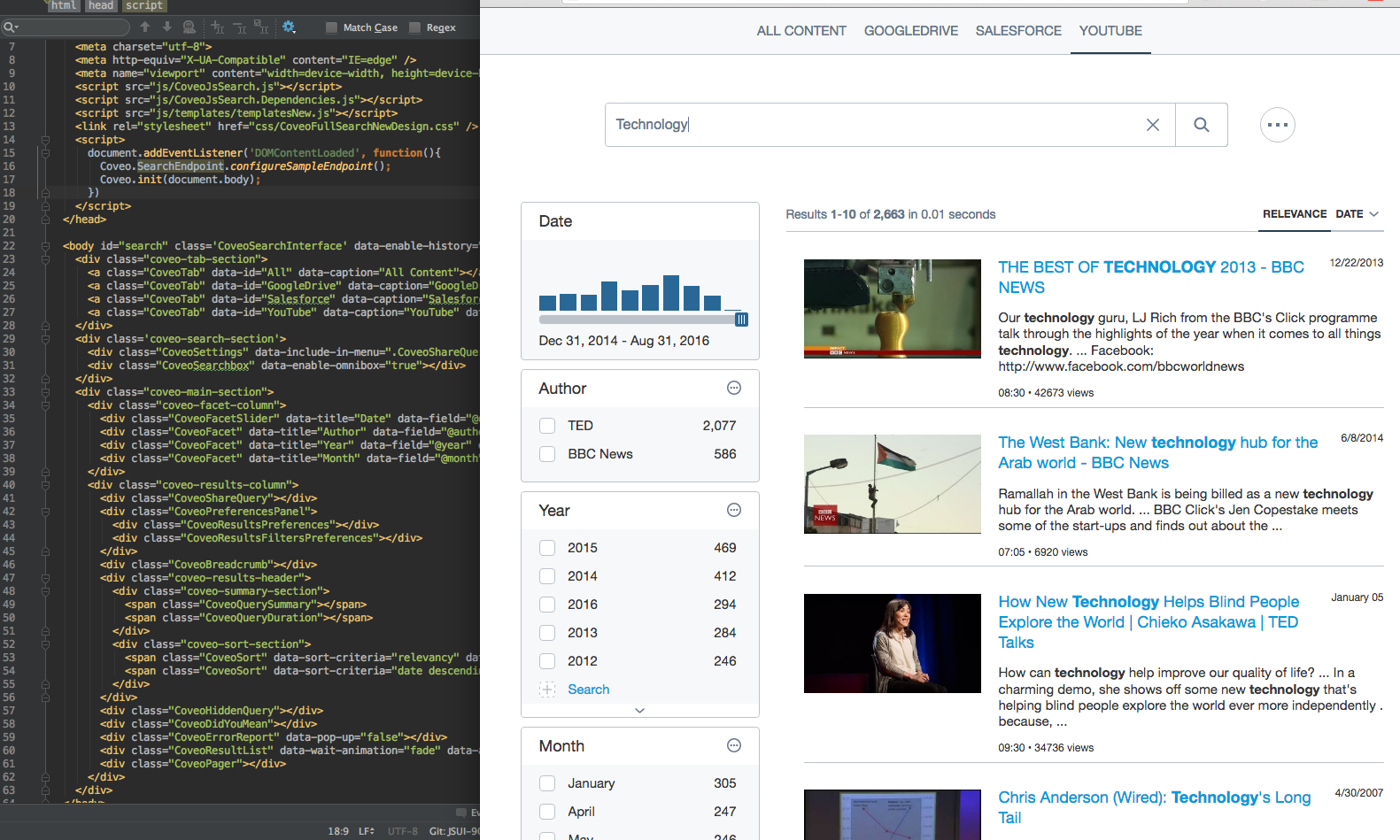
## ⚠️ **Disclaimer** ⚠️
The [JavaScript Search Framework](https://docs.coveo.com/en/375/javascript-search-framework/use-the-coveo-javascript-search-framework-classic) is currently in maintenance mode.
To create a new project, we recommend checking out the [Atomic](https://docs.coveo.com/en/atomic/latest/) and [Headless](https://docs.coveo.com/en/headless/latest/) frameworks.
## Installation
You should install the Coveo JavaScript Search UI Framework as an npm package:
npm install --save coveo-search-ui
All resources will be available under `node_modules/coveo-search-ui/bin`. You can include those in your pages with `` tags. This will make the variable `Coveo` globally available in your page.
If you are using a module bundler (Browserify, Webpack, rollup, etc.), you can use `require('coveo-search-ui')` or `import * as Coveo from 'coveo-search-ui'`.
Alternatively, you can download the Coveo JavaScript Search UI Framework (see [Downloading the JavaScript Search Framework](https://docs.coveo.com/en/319/javascript-search-framework/downloading-the-javascript-search-framework)).
## Including the Resources from a CDN
Since the April 2017 release, it is possible to access the resources of any specific Coveo JavaScript Search Framework
official release (from version `1.2537` on) through a content delivery network (CDN).
You can simply use a URL such as `https://static.cloud.coveo.com/searchui/v[VERSION]/[PATH_TO_FILE]`, where you
replace `[VERSION]` by the actual release version number you wish to use and `[PATH_TO_FILE]` by the path of the file
you require.
For quick access to the latest CDN links, see [JavaScript Search Framework CDN Links](https://docs.coveo.com/en/2075/javascript-search-framework/javascript-search-framework-cdn-links).
**Example:**
> The following tags include the `1.2537` version (April 2017 release) of the `CoveoJsSearch.min.js`, `templateNew.js`
> and `CoveoFullSearchNewDesign.css` files.
>
> ```
> <head>
>
> [ ... ]
>
> <script src="https://static.cloud.coveo.com/searchui/v1.2537/js/CoveoJsSearch.min.js">
>
>
>
> [ ... ]
>
>
> ```
## Basic Usage
```
// The following line shows you how you could configure an endpoint against which to perform your search.
// Coveo.SearchEndpoint.configureCloudEndpoint('MyCoveoCloudEndpointName', 'my-authentication-token');
// We provide a sample endpoint with public sources for demo purposes.
Coveo.SearchEndpoint.configureSampleEndpoint();
// Initialize the framework by targeting the root in the interface.
// It does not have to be the document body.
Coveo.init(document.body);
```
You can find more examples of fully configured pages in the `./pages` folder.
A tutorial is available to help you get started (see
[Coveo JavaScript Search UI Framework Getting Started Tutorial](https://levelup.coveo.com/learn/courses/jsui)).
## Build
You should have node 10.x installed to build this project.
npm install -g yarn
yarn global add gulp
yarn install
gulp
## Important Gulp Tasks
* `gulp default`: Builds the entire project (CSS, templates, TypeScript, etc.)
* `gulp compile`: Builds only the TypeScript code and generates its output in the `./bin` folder.
* `gulp unitTests`: Builds and runs the unit tests.
* `gulp doc`: Generates the documentation website for the project.
* `gulp dev`: Starts a webpack dev server for the project.
* `gulp devTest`: Starts a webpack dev server for the unit tests.
## Dev Server
Make sure you were able to run `gulp` entirely without any errors first. Then you can start the dev-server:
gulp dev
This will start a webpack-dev-server instance (see
[Webpack Dev Server](https://webpack.github.io/docs/webpack-dev-server.html)).
You can now load [http://localhost:8080/index.html](http://localhost:8080/index.html) in a web browser.
Any time you hit **Save** in a source file, the bundle will be recompiled and the dev page will reload.
If you need to modify the content of the search page (i.e., the markup itself, not the TypeScript code), modify the
`index.html` page under `./bin`. This page is not committed to the repository, so you do not have to worry about
breaking anything. However, if you feel like you have a good reason to modify the original `index.html`, feel free to
do so.
You might need to assign more memory to Webpack if you see errors about `heap out of memory`. To do so, use this command :
node --max_old_space_size=8192 ./node_modules/gulp/bin/gulp.js dev;
### Tests
Tests are written using [Jasmine](http://jasmine.github.io/2.4/introduction.html). You can use `npm run test` to run
the tests in Chrome Headless.
If you wish to write new unit tests, you can do so by starting a new webpack-dev-server instance.
To start the server, run `gulp devTest`.
Load [http://localhost:8081/tests/SpecRunner.html](http://localhost:8081/tests/SpecRunner.html).
Every time you hit **Save** in a source file, the dev server will reload and re-run your tests.
Code coverage will be reported in `./bin/coverage`
### Accessibility tests
Tests are written using [Axe core](https://github.com/dequelabs/axe-core). You can use `npm run accessibilityTests` to run
the tests in Chrome Headless.
If you wish to write new tests, you can do so by starting a new webpack-dev-server instance.
To start the server, run `gulp devAccessibilityTest`.
Load [http://localhost:8082/tests/Accessibility.html](http://localhost:8082/tests/Accessibility.html).
## Documentation
General reference documentation is generated using TypeDoc (see
[Coveo JavaScript Search UI Framework - Reference Documentation](https://coveo.github.io/search-ui/)). The
generated reference documentation lists and describes all available options and public methods for each component.
Handwritten documentation with more examples is also available (see
[Coveo JavaScript Search UI Framework Home](https://docs.coveo.com/en/375/javascript-search-framework/javascript-search-framework-home)).
A tutorial is also available (see
[Coveo JavaScript Search UI Framework Getting Started Tutorial](https://levelup.coveo.com/learn/courses/jsui)).
If you are new to the Coveo JavaScript Search UI Framework, you should definitely consult this tutorial, as it contains
valuable information.
You can also use Coveo Search to find answers to any specific issues/questions (see the
[Coveo Community Portal](https://support.coveo.com/s/search/All/Home/%40uri)).
## Issues and questions
Please use the [Coveo community](https://answers.coveo.com) to ask questions or to search for existing solutions.