https://github.com/cpuwolf/XTouchDownRecorder
a landing analysis plugin for X-Plane 10/11/12
https://github.com/cpuwolf/XTouchDownRecorder
Last synced: 18 days ago
JSON representation
a landing analysis plugin for X-Plane 10/11/12
- Host: GitHub
- URL: https://github.com/cpuwolf/XTouchDownRecorder
- Owner: cpuwolf
- License: gpl-2.0
- Created: 2017-09-04T22:08:37.000Z (almost 9 years ago)
- Default Branch: main
- Last Pushed: 2026-04-02T01:16:03.000Z (4 months ago)
- Last Synced: 2026-05-09T04:48:47.489Z (2 months ago)
- Homepage:
- Size: 23.4 MB
- Stars: 30
- Watchers: 1
- Forks: 2
- Open Issues: 7
-
Metadata Files:
- Readme: README.md
- Changelog: news.txt
- License: LICENSE
Awesome Lists containing this project
- awesome-osxp - XTouchDownRecorder
README
# ✈️ XTouchDownRecorder
### The Ultimate Landing Analysis Tool for X-Plane 10/11/12
**Master your landings.** XTouchDownRecorder is a comprehensive flight data recorder designed specifically to analyze aircraft touchdown performance. Whether you are a casual simmer or training for realism, get immediate feedback on your landing rate, G-force, and pitch.
  
---
## ✨ Key Features
Don't just guess how your landing went—know exactly what happened.
* **📊 Precise Metrics:** Instantly view Landing Rate (FPM), Pitch angle, and G-Force upon touchdown.
* **📉 Deep Analysis:** tracks Max FPM, Max Pitch, and Peak G-Force surrounding the landing event.
* **🦘 Bounce Detection:** accurately records "Touch ground times" to detect bounced landings.
* **☁️ Cloud Community:** Automatically sync your landings to the [XTouchDownRecorder Community](https://x-plane.vip/xtdr/) to compare with others.
* **💾 Auto-Logging:** Every landing is saved locally to `TouchDownRecorderLog.txt` for your records.
* **👓 VR Ready:** Fully optimized for Virtual Reality users.
* **⚡ Instant Feedback:** The analysis chart automatically pops up after landing (configurable via button/key assignment).
* :apple: lowest supported version 11.0 
* **👓 SkunkCraftsUpdater:** Support update via SkunkCraftsUpdater.
---
## 🌐 The Community
**Join a new world of flight tracking.**
Upload your stats, compete with other pilots, and track your progress over time.
:thumbsup: **[Visit the XTouchDownRecorder Community](https://x-plane.vip/xtdr/)**
| Web Interface | VR Integration |
| :---: | :---: |
|  |  |
---
## 📺 See It In Action
[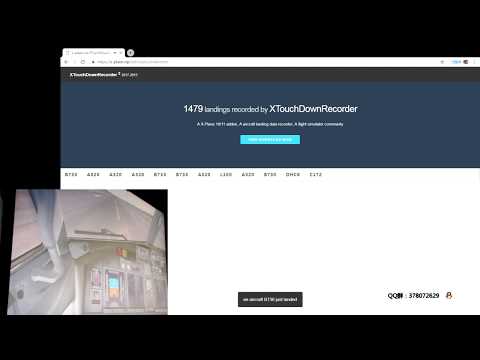](https://youtu.be/Pp2c9TIFF8U)
---
## 📥 Installation
Getting started is easy. No complex installers required.
1. **Download** the latest release.
2. **Unzip** the package.
3. **Move** the folder `XTouchDownRecorder` into your X-Plane plugins directory:
`X-Plane 11\Resources\plugins\`
4. **Launch** X-Plane.
5. Verify installation by checking the X-Plane **Plugins** menu for *XTouchDownRecorder*.
---
## 🎮 Controls & Usage
To view your landing data on demand or toggle the window, you must assign a key or button in X-Plane.
**Assignment Path:**
`cpuwolf` -> `XTouchDownRecorder` -> `Toggle TouchDownRecorder Chart`
### Configuration Examples
**X-Plane 11**

**X-Plane 10**

---
## 📈 Data Analysis
Visualize your performance with detailed charts. Analyze your flare, touchdown point, and rollout stability.

**Screenshots:**
* 
* 
* 
---
## ❤️ Support & Contact
If you enjoy this tool and it helps you become a better pilot, consider supporting the development!
* **Support via Patreon:** [patreon.com/cpuwolf](https://www.patreon.com/cpuwolf)
* **Donate via PayPal:** [paypal.me/cpuwolf](https://www.paypal.me/cpuwolf)
* **QQ Group:** 378072629