https://github.com/creativeit/material-angular-select
Angular select for material-design-lite
https://github.com/creativeit/material-angular-select
angular mdl sass select typescript
Last synced: over 1 year ago
JSON representation
Angular select for material-design-lite
- Host: GitHub
- URL: https://github.com/creativeit/material-angular-select
- Owner: CreativeIT
- Created: 2019-04-16T13:21:19.000Z (over 7 years ago)
- Default Branch: master
- Last Pushed: 2023-01-07T06:35:58.000Z (over 3 years ago)
- Last Synced: 2025-04-12T02:11:36.042Z (over 1 year ago)
- Topics: angular, mdl, sass, select, typescript
- Language: TypeScript
- Homepage: https://creativeit.github.io/material-angular-select/
- Size: 8.01 MB
- Stars: 21
- Watchers: 2
- Forks: 2
- Open Issues: 32
-
Metadata Files:
- Readme: README.md
Awesome Lists containing this project
README
# material-angular-select
Angular select for [material-design-lite](https://github.com/google/material-design-lite)
## Live example
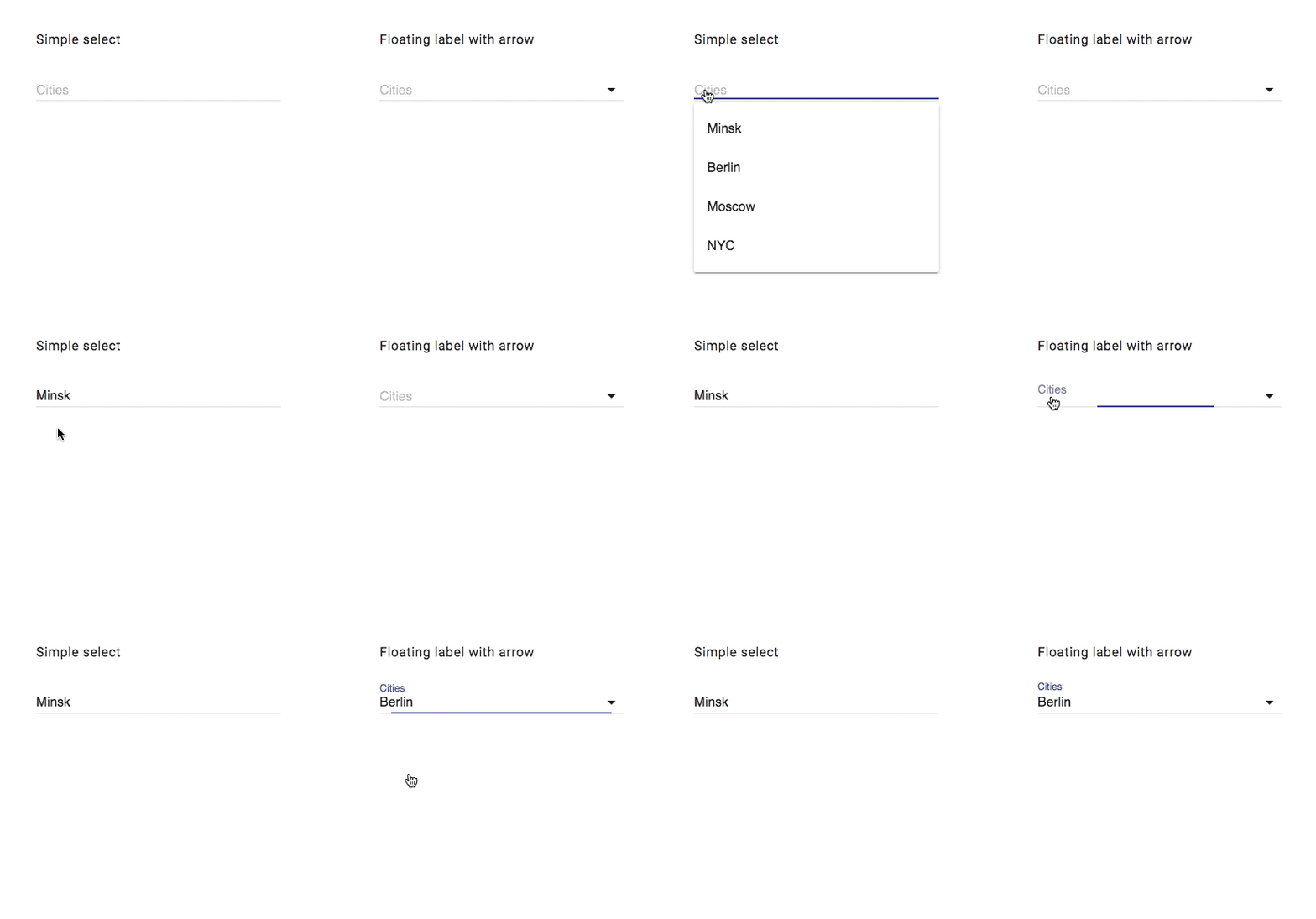
### JS version
Here you can find JS based version: [getmdl-select](https://github.com/CreativeIT/getmdl-select)
## Getting started
### Step 1: Install `material-angular-select`:
##### NPM
```shell
npm install --save material-angular-select
```
or
##### YARN
```shell
yarn add material-angular-select
```
### Step 2: Import the MaterialAngularSelectModule
```typescript
import { MaterialAngularSelectModule } from 'material-angular-select';
@NgModule({
declarations: [
AppComponent,
],
imports: [
BrowserModule,
MaterialAngularSelectModule, // add the module in imports
],
providers: [],
bootstrap: [AppComponent]
})
export class AppModule { }
```
### Step 3 (Optional): Include MDL
If you didn't use [material-design-lite](https://github.com/google/material-design-lite) in your project before, don't forget to include necessary sources.
Follow steps from [here](https://getmdl.io/started/index.html)
or
- add dependencies in `angular.json`
```json
...
"build": {
"options": {
"styles": [
"node_modules/material-design-lite/src/material-design-lite.scss"
],
"scripts": [
"node_modules/material-design-lite/material.js"
]
...
```
- and import icons to `index.html`
```html
```
## Sample implementation
**```app.module.ts```**
```javascript
import { BrowserModule } from '@angular/platform-browser';
import { NgModule } from '@angular/core';
import { AppComponent } from './app.component';
import { MaterialAngularSelectModule } from 'angular-ratify';
@NgModule({
declarations: [
AppComponent
],
imports: [
BrowserModule,
MaterialAngularSelectModule,
],
providers: [],
bootstrap: [AppComponent]
})
export class AppModule { }
```
**```app.component.html```**
```html
```
**```app.component.ts```**
```javascript
import { Component } from '@angular/core';
@Component({
selector: 'app-root',
templateUrl: './app.component.html',
styleUrls: ['./app.component.css']
})
export class AppComponent {
public readonly countries = ['Minsk', 'Berlin', 'Moscow', 'NYC'];
public locationValue = 'Minsk';
public changeCountry(country) {
// do something
}
}
```
## API
### Inputs
| Input | Type | Default | Required | Description |
| ------------- | ------------- | ------------- | ------------- | ------------- |
| [data] | Array [] | [] | yes | Items array |
| name | string | '' | yes | Text for name of input |
| label | string | '' | no | Text for label |
| arrow | boolean | true | no | Allows to hide arrow |
| disabled | boolean | false | no | Allows to disable select |
| fixHeight | boolean | false | no | Allows to fix menu height to 280px |
| isFloatingLabel | boolean | true | no | Allows to fix label |
| [classStyle] | Array | null | no | Added own classes to dropdown element |
| keys | {value: string, title: string} | {value: 'value', title: 'title'} | yes | Required if use array of object with different structure |
| currentValue | string or {title: any, value: any} | {title: '', value: ''} | no | Set default value |
### Outputs
| Output | Description |
| ------ | ------ |
| selectedValue | Fired on model change. Outputs whole model |
## Hire us
We are ready to bring value to your business. Visit our site [creativeit.io](http://creativeit.io/) or drop us a line . We will be happy to help you!
## Support the project
* Star the repo
* Create issue report or feature request
* Check our [material-angular-dashboard](https://github.com/CreativeIT/material-angular-dashboard)
* [Tweet about it](https://twitter.com/CreativeITeam)
* Follow us on [Twitter](https://twitter.com/CreativeITeam)