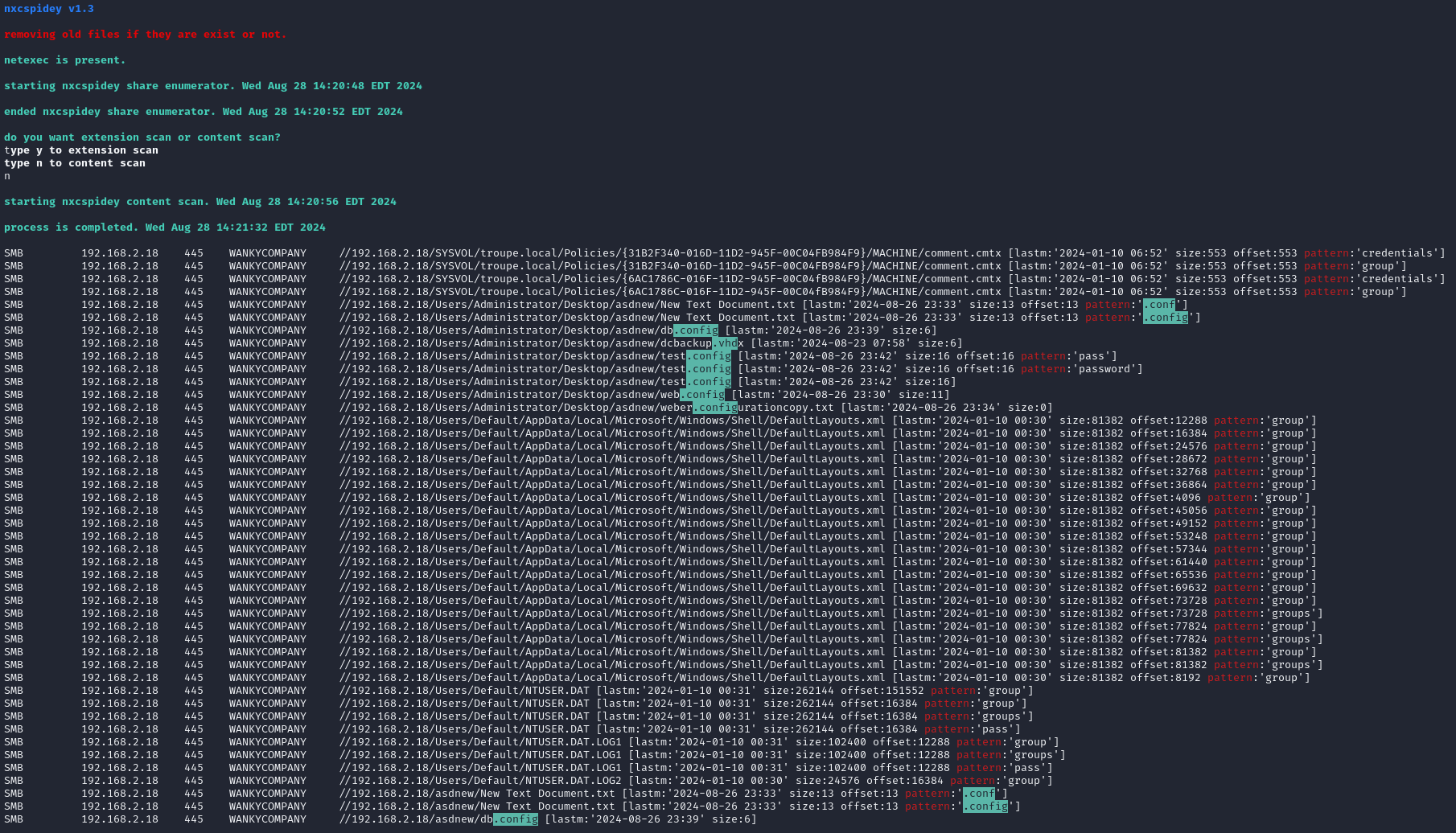
https://github.com/crosscutsaw/nxcspidey
nxcspidey is a bash script that uses netexec's share spider feature, but in bulk.
https://github.com/crosscutsaw/nxcspidey
bash bash-script crackmapexec netexec nxc samba-share smb
Last synced: 5 months ago
JSON representation
nxcspidey is a bash script that uses netexec's share spider feature, but in bulk.
- Host: GitHub
- URL: https://github.com/crosscutsaw/nxcspidey
- Owner: crosscutsaw
- Created: 2022-07-03T14:00:25.000Z (almost 4 years ago)
- Default Branch: main
- Last Pushed: 2025-04-14T21:36:13.000Z (about 1 year ago)
- Last Synced: 2025-04-14T22:32:50.793Z (about 1 year ago)
- Topics: bash, bash-script, crackmapexec, netexec, nxc, samba-share, smb
- Language: Shell
- Homepage:
- Size: 1.24 MB
- Stars: 5
- Watchers: 3
- Forks: 0
- Open Issues: 0
-
Metadata Files:
- Readme: README.md
Awesome Lists containing this project
README
## about nxcspidey v1.5
nxcspidey is a bash script that uses netexec's share spider feature, but in bulk.
## how to use
-> put your port 445 ips to p445.txt file (same directory where nxcspidey sits on)
-> add or remove desired file extensions or patterns in script (share_extensions line)
-> execute nxcspidey.sh
-> profit
## extensions explanation
-> .vhd >>> fixed suffix. it can be emre.vhd, important.vhd, deadasscompanydc01.vhd.. etc
-> config. >>> fixed prefix. it can be config.cfg, config.pkcs, config.deadass.. etc
-> credentials, dbpass, cpassword >>> it can be both filename or matching pattern in file. intended use is matching pattern.
## decide your scan
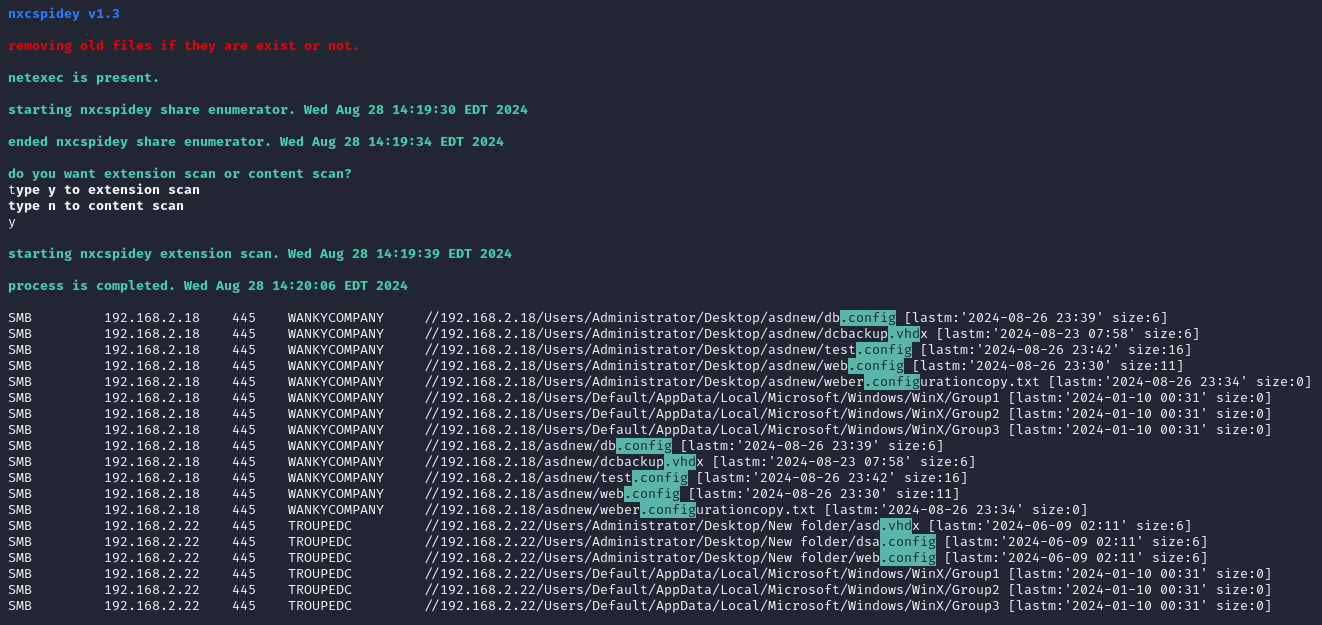
-> extension scan just scans extensions in filenames. i.e if you leave ".conf" in your share_extensions line then you'd get; "apache.conf", "web.config" and "style.configuration" in your results.
-> content scan scans extensions in filenames and content inside them. if you have no access to gui then it's a best option to enumerate. because of scanning content, it'd take a lot of time. even you'd get netbios timeout errors.