https://github.com/crossoverjie/skilldeck
Native macOS SwiftUI app for managing multiple AI code agent skills
https://github.com/crossoverjie/skilldeck
ai macos macos-app skills
Last synced: 3 months ago
JSON representation
Native macOS SwiftUI app for managing multiple AI code agent skills
- Host: GitHub
- URL: https://github.com/crossoverjie/skilldeck
- Owner: crossoverJie
- License: mit
- Created: 2026-02-11T02:48:58.000Z (5 months ago)
- Default Branch: main
- Last Pushed: 2026-04-03T06:02:50.000Z (3 months ago)
- Last Synced: 2026-04-03T13:35:20.841Z (3 months ago)
- Topics: ai, macos, macos-app, skills
- Language: Swift
- Homepage: http://crossoverjie.top/SkillDeck/
- Size: 3.93 MB
- Stars: 290
- Watchers: 0
- Forks: 25
- Open Issues: 7
-
Metadata Files:
- Readme: README.md
- License: LICENSE
Awesome Lists containing this project
README

SkillDeck
The desktop GUI for managing AI code agent skills on macOS.


English | 中文
---
**SkillDeck** is the first desktop GUI for managing skills across multiple AI code agents — [Claude Code](https://docs.anthropic.com/en/docs/claude-code), [Codex](https://github.com/openai/codex), [Gemini CLI](https://github.com/google-gemini/gemini-cli), [Copilot CLI](https://docs.github.com/en/copilot/using-github-copilot/using-github-copilot-in-the-command-line), [OpenCode](https://opencode.ai), [Antigravity](https://antigravity.google), [Cursor](https://cursor.com), [Kiro](https://kiro.dev), [CodeBuddy](https://www.codebuddy.ai), [OpenClaw](https://openclaw.ai), [Trae](https://www.trae.ai), and [Qoder](https://qoder.ai). No more manual file editing, symlink juggling, or YAML parsing by hand.
## Screenshots
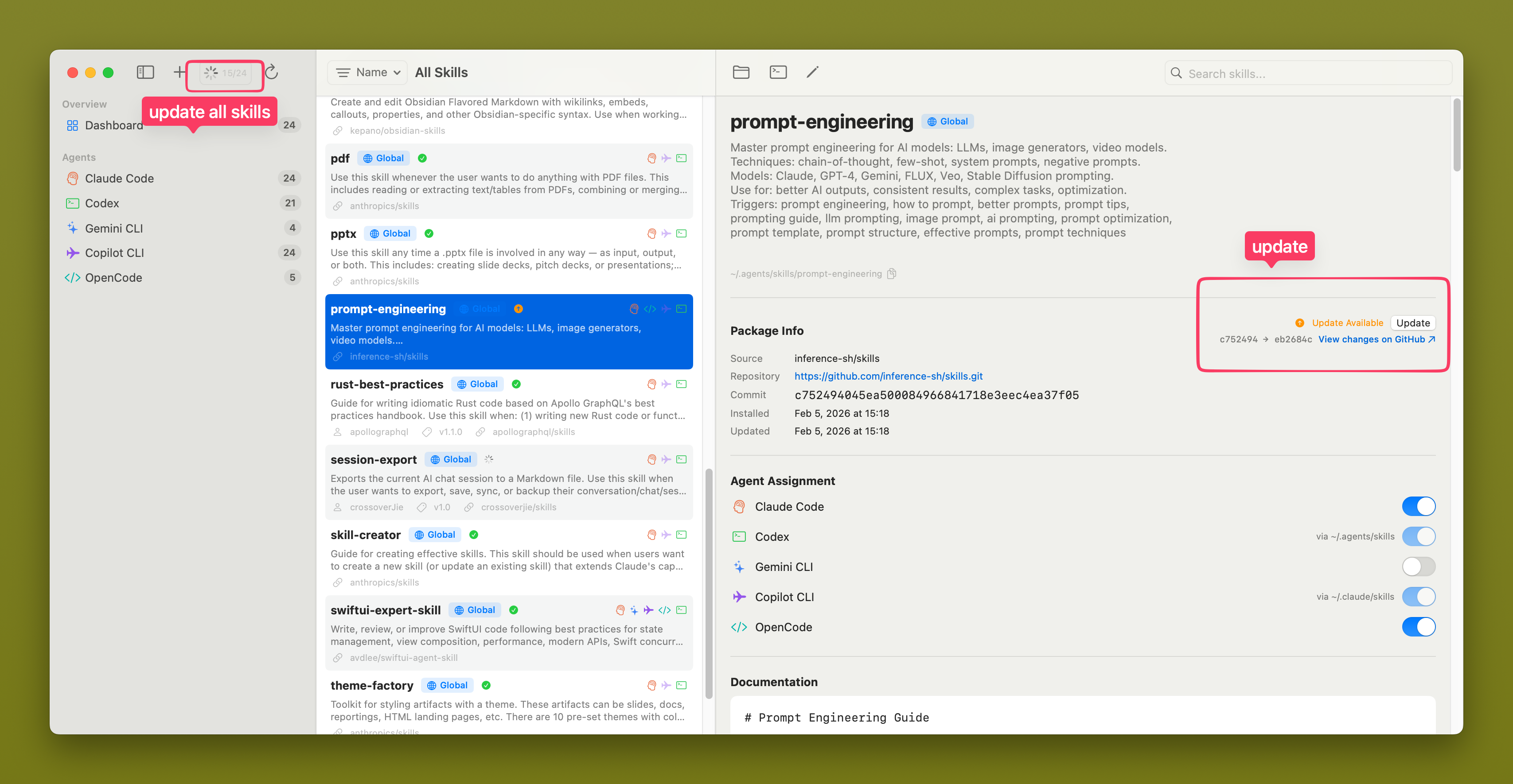
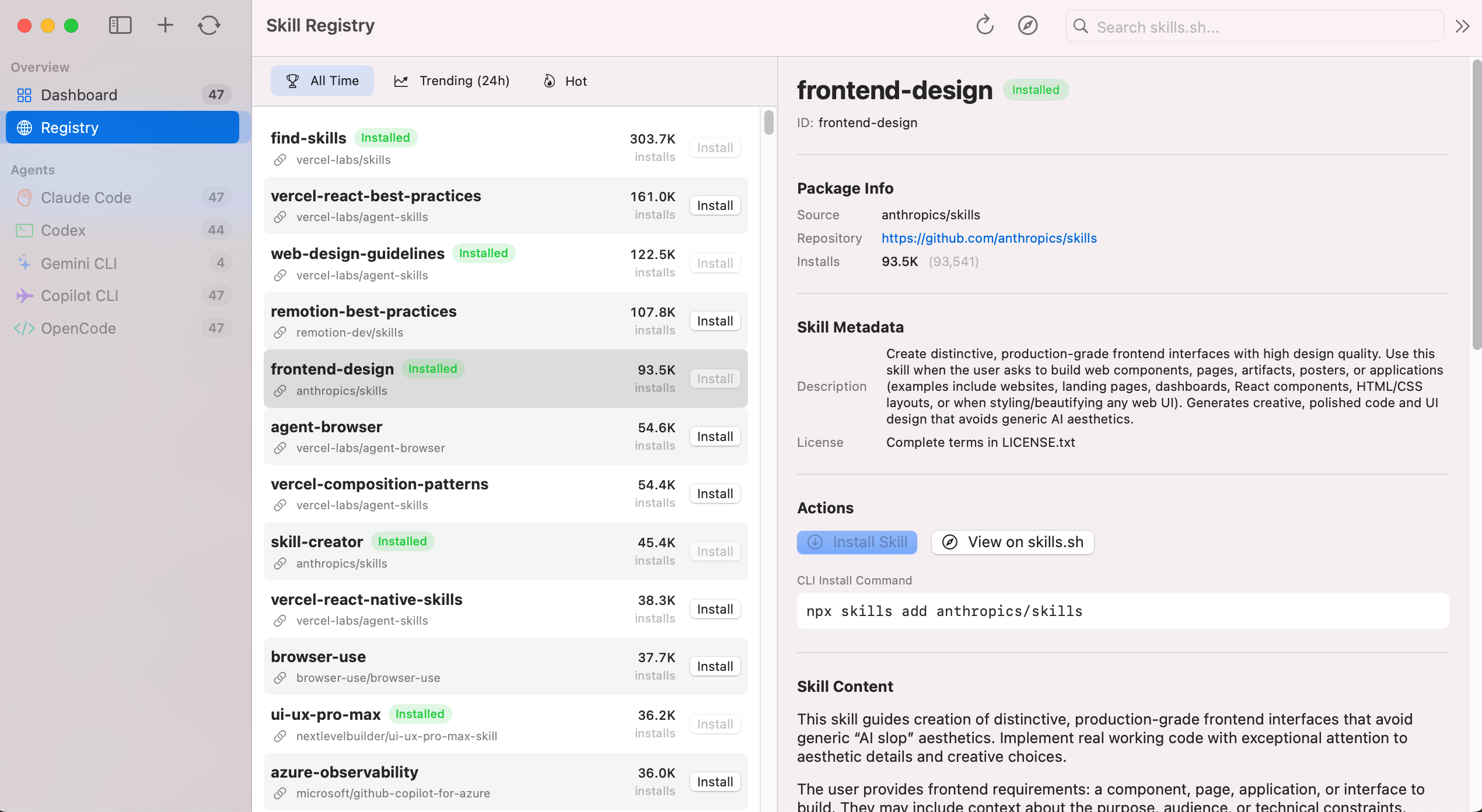

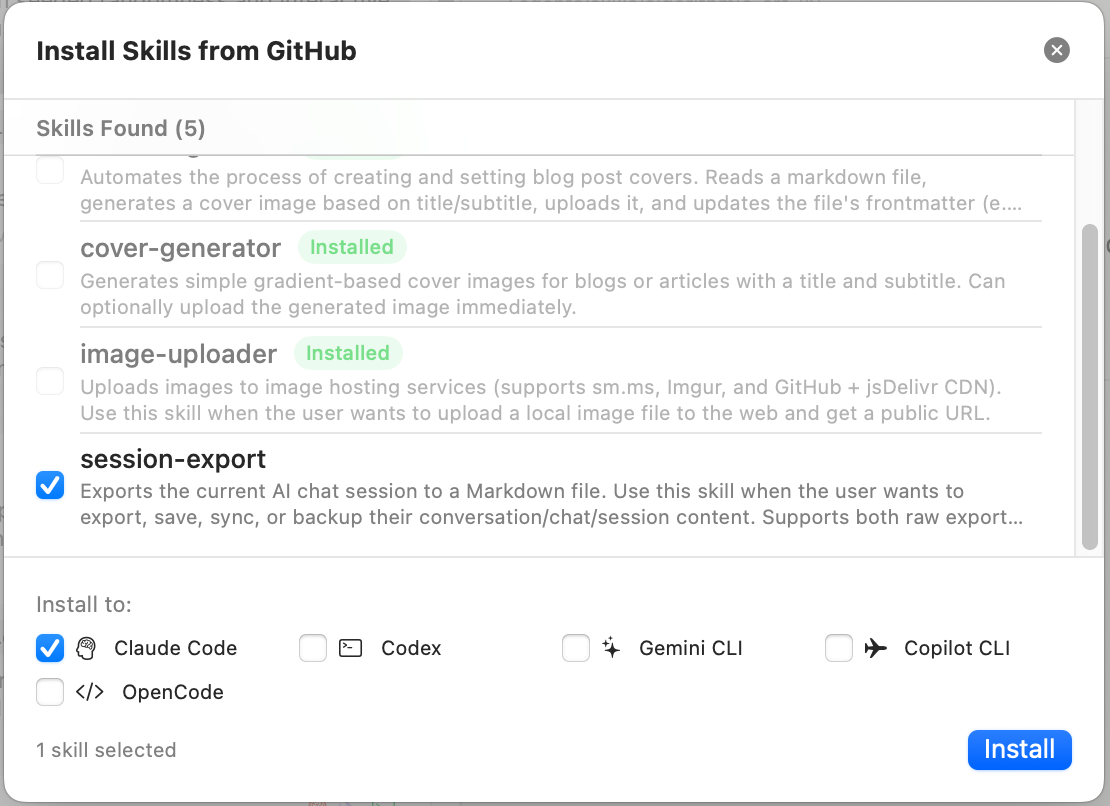
## Features
- **Multi-Agent Support** — Claude Code, Codex, Gemini CLI, Copilot CLI, OpenCode, Antigravity, Cursor, Kiro, CodeBuddy, OpenClaw, Trae, Qoder
- **Registry & Marketplace Browser** — Browse [skills.sh](https://skills.sh) leaderboard plus the ClawHub catalog for OpenClaw with search, sorting, and filters
- **Unified Dashboard** — All skills in one three-pane macOS-native view
- **Flexible Imports** — Install from GitHub or import from a local folder, then auto-create symlinks and update the lock file
- **Update Checker** — Detect remote changes and pull updates with one click
- **SKILL.md Editor** — Split-pane form + markdown editor with live preview
- **Agent Assignment** — Toggle which agents a skill is installed to via symlink management
- **App Settings** — Configure global app fonts and proxy networking (HTTPS / SOCKS5, Keychain-backed credentials, bypass list)
- **Localization** — Full English and Simplified Chinese interface support with in-app language switching
- **Inline Translation** — Automatic Chinese translation of skill documentation paragraphs when UI language is set to Chinese (requires macOS 26+)
- **Auto-Refresh** — File system monitoring picks up CLI-side changes instantly
> See the full feature list and roadmap in [docs/FEATURES.md](docs/FEATURES.md).
## Installation
### Download (Recommended)
Download the latest universal binary from [GitHub Releases](https://github.com/crossoverJie/SkillDeck/releases):
1. Download `SkillDeck-vX.Y.Z-universal.zip`
2. Unzip and move `SkillDeck.app` to `/Applications/`
3. On first launch, macOS will block unsigned apps. To open:
```bash
xattr -cr /Applications/SkillDeck.app
```
Or: Right-click → Open → "Open" in the dialog
### Homebrew
```bash
brew tap crossoverJie/skilldeck && brew install --cask skilldeck
```
### Build from Source
Requires macOS 14.0+ (Sonoma), Xcode 15.0+, Swift 5.9+.
```bash
git clone https://github.com/crossoverJie/SkillDeck.git
cd SkillDeck
swift run SkillDeck
# Or open in Xcode
open Package.swift # then press Cmd+R
```
Run tests:
```bash
swift test
```
## Supported Agents
| Agent | Skills Directory | Detection | Skills Reading Priority |
|-------|-----------------|-----------|------------------------|
| [Claude Code](https://docs.anthropic.com/en/docs/claude-code) | `~/.claude/skills/` | `claude` binary + `~/.claude/` dir | Own directory only |
| [Codex](https://github.com/openai/codex) | `~/.codex/skills/` | `codex` binary | Own → `~/.agents/skills/` (shared global) |
| [Gemini CLI](https://github.com/google-gemini/gemini-cli) | `~/.gemini/skills/` | `gemini` binary + `~/.gemini/` dir | Own directory only |
| [Copilot CLI](https://docs.github.com/en/copilot/using-github-copilot/using-github-copilot-in-the-command-line) | `~/.copilot/skills/` | `gh` binary | Own → `~/.claude/skills/` |
| [OpenCode](https://opencode.ai) | `~/.config/opencode/skills/` | `opencode` binary | Own → `~/.claude/skills/` → `~/.agents/skills/` |
| [Antigravity](https://antigravity.google) | `~/.gemini/antigravity/skills/` | `antigravity` binary | Own directory only |
| [Cursor](https://cursor.com) | `~/.cursor/skills/` | `cursor` binary | Own → `~/.claude/skills/` |
| [Kiro](https://kiro.dev) | `~/.kiro/skills/` | `kiro` binary | Own directory only |
| [CodeBuddy](https://www.codebuddy.ai) | `~/.codebuddy/skills/` | `codebuddy` binary | Own directory only |
| [OpenClaw](https://openclaw.ai) | `~/.openclaw/skills/` | `openclaw` binary | Own directory only |
| [Trae](https://www.trae.ai) | `~/.trae/skills/` | `trae` binary | Own directory only |
| [Qoder](https://qoder.ai) | `~/.qoder/skills/` | `qoder` binary | Own directory only |
## Architecture
MVVM with `@Observable` (macOS 14+). The filesystem is the database — skills are directories containing `SKILL.md` files. Services use Swift `actor` for thread-safe file system access.
```
Views → ViewModels (@Observable) → SkillManager → Services (actor)
```
See [docs/DEVELOPMENT.md](docs/DEVELOPMENT.md) for the full architecture guide, design decisions, and development setup.
## Contributing
1. Fork the repository
2. Create a feature branch (`git checkout -b feat/my-feature`)
3. Run tests (`swift test`)
4. Open a Pull Request
See [docs/DEVELOPMENT.md](docs/DEVELOPMENT.md) for environment setup and coding conventions.
## License
[MIT](LICENSE)