https://github.com/crowdstrike/aws-kinesis-falcon-logscale-lambda-integration
A Python AWS Lambda function to send AWS Kinesis stream events to Falcon LogScale
https://github.com/crowdstrike/aws-kinesis-falcon-logscale-lambda-integration
Last synced: 8 months ago
JSON representation
A Python AWS Lambda function to send AWS Kinesis stream events to Falcon LogScale
- Host: GitHub
- URL: https://github.com/crowdstrike/aws-kinesis-falcon-logscale-lambda-integration
- Owner: CrowdStrike
- License: apache-2.0
- Created: 2022-11-22T21:08:04.000Z (over 3 years ago)
- Default Branch: main
- Last Pushed: 2023-12-15T14:44:14.000Z (over 2 years ago)
- Last Synced: 2025-03-21T10:53:40.083Z (over 1 year ago)
- Language: Python
- Size: 394 KB
- Stars: 1
- Watchers: 3
- Forks: 0
- Open Issues: 1
-
Metadata Files:
- Readme: README.md
- License: LICENSE
- Code of conduct: CODE_OF_CONDUCT.md
Awesome Lists containing this project
README

[](https://twitter.com/CrowdStrike)
# AWS Lambda Function: Kinesis to Falcon LogScale Shipper
A Python AWS Lambda function to send AWS Kinesis stream events to Falcon LogScale.
## Installation and Setup
### Prepare AWS Kinesis
- create a Kinesis data source, or identify an existing source
### Prepare AWS Lambda
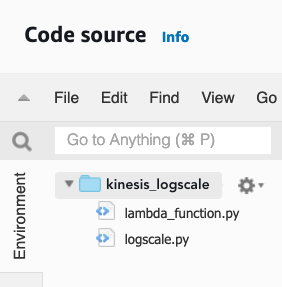
- create a new Python (`python3.9`) AWS Lambda function to host the code
- copy/paste the `lambda_function.py` code to the new Lambda function `lambda_function.py`
- create new file named `logscale.py`, in the Lambda function
- copy/paste the `logscale.py` code
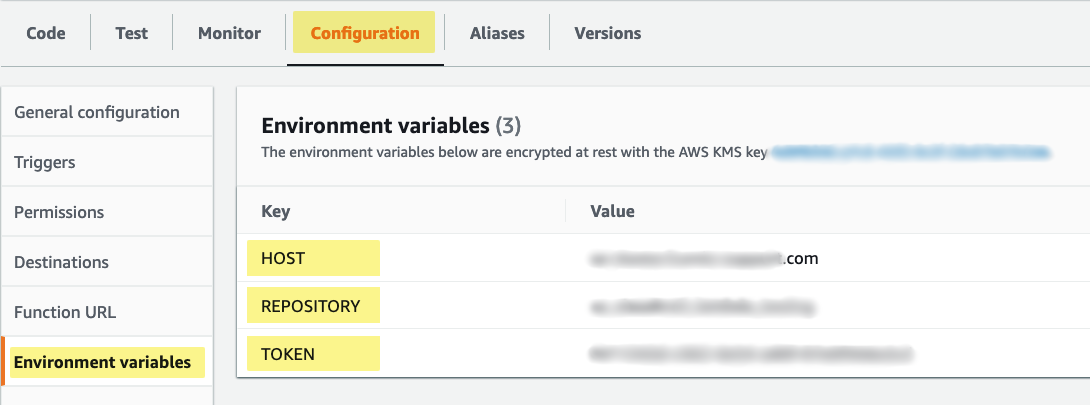
- configure required Lambda environmental variables
- HOST - target LogScale server
- REPOSITORY - target LogScale repository
- TOKEN - LogScale ingest token
- configure the lambda run timeout setting
- increase the function timeout value above the default (3 secs)
- recommend at least thirty (30) seconds. monitor logs for timeouts.
#### Attach Requests Lambda Layer
- Attach a Lambda layer that contains the python requests library
- create a new layer; upload zipfile that contains requests library
- or, attach and existing requests layer to the Lambda
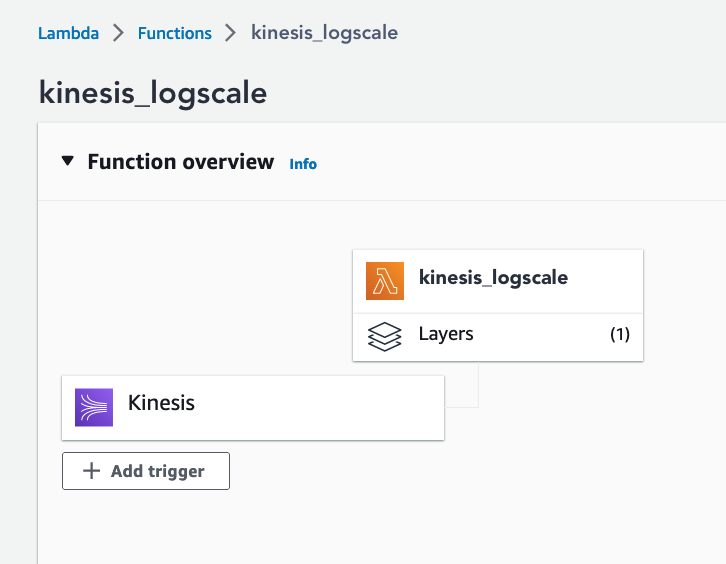
#### Enable a Kinesis Trigger
- Enable a lambda trigger from the kinesis source
#### Create Lambda Test Events
- create test events; test the function
#### Edit `lambda_function.py`
##### set the HecEvent source and sourcetype
- source - set to a unique name for the kinesis stream
- sourcetype - set to the destination LogScale ingest parser name
```python
# suggestion: set the source field to uniquely identify the CloudTrail stream
source = "my-kinesis-stream"
# requirment: set the sourcetype to the target ingest parser name
sourcetype = "aws-kinesis"
hec_event = HecEvent(host=LOGSCALEHOST, index=REPOSITORY, source=source, sourcetype=sourcetype)
```
##### create additional HEC event fields (optional)
```python
# optional: additional hec fields
# example
# hev['fields'].update({"trigger": "kinesis"})
# field name: "trigger"; field value: "kinesis"
hev['fields'].update({"trigger": "kinesis"})
```
### Prepare LogScale
#### Setup the Ingest Repository
- create a new target ingest repository, or select an existing repository
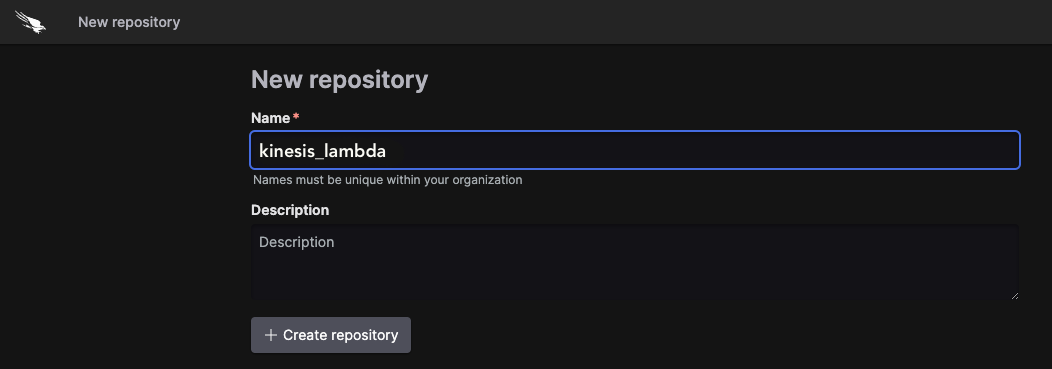
- create an ingest token, or use the default token
- configure ingest parsing
- kinesis outer event format is JSON
- `parseJson() | @timezone := "Z"`
- kinesis event payload (`kinesis.data`) format varies according to stream format - `[JSON|CSV|TSV|SYSLOG]`
- e.g. JSON `parseJson(field=kinesis.data)`
- example JSON parser (see `aws-kinesis-json.yaml`):
- `parseJson() | @timezone := "Z" | parseJson(field=kinesis.data)`

- Note: event timestamp is set to lambda ingest time; timezone is GMT
---


WE STOP BREACHES