https://github.com/cryptchef/nft-toolbox
CC - NFT-TOOLBOX is a tool to manage your all NFT related tasks without coding
https://github.com/cryptchef/nft-toolbox
nft nft-generator nftools
Last synced: 6 months ago
JSON representation
CC - NFT-TOOLBOX is a tool to manage your all NFT related tasks without coding
- Host: GitHub
- URL: https://github.com/cryptchef/nft-toolbox
- Owner: CryptChef
- Created: 2022-02-25T11:28:12.000Z (over 4 years ago)
- Default Branch: main
- Last Pushed: 2022-08-01T02:32:06.000Z (almost 4 years ago)
- Last Synced: 2025-11-22T17:09:56.207Z (8 months ago)
- Topics: nft, nft-generator, nftools
- Homepage:
- Size: 199 KB
- Stars: 13
- Watchers: 3
- Forks: 4
- Open Issues: 0
-
Metadata Files:
- Readme: README.MD
- Changelog: CHANGE_LOG.md
- Contributing: CONTRIBUTING.md
Awesome Lists containing this project
README
## CRYPT-CHEF NFT - All in one Toolbox
### CC NFT - TOOLBOX

## [Download Latest release](https://github.com/CryptChef/nft-toolbox/releases/tag/v0.0.10-beta)
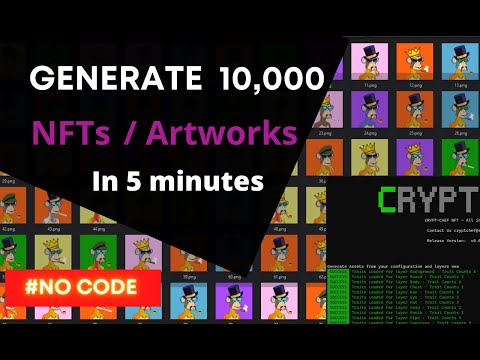
## Video guide
[](https://www.youtube.com/watch?v=bp8v9E7LNRw "How to generate 10,000 NFTs in 5 minutes | #NO CODE")
**CC - NFT-TOOLBOX** is a tool to manage your all NFT related tasks without coding.
**CC - NFT-TOOLBOX** This tool can,
1. [x] Generate collection from art work
2. [ ] Publish your collection into market place (Opensea,Rarible,Binance,etc)
3. [ ] Publish in your own marketplace with mint
Please check our Project [road map](ROADMAP.MD) for more details.
## Donations
Do you Liked this product? [Buy me a coffee](DONATION.MD)
Table of content
----------------
- [CRYPT-CHEF NFT - All in one Toolbox](#crypt-chef-nft---all-in-one--toolbox)
- [CC NFT - TOOLBOX](#cc-nft---toolbox)
- [Download Latest release](#download-latest-release)
- [Video guide](#video-guide)
- [Donations](#donations)
- [Table of content](#table-of-content)
- [Features](#features)
- [How to use](#how-to-use)
- [1. Initialize Project](#1-initialize-project)
- [2. Export Collection](#2-export-collection)
- [3. View Collection Summary](#3-view-collection-summary)
- [4. View Rarity Table](#4-view-rarity-table)
- [Support Configurations](#support-configurations)
- [1. Layer Order](#1-layer-order)
- [2. Incompatible Layers](#2-incompatible-layers)
- [3. Forced Combined Layers](#3-forced-combined-layers)
- [4. Project Description](#4-project-description)
- [5. Number of unique items](#5-number-of-unique-items)
- [6. Extra Attributes](#6-extra-attributes)
- [7. Extra Meta Data](#7-extra-meta-data)
- [8. Hash Image](#8-hash-image)
- [9. Base URI](#9-base-uri)
- [10. Shuffle Layer Configurations](#10-shuffle-layer-configurations)
- [11. Default rarity weight value](#11-default-rarity-weight-value)
- [12. Generate Background](#12-generate-background)
- [13. Restart Layer Index and](#13-restart-layer-index-and)
- [Contributing](#contributing)
Features
--------
- **Support to have multiple projects**
- Manage multiple project without changing code
- **Init project from layers**
- config.json
1. Layer order configuration
2. Format asset size
3. Base URI
4. Force combination
5. Incompatible traits
6. Default layer order configuration included
- **Generate project**
- Based on configuration file
- Support for multiple workers
- Review all required details at start
- Layers
- Traits
- Possible unique asset count
- **Get Rarity Table**

- **Get Summary**
- Number of layers
- Number of traits
- Number of unique assets
- Total collection size
How to use
----------
#### 1. Initialize Project
```
nftbox.exe project init
```
* It will generate `config.json` file for the project
* Options
| Option | Default | Description |
| ------ | --------------- | ------------ |
| path | Excution folder | Project path |
- Ex :
- Without project
```nftbox.exe project```
- With project path
```nftbox.exe project --path ""```
#### 2. Export Collection
```
nftbox.exe project generate
```
* It will generate `images` and `json`(metadata) folders
- **Options**
| Option | Default |Options | Description |
| ------- | ---------------|--------| ----------------------------------- |
| path | Excution folder| | Project path |
| workers | 1 | | Number of parallel process |
| regen | new |new, all,image,meta| Regenerate without change attribues |
Regenerate only meta data
```
nftbox.exe project generate --regen meta
```
Regenerate only images
```
nftbox.exe project generate --regen image
```
#### 3. View Collection Summary
```
nftbox.exe project summary
```
* It will show a summary of your collection
- **Options**
| Option | Default | Description |
| ------ | --------------- | ------------ |
| path | Excution folder | Project path |
#### 4. View Rarity Table
```
nftbox.exe project rarity
```
* It will show a rarity table of your collection
- **Options**
| Option | Default | Description |
| ------ | --------------- | ------------ |
| path | Excution folder | Project path |
Support Configurations
----------------------
For compatiblity we use the same configuration format as *HashLips/hashlips_art_engine*
#### 1. Layer Order
```json
"layerConfigurations":[
{
"editionSize": 10000,
"layersOrder": [
{
"name": "",
"options": {
"displayName": "Ear"
}
}
]
}]
```
`editionSize` - How many numbers of assets you need from this layer order configuration.
You can have options in layers order
1. Display name - this will replace the layer name in metadata.json
#### 2. Incompatible Layers
```json
"incompatible": {
"*": [
"*",
"*",
]
}
```
- Not all traits are compatible with each other.
**Example**
```json
"incompatible": {
"Sunglass*1-01": [
"Beard*1-01",
"Mouth*1-01"
]}
```
In here you need **Sunglass*1-01** not combined with [**Beard*1-01**, **Mouth*1-01**]
#### 3. Forced Combined Layers
```json
"forcedCombinations": {
"*": [
"*",
"*"
]}
```
- Some traits depend on other traits
*Example 1*
```json
"forcedCombinations": {
"Sunglass*1-01": [
"Hat*2-01",
"Pipe*1-01"
]
}
```
In here you need **Sunglass*1-01** with **Hat*2-01** and **Pipe*1-01**
#### 4. Project Description
```json
"description": "",
```
#### 5. Number of unique items
```json
"uniqueDnaTorrance":
```
- Using this variable system will generate unique assets
#### 6. Extra Attributes
```json
"extraAttributes": [{
"": "",
"":
}]
```
#### 7. Extra Meta Data
```json
"extraMetadata": {
"testName": "testValue"
}
```
#### 8. Hash Image
```json
"hashImages": false,
```
Set this to `true` if metadata should contain image hash value
#### 9. Base URI
```json
"baseURI": ""
```
#### 10. Shuffle Layer Configurations
```json
"shuffleLayerConfigurations": "true|false"
```
When you have multiple layer configurations and you want to shuffle the generated images without order, keep this `true`
#### 11. Default rarity weight value
```json
"defaultRarity":100
```
In here we don't need to keep each trait with ratity value. For that we use this one as the default rarity value.
#### 12. Generate Background
```json
"background": {
"generate": true,
"brightness": "20"
}
```
`"generate": true|false` Enable geneate background image
`"brightness": ""` Change brightness level
#### 13. Restart Layer Index and
```json
"layerConfigurations": [
{
"restartIndex":true,
"namePrefix":'||null'
...
}
]
```
Name + Number prefix and reset for configuration sets
If you are using the generator with multiple layerConfiguration objects to generate different species/genders/types, it is possible to add a name prefix and a reset counter for the name, so the token names start at 1 for each type.
for example, if you are creating multiple animals, and each animal should start with Animal #1, but the token numbers should increment as normal, you can use the above `namePrefix` and `restartIndex` properties to acheive this.
Contributing
------------
Want to help develop/improve CC NFT-TOOLBOX? Check out our
[contributing documentation](CONTRIBUTING.md).
If you find an issue, please report it on the
[issue tracker](https://github.com/CryptChef/nft-toolbox/issues).