https://github.com/cssnr/text-formatter
Text Formatting Web Extension
https://github.com/cssnr/text-formatter
browser-extension chrome-extension firefox-addon firefox-extension
Last synced: 2 months ago
JSON representation
Text Formatting Web Extension
- Host: GitHub
- URL: https://github.com/cssnr/text-formatter
- Owner: cssnr
- License: gpl-3.0
- Created: 2023-12-10T06:09:44.000Z (over 2 years ago)
- Default Branch: master
- Last Pushed: 2024-05-28T21:40:35.000Z (about 2 years ago)
- Last Synced: 2025-01-07T21:11:29.093Z (over 1 year ago)
- Topics: browser-extension, chrome-extension, firefox-addon, firefox-extension
- Language: JavaScript
- Homepage: https://cssnr.github.io
- Size: 348 KB
- Stars: 1
- Watchers: 1
- Forks: 0
- Open Issues: 0
-
Metadata Files:
- Readme: README.md
- License: LICENSE
Awesome Lists containing this project
README
[](https://chromewebstore.google.com/detail/text-formatter/medimbembaeldnglneiipkenpagjfcdj)
[](https://github.com/cssnr/text-formatter/releases)
[](https://chromewebstore.google.com/detail/text-formatter/medimbembaeldnglneiipkenpagjfcdj)
[](https://github.com/cssnr/text-formatter/releases/latest)
[](https://github.com/cssnr/text-formatter/actions/workflows/release.yaml)
[](https://github.com/cssnr/text-formatter/actions/workflows/test.yaml)
[](https://github.com/cssnr/text-formatter/pulse)
[](https://github.com/cssnr/text-formatter?tab=readme-ov-file#readme)
[](https://github.com/cssnr/text-formatter?tab=readme-ov-file#readme)
[](https://github.com/cssnr/text-formatter/graphs/contributors)
[](https://github.com/cssnr/text-formatter/issues)
[](https://github.com/cssnr/text-formatter/discussions)
[](https://github.com/cssnr/text-formatter/forks)
[](https://github.com/cssnr/text-formatter/stargazers)
[](https://cssnr.github.io/)
[](https://discord.gg/wXy6m2X8wY)
[](https://ko-fi.com/cssnr)
# Text Formatter

- [Install](#install)
- [Features](#features)
- [Configuration](#configuration)
- [Support](#support)
- [Contributing](#contributing)
Modern Chrome Web Extension and Firefox Browser Addon for Splitting and Formatting Text.
## Install
[](https://chromewebstore.google.com/detail/text-formatter/medimbembaeldnglneiipkenpagjfcdj)
[](https://github.com/cssnr/text-formatter/releases/latest/download/text_formatter-firefox.xpi)
[](https://chromewebstore.google.com/detail/text-formatter/medimbembaeldnglneiipkenpagjfcdj)
[](https://chromewebstore.google.com/detail/text-formatter/medimbembaeldnglneiipkenpagjfcdj)
[](https://chromewebstore.google.com/detail/text-formatter/medimbembaeldnglneiipkenpagjfcdj)
[](https://chromewebstore.google.com/detail/text-formatter/medimbembaeldnglneiipkenpagjfcdj)
[](https://chromewebstore.google.com/detail/text-formatter/medimbembaeldnglneiipkenpagjfcdj)
All **Chromium** Based Browsers can install the extension from the
[Chrome Web Store](https://chromewebstore.google.com/detail/text-formatter/medimbembaeldnglneiipkenpagjfcdj).
- Download a [Chrome Release](https://github.com/cssnr/text-formatter/releases/latest/download/text_formatter-chrome.crx) from GitHub
- Download a [Firefox Release](https://github.com/cssnr/text-formatter/releases/latest/download/text_formatter-firefox.xpi) from GitHub
> [!IMPORTANT]
> Firefox is currently only available from a [GitHub Release](https://github.com/cssnr/text-formatter/releases/latest/download/text_formatter-firefox.xpi).
## Features
- Split Text into Lines with a Slier or Saved Values
- Activate from Context Menu, Keyboard Shortcuts or Popup
- Automatic Dark/Light Mode based on Browser Appearance Settings
Please submit a [Feature Request](https://github.com/cssnr/text-formatter/issues/new?template=1-feature.yaml) for new features.
For any issues, bugs or concerns; please [Open an Issue](https://github.com/cssnr/text-formatter/issues).
## Configuration
You can pin the Addon by clicking the `Puzzle Piece`, find the Text Formatter icon, then;
**Chrome,** click the `Pin` icon.
**Firefox,** click the `Settings Wheel` and `Pin to Toolbar`.
## Support
Logs can be found inspecting the page (Ctrl+Shift+I), clicking on the Console, and;
Firefox: toggling Debug logs, Chrome: toggling Verbose from levels dropdown.
If you run into any issues or need help getting started, please do one of the following:
- Report an Issue:
- Q&A Discussion:
- Request a Feature:
- Chat with us on Discord:
[](https://github.com/cssnr/text-formatter/issues/new?template=1-feature.yaml)
[](https://github.com/cssnr/text-formatter/issues)
[](https://github.com/cssnr/text-formatter/discussions)
[](https://discord.gg/wXy6m2X8wY)
## Contributing
Please consider making a donation to support the development of this project
and [additional](https://cssnr.com/) open source projects.
[](https://ko-fi.com/cssnr)
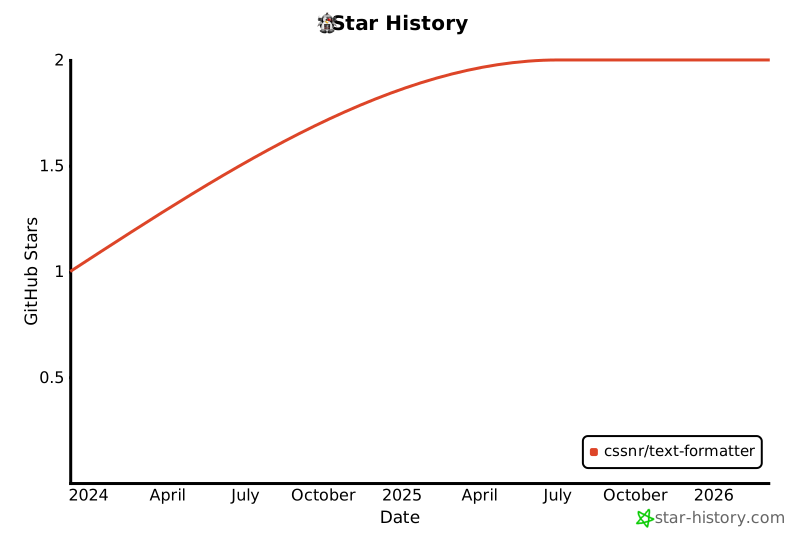
Additionally, you can star this project on [GitHub](https://github.com/cssnr/text-formatter).
Other Web Extensions I have created and published:
- [Link Extractor](https://github.com/cssnr/link-extractor?tab=readme-ov-file#readme)
- [Open Links in New Tab](https://github.com/cssnr/open-links-in-new-tab?tab=readme-ov-file#readme)
- [Auto Auth](https://github.com/cssnr/auto-auth?tab=readme-ov-file#readme)
- [Cache Cleaner](https://github.com/cssnr/cache-cleaner?tab=readme-ov-file#readme)
- [HLS Video Downloader](https://github.com/cssnr/hls-video-downloader?tab=readme-ov-file#readme)
- [Zipline Extension](https://github.com/cssnr/zipline-extension?tab=readme-ov-file#readme)
- [Obtainium Extension](https://github.com/cssnr/obtainium-extension?tab=readme-ov-file#readme)
- [SMWC Web Extension](https://github.com/cssnr/smwc-web-extension?tab=readme-ov-file#readme)
- [PlayDrift Extension](https://github.com/cssnr/playdrift-extension?tab=readme-ov-file#readme)
- [ASN Plus](https://github.com/cssnr/asn-plus?tab=readme-ov-file#readme)
- [Aviation Tools](https://github.com/cssnr/aviation-tools?tab=readme-ov-file#readme)
- [Text Formatter](https://github.com/cssnr/text-formatter?tab=readme-ov-file#readme)
For a full list of current projects visit: [https://cssnr.github.io/](https://cssnr.github.io/)