https://github.com/ctc-oss/omega-edit
Open source library for building editors that can handle massive files, and multiple viewports.
https://github.com/ctc-oss/omega-edit
apache2 c cmake cpp cross-platform edit grpc library protobuf scala
Last synced: 4 months ago
JSON representation
Open source library for building editors that can handle massive files, and multiple viewports.
- Host: GitHub
- URL: https://github.com/ctc-oss/omega-edit
- Owner: ctc-oss
- License: apache-2.0
- Created: 2021-10-12T17:30:49.000Z (almost 5 years ago)
- Default Branch: main
- Last Pushed: 2024-10-29T12:25:45.000Z (over 1 year ago)
- Last Synced: 2024-10-29T14:51:40.372Z (over 1 year ago)
- Topics: apache2, c, cmake, cpp, cross-platform, edit, grpc, library, protobuf, scala
- Language: C++
- Homepage: https://ctc-oss.github.io/omega-edit/
- Size: 16.4 MB
- Stars: 8
- Watchers: 4
- Forks: 6
- Open Issues: 6
-
Metadata Files:
- Readme: README.md
- License: LICENSE.txt
Awesome Lists containing this project
README

Ωedit™ Library
[](https://github.com/ctc-oss/omega-edit/releases)


[](https://app.codecov.io/github/ctc-oss/omega-edit/tree/main)
[](https://app.fossa.com/projects/git%2Bgithub.com%2Fctc-oss%2Fomega-edit?ref=badge_shield)
[](https://gitter.im/ctc-oss/community)
## Goal
The goal of this project is to provide an open source library for building editors that can handle massive files, and
multiple viewports.
## Quick Start
| I want to… | Install | Time |
|---|---|---|
| **Use Ωedit™ from TypeScript / Node.js** | `npm install @omega-edit/client` | 2 min |
| **Build a VS Code extension** | See [`examples/vscode-extension/`](examples/vscode-extension/) | 5 min |
| **Use the C/C++ library** | [Pre-built binaries](https://github.com/ctc-oss/omega-edit/releases) or build from source (see below) | 5 min |
**TypeScript — first edit in 15 lines:**
```typescript
import { startServer, getClient, createSession, destroySession,
saveSession, insert, stopServerGraceful, IOFlags } from '@omega-edit/client'
const main = async () => {
await startServer(9000) // start bundled native server
await getClient(9000) // connect
const s = await createSession() // empty session
const id = s.getSessionId()
await insert(id, 0, Buffer.from('Hello, Ωedit™!'))
await saveSession(id, 'output.dat', IOFlags.OVERWRITE)
await destroySession(id)
await stopServerGraceful()
}
main().catch(console.error)
```
See the [Quick Start guide in the wiki](https://github.com/ctc-oss/omega-edit/wiki#quick-start) for C/C++ and VS Code extension paths, plus links to all examples.
## Naming Conventions
Use these naming rules in user-facing documentation:
- **`Ωedit™`** is the project and product name in prose, headings, release notes, and other user-facing text.
- **`omega-edit`** is the repository name, URL slug, release-asset stem, and Docker image stem.
- **`@omega-edit/...`** is the npm package scope.
- **`omega_edit`** is the C/C++ and protobuf identifier form used in symbols, include paths, and proto namespaces.
Examples:
- say "Build a VS Code extension powered by Ωedit™"
- use `https://github.com/ctc-oss/omega-edit`
- import `@omega-edit/client`
- include `omega_edit/edit.h`
## AI Tooling
Use `@omega-edit/ai` for a JSON-first `oe` CLI and a stdio MCP server that expose bounded reads, reversible edits, and binary-safe large-file operations.
```bash
npm install @omega-edit/ai
npx omega-edit-mcp
# or use the CLI directly
npx oe create-session --file ./sample.bin
npx oe view --session --offset 0 --length 64
```
To use the MCP server from Codex in this checkout, the repo now includes a project-scoped `.codex/config.toml`:
```toml
[mcp_servers.omega-edit]
command = "node"
args = ["./packages/ai/dist/cjs/mcp.js"]
```
For an installed package instead of a source checkout, use the Codex MCP format documented by OpenAI and point it at `npx -y -p @omega-edit/ai omega-edit-mcp`.
### Why Use Ωedit™ for AI Tooling
Ωedit™ gives AI agents a safer editing contract than whole-file rewrites or ad hoc scripts:
- bounded reads let an agent inspect only the region it needs instead of loading an entire large file
- binary-safe edits make it practical to work with headers, metadata blocks, mixed-format files, and other offset-sensitive artifacts
- transactional changes plus undo/redo make agent actions reversible
- preview-first patching helps an agent inspect the exact byte range before applying a change
- machine-readable CLI and MCP responses are easier for agents to consume than terminal scraping
- the same primitives work for both human-operated scripts and agent-hosted tool calls
## User documentation
User documentation is published to https://ctc-oss.github.io/omega-edit/.
## Requirements
### Command line tools
- **C/C++ compiler** (such as clang, gcc, mingw, or MSVC)
- **CMake** (https://cmake.org/download/)
- **conan** C/C++ package manager (https://conan.io)
- **git** for version control (https://git-scm.com)
- **make** or **ninja** for running the build scripts (https://www.gnu.org/software/make/ or https://ninja-build.org)
- **nvm** or **nodeenv** for using specific versions of node.js
- **doxygen** to generate API documentation (https://www.doxygen.nl)
- **graphviz** to generate API documentation (https://graphviz.org)
- **sphinx** to generate user documentation (https://www.sphinx-doc.org)
- **sphinx RTD theme** (https://github.com/readthedocs/sphinx_rtd_theme)
- **breathe** ReStructuredText and Sphinx bridge to Doxygen (https://github.com/michaeljones/breathe)
- **yarn** for building, testing, and packaging the node artifacts (https://yarnpkg.com)
### IDE
The Ωedit™ project is built primarily using [CLion](https://www.jetbrains.com/clion/), though [Visual
Studio Code](https://code.visualstudio.com/) also works well.
#### Visual Studio Code with CMake Presets
To use CMake presets in Visual Studio Code, install the [CMake Tools extension](https://marketplace.visualstudio.com/items?itemName=ms-vscode.cmake-tools) and configure it to use presets:
1. Open the Command Palette (`Ctrl+Shift+P` or `Cmd+Shift+P`)
2. Run "Preferences: Open Settings (JSON)"
3. Add the following setting:
```json
{
"cmake.useCMakePresets": "always"
}
```
4. When you run "CMake: Configure", you'll be prompted to select a preset from the available options
## Build the core library (C/C++)
:exclamation: These commands should be executed at the root level of the repository :exclamation:
### Install conan:
Conan is the package manager used to install the C/C++ dependencies. It can be installed via pip.
```bash
pip install conan
```
### Configure a build:
Depending on your linking needs, Ωedit™ can be built _either_ as a static (e.g., libomega_edit.a) or shared
(e.g., libomega_edit.so) library. `Release` or `Debug` versions can be created. Example programs and documentation can
also be built if desired.
#### Using CMake Presets (Recommended):
The project includes a `CMakePresets.json` file with predefined build configurations. To list available presets:
```bash
cmake --list-presets
```
To configure and build using a preset:
```bash
cmake --preset ninja-debug-minimal
cmake --build --preset ninja-debug-minimal
```
Available presets include combinations of:
- Generators: `ninja-*` or `make-*`
- Build types: `*-debug` or `*-release`
- Options: `*-minimal` (no docs/examples), default (all options), or `*-static` (static libraries)
- CI presets: `ci` (for automated builds) and `ci-docs` (for documentation generation)
#### Using Manual Configuration:
Here is how to build a debug version of a shared library, with no documentation or example programs.
```bash
cmake -S . -B _build -DCMAKE_BUILD_TYPE=Debug -DBUILD_DOCS=NO -DBUILD_EXAMPLES=NO -DBUILD_SHARED_LIBS=YES
```
#### Embedding the core library in another CMake project:
If you want to consume Ωedit™ as a subproject, enable embed mode to automatically disable tests,
documentation, examples, coverage instrumentation, and packaging:
```bash
cmake -S . -B _build -DOMEGA_EDIT_EMBED_MODE=ON
```
### Build the configured build:
This will build the core library, and any example programs or documentation if configured. Note that the config type
(`Debug` or `Release`) must match the config type (`CMAKE_BUILD_TYPE`) used when configuring the build.
```bash
cmake --build _build --config Debug
```
### Run the test suite:
This will run the test suite for the core library. Note that the build config (`Debug` or `Release`) must match the
config type (`CMAKE_BUILD_TYPE`) used when configuring the build.
```bash
ctest --build-config Debug --test-dir _build/core --output-on-failure
```
### Install the core library:
We're installing in a directory named `_install` in the root of the repository. This directory can be used as the default
shared-library location, or you can set OE_LIB_DIR to a custom path. If you just want to use the library itself, you can
install it anywhere you like (e.g., `/usr/local`).
```bash
cmake --install _build --config Debug --prefix _install
```
## Packaging Ωedit™ gRPC Server and Node Client
:exclamation: These commands should be executed at the root level of the repository after building/installing the core
library :exclamation:
Build, test, and package the server, client, and AI tooling node packages. The server package will include the shared
library built in the previous step and package a native C++ gRPC server binary. The client package will include the
node client, and the AI tooling package will include the `oe` CLI and stdio MCP server.
```bash
yarn install
yarn workspace @omega-edit/server package
yarn workspace @omega-edit/client test
yarn workspace @omega-edit/ai test
```
Node packages will be in `.tgz` files located at:
```
/packages/server/omega-edit-node-server-${VERSION}.tgz
/packages/client/omega-edit-node-client-${VERSION}.tgz
/packages/ai/omega-edit-node-ai-${VERSION}.tgz
```
Tagged releases also attach the VS Code extension example as:
```
omega-edit-hex-editor-v${VERSION}.vsix
```
More information about the node packages can be found in the [packages](packages/README.md) folder.
## Release Binaries
[Binary releases](https://github.com/ctc-oss/omega-edit/releases) for macOS (Apple Silicon and x86), Windows (x86), and
Linux (ARM, and x86; glibc 2.31 or greater required) are built and published via GitHub CI workflows. Tagged releases
also attach the reference VS Code extension as a `.vsix` asset.
Known limitation: Windows client integration tests do not currently cover emoji filenames end-to-end, even though native filesystem coverage exists for those paths.
## Versioning
Ωedit™ follows [Semantic Versioning](http://semver.org/). Version information is managed through a single source of truth in the `VERSION` file at the repository root. See [VERSION_MANAGEMENT.md](VERSION_MANAGEMENT.md) for details on updating versions across all components.
Planning a move from the 1.x line to the 2.x release candidate? Start with the short [v1 to v2 upgrade guide](UPGRADE-v1-to-v2.md).
## ⚡Powered by Ωedit™
- [Apache Daffodil™ Extension for Visual Studio Code](https://github.com/apache/daffodil-vscode) - The Data Editor
component of this Visual Studio Code extension is powered by Ωedit™.
## License
[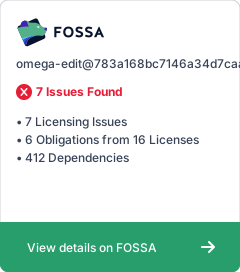](https://app.fossa.com/projects/git%2Bgithub.com%2Fctc-oss%2Fomega-edit?ref=badge_large)