https://github.com/cucumber/cucumber-js-pretty-formatter
Cucumber.js pretty formatter
https://github.com/cucumber/cucumber-js-pretty-formatter
Last synced: 9 months ago
JSON representation
Cucumber.js pretty formatter
- Host: GitHub
- URL: https://github.com/cucumber/cucumber-js-pretty-formatter
- Owner: cucumber
- License: mit
- Created: 2021-01-07T14:36:41.000Z (over 5 years ago)
- Default Branch: main
- Last Pushed: 2024-10-29T02:29:09.000Z (almost 2 years ago)
- Last Synced: 2024-10-29T14:46:52.640Z (almost 2 years ago)
- Language: TypeScript
- Homepage: https://cucumber.io/
- Size: 6.49 MB
- Stars: 17
- Watchers: 76
- Forks: 3
- Open Issues: 13
-
Metadata Files:
- Readme: README.md
- Changelog: CHANGELOG.md
- Contributing: CONTRIBUTING.md
- License: LICENSE
Awesome Lists containing this project
README
⚠️⚠️⚠️
This repository is now archived. The current pretty formatter for JavaScript and other platforms can be found at:
https://github.com/cucumber/pretty-formatter
⚠️⚠️⚠️
# Official Cucumber.js Pretty Formatter
[![build][build-badge]][build]
[![npm][version]][npm]
[![npm][downloads]][npm]
[build]: https://github.com/jbpros/cucumber-pretty-formatter/actions?query=workflow%3Abuild
[build-badge]: https://github.com/jbpros/cucumber-pretty-formatter/workflows/build/badge.svg
[npm]: https://www.npmjs.com/package/@cucumber/pretty-formatter
[version]: https://img.shields.io/npm/v/@cucumber/pretty-formatter.svg
[downloads]: https://img.shields.io/npm/dm/@cucumber/pretty-formatter.svg
The Cucumber.js pretty formatter logs your feature suite in its original Gherkin form. It offers custom style themes.
## Install
The pretty formatter requires:
- Node.js 10, 12, 14 or 15.
- [Cucumber.js](https://www.npmjs.com/package/@cucumber/cucumber) 7.0 and above.
npm install --save-dev @cucumber/pretty-formatter @cucumber/cucumber
There are pretty formatters for [older versions of Cucumber](#older-cucumber-versions).
## Usage
cucumber-js -f @cucumber/pretty-formatter
We recommend using [Cucumber profiles](https://github.com/cucumber/cucumber-js/blob/master/docs/cli.md#profiles) to [specify formatters](https://github.com/cucumber/cucumber-js/blob/master/docs/cli.md#formats).
## Theme customisation
You can define your own colors by passing a `theme` format option:
--format-options '{"theme": }'
Where `THEME_JSON` is in the following shape:
```json
{"feature keyword": ["magenta", "bold"], "scenario keyword": ["red"]}
```
The customisable theme items are:
* `datatable border`
* `datatable content`
* `datatable`: all data table elements (border and content)
* `docstring content`: multiline argument content
* `docstring delimiter`: multiline argument delimiter: `"""`
* `feature description`
* `feature keyword`
* `feature name`
* `location`: location comments added to the right of feature and scenario names
* `rule keyword`
* `rule name`
* `scenario keyword`
* `scenario name`
* `step keyword`
* `step message`: usually a failing step error message and stack trace
* `step status`: additional styles added to the built-in styles applied by Cucumber to non-passing steps status. Foreground colors have no effects on this item, background and modifiers do.
* `step text`
* `tag`
You can combine all the styles you'd like from [modifiers, foreground colors and background colors exposed by ansi-styles](https://github.com/chalk/ansi-styles#styles).
### Extending the Default Theme
If you just want to tweak a few things about the default theme without redefining it entirely, you can grab the default theme in your `cucumber.js` config file and use it as the base for yours:
```js
const { DEFAULT_THEME } = require('@cucumber/pretty-formatter')
module.exports = {
default: {
formatOptions: {
theme: {
...DEFAULT_THEME,
'step text': 'magenta'
}
}
}
}
```
### Example Themes
#### _Matrix_
It could be called *eco-friendly*, cuz it's very green:
--format-options '{"theme":{"datatable border":["green"],"datatable content":["green","italic"],"docstring content":["green","italic"],"docstring delimiter":["green"],"feature description":["green"],"feature keyword":["bold","green"],"rule keyword":["yellow"],"scenario keyword":["greenBright"],"scenario name":["green","underline"],"step keyword":["bgGreen","black","italic"],"step text":["greenBright","italic"],"tag":["green"]}}'
#### _Legacy pretty_
This was the theme offered by [Ilya Kozhevnikov](http://kozhevnikov.com/)'s pretty formatter, pre-Cucumber.js 7.x.
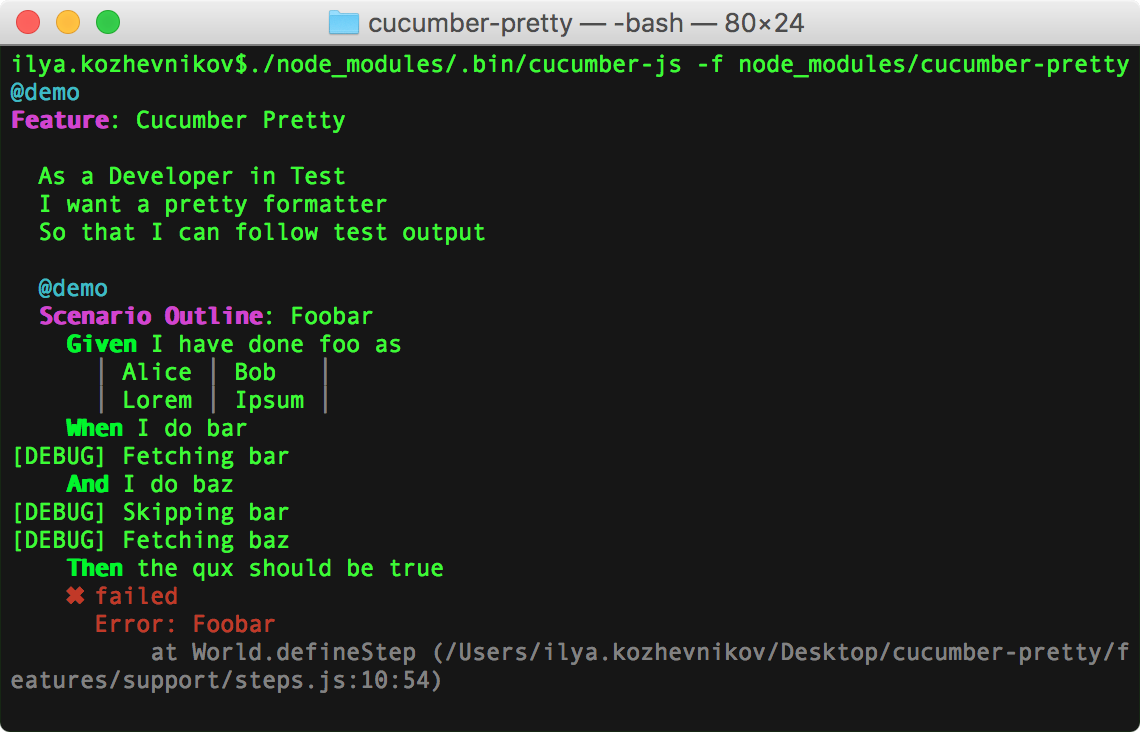
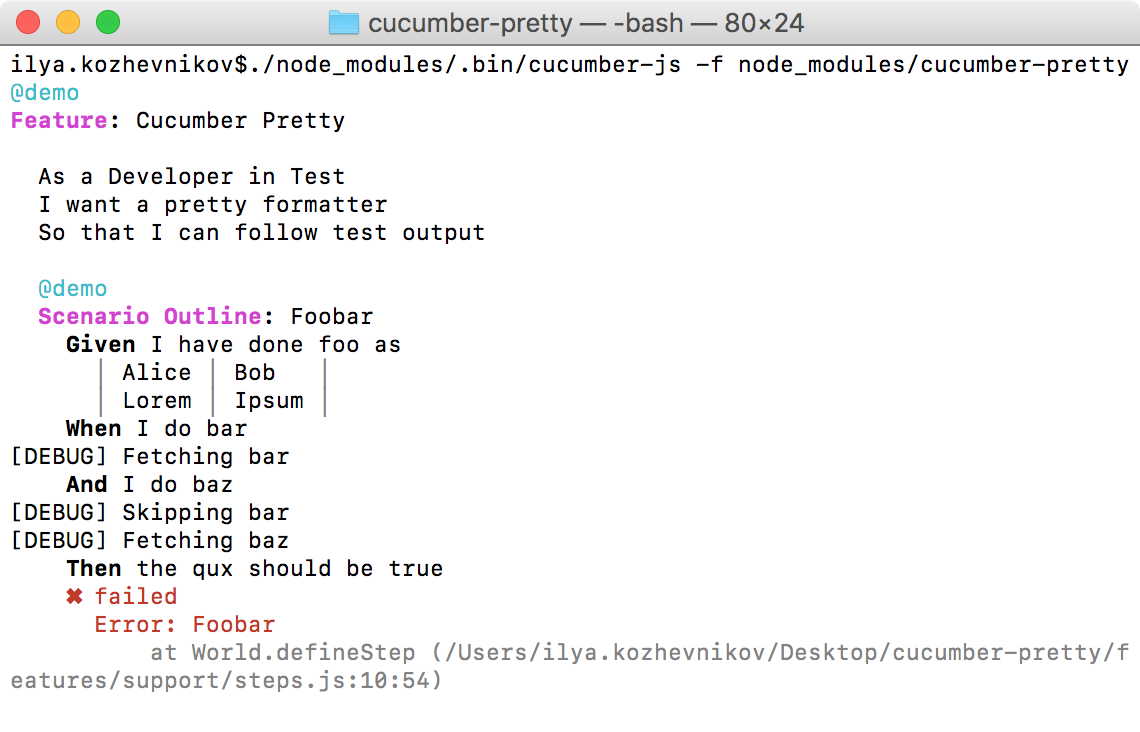
--format-options '{"theme":{"feature keyword":["magenta","bold"],"scenario keyword":["magenta","bold"],"step keyword":["bold"]}}'
### We need more themes
Please share your creations by forking, adding the theme to this section of the README and [opening a pull request](https://github.com/jbpros/cucumber-pretty-formatter/pulls).
## Older Cucumber versions
If you're using an older version of Cucumber.js, you'll need to use one of the previous pretty formatters:
### Cucumber.js 1 → 2
The original pretty formatter used to ship with Cucumber. Simply specify it when invoking Cucumber:
cucumber-js -f pretty
### Cucumber.js 3 → 6
You can install [`cucumber-pretty`](https://www.npmjs.com/package/cucumber-pretty), created by [Ilya Kozhevnikov](http://kozhevnikov.com/).
- Cucumber.js 3, 4, 5: `npm i --save-dev cucumber-pretty@1.5`
- Cucumber.js 6: `npm i --save-dev cucumber-pretty@6`
Tell Cucumber to use it:
cucumber-js -f cucumber-pretty
## Credits
This project is based on the [original work](https://github.com/kozhevnikov/cucumber-pretty) of [Ilya Kozhevnikov](http://kozhevnikov.com/). It got migrated to TypeScript, upgraded for Cucumber.js 7+ that exposes [cucumber-messages](https://github.com/cucumber/cucumber/tree/master/messages) and is currently maintained by [Julien Biezemans](https://github.com/jbpros/) and the [Cucumber team](https://github.com/cucumber).