https://github.com/cupofpython/catbot
A Cat Chatbot!
https://github.com/cupofpython/catbot
aws docker docker-compose eks github-actions jest kubernetes nodejs ollama testcontainers
Last synced: 5 months ago
JSON representation
A Cat Chatbot!
- Host: GitHub
- URL: https://github.com/cupofpython/catbot
- Owner: cupofpython
- Created: 2025-03-19T20:07:30.000Z (over 1 year ago)
- Default Branch: main
- Last Pushed: 2025-05-28T15:45:57.000Z (about 1 year ago)
- Last Synced: 2025-06-11T13:58:59.312Z (about 1 year ago)
- Topics: aws, docker, docker-compose, eks, github-actions, jest, kubernetes, nodejs, ollama, testcontainers
- Language: JavaScript
- Homepage:
- Size: 1.77 MB
- Stars: 1
- Watchers: 1
- Forks: 0
- Open Issues: 6
-
Metadata Files:
- Readme: README.md
Awesome Lists containing this project
README
# CatBot: Talk to your cats. Access it [here!](https://thecatbot.ai)
[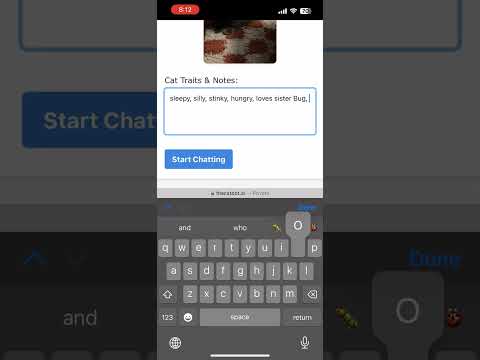](https://www.youtube.com/watch?v=Dlrrmmmn4M0)
## Summary
This project is a chatbot that allows you to talk to your cats. :smile:
It is a NodeJS app that uses the llama3.2 model to service prompt requests. It uses Docker Hub to pull the app + AI images.
## How to Run
### Locally
- Run an LLM container `docker run -p 11434:11434 --name model samanthamorris684/ollama@sha256:78a199fa9652a16429037726943a82bd4916975fecf2b105d06e140ae70a1420`
- `dotenv -e .env.dev -- npm run start:dev`
#### Local Tests
- Run `npm test`
### Locally with Docker Compose
I used compose to develop this locally.
- Install model on Docker Model Runner: `docker model pull ai/llama3.2`
- Note: This uses the `DMR` flag in the `env.compose` file to interact with the Open AI API call and llama.cpp server
- `docker compose up --build`
- When done, `docker compose down`
#### Build the Ollama image with model pre pulled
- Build: `docker build -f ollama/Dockerfile -t ollama_model --platform=linux/amd64 .`
- Run: `docker run -d --platform=linux/amd64 ollama_model`
### On EKS or MiniKube
- Set up an EKS cluster. I followed this [tutorial](https://medium.com/@tamerbenhassan/deploying-a-simple-application-using-eks-step-by-step-guide-512b1559a7bd).
- `kubectl apply -k out/overlays/desktop`
#### EKS Notes:
- I had to rebuild for AMD when the image was not able to be pulled by the pod. It should know to pull the AMD image build.
- The default image size for your nodes is m5.large. Increase your resource requests as needed.
- Create a node group for the model containers with the taint and labels set correctly (to model=true)
- Set up your Route 53 by pointing the alias to the K8s cluster public domain, and request a certificate and put the CNAME name and values into Route 53. Additionally, add your pre-generated nameservers to the domain service DNS tab.
#### General Notes:
- Switch kube contexts when working with MiniKube vs. EKS. Get contexts by running `kubectl config get-contexts` and swtich by running: `kubectl config use-context {NAME}`