https://github.com/cuth/svg-allthethings
Learn, practice and test SVG
https://github.com/cuth/svg-allthethings
Last synced: 8 months ago
JSON representation
Learn, practice and test SVG
- Host: GitHub
- URL: https://github.com/cuth/svg-allthethings
- Owner: cuth
- Created: 2014-07-31T14:42:28.000Z (almost 12 years ago)
- Default Branch: gh-pages
- Last Pushed: 2014-08-06T17:26:45.000Z (almost 12 years ago)
- Last Synced: 2024-12-28T06:12:00.935Z (over 1 year ago)
- Language: JavaScript
- Size: 773 KB
- Stars: 1
- Watchers: 2
- Forks: 0
- Open Issues: 0
-
Metadata Files:
- Readme: README.md
Awesome Lists containing this project
README
SVG ALL THE THINGS
==================

Why SVG?
--------
Choosing a web image
| [jpg](img/horse.jpg) | [gif](img/horse.gif) | [png](img/horse.png) | [svg](img/horse.svg) |
|-----|-----|-----|-----|
|  |  |  | 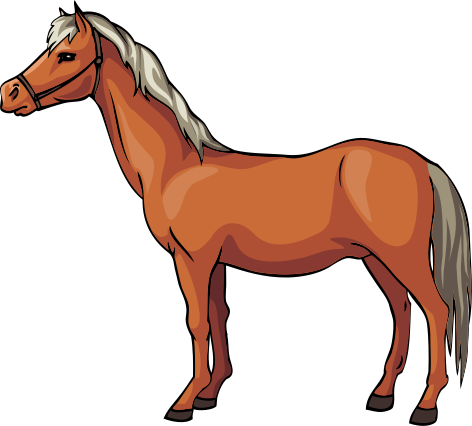 |
| Many colors | Animation | Transparency | Resolution Independence |
SVG also has animation and transparency but it's not good for photographs.
**Why do we care about different resolutions?**
retina screens, mobile phones, print, zoom
**SVG vs Icon Fonts**
http://css-tricks.com/icon-fonts-vs-svg/
http://ianfeather.co.uk/ten-reasons-we-switched-from-an-icon-font-to-svg/
What is SVG?
------------
* Stands for **Scalable Vector Graphics**.
* It is an *XML* file that can be edited in any text editor.
* Replaces *PGML* and *VML* as the standard vector graphic for the web.
* **SVG 1.1 Second Edition** is the *current standard*; **SVG 2** is *under development*.
Specs - [www.w3.org/TR/SVG/](http://www.w3.org/TR/SVG/)
Feature Sets:
* [Paths](http://www.w3.org/TR/SVG/paths.html)
* [Shapes](http://www.w3.org/TR/SVG/shapes.html)
* [Text](http://www.w3.org/TR/SVG/text.html)
* [Painting](http://www.w3.org/TR/SVG/painting.html)
* [Color](http://www.w3.org/TR/SVG/color.html)
* [Gradients and Patterns](http://www.w3.org/TR/SVG/pservers.html)
* [Masking](http://www.w3.org/TR/SVG/masking.html)
* [Filters](http://www.w3.org/TR/SVG/filters.html)
* [Interactivity](http://www.w3.org/TR/SVG/interact.html)
* [Linking](http://www.w3.org/TR/SVG/linking.html)
* [Scripting](http://www.w3.org/TR/SVG/script.html)
* [Animation](http://www.w3.org/TR/SVG/animate.html)
* [Fonts](http://www.w3.org/TR/SVG/fonts.html)
* [Metadata](http://www.w3.org/TR/SVG/metadata.html)
### DTD (doctype)
[SVG doctype declarations are optional](http://www.w3.org/QA/2002/04/valid-dtd-list.html).
Beyond the specificities of (X)HTML processing, Doctype declarations in XML languages are only useful to declare named entities and to facilitate the validation of documents based on DTDs. This means that in many XML languages, doctype declarations are not necessarily useful.
### Organizational Elements
``,``,``,``
### Paths
"the element is the most powerful element in the SVG library of basic shapes" - [MDN](https://developer.mozilla.org/en-US/docs/Web/SVG/Tutorial/Paths)
Line commands: (uppercase is absolute and lowercase is relative)
* 'M' or 'm': move to (x, y)
* 'L' or 'l': line to (x, y)
* 'H' or 'h': horizontal line (x)
* 'V' or 'v': vertical line (y)
* 'Z' or 'z': close path
* 'C' or 'c': cubic bezier curve (x1, y1, x2, y2, x, y)
* 'S' or 's': cubic bezier curver shortcut (x2, y2, x, y)
* 'Q' or 'q': quadratic bezier curve (x1, y1, x, y)
* 'T' or 't': quadratic bezier curve shortcut (x, y)
* 'A' or 'a': arc (rx, ry, x-axis-ration, large-arc-flag, sweep-flag, x y)
For the sake of brevity in paths, superfluous white space and separators can be removed as well as subsequent commands if the command is the same.
M 100 100 L 200 200
M100 100L200 200
M 100 200 L 200 100 L -100 -200
M 100 200 L 200 100 -100 -200
### Coordinate System
[The viewport, viewBox, & preserveAspectRatio](http://sarasoueidan.com/blog/svg-coordinate-systems/)
`viewBox`
Attribute that sets the size of the canvas that all the coordinates inside the SVG use.
`preserveAspectRatio`
Attribute that determines the relationship between the viewBox and viewport. Important for maintaining aspect ratio in scaling.
### Basic Shapes
```svg
```
Using SVG
---------
Examples from [CSS-Tricks](http://css-tricks.com/using-svg/) and [Sitepoint](http://www.sitepoint.com/add-svg-to-web-page/).
Image tag
```html

```
Object tag
```html
```
Iframe
```html
```
Inline Use
```html
```
CSS Background
```css
div {
background: url('image.svg');
}
```
**[Test Embed](http://cuth.github.io/svg-allthethings/test-embed.html)**
### [Styling](http://www.w3.org/TR/SVG/styling.html)
**Common attributes**
`fill`, `stroke`, `transform`
`currentColor`
### Animating
**Built in animation** using *[animate elements](http://www.w3.org/TR/SVG/animate.html)* and *[SMIL](http://www.w3.org/TR/REC-smil/)*
[Simple Example](http://oak.is/thinking/animated-svgs/)
**Javascript frameworks**
[Raphaël](http://raphaeljs.com/) ([examples](http://codepen.io/tag/raphael/))
[d3](http://d3js.org/)
[Snap.svg](http://snapsvg.io/)
[bonsai](http://bonsaijs.org/)
**Tricks**
[Line animation trick](http://product.voxmedia.com/2013/11/25/5426880/polygon-feature-design-svg-animations-for-fun-and-profit)
Sprites
-------
Sprites are used to lower the amount of requests made to the server. With PNGs this was done by flattening all the images on to one image and clipping the image to only show the portion that you wanted. This is still possible with SVG but there are better ways to do this.
**Using `defs` or `symbol`**
[svg4everybody](https://github.com/jonathantneal/svg4everybody) (IE and Android support)
[Test Sprite](http://cuth.github.io/svg-allthethings/test-sprite.html)
**Using data-uri embeded in CSS**
[Test Data URI](http://cuth.github.io/svg-allthethings/test-datauri.html)
Drawbacks? Can't style or edit. CSS bloat.
Tooling
-------
Generate sprite sheets, data-uris or png fallbacks.
**Web tools**
[Grumpicon](http://www.grumpicon.com/)
[iconizr](http://iconizr.com/)
**NPM**
[gulp-base64](https://github.com/Wenqer/gulp-base64)
[gulp-imacss](https://github.com/akoenig/gulp-imacss)
[Many more](https://www.npmjs.org/search?q=svg%20sprite)
Browser Support
---------------
[Can I Use](http://caniuse.com/#search=svg)
* [basic support](http://caniuse.com/#feat=svg)
* [effects for HTML](http://caniuse.com/#feat=svg-html)
* [filters](http://caniuse.com/#feat=svg-filters)
* [fonts](http://caniuse.com/#feat=svg-fonts)
* [fragment identifiers (sprites)](http://caniuse.com/#feat=svg-fragment)
* [CSS backgrounds](http://caniuse.com/#feat=svg-css)
* [HTML `img` element](http://caniuse.com/#feat=svg-img)
* [SMIL animation](http://caniuse.com/#feat=svg-smil)
* [inline](http://caniuse.com/#feat=svg-html5)
* [blending of HTML/SVG elements](http://caniuse.com/#feat=css-mixblendmode)
### Testing for support
[Modernizr](http://modernizr.com/download/#-inlinesvg-svg-svgclippaths-teststyles-svg_filters)
* basic support
* inline
* clip paths
* filters
[hasFeature](http://css-tricks.com/test-support-svg-img/)
```js
document.implementation.hasFeature("http://www.w3.org/TR/SVG11/feature#Image", "1.1");
```
There is much more
------------------
http://css-tricks.com/mega-list-svg-information/