https://github.com/cvaniak/hoptex
EasyMotion/Hop like movement for TUI Framework Textual!
https://github.com/cvaniak/hoptex
console hop keyboard nomouse python reactive terminal textual textualize tui vim
Last synced: 12 months ago
JSON representation
EasyMotion/Hop like movement for TUI Framework Textual!
- Host: GitHub
- URL: https://github.com/cvaniak/hoptex
- Owner: Cvaniak
- License: mit
- Created: 2023-08-15T19:33:01.000Z (almost 3 years ago)
- Default Branch: master
- Last Pushed: 2023-10-02T20:51:45.000Z (over 2 years ago)
- Last Synced: 2025-06-23T20:09:11.579Z (12 months ago)
- Topics: console, hop, keyboard, nomouse, python, reactive, terminal, textual, textualize, tui, vim
- Language: Python
- Homepage:
- Size: 111 KB
- Stars: 6
- Watchers: 2
- Forks: 0
- Open Issues: 0
-
Metadata Files:
- Readme: README.md
- License: LICENSE
Awesome Lists containing this project
README
# Hoptex
If you are Vim user you heard about [EasyMotion](https://github.com/easymotion/vim-easymotion) and [Hop](https://github.com/phaazon/hop.nvim). This library is exactly this concept but for [Textual](https://github.com/Textualize/textual)!
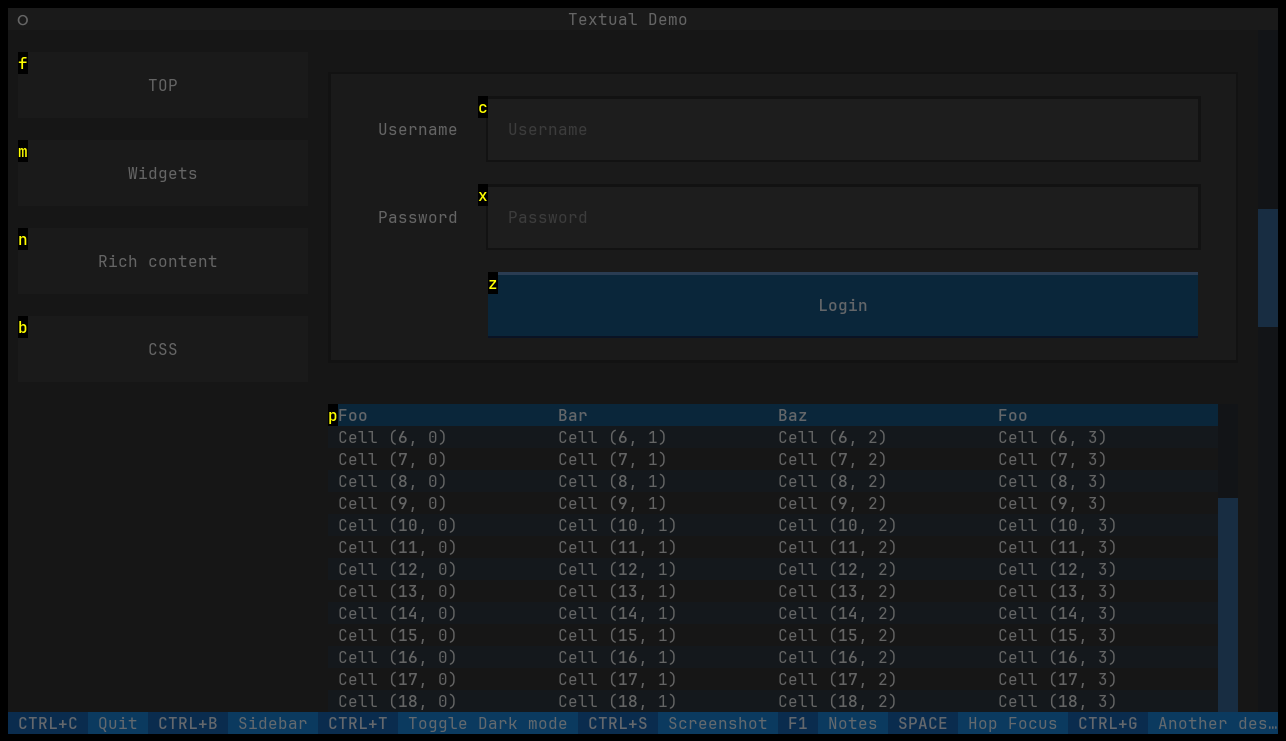
Just type your shortcut and focus/press widget you want. No mouse needed!
> Please always pin version of this library as API may change rapidly. It is experimental project and some staff may be modified.
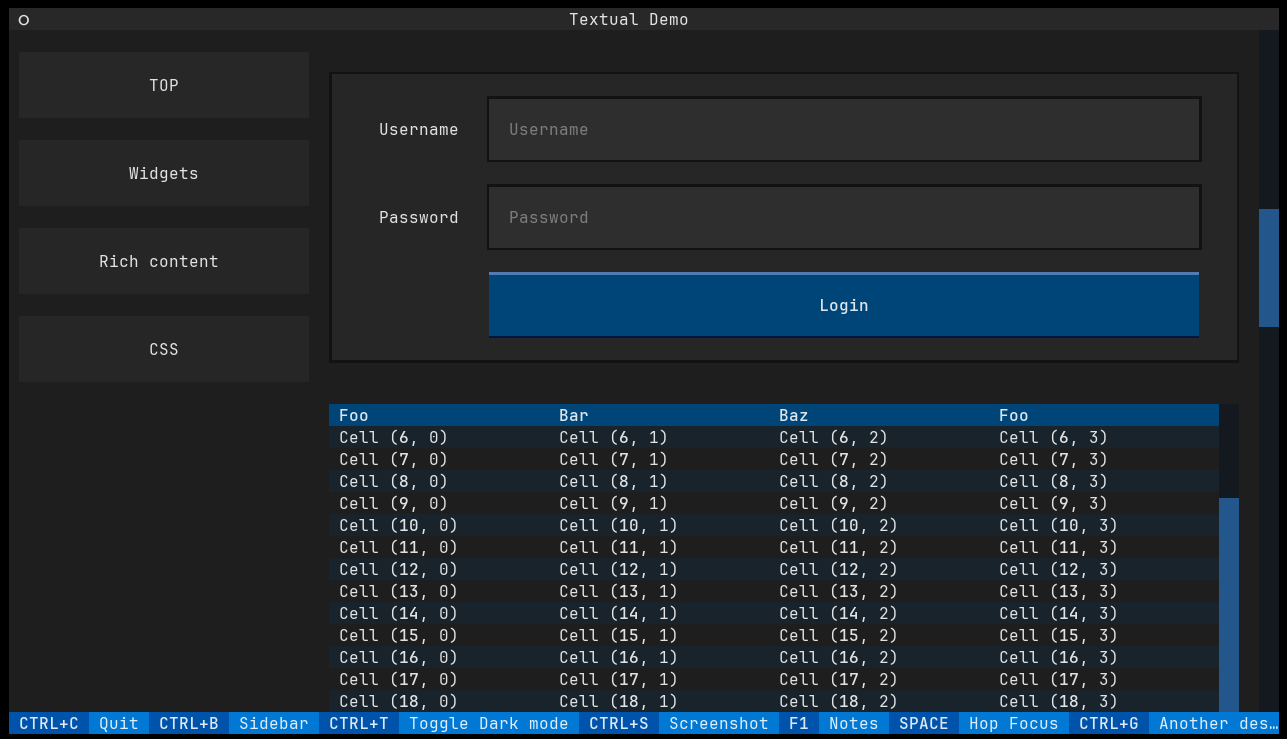
## Demo
## Installation
Just simply install via `pip`:
```bash
pip3 install hoptex
```
## Documentation
**Hoptex** allow to focus object and additionaly press it.
By default:
- `space` will highlight `focusable` widgets and allow to focus choosen one
- `ctrl+o` will focus and press widgets that are `focusable` and have `on_click` or `_on_click` method.
### Usage
The most basic usage is just adding decorator on your **Textual** app like this:
```python
from textual.app import App
from hoptex import hoptex
@hoptex()
class NewTextualApp(App):
...
```
That is all. Super easy, right?
### Allow and Block list
To choose which widgets will be highlighted **Hoptex** checks for three condition:
- Widget have property `focusable=True`.
- Widget is in allow list (then will be forced to be highlighted)
- Widget is in blocked list (it have priority to exclude widget over allow list)
This parameters can be changed in `@hoptex` parameter `filter_lists` using `HoptexFilterWidgetsConfig`.
By default `allow_list` and `block_list` are empty and `include_focusable=True`.
Example can be like this:
```python
from textual.demo import DemoApp, LocationLink # Tested on Texutal 0.30.0 Demo App
from textual.widgets import TextLog
from hoptex import hoptex
from hoptex.configs import HoptexWidgetsFiltersConfig
widgets_filters = HoptexWidgetsFiltersConfig(allow_list=[LocationLink], block_list=[TextLog])
@hoptex(widgets_filters=widgets_filters)
class WrappedDemoApp(DemoApp):
...
```
### Custom bindings
If you do not like default bindings you can change them with `HoptexBindingConfig`.
It has four fields, which you can replace with keybinding like in **Textual**:
- `focus`, default to `space` -> Run **Hoptex** screen to focus widget
- `press`, default to `ctrl+p` -> Run **Hoptex** screen to focus and press/click widget
- `quit`, default to `escape` -> Quits from **Hoptex** screen
- `unfocus`, default to `escape` -> Unfocuses from any widgets (if you are in e.x. text window, you need first to unfocus to use `space`)
and also four config fields, that takes dictionary that will be injected in standard Binding field:
- `focus_conf`, default to `{"description": "Hop Focus"}`
- `press_conf`, default to `{"description": "Hop Press"}`
- `quit_conf`, default to `{"description": "Hop Quit", "show": False}`
- `unfocus_conf`, default to `{"description": "Hop Unfocus", "show": False}`
```python
from textual.demo import DemoApp
from hoptex import hoptex
from hoptex.configs import HoptexBindingConfig
bindings = HoptexBindingConfig(press="ctrl+g", press_conf={"description": "Another description"})
@hoptex(bindings=bindings)
class DemoAppMy(DemoApp):
...
```
### Custom Appearance
You can also inject custom label appearance, by `label` value. It should inherit from `Static`
and allow for one argument (the letter that will be displayed).
However easier way is to change CSS of `HopLabel`, which default is to:
```css
HopLabel {
width: 1;
height: 1;
color: yellow;
text-style: bold;
background: black;
}
```
## TODO
- Support more widgets on screen
- Allow to use hoptex as wrapper for application (open any app with hoptex support)
- If no place to jump, return
- Color change
- list of characters
- custom Widget to mark
- https://github.com/python/typing/issues/213