https://github.com/cyberkoalastudios/koalagpt-unity
An official Unity package that allows you to use the KoalaGPT API directly in the Unity game engine.
https://github.com/cyberkoalastudios/koalagpt-unity
ai koalagpt plugin unity unity3d-plugin
Last synced: 9 months ago
JSON representation
An official Unity package that allows you to use the KoalaGPT API directly in the Unity game engine.
- Host: GitHub
- URL: https://github.com/cyberkoalastudios/koalagpt-unity
- Owner: CyberKoalaStudios
- License: cc0-1.0
- Archived: true
- Created: 2023-07-03T19:53:27.000Z (almost 3 years ago)
- Default Branch: master
- Last Pushed: 2024-02-20T19:13:23.000Z (over 2 years ago)
- Last Synced: 2024-09-28T19:39:23.722Z (over 1 year ago)
- Topics: ai, koalagpt, plugin, unity, unity3d-plugin
- Language: C#
- Homepage: https://beta.cyberkoala.ru
- Size: 96.7 KB
- Stars: 2
- Watchers: 0
- Forks: 0
- Open Issues: 0
-
Metadata Files:
- Readme: README.md
- Changelog: CHANGELOG.md
- Funding: .github/FUNDING.yml
- License: LICENSE
Awesome Lists containing this project
README


---
## KoalaGPT Unity Package
An official Unity package that allows you to use the KoalaGPT API directly in the Unity game engine.

## How To Use
See [[Video](https://www.youtube.com/watch?v=htAeWQ5OaZE)](https://youtu.be/htAeWQ5OaZE)
[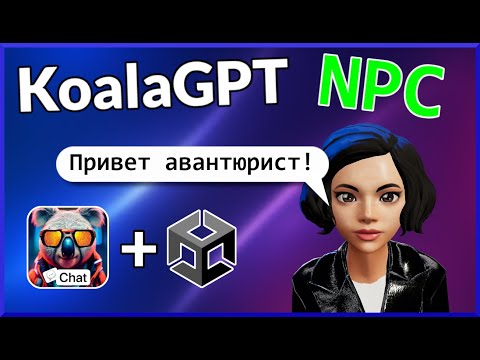](http://www.youtube.com/watch?v=htAeWQ5OaZE "KoalaGPT API Quick Start Tutorial")
### Importing the Package
To import the package, follow these steps:
- Open Unity 2019 or later
- Go to `Window > Package Manager`
- Click the `+` button and select `Add package from git URL`
- Paste the repository URL https://github.com/CyberKoalaStudios/KoalaGPT-Unity.git and click `Add`
### Setting Up Your CyberKoala Account
To use the KoalaGPT API, you need to have an CyberKoala account. Follow these steps to create an account and generate an API key:
- Go to https://beta.cyberkoala.ru/ and sign up for an account
- Once you have created an account, go to https://beta.cyberkoala.ru/main/dashboard
- Buy a new secret key and save it
### Saving Your Credentials
To make requests to the KoalaGPT API, you need to use your API key and organization name (if applicable). To avoid exposing your API key in your Unity project, you can save it in your device's local storage.
To do this, follow these steps:
- Create a folder called .cyberkoala in your home directory (e.g. `C:Users\UserName\` for Windows or `~\` for Linux or Mac)
- Create a file called `auth.json` in the `.cyberkoala` folder
- Add an api_key field and a organization field (if applicable) to the auth.json file and save it
- Here is an example of what your auth.json file should look like:
```json
{
"api_key": "ko-...er",
"organization": "org-...MOW"
}
```
**IMPORTANT:** Your API key is a secret.
Do not share it with others or expose it in any client-side code (e.g. browsers, apps).
If you are using KoalaGPT for production, make sure to run it on the server side, where your API key can be securely loaded from an environment variable or key management service.
### Making Requests to KoalaGPT
You can use the `KoalaGPTApi` class to make async requests to the KoalaGPT API.
All methods are asynchronous and can be accessed directly from an instance of the `KoalaGPTApi` class.
Here is an example of how to make a request:
```csharp
private async void SendRequest()
{
var _koalaGptApi = new KoalaGPTApi();
var _messages = new List();
var message = new Part();
message.Role = "user";
message.Content = prompt;
_messages.Add(message);
var request = new CreateChatCompletionRequestPrompt{
Model="gpt4",
Prompt="Hello!",
};
var response = await _koalaGptApi.CreateChatCompletionSimplePrompt(request);
}
```
### Making Voice Request.
Voices available: `jane, filipp, omazh, madirus`
```csharp
private async void SpeakKoalaGPT()
{
List _messages;
var message = new Part();
message.Role = "user";
message.Content = "Hi! Help me to pick right wand";
_messages.Add(message);
var request = new CreateAudioCompletionRequest();
request.Messages = _messages;
request.Model = "gpt4";
request.Voice = "jane";
var response = await _koalaGptApi.CreateSpeechPrompt(request);
if (response != null)
{
var audioClip = response;
Debug.Log(audioClip.length);
_audioSource.clip = audioClip;
_audioSource.Play();
}
}
```
### Sample Projects
This package includes two sample scenes that you can import via the Package Manager:
- **KoalaGPT sample:** A simple KoalaGPT like chat example.
### Supported Unity Versions for WebGL Builds
The following table shows the supported Unity versions for WebGL builds:
| Unity Version | Supported |
| --- | --- |
| 2022.2.8f1 | ✅ |
| 2021.3.5f1 | ⛔ |
| 2020.3.0f1 | ✅ |