https://github.com/dagronf/dsflicensekeyview
macOS License control for Objective-C/Swift
https://github.com/dagronf/dsflicensekeyview
interface-builder license macos objc objective-c swift
Last synced: over 1 year ago
JSON representation
macOS License control for Objective-C/Swift
- Host: GitHub
- URL: https://github.com/dagronf/dsflicensekeyview
- Owner: dagronf
- License: mit
- Created: 2018-12-19T05:51:38.000Z (over 7 years ago)
- Default Branch: master
- Last Pushed: 2019-01-09T00:36:16.000Z (over 7 years ago)
- Last Synced: 2025-03-06T06:24:26.623Z (over 1 year ago)
- Topics: interface-builder, license, macos, objc, objective-c, swift
- Language: Objective-C
- Homepage:
- Size: 4.18 MB
- Stars: 7
- Watchers: 2
- Forks: 0
- Open Issues: 0
-
Metadata Files:
- Readme: README.md
- License: LICENSE
Awesome Lists containing this project
README
# macOS Cocoa License Key Control

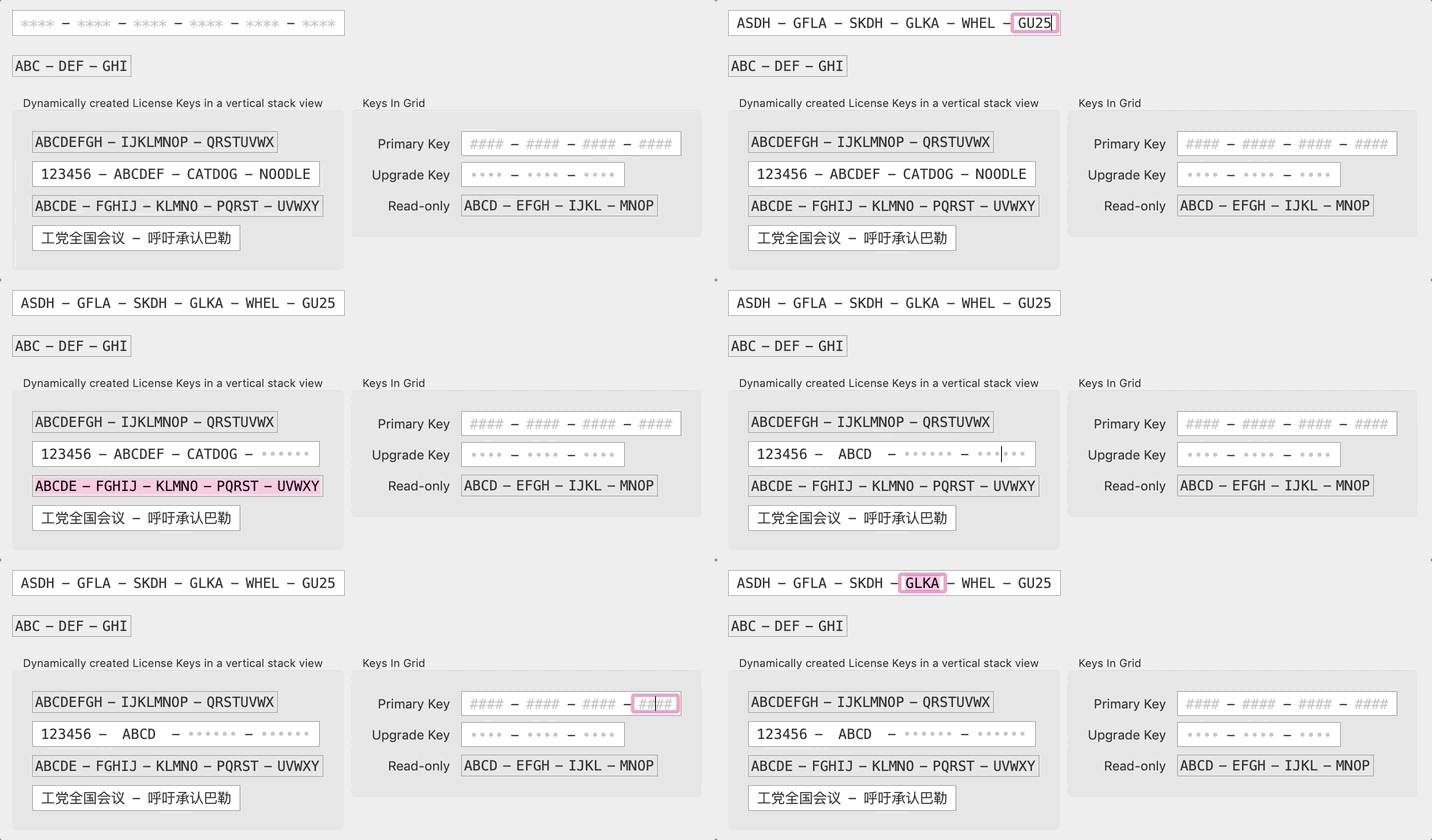
### Configurable in IB and via code
* Number of license segments
* Number of characters in a segment
* Placeholder character
* (Optional) Highlighting if the licence key is invalid
## Usage
### Read-only
#### Objective-C
[DSFLicenseKeyControlView createWithName:@"Eight by Three License Key"
segmentCount:3
segmentSize:8
key:@"ABCDEFGH-IJKLMNOP-QRSTUVWX"];
#### Swift
DSFLicenseKeyControlView.create(withName: "Eight by Three License Key",
segmentCount: 3,
segmentSize: 8,
key: "ABCDEFGH-IJKLMNOP-QRSTUVWX")
### Mutable (editable)
#### Objective-C
[DSFMutableLicenseKeyControlView createMutableWithName:@"Four by Six License Key"
segmentCount:4
segmentSize:6
key:@"123456-ABCDEF-CATDOG-NOODLE"];
#### Swift
DSFMutableLicenseKeyControlView.createMutable(withName: "Four by Six License Key",
segmentCount: 4,
segmentSize: 6,
key: "123456-ABCDEF-CATDOG-NOODLE")
### Integration with Interface Builder
These provide interface builder inspectables, so that you can :-
1. Configure your license key field within IB
2. Preview your license key directly in your view
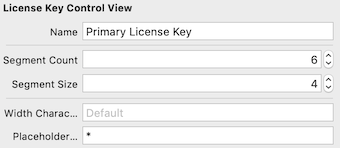
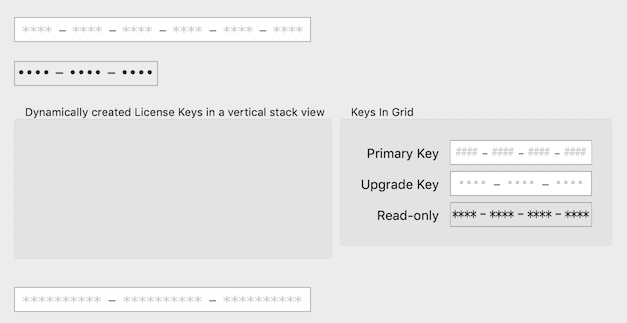
### Preview your license key
Use Interface Builder to build your views live
## Keyboard navigation
* Tab between the fields in your license key
* When a field is filled, moves automatically to the next field

## Paste support
You can copy and paste your license key into a field, and if the copied key matches the settings, will properly fill the fields

## Voiceover support
Comes with Voiceover support out-of-the-box, meaning that your visually impaired users can use your app straight away.
## Acknowlegements
Uses [`RSVerticallyCenteredTextFieldCell`](https://red-sweater.com/blog/148/what-a-difference-a-cell-makes) by Daniel Jalkut of Red Sweater Software