https://github.com/dahead/dupefiles
Dupe Files scans your disks for duplicate files.
https://github.com/dahead/dupefiles
csharp deduplication dotnet-core duplicate-detection duplicate-files duplicatefilefinder
Last synced: 2 months ago
JSON representation
Dupe Files scans your disks for duplicate files.
- Host: GitHub
- URL: https://github.com/dahead/dupefiles
- Owner: dahead
- Created: 2019-10-03T15:17:21.000Z (almost 7 years ago)
- Default Branch: master
- Last Pushed: 2022-12-08T09:07:53.000Z (over 3 years ago)
- Last Synced: 2025-01-19T10:42:23.747Z (over 1 year ago)
- Topics: csharp, deduplication, dotnet-core, duplicate-detection, duplicate-files, duplicatefilefinder
- Language: C#
- Homepage:
- Size: 673 KB
- Stars: 1
- Watchers: 1
- Forks: 0
- Open Issues: 1
-
Metadata Files:
- Readme: README.md
Awesome Lists containing this project
README
# DupeFiles
DupeFiles scans your file system for duplicate files.
DupeFiles is a csharp dotnet core application which runs under windows, linux and probably osx.
DupeFiles checks files for for file size, hash and finally binary.
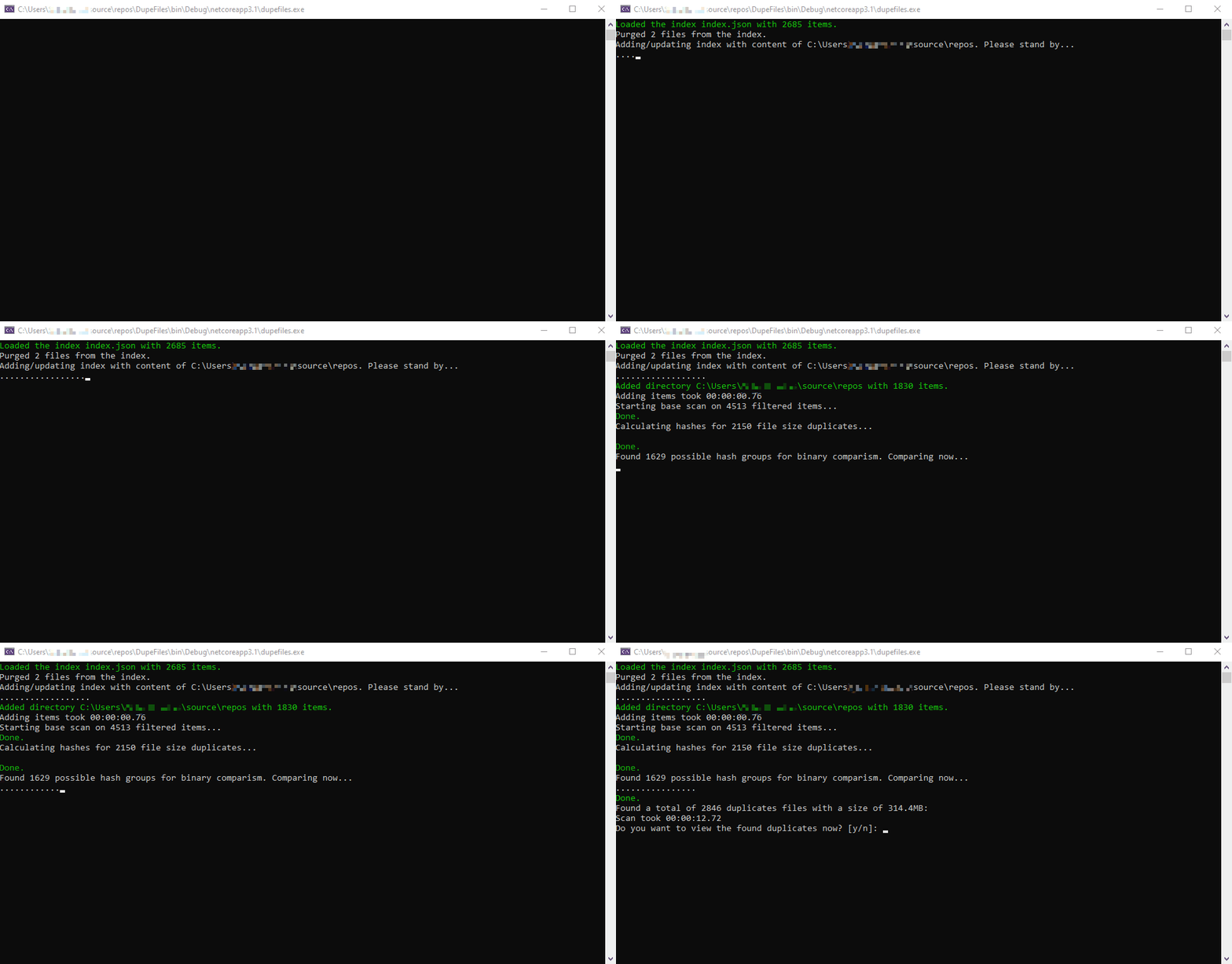
### Short demo
```
// Show help
dupefiles.exe --help
// Add a folder to the index
dupefiles.exe add --path /folder/to/add
// Scan the index for duplicates
dupefiles.exe scan
// Remove duplicate files
dupefiles.exe clean
// Purge index of non existant files
dupefiles.exe purge
// Remove all items from the index which contain the string "-copy"
dupefiles.exe remove --pattern "-copy"
```
### Quick demo
This adds, scans and cleans directory all in one run:
```
quick --path /folder/to/scan
```
### Todos
- Integrate the "analyze" option/feature
- Remove dupes after deletion/moving... from DupeGroupList
### Version history
- 1.3 (4/21/2021)
- New option: analyze
- Better dupe handling
- Better output
- Loading and saving of the found duplicate file information
- Easy removing of found duplicates
- 1.2.1 (4/15/2021)
- Two new output types: XML and Text
- Cancel current action with ctrl-c
- 1.2.0 (07/06/2020)
- New scan option "output" for storing the found duplicate file information.
- Removed some errors when rescanning folders with new files which wheren't previously scanned.
- Correctly print out found duplicates.
- New type of how DupeFiles stores its duplicate files inside the memory.
- Duplicates are now shown in red.
- Redone displaying hashsum calculation.
- Removed a lot of unnecessary log outputs.
- Removed unnecessary file information from the index.
- Renamed options (idscan -> scan, idplus -> add, ...)
- Removed the option "info". Instead information about the scan is shown after the scan is done.
- MaxFileInfo is now the default value of Long.MaxValue.
- 1.1.1
- Remove option to remove certain items from the index