https://github.com/dalance/pipecolor
A terminal filter to colorize output
https://github.com/dalance/pipecolor
command-line-tool pipeline rust terminal
Last synced: about 1 year ago
JSON representation
A terminal filter to colorize output
- Host: GitHub
- URL: https://github.com/dalance/pipecolor
- Owner: dalance
- License: mit
- Created: 2018-03-28T07:46:53.000Z (about 8 years ago)
- Default Branch: master
- Last Pushed: 2025-03-10T20:27:02.000Z (over 1 year ago)
- Last Synced: 2025-03-28T17:07:34.555Z (about 1 year ago)
- Topics: command-line-tool, pipeline, rust, terminal
- Language: Rust
- Homepage:
- Size: 627 KB
- Stars: 69
- Watchers: 3
- Forks: 4
- Open Issues: 6
-
Metadata Files:
- Readme: README.md
- Funding: .github/FUNDING.yml
- License: LICENSE
Awesome Lists containing this project
README
# pipecolor
A terminal filter to colorize output
[](https://github.com/dalance/pipecolor/actions)
[](https://crates.io/crates/pipecolor)
## Description
**pipecolor** is a terminal filter to colorize output.
You can customize the colorize rule by regular expression.
## Demo

This demonstration uses `./sample/demo.toml` configuration.
## Install
Download from [release page](https://github.com/dalance/pipecolor/releases/latest), and extract to the directory in PATH.
Alternatively you can install by [cargo](https://crates.io).
```
cargo install pipecolor
```
Put the colorize rule file to `~/.pipecolor.toml`.
`sample/pipecolor.toml` in this repository is an example.
## Usage
**pipecolor** can receive input through pipe, and colorize the output.
```
$ cat sample/access_log | pipecolor -c ./sample/pipecolor.toml
```

Filenames can be specified.
```
$ pipecolor -c ./sample/pipecolor.toml sample/maillog
```
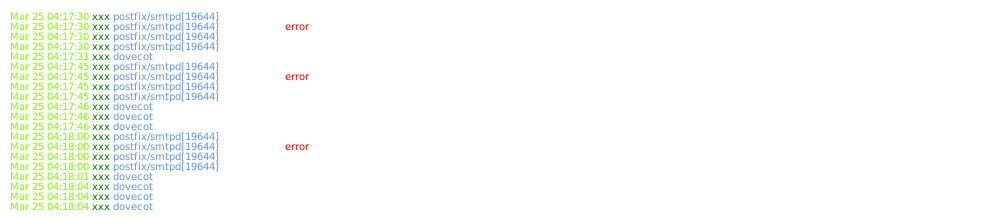
If output is redirected to a file, colorization is disabled automatically.
You can force to colorize by `pipecolor --mode always`.
### Colorize rule
See the example rule `sample/pipecolor.toml`.
```
[[lines]]
pat = "^(.*?) .*? .*? \\[(.*?)\\] \".*?\" .*? .*? \".*?\" \"(.*?)\""
colors = ["White", "LightGreen", "LightBlue", "Green"]
[[lines.tokens]]
pat = "GET"
colors = ["LightCyan"]
[[lines.tokens]]
pat = "POST"
colors = ["LightYellow"]
[[lines.tokens]]
pat = "HEAD"
colors = ["LightMagenta"]
```
`lines.pat` is a regular expression to specify colorize lines.
If the expression is matched, the matched line is colorize to colors specified by `lines.colors`.
`lines.colors` is an array of colors, the first color is used to colorize the whole line.
The rest colors are used to colorize the captured group in the expression.
In the example, the whole line is colorized to `White`, the first group captured by `(.*?)` is colorized to `LightGreen`.
`lines.tokens` specifies the special tokens to be colorized in the matched line.
If no token is required, `tokens` can be omitted.
```
[[lines]]
pat = "^(.*?) .*? .*? \\[(.*?)\\] \".*?\" .*? .*? \".*?\" \"(.*?)\""
colors = ["White", "LightGreen", "LightBlue", "Green"]
```
### Available colors
The available colors are below.
- Black
- Blue
- Cyan
- Default
- Green
- LightBlack
- LightBlue
- LightCyan
- LightGreen
- LightMagenta
- LightRed
- LightWhite
- LightYellow
- Magenta
- Red
- White
- Yellow