https://github.com/dalenewman/transformalize.visualstudiocode
visual studio code extension for running transformalize arrangements
https://github.com/dalenewman/transformalize.visualstudiocode
etl transformalize vscode-extension
Last synced: about 2 months ago
JSON representation
visual studio code extension for running transformalize arrangements
- Host: GitHub
- URL: https://github.com/dalenewman/transformalize.visualstudiocode
- Owner: dalenewman
- License: mit
- Created: 2018-03-02T14:29:11.000Z (over 8 years ago)
- Default Branch: master
- Last Pushed: 2023-07-19T00:53:06.000Z (almost 3 years ago)
- Last Synced: 2025-03-02T20:41:32.682Z (over 1 year ago)
- Topics: etl, transformalize, vscode-extension
- Language: TypeScript
- Size: 623 KB
- Stars: 1
- Watchers: 3
- Forks: 1
- Open Issues: 1
-
Metadata Files:
- Readme: README.md
- Changelog: CHANGELOG.md
- License: LICENSE
Awesome Lists containing this project
README
# Transformalize
Use Code's integrated terminal to run [Transformalize](https://github.com/dalenewman/Transformalize/blob/master/README.md) arrangements.
## Features
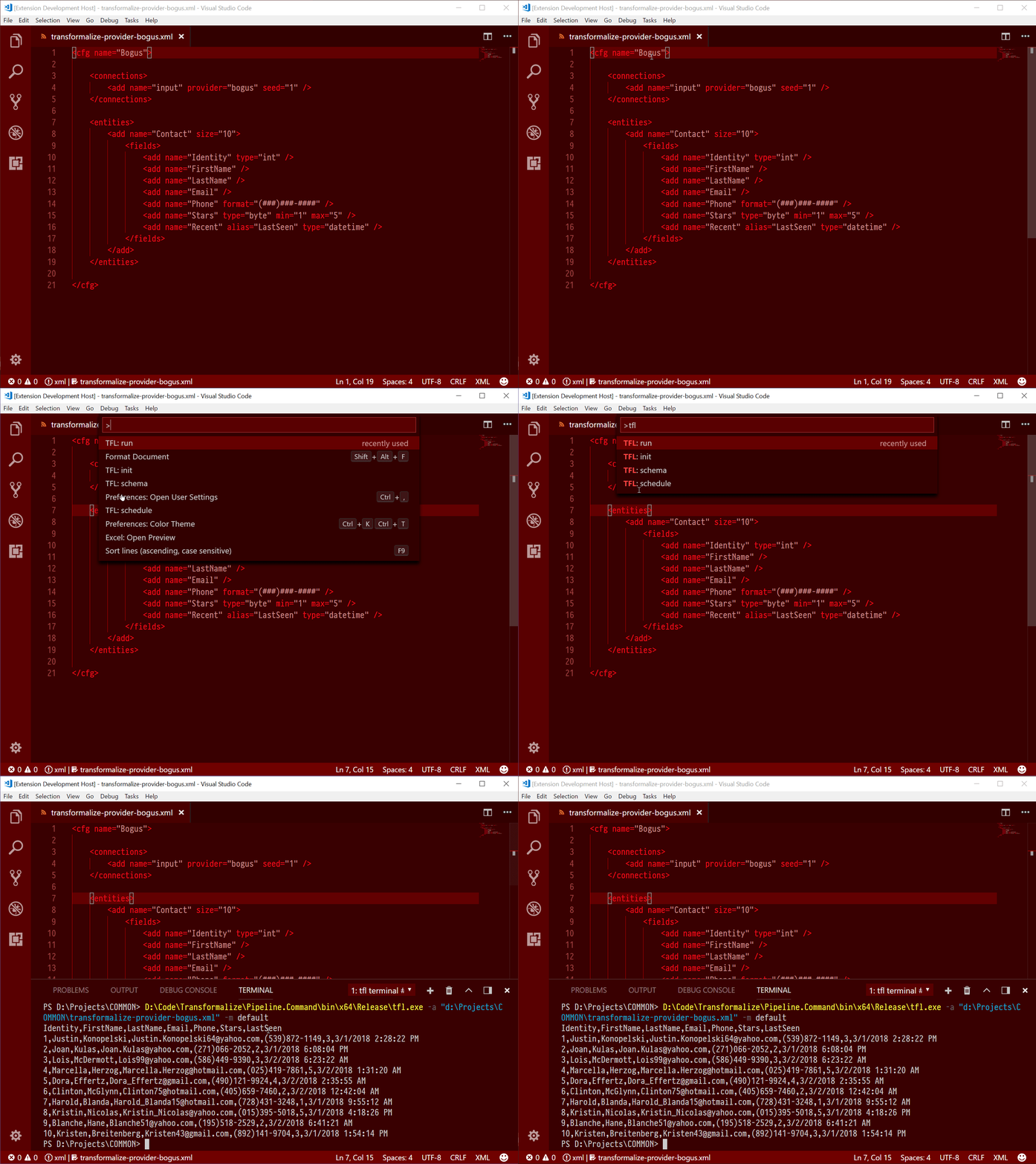
This extension features four commands that pass your file (arrangement) to Transformalize's command line interface (*tfl.exe*).
* tfl: init
* tfl: run
* tfl: schema
* tfl: schedule
Use ``CTRL-SHIFT-P`` to find and execute the commands.
## Requirements
Download and decompress the [latest release](https://github.com/dalenewman/Transformalize/releases) of Transformalize. Decompress it, set it as executable, and put it on your `PATH`or set the `tfl.path` setting. If you have Docker, you can run the Transformalize container (see below).
## Extension Settings
This extension contributes the following settings:
* `tfl.path`: the full path _including_ the Transformalize binary (e.g. `tfl` or `tfl.exe`). Or, you may set this to run Transformalize from a Docker container (e.g. `docker run -v "$(pwd)":"$(pwd)" --rm --platform linux/amd64 dalenewman/transformalize.cli:0.10.2`).