https://github.com/damianmuti/dmwpb-hide-blocks
This Wordpress plugin extends Gutenberg core blocks to allow Administrators to hide elements on the front-end but keep them in the post edit screen under certain conditions.
https://github.com/damianmuti/dmwpb-hide-blocks
gutenberg gutenberg-blocks gutenberg-plugin wordpress wordpress-development wordpress-plugin
Last synced: about 2 months ago
JSON representation
This Wordpress plugin extends Gutenberg core blocks to allow Administrators to hide elements on the front-end but keep them in the post edit screen under certain conditions.
- Host: GitHub
- URL: https://github.com/damianmuti/dmwpb-hide-blocks
- Owner: damianmuti
- License: gpl-2.0
- Created: 2025-02-04T23:17:35.000Z (over 1 year ago)
- Default Branch: main
- Last Pushed: 2025-03-24T13:05:22.000Z (over 1 year ago)
- Last Synced: 2025-03-24T13:42:07.836Z (over 1 year ago)
- Topics: gutenberg, gutenberg-blocks, gutenberg-plugin, wordpress, wordpress-development, wordpress-plugin
- Language: JavaScript
- Homepage: https://damianmuti.com
- Size: 248 KB
- Stars: 0
- Watchers: 1
- Forks: 0
- Open Issues: 0
-
Metadata Files:
- Readme: README.md
- License: LICENSE
Awesome Lists containing this project
README
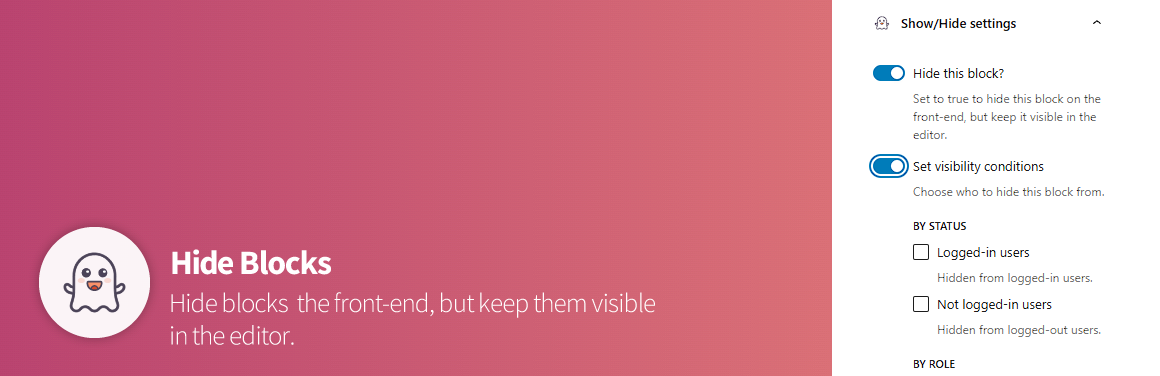
# [DMWPB] Hide Blocks
This Wordpress plugin extends Gutenberg core blocks to allow Administrators to hide elements on the front-end but keep them in the post edit screen under certain conditions.
## F.A.Q
> Does this plugin work with any Wordpress installation?
This plugin extends Wordpress core blocks, therefore **requires Gutenberg** up and running to work.
> Does this plugin work for all user roles?
No. Since managing content can sometimes be tricky, the plugin is restricted to **Administrators only**.
> What happens if I uninstall the plugin?
The plugin uses server-side rendering for each of the hidden blocks, so there won't be any issues upon deactivating it.
## Requirements
- Requires at least: 6.7+
- Requires PHP: 7.4+
## Installation
1. [Download the ZIP file](https://github.com/damianmuti/dmwpb-hide-blocks/archive/refs/heads/main.zip).
2. Log into your Wordpress installation, go to `Plugins > Add New Plugin`.
3. Click on `Upload Plugin` and select the ZIP file you downloaded.
4. Click `Install Now`.
5. Activate it.