https://github.com/dan-lee/css2js
Easily convert CSS declarations to JavaScript inline styles
https://github.com/dan-lee/css2js
converter css inline javascript style
Last synced: 9 months ago
JSON representation
Easily convert CSS declarations to JavaScript inline styles
- Host: GitHub
- URL: https://github.com/dan-lee/css2js
- Owner: dan-lee
- Created: 2017-04-03T19:43:49.000Z (over 8 years ago)
- Default Branch: master
- Last Pushed: 2018-12-13T17:16:21.000Z (about 7 years ago)
- Last Synced: 2025-01-28T21:18:18.753Z (11 months ago)
- Topics: converter, css, inline, javascript, style
- Language: JavaScript
- Homepage: https://css2js.netlify.app
- Size: 146 KB
- Stars: 4
- Watchers: 2
- Forks: 0
- Open Issues: 0
-
Metadata Files:
- Readme: README.md
Awesome Lists containing this project
README
# CSS to JavaScript `style`
[](https://css2js.netlify.com)
## About
I created [this tool](https://css2js.netlify.com) for projects, where I'd constantly write CSS and then convert it into object literals for `glamor`, inline styles or other css-in-js libraries.
[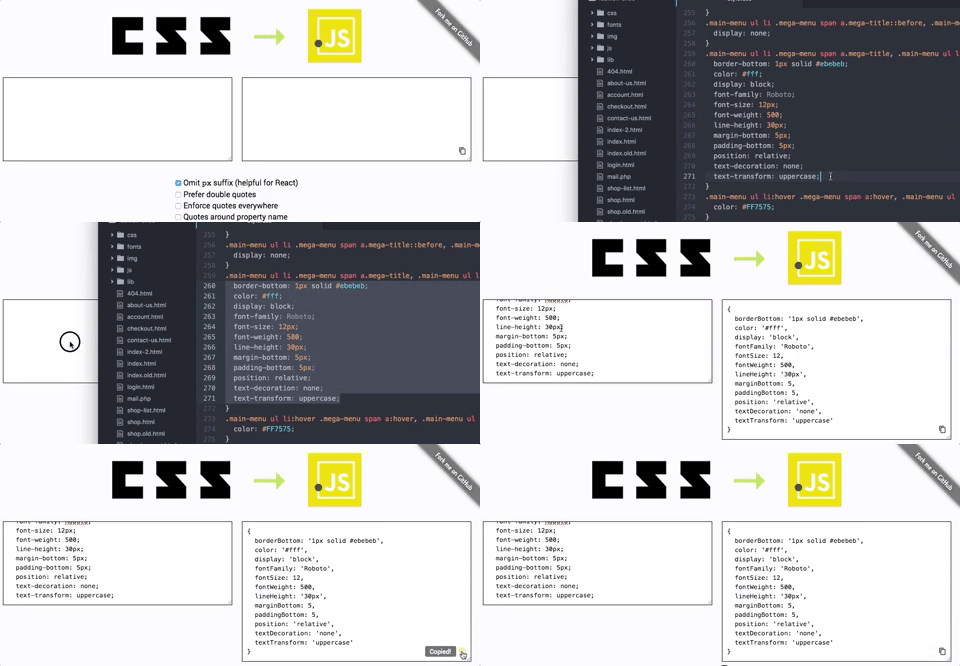](https://css2js.netlify.com)
It takes following things into account:
* Unitless values (`opacity`, `line-height`, `font-weight`, …)
* Vendor prefixed values
* Escaping different quotes in a single value (e.g. in `font-family`)
* Not-enclosed CSS declarations (*i.e. without selector*) for fast copy & paste
## [**Online version**](https://css2js.netlify.com)
Simply copy & paste the styles you want to convert.
**Example input**
```
width: 600px;
min-height: 100vh;
font-weight: 800;
color: #bada55;
opacity: .5;
-webkit-font-smoothing: antialiased;
font-family: "Roboto", 'Open Sans';
```
*(For convenience this works without selectors)*
**Example output**
```javascript
{
width: 600,
minHeight: '100vh',
fontWeight: 800,
color: '#bada55',
opacity: .5,
WebkitFontSmoothing: 'antialiased',
fontFamily: '"Roboto", \'Open Sans\''
}
```
^ *This is with disabled `px` output (helpful for React projects)*
→ [**Check it out by yourself**](https://css2js.netlify.com)