https://github.com/daniel-keogh/emerging-tech-project
A web service that uses machine learning to predict wind turbine power output from wind speed values defined in a given data set
https://github.com/daniel-keogh/emerging-tech-project
docker flask flask-application jupyter-notebook keras machine-learning machinelearning python python3 regression regression-models tensorflow
Last synced: 3 months ago
JSON representation
A web service that uses machine learning to predict wind turbine power output from wind speed values defined in a given data set
- Host: GitHub
- URL: https://github.com/daniel-keogh/emerging-tech-project
- Owner: daniel-keogh
- Created: 2020-10-18T19:25:12.000Z (over 5 years ago)
- Default Branch: main
- Last Pushed: 2021-01-03T11:45:59.000Z (over 5 years ago)
- Last Synced: 2025-03-04T22:37:12.625Z (over 1 year ago)
- Topics: docker, flask, flask-application, jupyter-notebook, keras, machine-learning, machinelearning, python, python3, regression, regression-models, tensorflow
- Language: Jupyter Notebook
- Homepage:
- Size: 1.59 MB
- Stars: 0
- Watchers: 3
- Forks: 0
- Open Issues: 0
-
Metadata Files:
- Readme: README.md
Awesome Lists containing this project
README
# Emerging Technologies Project
Y4S1 Emerging Technologies Project
## Description
A web service that uses machine learning to predict wind turbine power output from wind speed values defined in the data set [powerproduction.csv](./powerproduction.csv).
## Running the Notebook
The model is created in a Jupyter notebook using Keras, and you can run the notebook by first installing [Anaconda](https://www.anaconda.com/) and then executing the below command from within the repository's root directory.
```sh
$ jupyter notebook
```
## Running the Web Service
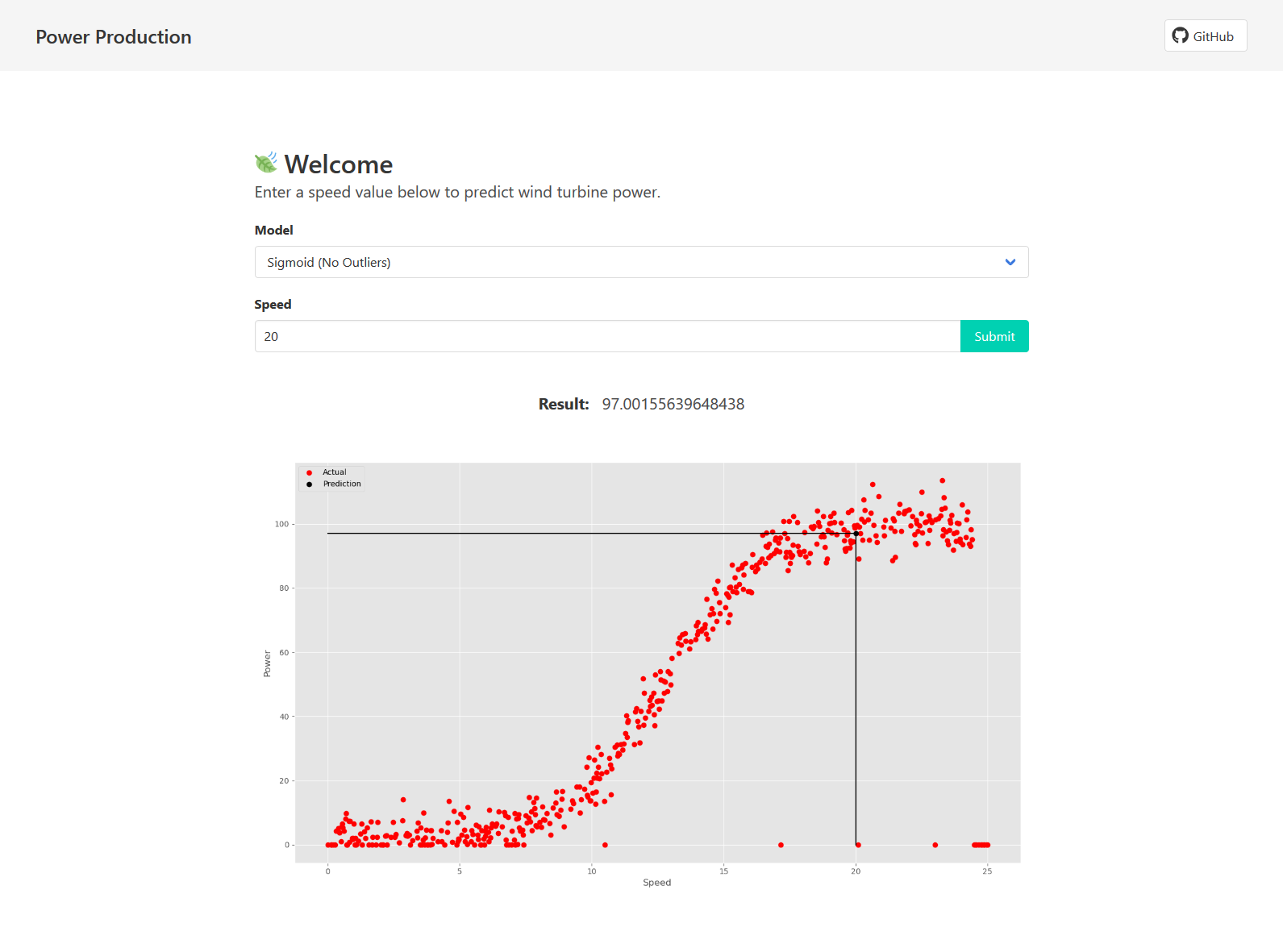
The web service consists of a Flask application which serves a simple Vue.js frontend.
### Development Server
First run the following to install the necessary dependencies.
```sh
$ pip install -r requirements.txt
```
To start a development server run the following command and then open `localhost:5000` in a web browser.
```sh
$ python app.py
```
### Docker
You can run the web service in a Docker container by following the steps below.
#### Build Image
```sh
$ docker build -t power-production .
```
#### Run Image
```sh
$ docker run -d -p 5000:5000 power-production
```