https://github.com/danielesteban/lightsynth
Desktop app for translating light into midi messages
https://github.com/danielesteban/lightsynth
Last synced: over 1 year ago
JSON representation
Desktop app for translating light into midi messages
- Host: GitHub
- URL: https://github.com/danielesteban/lightsynth
- Owner: danielesteban
- License: mit
- Created: 2014-08-20T19:37:14.000Z (almost 12 years ago)
- Default Branch: master
- Last Pushed: 2014-08-25T20:57:04.000Z (almost 12 years ago)
- Last Synced: 2025-02-13T05:34:33.078Z (over 1 year ago)
- Language: CSS
- Homepage:
- Size: 2.61 MB
- Stars: 0
- Watchers: 3
- Forks: 0
- Open Issues: 0
-
Metadata Files:
- Readme: README.md
- License: LICENSE
Awesome Lists containing this project
README
_ _ _ _ _____ _ _
| | (_) | | | | / ____| | | | |
| | _ __ _ | |__ | |_ | (___ _ _ _ __ | |_ | |__
| | | | / _` || '_ \ | __| \___ \ | | | || '_ \ | __|| '_ \
| |____ | || (_| || | | || |_ ____) || |_| || | | || |_ | | | |
|______||_| \__, ||_| |_| \__||_____/ \__, ||_| |_| \__||_| |_|
__/ | __/ |
|___/ |___/
---------------------------------------------------------------------------------------
Desktop app for translating light into midi messages.
You'll need an arduino compatible board.
Upload the `LightSynth.ino` sketch to it and hook up 4 photoresistors in this fashion:
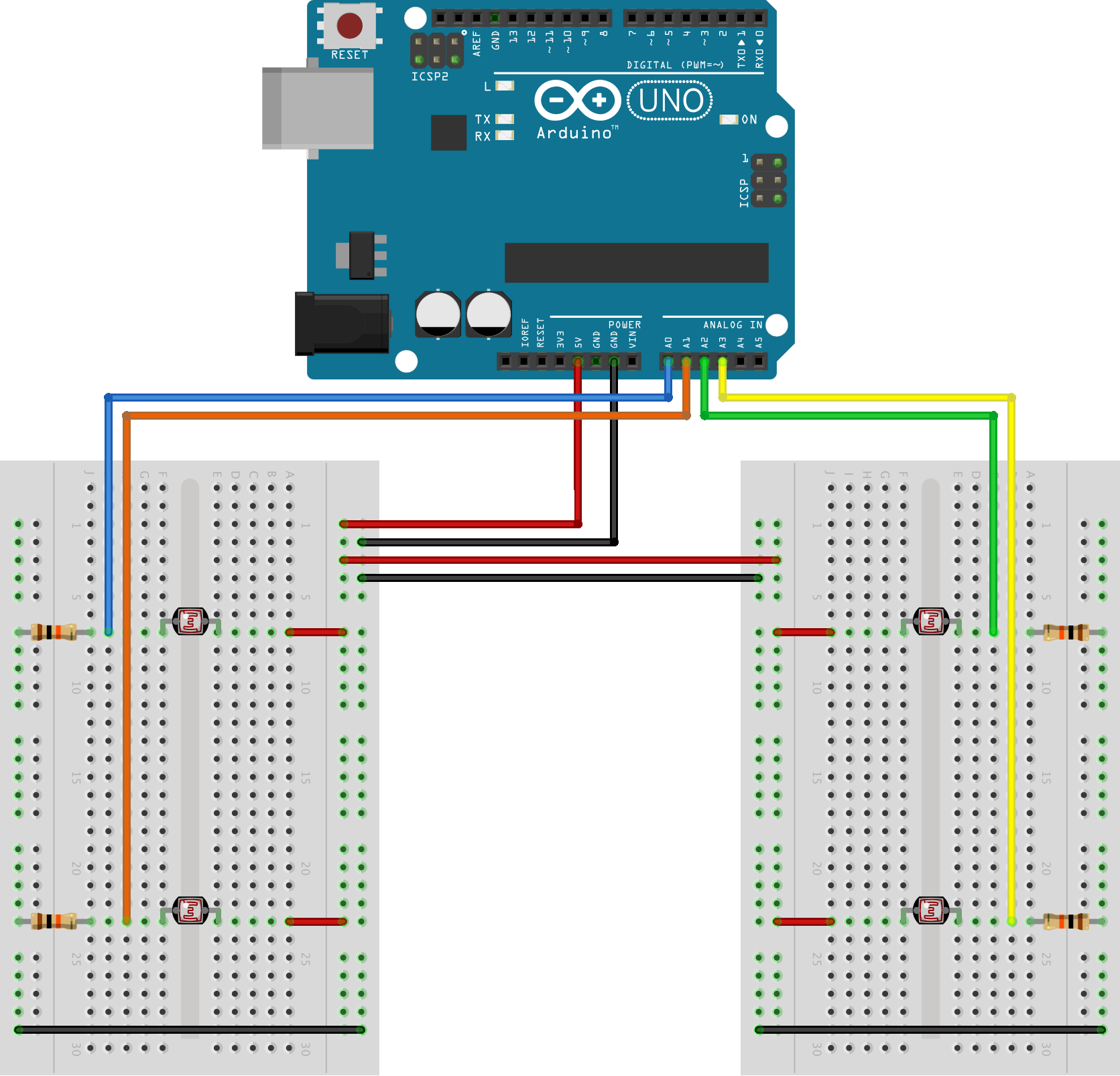
These are two photoresistors for each hand/axis. Each of the axis can control the pitch, the volume and send 2 FX midi control messages. It also includes a stroke feature and a dubstepian cut-off.
I used photoresistors because I was looking for a theremin feel... but you can connect almost any other analog inputs to it (Potentiometers, Thermistors, A touch panel, etc...)
Enjoy! ;P
## Downloads
**v1.1.0:** (Aug 24, 2014)
* Mac: [32bit, 10.7+](https://github.com/danielesteban/LightSynth/releases/download/v1.1.0/LightSynth-darwin.dmg)
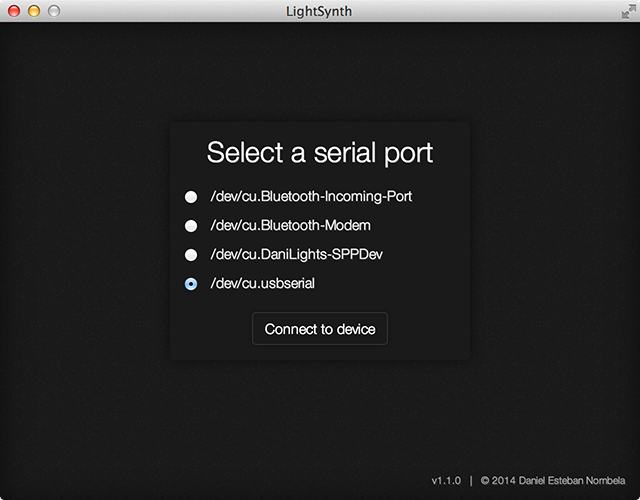
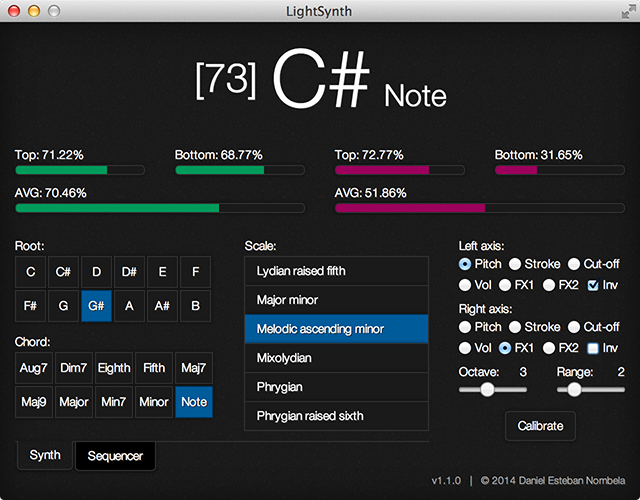
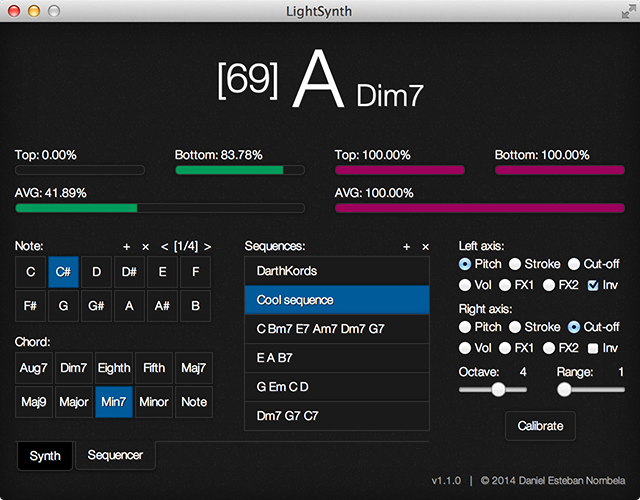
## If you see this error...
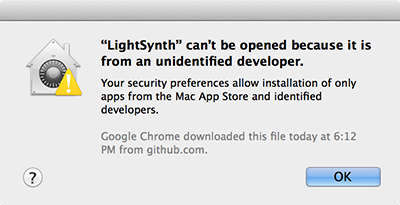
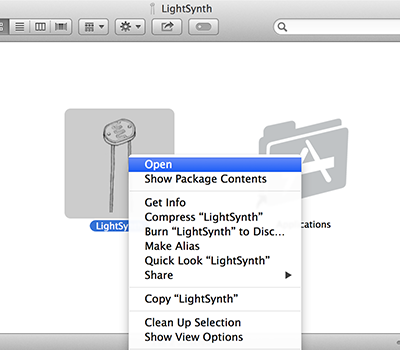
Right click on the app icon and select **open** from the contextual menu:
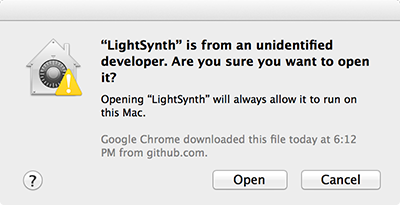
Finally, select **open** when this dialog appears:
## License
This code uses the MIT license, see the `LICENSE` file.