https://github.com/danielmartensson/camera-reporter
Camera reporter with mail feature. This project uses the Darknet library for identify objects. It also uses Spring Boot to handle the web service and mail
https://github.com/danielmartensson/camera-reporter
darknet java yolo
Last synced: over 1 year ago
JSON representation
Camera reporter with mail feature. This project uses the Darknet library for identify objects. It also uses Spring Boot to handle the web service and mail
- Host: GitHub
- URL: https://github.com/danielmartensson/camera-reporter
- Owner: DanielMartensson
- License: mit
- Created: 2020-08-31T15:32:30.000Z (almost 6 years ago)
- Default Branch: master
- Last Pushed: 2021-06-23T10:56:33.000Z (about 5 years ago)
- Last Synced: 2025-01-11T10:19:35.968Z (over 1 year ago)
- Topics: darknet, java, yolo
- Language: Java
- Homepage:
- Size: 87.1 MB
- Stars: 5
- Watchers: 2
- Forks: 0
- Open Issues: 0
-
Metadata Files:
- Readme: README.md
- License: LICENSE
Awesome Lists containing this project
README
# Camera Reporter
This projects handels intelligent monitoring. It uses Darknet AI to classify objects from a USB camera picture, or embedded web cam inside a laptop.
If a object is identified, then this web application and send a mail e.g alarm mail with a message to a specific user. Very usefull if you want to have
a specific alarm and not just a regular alarm.
Use this software if you want handel intelligent monitoring for security.
# Features
- Mail service
- Object identification
- Mobile and tablet suitable
- Login screen with password requirement
- Database storage for emails and messages
# Pictures
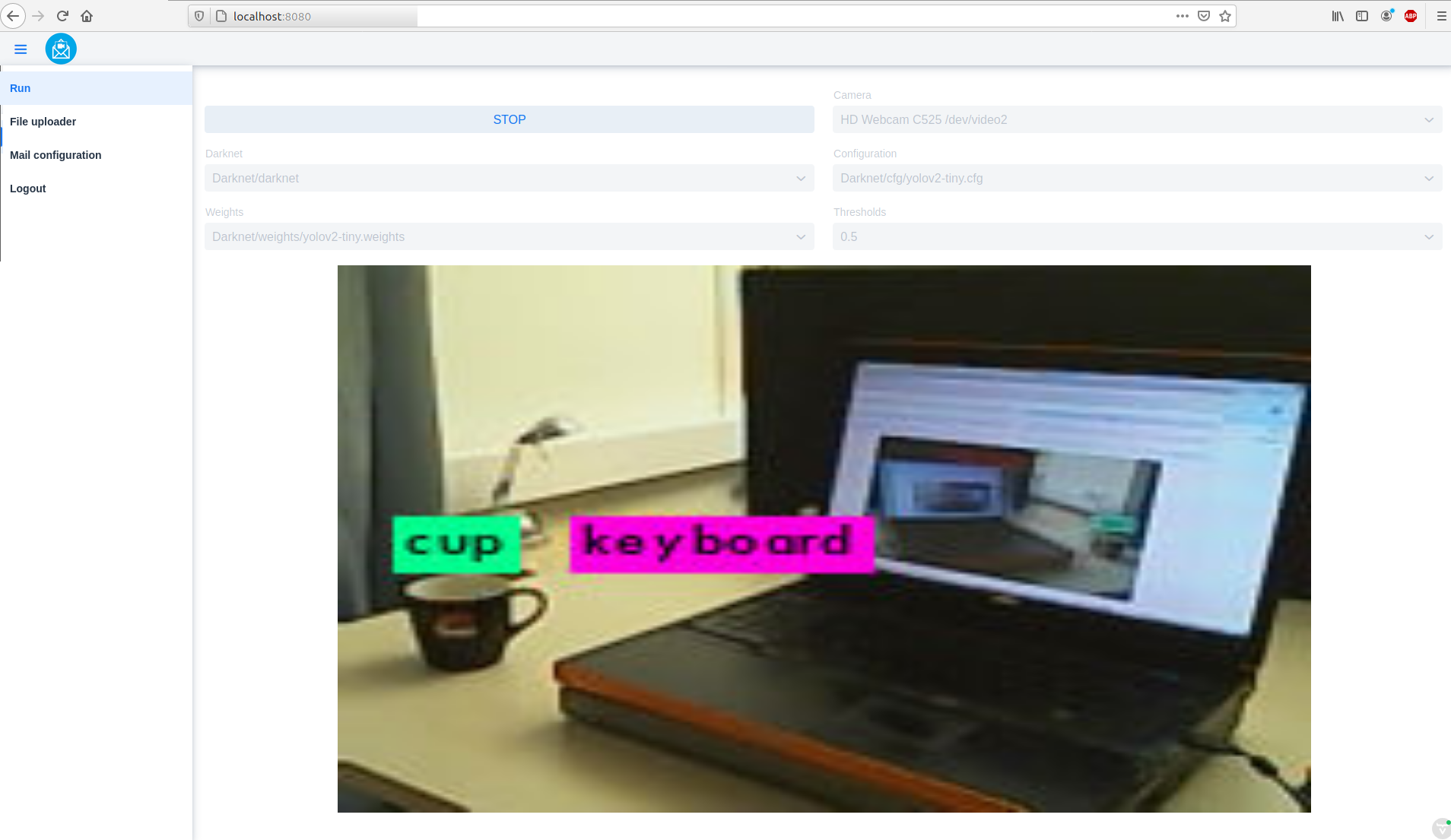
My desktop with a poor old Dell Precision M6400 from 2007. Yes, it works but it's about 2 seconds delay per image for `Yolov4-tiny` model.
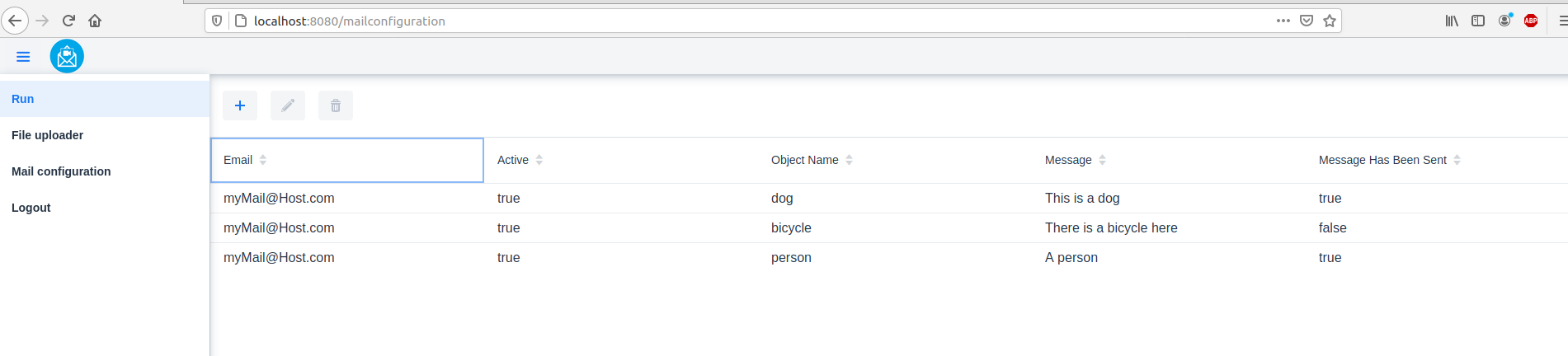
Mail configuration and message
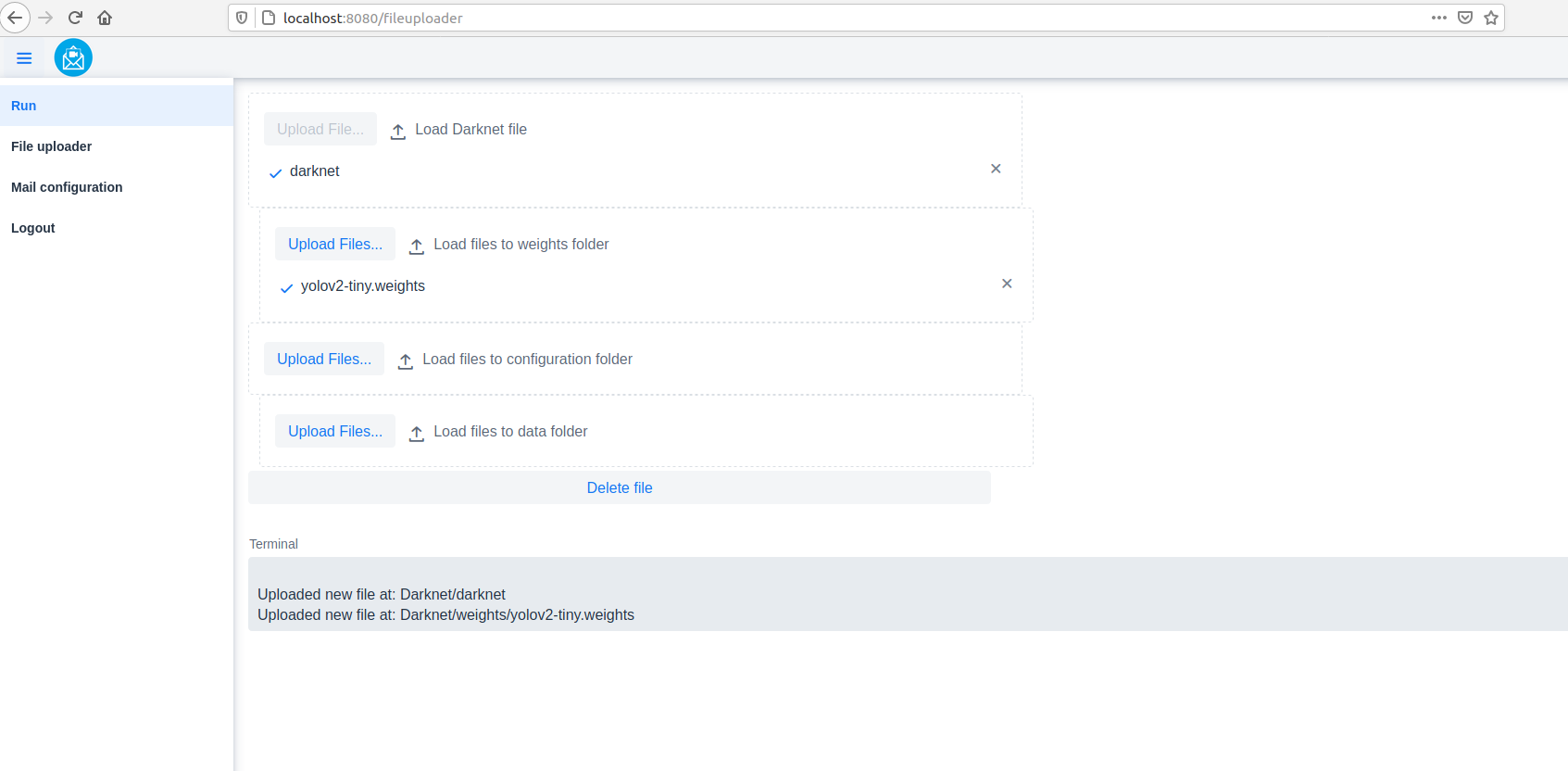
Darknet files upload
# How to install - Ubuntu user
1. Install Java 11, Maven, NodeJS
Java 11
```
sudo apt-get install openjdk-11-jdk
```
Maven
```
sudo apt-get install maven
```
NodeJS - This is used if you want to work on this project. If you only want to run this project, you don't need NodeJS.
```
curl -sL https://deb.nodesource.com/setup_14.x | sudo -E bash -
sudo apt-get install -y nodejs
```
2. Begin first to install MySQL Community Server
```
sudo apt-get install mysql-server
```
3. Then create a user e.g `myUser` with the password e.g `myPassword`
Login and enter your `sudo` password or mysql `root` password
```
sudo mysql -u root -p
```
Create user with the host `%` <-- That's important if you want to access your server from other computers.
```
CREATE USER 'myUser'@'%' IDENTIFIED BY 'myPassword';
```
Set the privileges to that user
```
GRANT ALL PRIVILEGES ON *.* TO 'myUser'@'%';
```
4. Change your MySQL server so you listening to your LAN address
Open this file
```
/etc/mysql/mysql.conf.d/mysqld.conf
```
And change this
```
bind-address = 127.0.0.1
```
To your LAN address where the server is installed on e.g
```
bind-address = 192.168.1.34
```
Then restart your MySQL server
```
sudo /etc/init.d/mysql restart
```
If you don't know your LAN address, you can type in this command in linux `ifconfig` in the terminal
5. Create a Gmail account
Create a Gmail account and go to `https://myaccount.google.com/security` and enable so you can login from `less secure apps`.
Because `Camera-Reporter` uses `Java Mail` to logg into Gmail. This feature exist because if `Camera-Reporter` is on the fly over a
night and something happens, then it will stop everything and send a message back to you.
6. Create Ramdisk for `Darknet` folder
We need to save our prediction pictures and camera pictures here on RAM memory so we won't harm the harddrive.
Create a 200 megabyte Ramdisk for two pictures if you using `Yolo V4 Tiny`. When applied `Yolo V4 Tiny`, then you will have about 80 megabytes left.
Every time you stard the prediction, then this `Camera-Reporter` will copy `Darknet` folder to `/mnt/ramdisk`
Do the following:
```
sudo mkdir /mnt/ramdisk
sudo mount -t tmpfs -o rw,size=200M tmpfs /mnt/ramdisk
df -h
```
Add a Ramdisk automatically at startup
Write
```
sudo nano /etc/fstab
```
Then paste this line at the bottom
```
tmpfs /mnt/ramdisk tmpfs rw,size=200M 0 0
```
Now press `Ctrl> + X` and then press `y` and then press `Enter` to save the file.
If you want to unmount `ramdisk` folder
```
sudo umount /mnt/ramdisk
```
7. Download `Camera-Reporter`
Download the `Camera-Reporter` and change the `application.properties` in the `/src/main/resources` folder.
Here you can set the configuration for your database LAN address, user and password. You can also set a gmail address and its
password.
```
# Database
spring.jpa.show-sql=true
spring.jpa.hibernate.ddl-auto=update
spring.jpa.properties.hibernate.dialect=org.hibernate.dialect.MySQL5Dialect
spring.datasource.url=jdbc:mysql://yourServerIP:3306/CameraReporter?createDatabaseIfNotExist=true&serverTimezone=CET
spring.datasource.username=myUser
spring.datasource.password=myPassword
#Upload
spring.servlet.multipart.max-file-size=500MB
spring.servlet.multipart.max-request-size=500MB
# Mail - Transmitter
mail.host=smtp.gmail.com
mail.port=587
mail.username=yourGMailAddress@gmail.com
mail.password=yourGMailPassword
mail.properties.mail.smtp.auth=true
mail.properties.mail.smtp.starttls.enable=true
# Mail - Reciever
mail.subject = Camera Detection
# Login
spring.security.user.name=myUser
spring.security.user.password=myPassword
```
8. Run the project
Stand inside of the folder `Camera-Reporter` and write inside your terminal
```
mvn spring-boot:run -Pproduction
```
Now you can go to your web browser and type in the local IP address of the computer there you started this application.
9. Upload Darknet files
Go to https://github.com/AlexeyAB/darknet and download the sourcecode and follow the instructions how to compile under Linux. Then upload the `darknet`, `.data`, `.cfg`, `.weights`, `.names` files etc. to the `Darknet` folder inside this project.
There is a `YOLO 4 Tiny` already included so you can if you want just try this first and see if you get predictions before you doing it any more.
Notice that this `darknet` file included in this project is compiled under Lubuntu Linux 18.04 on a Dell Precision M6400 computer. It has no `GPU`, `CUDA`, `OPENCV`. Just default settings. You don't need OpenCV because this `Darknet` won't show the predictions.