https://github.com/danielpalme/wpfgraph
WpfGraph is a tool to create animations of graph algorithms using a WPF based 3D rendering engine.
https://github.com/danielpalme/wpfgraph
csharp graph-algorithms wpf
Last synced: over 1 year ago
JSON representation
WpfGraph is a tool to create animations of graph algorithms using a WPF based 3D rendering engine.
- Host: GitHub
- URL: https://github.com/danielpalme/wpfgraph
- Owner: danielpalme
- License: apache-2.0
- Created: 2017-04-02T11:00:24.000Z (over 9 years ago)
- Default Branch: main
- Last Pushed: 2022-01-04T12:22:12.000Z (over 4 years ago)
- Last Synced: 2025-03-24T16:45:52.050Z (over 1 year ago)
- Topics: csharp, graph-algorithms, wpf
- Language: C#
- Size: 86.9 KB
- Stars: 11
- Watchers: 3
- Forks: 4
- Open Issues: 0
-
Metadata Files:
- Readme: README.md
- License: LICENSE
Awesome Lists containing this project
README
# WpfGraph
WPFGraph is a tool to create animations of graph algorithms using a WPF based 3D rendering engine.
You can create a graph by adding nodes and edges to the UI simply by using your mouse.
Then you can execute a graph algorithm like Dijkstra on the created graph.
Additional information about the implementation can be found under [Resources](#resources).
Author: Daniel Palme
Blog: [www.palmmedia.de](http://www.palmmedia.de)
Twitter: [@danielpalme](http://twitter.com/danielpalme)
## Sample Animation
Watch a video of a sample animation:
[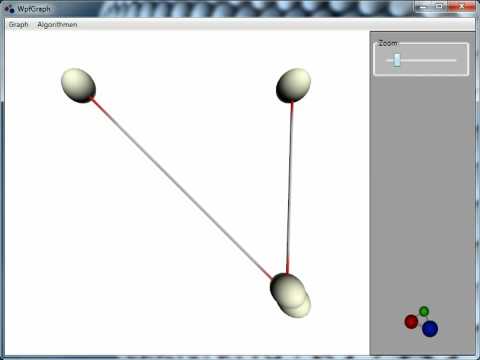](http://www.youtube.com/watch?v=wQJBQB-Ajdc "Sample animation")
## Usage
* By clicking on an empty area, a new node is created
* By clicking on two nodes within one second (not necessarily different nodes), a new edge is created
* By clicking at a node or edge, its properties can be edited in the panel on the right
* All graph algorithms can be executed by selecting the corresponding entry in the menu
## Implement custom graph algorithms
The application already contains several graph algorithms like [Dijkstra](https://github.com/danielpalme/WpfGraph/blob/master/WpfGraph.Ui/Algorithms/Dijkstra.cs) or [Kruskal](https://github.com/danielpalme/WpfGraph/blob/master/WpfGraph.Ui/Algorithms/SpanningTree/Kruskal.cs). To create your own algorithms, add a new class to the solution and implement the interface [IGraphAlgorithm](https://github.com/danielpalme/WpfGraph/blob/master/WpfGraph.Ui/Algorithms/IGraphAlgorithm.cs). After recompiling the solution, your algorithm will be listed in the menu.
Creating animations is quite simple, some extension methods make things even easier. In the following example, we add two nodes to the graph, then we flash the two nodes for 3 seconds. After the flashing is finished, both nodes are moved to another position.
```csharp
public void Execute(IGraph graph)
{
graph.Clear();
this.node1 = graph.AddNode(new NodeData(new Point3D(0, 25, 0)));
this.node2 = graph.AddNode(new NodeData(new Point3D(0, -25, 0)));
this.graph.AddEdge(this.node1, this.node2);
this.node1.Blink(3000);
this.node2.Blink(3000, this.Callback);
}
private void Callback()
{
this.node1.Move(new Point3D(25, 0, 0), 4000);
this.node2.Move(new Point3D(-25, 0, 0), 4000);
}
```
## Resources
* http://www.codeproject.com/KB/WPF/WPFGraphAnimation.aspx
* http://www.palmmedia.de/Blog/2009/12/29/wpf-animation-of-graph-algorithms-part-1
* http://www.palmmedia.de/Blog/2009/12/29/wpf-animation-of-graph-algorithms-part-2