https://github.com/danielsss/embed-viewer
This tool is used for converting XMind file to html and view pages via Github.
https://github.com/danielsss/embed-viewer
Last synced: 4 months ago
JSON representation
This tool is used for converting XMind file to html and view pages via Github.
- Host: GitHub
- URL: https://github.com/danielsss/embed-viewer
- Owner: danielsss
- License: mit
- Created: 2021-07-08T07:48:09.000Z (almost 5 years ago)
- Default Branch: main
- Last Pushed: 2022-12-16T12:55:24.000Z (over 3 years ago)
- Last Synced: 2025-12-06T18:25:19.683Z (6 months ago)
- Language: TypeScript
- Homepage:
- Size: 21.1 MB
- Stars: 18
- Watchers: 1
- Forks: 9
- Open Issues: 2
-
Metadata Files:
- Readme: README.md
- License: LICENSE
Awesome Lists containing this project
README


[](https://ci.appveyor.com/project/danielsss/embed-viewer/branch/main)
[](https://codecov.io/gh/danielsss/embed-viewer)
# embed-viewer
The `embed-viewer` is used for converting XMind file to html and viewing pages via GitHub.
It will scan all the `*.xmind` file from your local `Git Repository` automatically. After that,
the original file will be compiled as a format in `html` and then, you can deploy the `Pages` via `Github`.
# Requirements
* Node.js >= 8.0.0
# Supported System
| Name | Supported |
|:----:|:--------: |
| Linux | Y |
| MacOS | Y |
| Win32 | Y |
# Example
* [Github Page](https://danielsss.github.io/embed-viewer)
# Install
```shell
npm i --save-dev embed-viewer
```
# Usage
* Switch to your local project directory
```shell
cd $project
```
* Generate GitHub Pages
```shell
viewer -i . -o ./docs -p -e dist,src -t MyTitle -l https://logo.com/logo.svg
```
> Commit the `docs` directory to your git repository
# Setup GitHub Repository
1. Visit your `GitHub` repository.
2. Click `Settings`.
3. Click `Pages`.
4. Select the `branch` name and the `folder` name.
> You can access your `GitHub Pages` after all the operations.
# More Information
```shell
viewer --help
Usage: viewer -i . -o ./docs/pages -f -e node_modules,src,...
This tool is used for converting "*.xmind" file to Gitlab pages
Options:
-t, --title specify the page title (default: "Embed Viewer")
-i, --input the "*.xmind" source folder
-o, --output the output folder where the converted pages are stored
-p, --purge purge the target folder before output pages
-e, --excludes specify folder that will excluded during the process of scanning (default: "node_modules")
-l, --logo specify the logo address
-V, --version output the version number
-h, --help display help for command
```
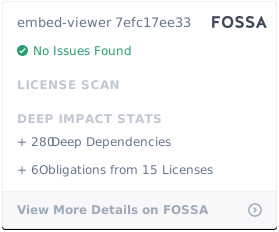
# LICENSE
[](https://app.fossa.com/projects/git%2Bgithub.com%2Fdanielsss%2Fembed-viewer?ref=badge_large)