https://github.com/danielzotti/new.danielzotti.it
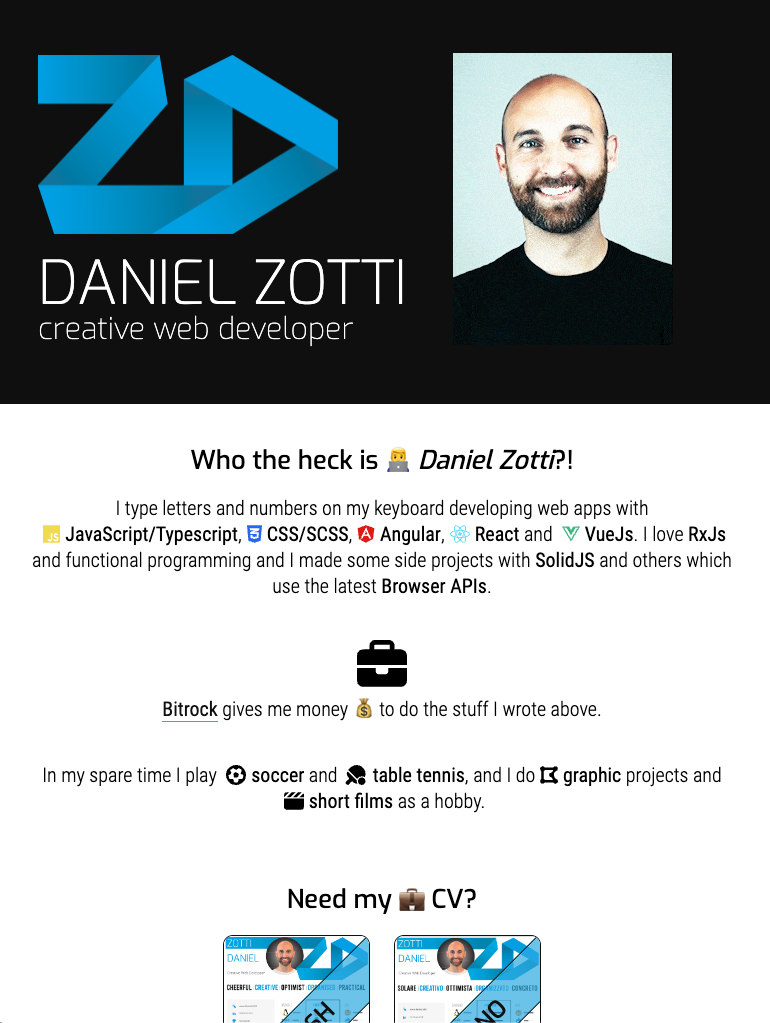
My personal website (version 2023) with curriculum, skills, portfolio and blog. Developed in NextJS 14, PWA and SSG + Docker + GitLab CI
https://github.com/danielzotti/new.danielzotti.it
blog gitlab-ci nextjs pwa react scss ssg ssr typescript website
Last synced: 3 months ago
JSON representation
My personal website (version 2023) with curriculum, skills, portfolio and blog. Developed in NextJS 14, PWA and SSG + Docker + GitLab CI
- Host: GitHub
- URL: https://github.com/danielzotti/new.danielzotti.it
- Owner: danielzotti
- Created: 2023-05-04T15:03:19.000Z (about 3 years ago)
- Default Branch: github
- Last Pushed: 2025-03-06T12:40:28.000Z (over 1 year ago)
- Last Synced: 2025-03-06T13:28:02.070Z (over 1 year ago)
- Topics: blog, gitlab-ci, nextjs, pwa, react, scss, ssg, ssr, typescript, website
- Language: TypeScript
- Homepage: https://www.danielzotti.it
- Size: 52 MB
- Stars: 1
- Watchers: 2
- Forks: 1
- Open Issues: 0
-
Metadata Files:
- Readme: README.md
Awesome Lists containing this project
README
# My personal website <3
This is the new 2023 version built with [~~NextJs 14~~ NextJs 16](https://nextjs.org/)
and [`create-next-app`](https://github.com/vercel/next.js/tree/canary/packages/create-next-app).
## DISCLAIMER
The website itself (the NextJs code) is really basic, and I haven't spent too much time on that. I write code better
than that, I swear! 😇
I also use this website for testing and trying new technologies (which can be found in the next chapter).
**_Please don't try to hack my website ❤️_**
## The technologies I've used:
- NextJs 16 (React 19) ~~NextJs 15~~ ~~NextJs 14~~ ~~NextJs 13.3 (with `app` folder)~~
- Docker
- GitLab CI
- SSR
- SSG
- PWA (+ offline mode)
## TL;DR
- Local development (**without docker**) with "classic" NextJS CLI
- `npm run dev` aka `next dev`
- Local development: on every change to code, it refreshes
- `npm run docker:start:local`
## Steps to create & run the project
- `nvm use`: it uses the version written in `.nvmrc` file (v20.0.0)
- `npx create-next-app@latest`
- `npm install` (see `package.json` for dependencies)
- `npm run dev`
- Open [http://localhost:3087](http://localhost:3087)
## Roadmap
- [x] Home page
- [x] Introduction
- [x] Social links
- [x] CV download
- [x] Sections
- [x] Blog
- [x] Projects
- [x] Selected open source repo from GitHub
- [x] Font Awesome Icons
- [x] PWA (only if the user install the PWA)
- [x] 404 page ~~(workaround using `pages` folder since `app` folder doesn't support it yet)~~
- [x] Cookie manager
- [x] Google Analytics
- [x] CSS variables instead of SCSS
- [x] Theme dark/light
- [x] Syntax Highlight for code
- [x] Sort articles by date ASC
- [x] Offline status (with desaturated colors and images)
- [ ] Improve accessibility
- [ ] Transparent navbar on top in Home Page
- [ ] Improve Open source section with preview in teasers
- [ ] Filter articles by category
- [ ] New UI graphic
## Thanks to
### Dependencies
- [gray-matter](https://github.com/jonschlinkert/gray-matter): read metadata from a Markdown file
- [markdown-to-jsx](https://www.npmjs.com/package/markdown-to-jsx): convert Markdown to HTML
- [octokit](https://github.com/octokit): SDK for GitHub API
- [FontAwesome](https://fontawesome.com/): Icon fonts
- [qrcode-svg](https://github.com/papnkukn/qrcode-svg): QR Code generator
- [react-syntax-highlighter](https://github.com/react-syntax-highlighter): Code Syntax Highlighter
- [next-pwa](https://github.com/shadowwalker/next-pwa): PWA plugin based
on [workbox](https://developer.chrome.com/docs/workbox/)
### Blog articles
- [Analytics with Next.js 13](https://dev.to/sdorra/analytics-with-nextjs-13-1hhi)
- [How to setup Google Tag Manager in a Next 13 App Router website](https://dev.to/valse/how-to-setup-google-tag-manager-in-a-next-13-app-router-website-248p)
- [Using :root in CSS modules](https://github.com/vercel/next.js/discussions/17089)