https://github.com/danvk/webdiff
Two-column web-based git difftool
https://github.com/danvk/webdiff
diff git-difftool image-diffs
Last synced: about 1 year ago
JSON representation
Two-column web-based git difftool
- Host: GitHub
- URL: https://github.com/danvk/webdiff
- Owner: danvk
- License: apache-2.0
- Created: 2014-06-26T19:40:43.000Z (about 12 years ago)
- Default Branch: main
- Last Pushed: 2025-02-17T16:38:57.000Z (over 1 year ago)
- Last Synced: 2025-05-15T13:07:53.082Z (about 1 year ago)
- Topics: diff, git-difftool, image-diffs
- Language: TypeScript
- Size: 4.14 MB
- Stars: 281
- Watchers: 15
- Forks: 39
- Open Issues: 38
-
Metadata Files:
- Readme: README.md
- Changelog: CHANGELOG
- Funding: .github/FUNDING.yml
- License: LICENSE
Awesome Lists containing this project
README
# git webdiff
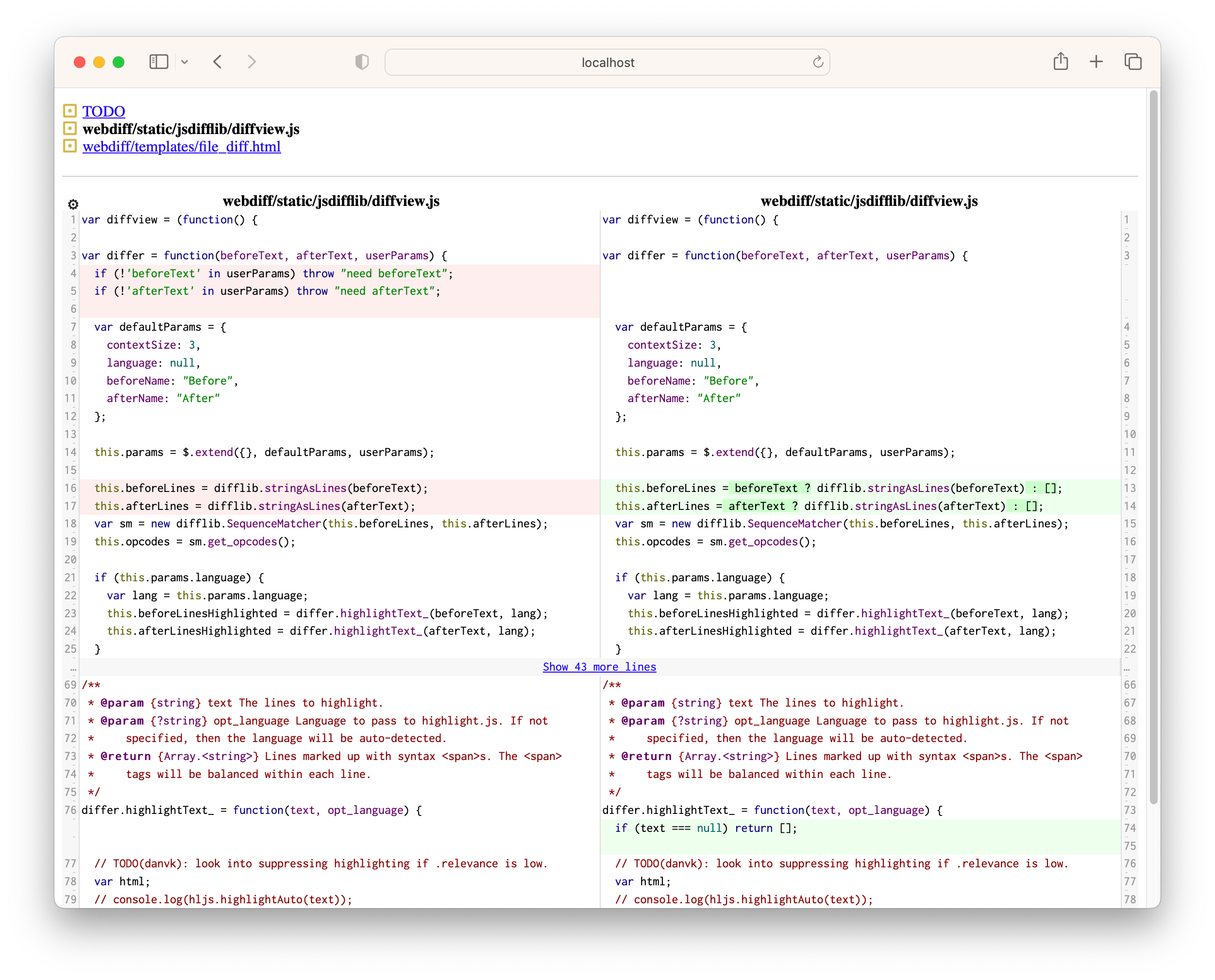
Two-column web-based git difftool.




Features include:
* Side-by-side (two column) diff view
* Runs in the browser of your choice on any platform.
* Syntax highlighting via highlight.js
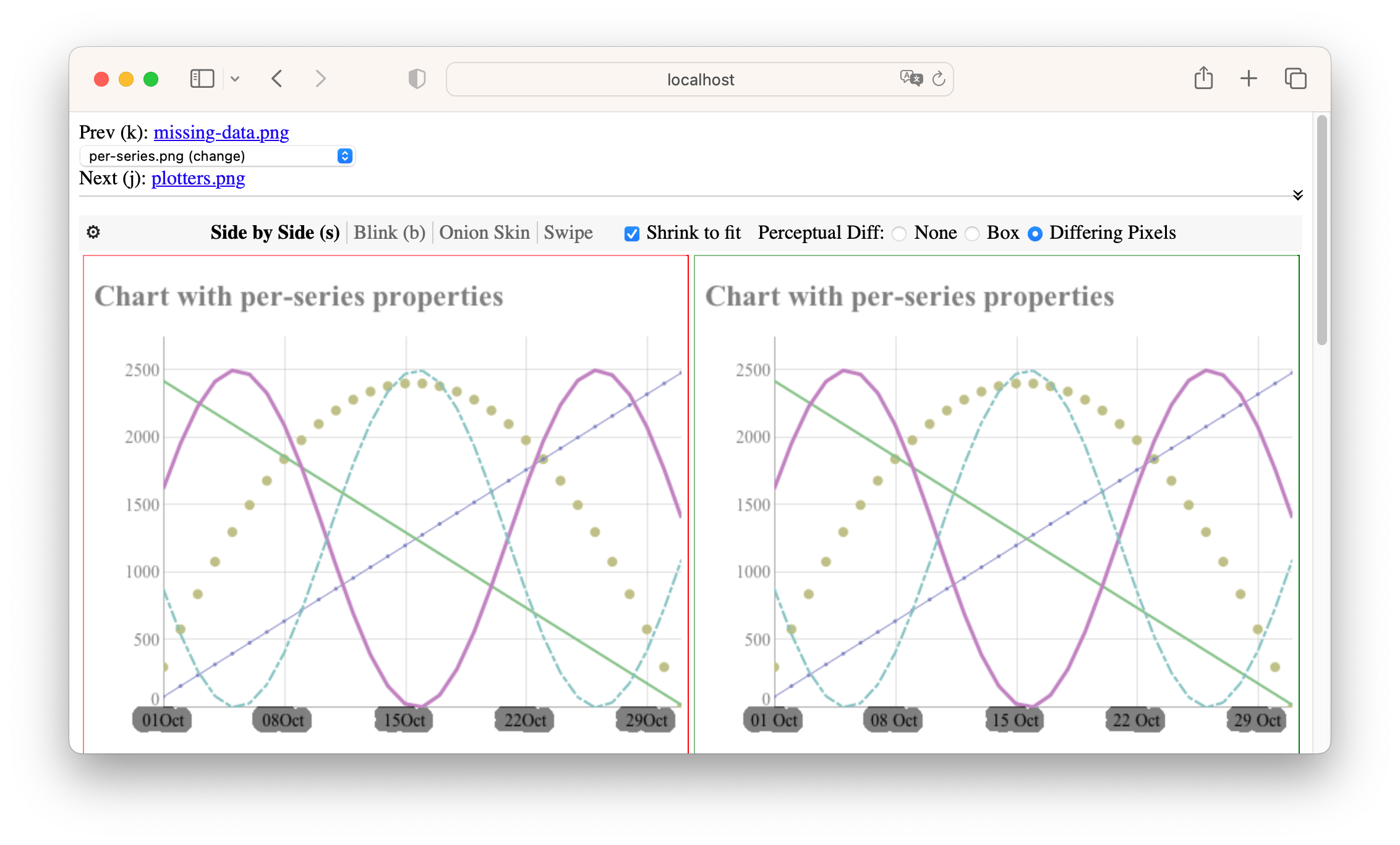
* Step back and forth through multiple files in a single diff
* Rich support for image diffs
## Installation
pip install webdiff
or, if you prefer [Homebrew]:
brew install danvk/webdiff/webdiff
(the latter will also install [ImageMagick] as a recommended dependency.)
## Usage
Instead of running "git diff", run:
git webdiff
You can also start webdiff via:
git webdiff [args]
You can pass all the same arguments that you would to `git diff`, e.g.
`1234..5678` or `HEAD`.
`webdiff` can also be invoked directly to diff two directories or files:
webdiff
webdiff
You can also use `webdiff` to view GitHub pull requests:
webdiff https://github.com/owner/repo/pull/123
webdiff '#150' # if you're in a git repo with a github remote
This will download the files relevant to the Pull Request and run `webdiff`.
If you run into GitHub API quota limits or you'd like to use webdiff with
private repos, you can set your credentials in a `.githubrc` file:
user.login: yourusername
user.token: your-personal-access-tokens
Make sure you chmod this file to only be readable by yourself. You can generate
a personal access token for webdiff via github.com → profile → Settings →
Personal access tokens. Make sure to grant all the "repo" privileges.
You can also use `git webshow` in place of `git show` to show a single commit:
git webshow HEAD
`git webshow REF` is shorthand for `git webdiff REF^..REF`.
## Configuration
webdiff can be configured via [`git config`][git config]. To change the syntax highlighting theme, for example:
git config webdiff.theme rainbow
(You can find a list of supported themes in the [themes] directory.)
As with any git configuration setting, these can be set globally or per-repo.
Options are:
| Setting | Default | Notes |
| -------------- | ------------- | ------ |
| webdiff.theme | googlecode | Syntax highlighting theme (see [themes] directory). |
| webdiff.port | -1 | Port on which to serve webdiff. Default is random open port. This can be overridden with the `--port` command line flag or the `WEBDIFF_PORT` environment variable. |
| webdiff.host | localhost | Host name on which to serve the webdiff UI. Use `0.0.0.0` to serve publicly. The special value `` uses your computer's network name. This can be overridden with the `--host` command line flag or the `WEBDIFF_HOST` environment variable. |
| webdiff.maxDiffWidth | 100 | Maximum length of lines in the diff display. After this width, lines will wrap. |
| webdiff.unified | 8 | Lines of context to display by default (`git diff -U`) |
| webdiff.extraDirDiffArgs | "" | Any extra arguments to pass to `git diff` when diffing directories. |
| webdiff.extraFileDiffArgs | "" | Any extra arguments to pass to `git diff` when diffing files. |
| webdiff.openBrowser | true | Whether to automatically open the browser UI when you run webdiff. |
| webdiff.maxLinesForSyntax | 10000 | Maximum lines in file to do syntax highlighting. |
| webdiff.colors.delete | #fee | CSS background color for delete (left) lines |
| webdiff.colors.insert | #efe | CSS background color for insert (right) lines |
| webdiff.colors.charDelete | #fcc | CSS background color for deleted characters in a delete (left) line |
| webdiff.colors.charInsert | #cfc | CSS background color for inserted characters in an insert (right) line |
## Development
poetry install
cd ts
yarn
# see https://github.com/webpack/webpack/issues/14532
NODE_OPTIONS=--openssl-legacy-provider webpack
Then from the root directory:
poetry run webdiff/app.py testdata/dygraphsjs/{left,right}
or to launch in debug mode:
./test.sh $(pwd)/testdata/manyfiles/{left,right}
(or any other directory in testdata)
To run the Python tests:
poetry run pytest
To format the code, run:
poetry run ruff format
cd ts
yarn prettier
To debug `git webdiff`, run:
./test-gitwebdiff.sh
## Publishing
To iterate on the PyPI package, run:
pip3 uninstall webdiff
poetry build
pip3 install dist/webdiff-?.?.?.tar.gz
To publish to pypitest:
poetry build
poetry publish -r testpypi
And to the real pypi:
poetry publish
See [pypirc][] and [poetry][] docs for details on setting up tokens for pypi.
Publication checklist. Do these from _outside_ the webdiff directory:
- Run `webdiff webdiff/testdata/.../{left,right}`
- Run `git webdiff 52aa15f^..52aa15f` in the codediff.js repo
- Run `git webshow 52aa15f` from the codediff.js repo (should be same as previous command)
- Run `webdiff https://github.com/danvk/webdiff/pull/160`
## Implementation notes
webdiff doesn't calculate any diffs itself. Instead, it relies on `git diff`. This is possible because `git diff` has a `--no-index` mode that allows it to operate outside of a git repository. Of course, this means that you need to have `git` installed to use webdiff!
When you run `webdiff dir1 dir2`, webdiff runs:
git diff --raw --no-index dir1 dir2
To ask `git` which files are adds, removes, renames and changes. Then, when it's serving the web UI for a particular diff, it runs:
git diff --no-index (diff args) file1 file2
This produces a patch, which is what the web UI renders. (It also needs both full files for syntax highlighting.)
When you run `git webdiff (args)`, it runs:
git difftool -d -x webdiff (args)
This tells `git` to set up two directories and invoke `webdiff leftdir rightdir`.
There's one complication involving symlinks. `git difftool -d` may fill one of the sides (typically the right) with symlinks. This is faster than copying files, but unfortunately `git diff --no-index` does not resolve these symlinks. To make this work, if a directory contains symlinks, webdiff makes a copy of it before diffing. For file diffs, it resolves the symlink before passing it to `git diff --no-index`. The upshot is that you can run `git webdiff`, edit a file, reload the browser window and see the changes.
[pypirc]: https://packaging.python.org/specifications/pypirc/
[Homebrew]: https://brew.sh/
[ImageMagick]: https://imagemagick.org/index.php
[git config]: https://git-scm.com/docs/git-config
[themes]: http://example.com
[poetry]: https://python-poetry.org/docs/repositories/#publishable-repositories