https://github.com/darshanas17/coin-toss-game-react
A simple and interactive React.js game where users can flip a virtual coin and track results dynamically. The game features random toss outcomes, real-time scoreboard updates, and a clean UI. 🚀
https://github.com/darshanas17/coin-toss-game-react
css es6-modules game html javascript reactsjs state-management
Last synced: 3 months ago
JSON representation
A simple and interactive React.js game where users can flip a virtual coin and track results dynamically. The game features random toss outcomes, real-time scoreboard updates, and a clean UI. 🚀
- Host: GitHub
- URL: https://github.com/darshanas17/coin-toss-game-react
- Owner: Darshanas17
- Created: 2025-03-26T03:40:59.000Z (over 1 year ago)
- Default Branch: main
- Last Pushed: 2025-03-26T03:49:53.000Z (over 1 year ago)
- Last Synced: 2025-03-26T04:35:16.246Z (over 1 year ago)
- Topics: css, es6-modules, game, html, javascript, reactsjs, state-management
- Language: JavaScript
- Homepage: https://darshanas17.github.io/Coin-Toss-Game-React/
- Size: 0 Bytes
- Stars: 0
- Watchers: 1
- Forks: 0
- Open Issues: 0
-
Metadata Files:
- Readme: README.md
Awesome Lists containing this project
README
# Coin Toss Game
A fun and interactive **Coin Toss Game** built using React.js, where users can toss a virtual coin and track the results.
## 🚀 Live Demo
[Click Here to View the Game](https://darshanas17.github.io/Coin-Toss-Game-React/)
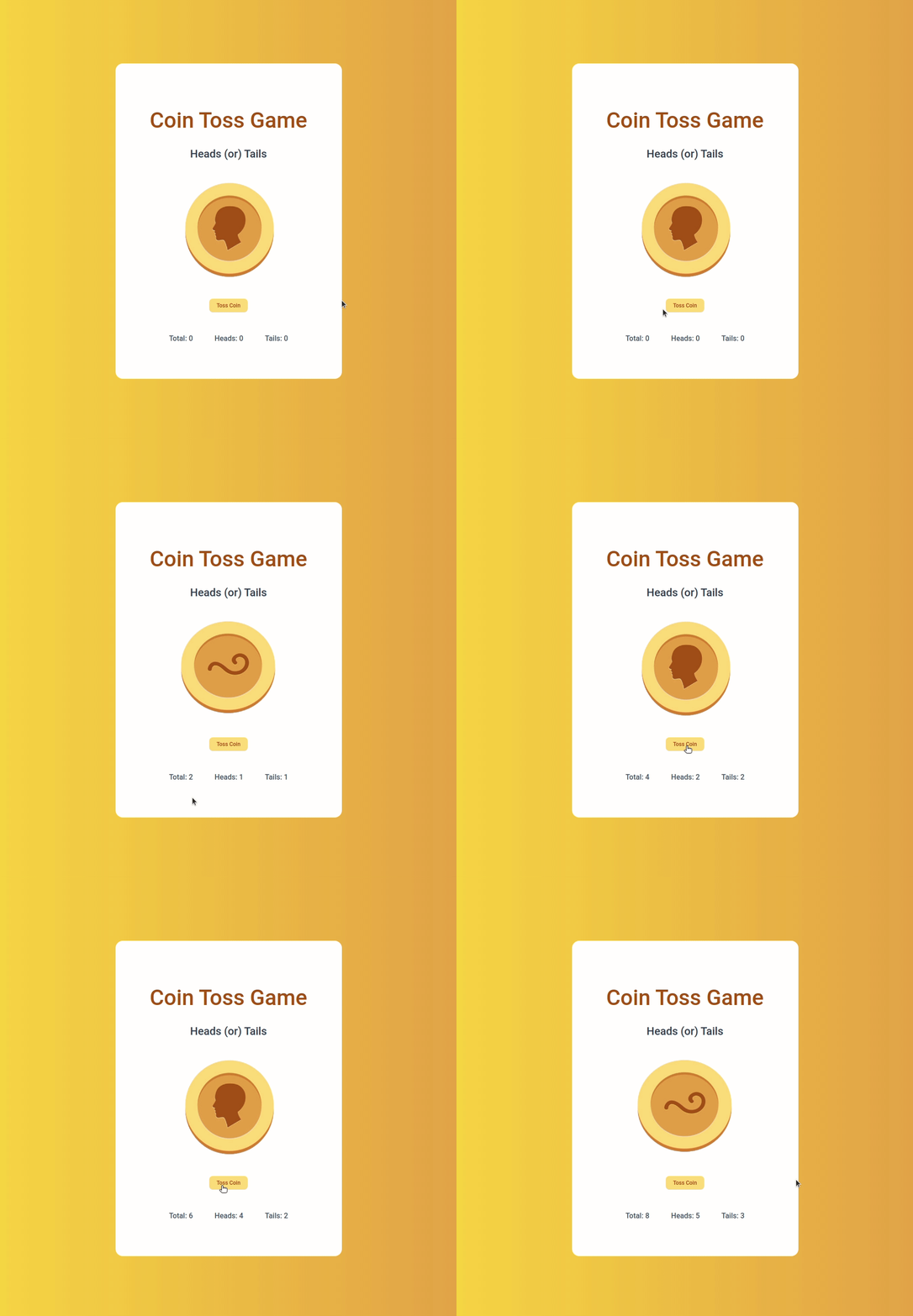
## 📸 Preview
---
## 🎯 Features
- **Coin Toss Simulation:** Click the "Toss Coin" button to flip the coin
- **Random Toss Result:** Uses JavaScript's `Math.random()` to determine heads or tails
- **Scoreboard:** Tracks the total number of tosses, heads, and tails count
- **Dynamic Image Update:** Displays the respective coin image based on toss results
---
## 🛠️ Installation & Setup
1. Clone the repository:
```sh
git clone https://github.com/Darshanas17/Coin-Toss-Game-React.git
cd coin-toss-game
```
2. Install dependencies:
```sh
npm install
```
3. Run the application:
```sh
npm start
```
---
## 📝 Implementation Details
### **Technologies Used**
- React.js
- CSS (for styling)
- JavaScript (ES6+)
### **File Structure**
```
├── src
│ ├── components
│ │ ├── CoinToss
│ │ │ ├── index.js
│ │ │ ├── index.css
│ ├── App.js
│ ├── index.js
├── package.json
```
---
## 🎮 How to Play?
1. Click on the **Toss Coin** button
2. The app randomly determines whether it's **Heads** or **Tails**
3. The corresponding coin image appears
4. The **Heads, Tails, and Total Counts** are updated dynamically
---
## 📂 Resources
### **Colors Used**
- `#e2a139` (Gold)
- `#f9d423` (Bright Yellow)
- `#ffffff` (White)
- `#a35200` (Dark Orange)
- `#334155` (Grayish Blue)
- `#475569` (Dark Blue Gray)
---
## 📜 License
This project is licensed under the **MIT License**.
---
## 🤝 Contributing
Feel free to fork and contribute to this project.
1. Fork the repository
2. Create a new branch (`feature/your-feature`)
3. Commit your changes
4. Push to the branch
5. Open a Pull Request