https://github.com/dashboardpack/architectui-react-theme-free
ArchitectUI React admin template is a simple yet fully customizable admin dashboard for web apps and other software.
https://github.com/dashboardpack/architectui-react-theme-free
admin admin-dashboard adminpanel admintemplate react reactjs theme
Last synced: over 1 year ago
JSON representation
ArchitectUI React admin template is a simple yet fully customizable admin dashboard for web apps and other software.
- Host: GitHub
- URL: https://github.com/dashboardpack/architectui-react-theme-free
- Owner: DashboardPack
- License: mit
- Created: 2019-01-13T08:33:51.000Z (over 7 years ago)
- Default Branch: master
- Last Pushed: 2025-02-24T13:33:49.000Z (over 1 year ago)
- Last Synced: 2025-04-04T03:09:32.681Z (over 1 year ago)
- Topics: admin, admin-dashboard, adminpanel, admintemplate, react, reactjs, theme
- Language: JavaScript
- Homepage: https://dashboardpack.com/theme-details/architectui-dashboard-react-pro/
- Size: 11.4 MB
- Stars: 132
- Watchers: 5
- Forks: 110
- Open Issues: 21
-
Metadata Files:
- Readme: README.md
- Changelog: Changelog.md
- License: LICENSE
Awesome Lists containing this project
README
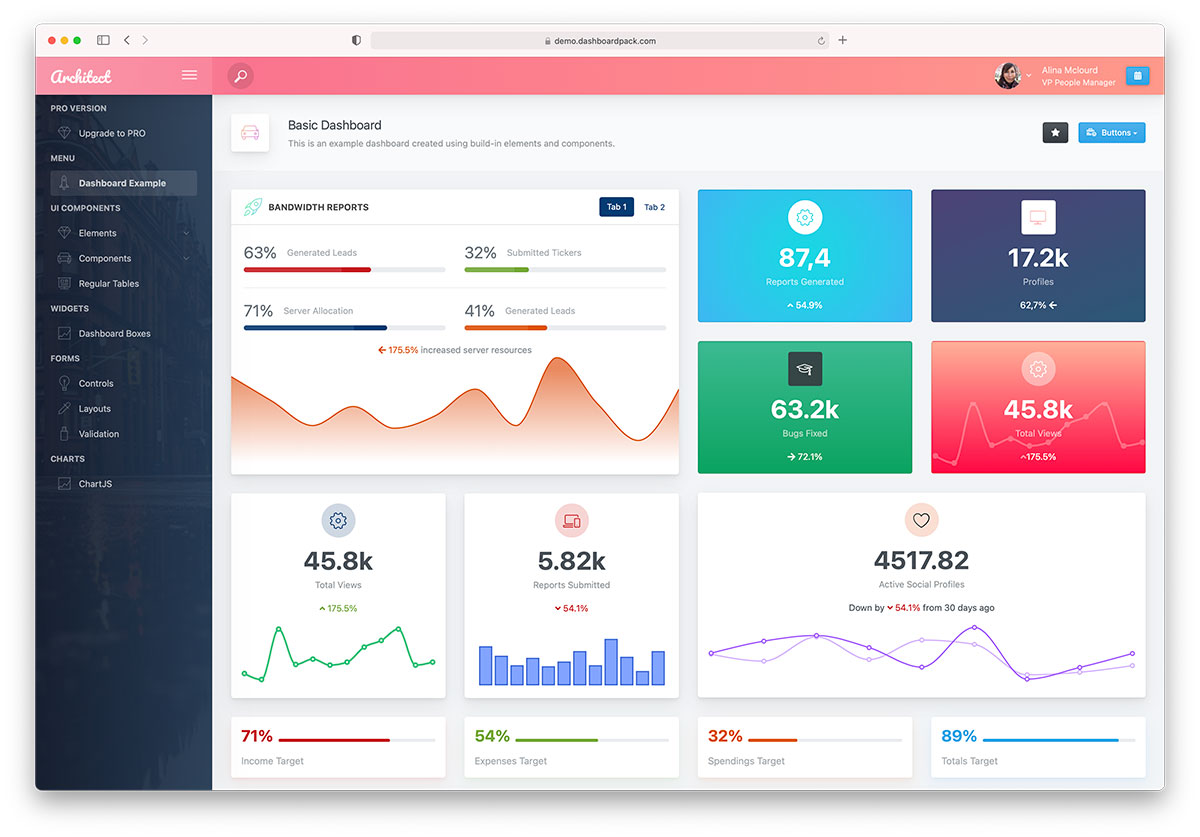
# ArchitectUI Bootstrap 5 ReactJS Theme FREE
ArchitectUI ReactJS is a free admin dashboard template based on Bootstrap and React frontend framework. It is easy to install, customiza and use. We have this template available in [Vue](https://dashboardpack.com/theme-details/architectui-dashboard-vue-pro/), [jQuery/HTML](https://dashboardpack.com/theme-details/architectui-dashboard-html-pro), [Angular](https://dashboardpack.com/theme-details/architectui-angular-7-bootstrap-material-design-pro?v=7516fd43adaa) and other version. For more awesome admin panels please check DashboardPack.com
### Made with love by DashboardPack.com
## PRO Version Available [here](https://dashboardpack.com/theme-details/architectui-dashboard-react-pro)
## ArchitectUI ReactJS Preview
## Installation
Download and Uncompress the theme package archive in your desired folder location.
Download and install Node.js LTS from https://nodejs.org/en/download/
```bash
npm install
```
After npm finishes installing the modules from package.json you can go ahead and start the application. To do so, run the command below.
```bash
npm run start
```
After the command finished, you should see a Compiled successfully! message in your terminal window. Also, a web server service will be started so you can view your app in the browser: http://localhost:3000
To create a production optimized build run the command below:
```bash
npm run build
```
This created another folder in the root of your project named build. You'll have an option to start a local web server to view your newly created production build.
```bash
npx serve -s build -l 4000
```
This will start a local web server on port 4000, on which the production folder (/build/) will be available in your browser.