https://github.com/daskycodes/bird_app
An IoT Birdhouse with Elixir Nerves & Phoenix LiveView Components
https://github.com/daskycodes/bird_app
Last synced: 8 months ago
JSON representation
An IoT Birdhouse with Elixir Nerves & Phoenix LiveView Components
- Host: GitHub
- URL: https://github.com/daskycodes/bird_app
- Owner: daskycodes
- Created: 2021-07-27T10:17:57.000Z (almost 5 years ago)
- Default Branch: master
- Last Pushed: 2021-07-27T10:18:11.000Z (almost 5 years ago)
- Last Synced: 2025-09-22T10:44:42.364Z (9 months ago)
- Language: Elixir
- Homepage: https://dev.to/dasky/an-iot-birdhouse-with-elixir-nerves-phoenix-liveview-components-5cb2
- Size: 213 KB
- Stars: 7
- Watchers: 1
- Forks: 2
- Open Issues: 2
-
Metadata Files:
- Readme: README.md
Awesome Lists containing this project
README
# Birdhouse
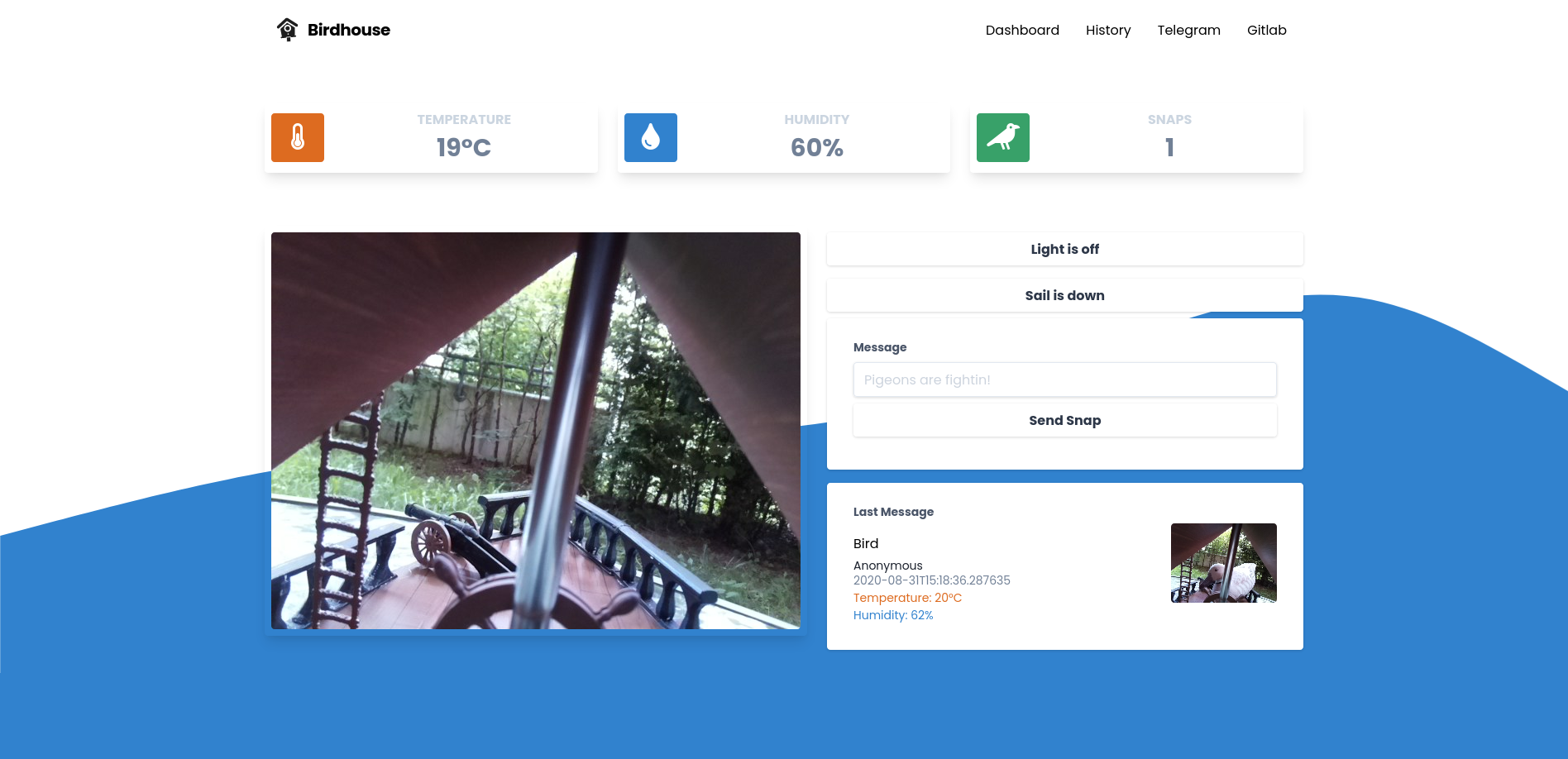
## Hardware needed
We are using the following hardware for our birdhouse:
- Raspberry Pi 3
- Raspberry Pi Camera V2
- A simple LED connected to GPIO Pin 18 and GND
- A simple Servo motor connected to GPIO Pin 23, 5V and GND
- A DHT22 Temperature/Humidity sensor connected to GPIO Pin 4, 3.3V and GND
| | GND | 3.3V | 5V | GPIO |
|-------|-----|------|----|------|
| DHT22 | x | x | | 4 |
| Servo | x | | x | 23 |
| LED | x | | | 18 |
## Setup Elixir
To setup your development environment on either Mac, Linux or Windows head over to the official nerves documentation.
[Installation](https://hexdocs.pm/nerves/installation.html)
## Setup node.js
We do also need node.js for our UI.
[asdf-nodejs](https://github.com/asdf-vm/asdf-nodejs)
## Setup Project
1. Prepare your Phoenix project to build JavaScript and CSS assets:
These steps only need to be done once.
```bash
cd bird_app_ui
mix deps.get
npm install --prefix assets
```
2. Build your assets and prepare them for deployment to the firmware:
```bash
# Still in ui directory from the prior step.
# These steps need to be repeated when you change JS or CSS files.
npm install --prefix assets --production
npm run deploy --prefix assets
mix phx.digest
```
3. Change to the firmware app directory
```bash
cd ../bird_app_firmware
```
4. Specify your target and other environment variables as needed:
```bash
export MIX_TARGET=rpi3
export MIX_ENV=dev
# For the telegram bot functions
# export TELEGRAM_BOT_TOKEN=bot_token
# export TELEGRAM_CHAT_ID=chat_id
# export TELEGRAM_CHAT_URL=chat_url
#
# If you're using WiFi:
# export NERVES_NETWORK_SSID=your_wifi_name
# export NERVES_NETWORK_PSK=your_wifi_password
```
5. Set up the config
Configure the hardware pins and the ssh keys you want to use
```elixir
# bird_app/bird_app_firmware/config/target.exs
# ...
config :bird_app_hardware,
led_pin: 18,
dht_pin: 4,
servo_pin: 23
# ...
# ...
keys =
[
Path.join([System.user_home!(), ".ssh", "id_rsa.pub"]),
Path.join([System.user_home!(), ".ssh", "id_ecdsa.pub"]),
Path.join([System.user_home!(), ".ssh", "id_ed25519.pub"])
]
# ...
```
6. Get dependencies, build firmware, and burn it to a SD card:
```bash
mix deps.get
mix firmware
mix firmware.burn
```
7. Insert the SD card into your target board and connect the USB cable or otherwise power it on
8. Wait for it to finish booting (5-10 seconds)
9. Open a browser window on your host computer to http://nerves.local/ or ssh to the raspberry with `ssh nerves.local`
10. Now whenever you update the code you can also deploy the update via ssh
```bash
#create new firmware
cd bird_app_firmware
mix deps.get
mix firmware
mix upload
```
## Ready for production?
If you are ready to deploy to a production environment set your MIX_ENV environment variable to prod
```bash
export MIX_ENV=prod
```
And configure the domain and SSL configuration accordingly like in the following example:
```elixir
# bird_app/bird_app_firmware/config/target.exs
# ...
config :bird_app_ui, BirdAppUiWeb.Endpoint,
# Nerves root filesystem is read-only, so disable the code reloader
code_reloader: false,
http: [port: 80, protocol_options: [idle_timeout: :infinity]],
# Use compile-time Mix config instead of runtime environment variables
load_from_system_env: false,
# Start the server since we're running in a release instead of through `mix`
server: true,
url: [host: "birdhouse.cam", port: 443]
# ...
```
```elixir
# bird_app/bird_app_ui/config/prod.exs
# ...
config :bird_app_ui, BirdAppUiWeb.Endpoint,
cache_static_manifest: "priv/static/cache_manifest.json",
check_origin: ["//*.birdhouse.cam"],
live_reload: [
patterns: [
~r"priv/static/.*(js|css|png|jpeg|jpg|gif|svg)$",
~r"priv/gettext/.*(po)$",
~r"lib/bird_app_ui_web/(live|views)/.*(ex)$",
~r"lib/bird_app_ui_web/templates/.*(eex)$"
]
],
https: [
port: 443,
cipher_suite: :strong,
otp_app: :bird_app_ui,
keyfile: "priv/crt.key",
certfile: "priv/crt.crt",
cacertfile: "priv/crt.ca-bundle",
transport_options: [socket_opts: [:inet6]]
]
config :bird_app_ui, BirdAppUiWeb.Endpoint,
force_ssl: [hsts: true]
# ...
```