https://github.com/datacontract/datacontract-editor
Data Contract Editor
https://github.com/datacontract/datacontract-editor
datacontracts
Last synced: 3 months ago
JSON representation
Data Contract Editor
- Host: GitHub
- URL: https://github.com/datacontract/datacontract-editor
- Owner: datacontract
- License: mit
- Created: 2024-06-03T17:09:34.000Z (about 2 years ago)
- Default Branch: main
- Last Pushed: 2026-02-27T12:18:01.000Z (4 months ago)
- Last Synced: 2026-02-27T17:23:52.818Z (4 months ago)
- Topics: datacontracts
- Language: JavaScript
- Homepage: https://editor.datacontract.com
- Size: 3.04 MB
- Stars: 64
- Watchers: 8
- Forks: 17
- Open Issues: 6
-
Metadata Files:
- Readme: README.md
- Contributing: CONTRIBUTING.md
- License: LICENSE
Awesome Lists containing this project
README
# Data Contract Editor
A web-based editor for creating and managing data contracts using the [Open Data Contract Standard](https://bitol-io.github.io/open-data-contract-standard/latest/) (ODCS).
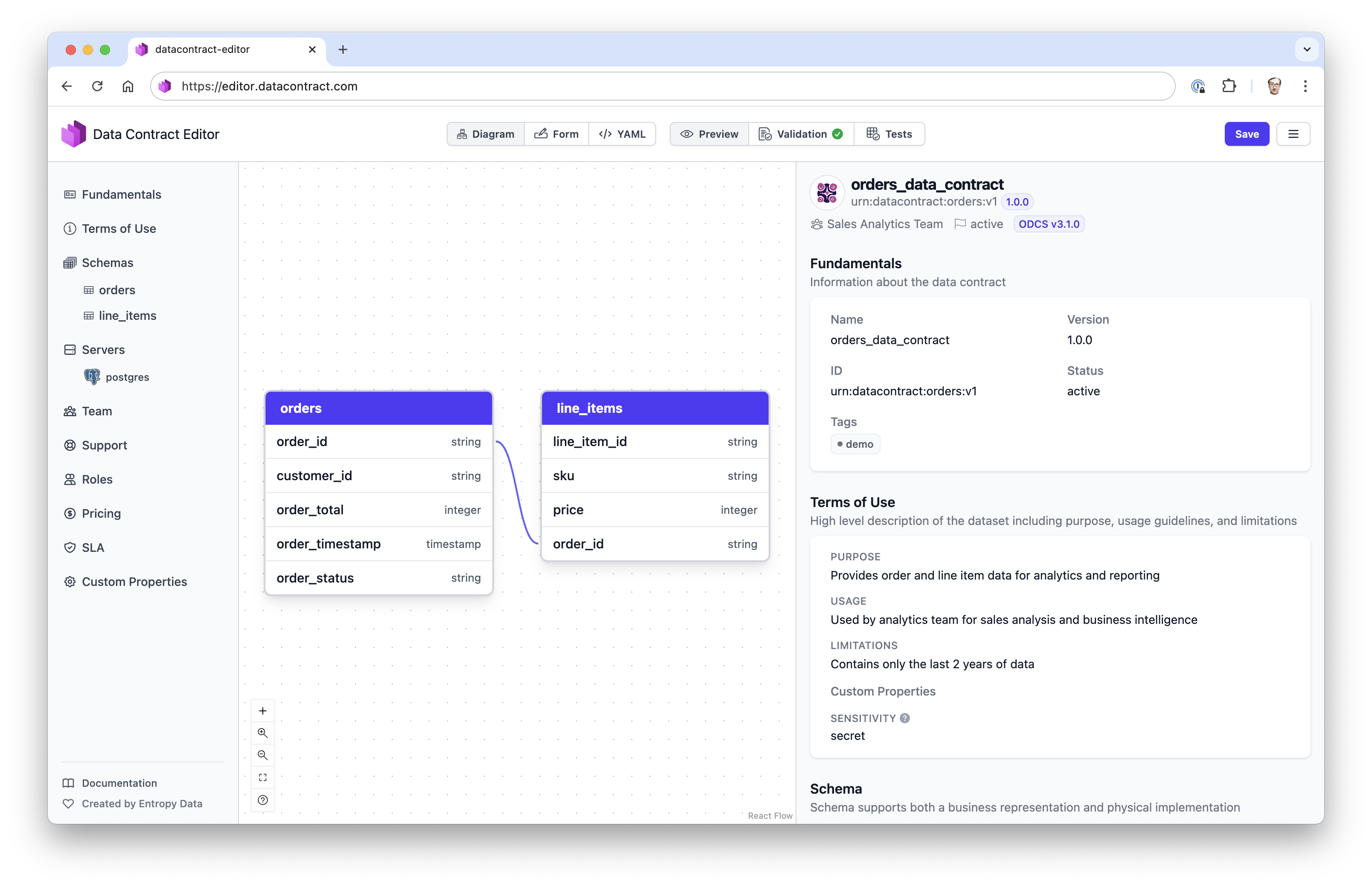
## Features
- **Open Data Contract Standard**: ODCS is the industry-standard for data contracts. Now with support for v3.1.0.
- **Editing Modes**:
- **Visual Editor**: Define data models and relationships using a visual interface
- **Form Editor**: Get guided input with a simple form interface
- **YAML Editor**: Edit data contracts directly in YAML format with code completion
- **Preview**: Live preview of data contracts as HTML
- **Validation**: Get instant feedback on your data contracts
- **Test**: Test your data contract directly against your data using the Data Contract CLI API Server.
## Usage
### Web Editor
Open the editor as web application:
https://editor.datacontract.com
### Standalone Application
You can start the editor locally using the following command:
```
npx datacontract-editor
```
Or edit a data contract file directly:
```
npx datacontract-editor mydatacontract.odcs.yaml
```
### Docker
Run the editor locally in a Docker container:
```
docker run -d -p 4173:4173 datacontract/editor
```
Then open http://localhost:4173
#### Configure AI Assistant
The AI Assistant is disabled by default in Docker. To enable it, provide your own OpenAI-compatible endpoint:
**OpenAI:**
```bash
docker run -d -p 4173:4173 \
-e AI_ENDPOINT=https://api.openai.com/v1/chat/completions \
-e AI_API_KEY=sk-your-api-key \
-e AI_MODEL=gpt-4o \
datacontract/editor
```
**Azure OpenAI:**
```bash
docker run -d -p 4173:4173 \
-e AI_ENDPOINT=https://your-resource.openai.azure.com/openai/deployments/gpt-4o/chat/completions?api-version=2024-02-15-preview \
-e AI_API_KEY=your-azure-key \
-e AI_AUTH_HEADER=api-key \
datacontract/editor
```
**Local LLM (Ollama):**
```bash
docker run -d -p 4173:4173 \
-e AI_ENDPOINT=http://host.docker.internal:11434/v1/chat/completions \
-e AI_API_KEY=ollama \
-e AI_MODEL=llama3.2 \
datacontract/editor
```
| Variable | Description | Default |
|----------|-------------|---------|
| `AI_ENDPOINT` | OpenAI-compatible chat completions URL | Hosted API |
| `AI_API_KEY` | API key for authentication | Hosted API |
| `AI_MODEL` | Model name | `gpt-4o` |
| `AI_AUTH_HEADER` | Auth header: `bearer` or `api-key` | `bearer` |
### Data Contract CLI
Coming soon!
You can start the editor from the Data Contract CLI:
```
datacontract editor datacontract.yaml
```
### Entropy Data
The Data Contract Editor is fully integrated in our commercial product [Entropy Data](https://entropy-data.com) to manage multiple data contracts in a single application.
## License
This project is maintained by [Entropy Data](https://entropy-data.com) and licensed under the [MIT LICENSE](LICENSE).