https://github.com/datadog/cloudcraft-go
Go client for the Cloudcraft developer API.
https://github.com/datadog/cloudcraft-go
api-client cloudcraft go golang sdk sdk-go
Last synced: 10 months ago
JSON representation
Go client for the Cloudcraft developer API.
- Host: GitHub
- URL: https://github.com/datadog/cloudcraft-go
- Owner: DataDog
- License: apache-2.0
- Created: 2023-12-05T14:27:32.000Z (over 2 years ago)
- Default Branch: trunk
- Last Pushed: 2024-06-27T16:53:23.000Z (about 2 years ago)
- Last Synced: 2025-04-24T03:15:16.407Z (about 1 year ago)
- Topics: api-client, cloudcraft, go, golang, sdk, sdk-go
- Language: Go
- Homepage: http://www.cloudcraft.co
- Size: 163 KB
- Stars: 7
- Watchers: 4
- Forks: 0
- Open Issues: 0
-
Metadata Files:
- Readme: README.md
- Contributing: CONTRIBUTING.md
- License: LICENSE-3rdparty.csv
- Support: SUPPORT.md
Awesome Lists containing this project
README
# cloudcraft-go
[](https://pkg.go.dev/github.com/DataDog/cloudcraft-go)
[](https://goreportcard.com/report/github.com/DataDog/cloudcraft-go)
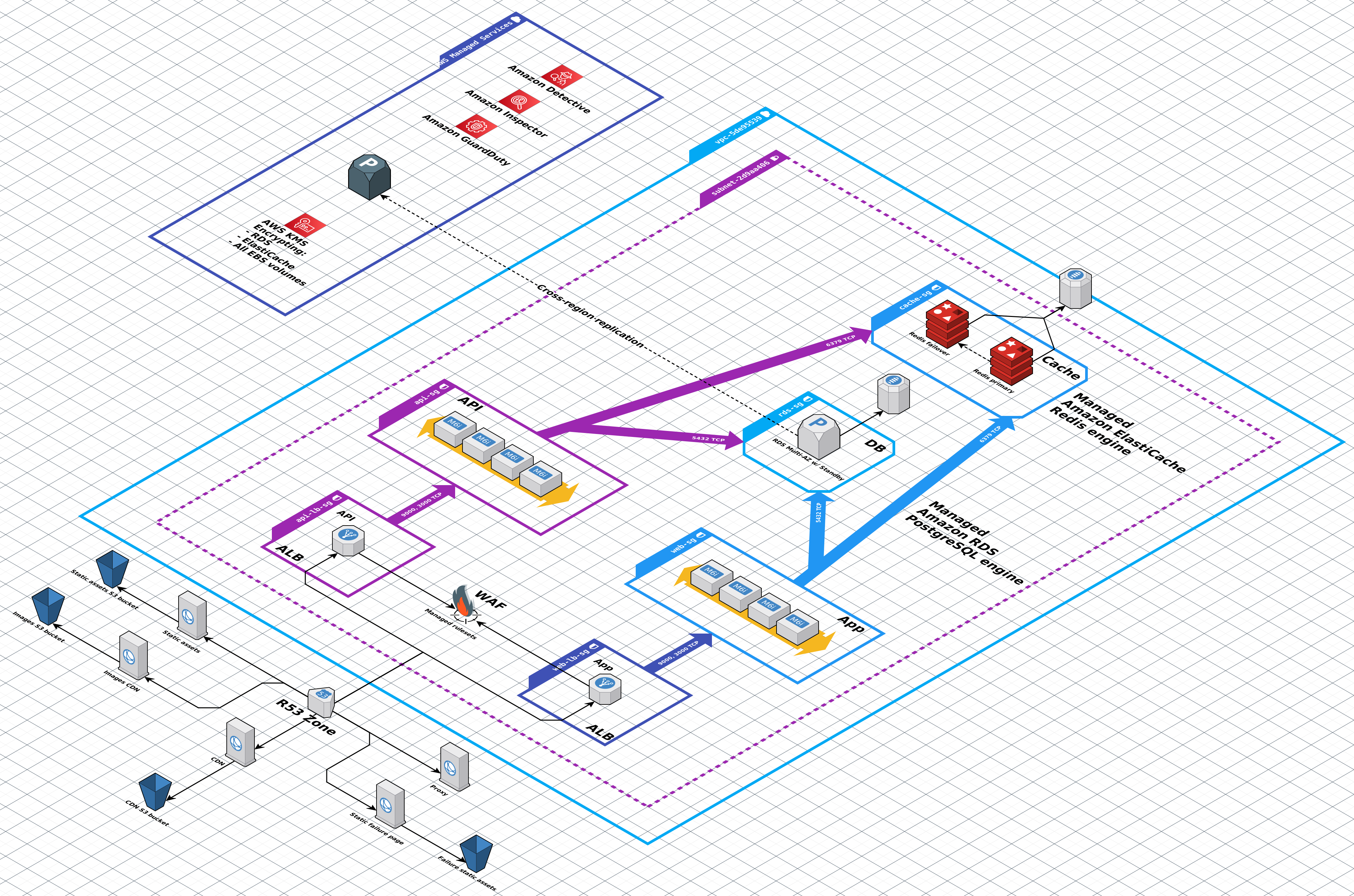
Visualize your cloud architecture with Cloudcraft by Datadog, [the best way to create smart AWS and Azure diagrams](https://www.cloudcraft.co/).
Cloudcraft supports both manual and programmatic diagramming, as well as automatic reverse engineering of existing cloud environments into beautiful system architecture diagrams.
This `cloudcraft-go` package provides an easy-to-use native Go SDK for interacting with [the Cloudcraft API](https://docs.datadoghq.com/cloudcraft/api/).
Use case examples:
- Snapshot and visually compare your live AWS or Azure environment before and after a deployment, in your app or as part of your automated CI pipeline
- Download an inventory of all your cloud resources from a linked account as JSON
- Write a converter from a third party data format to Cloudcraft diagrams
- Backup, export & import your Cloudcraft data
- Programmatically create Cloudcraft diagrams
This SDK requires a [Cloudcraft API key](https://docs.datadoghq.com/cloudcraft/api/#authentication) to use. [A free trial of Cloudcraft Pro](https://www.cloudcraft.co/pricing) with API access is available.
## Installation
To install `cloudcraft-go`, run:
```console
go get github.com/DataDog/cloudcraft-go
```
## Documentation
Please [see the Go reference documentation](https://pkg.go.dev/github.com/DataDog/cloudcraft-go).
## Usage
In the below example the Cloudcraft API key is read from the `CLOUDCRAFT_API_KEY` environment variable. Alternatively, pass in the key to the `Config` struct directly.
```go
package main
import (
"context"
"log"
"os"
"github.com/DataDog/cloudcraft-go"
)
func main() {
key, ok := os.LookupEnv("CLOUDCRAFT_API_KEY")
if !ok {
log.Fatal("missing env var: CLOUDCRAFT_API_KEY")
}
// Create new Config to be initialize a Client.
cfg := cloudcraft.NewConfig(key)
// Create a new Client instance with the given Config.
client, err := cloudcraft.NewClient(cfg)
if err != nil {
log.Fatal(err)
}
// List all blueprints in an account.
blueprints, _, err := client.Blueprint.List(context.Background())
if err != nil {
log.Fatal(err)
}
// Print the name of each blueprint.
for _, blueprint := range blueprints {
log.Println(blueprint.Name)
}
}
```
More examples can be found in the [examples](examples/) directory.
## Contributing
Anyone can help make `cloudcraft-go` better. Check out [the contribution guidelines](CONTRIBUTING.md) for more information.
---
Released under the [Apache-2.0 License](LICENSE.md).