https://github.com/datafe/dataworks-public-datasets-chrome-extension
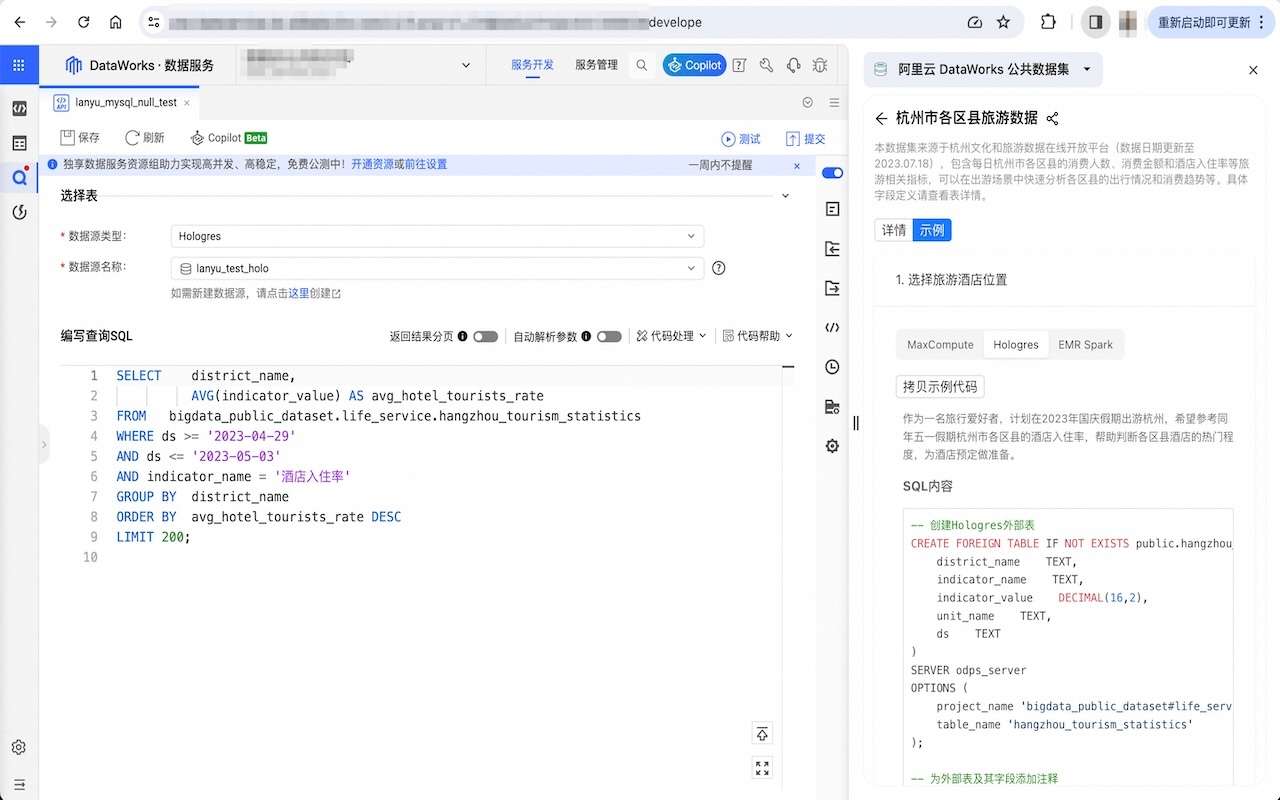
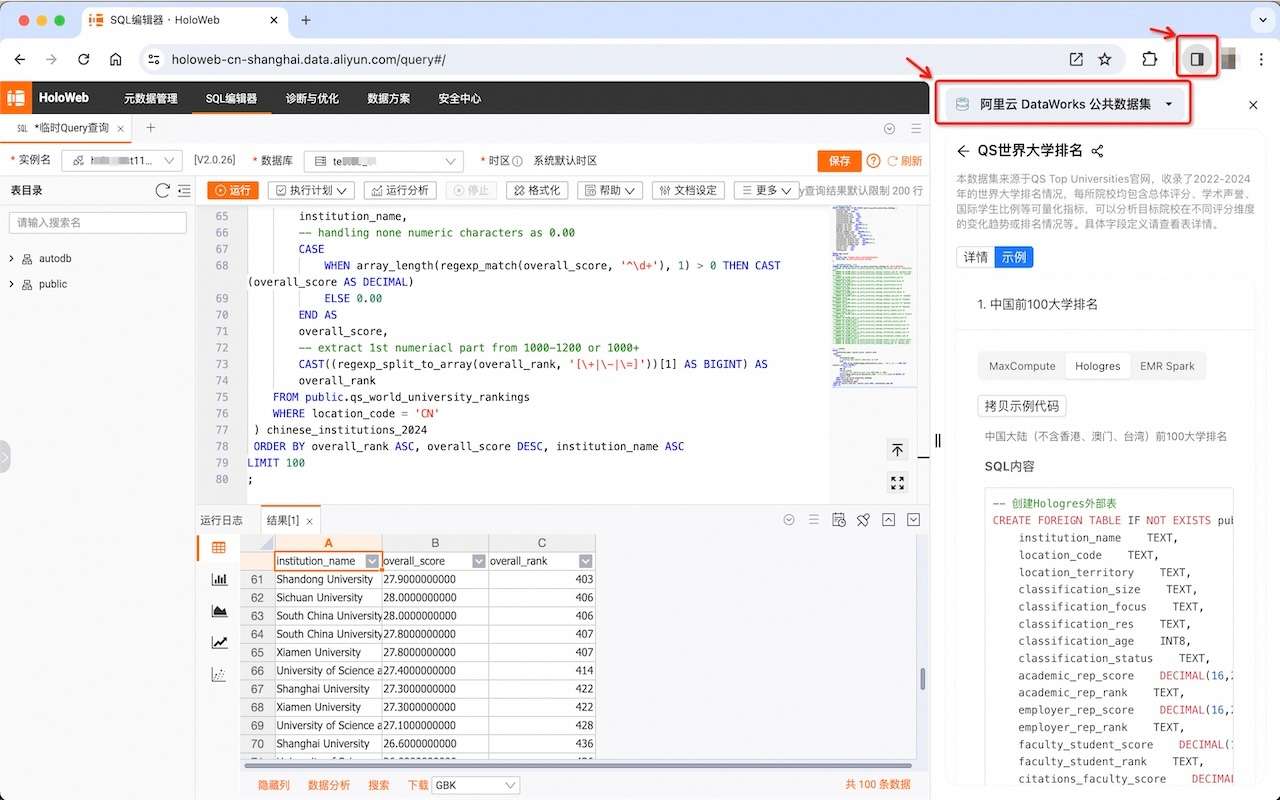
一款可快速查看阿里云DataWorks公共数据集的插件,让您可以在侧边栏上直接查看公共数据集的介绍与使用代码,目前支持的数据引擎语法有: MaxCompute、Hologres 及 EMR Spark。。
https://github.com/datafe/dataworks-public-datasets-chrome-extension
alibaba bigdata cloud dataset dataworks
Last synced: 6 months ago
JSON representation
一款可快速查看阿里云DataWorks公共数据集的插件,让您可以在侧边栏上直接查看公共数据集的介绍与使用代码,目前支持的数据引擎语法有: MaxCompute、Hologres 及 EMR Spark。。
- Host: GitHub
- URL: https://github.com/datafe/dataworks-public-datasets-chrome-extension
- Owner: datafe
- License: apache-2.0
- Created: 2024-01-20T13:43:54.000Z (over 2 years ago)
- Default Branch: main
- Last Pushed: 2024-02-15T09:56:23.000Z (over 2 years ago)
- Last Synced: 2024-02-15T10:45:58.330Z (over 2 years ago)
- Topics: alibaba, bigdata, cloud, dataset, dataworks
- Language: TypeScript
- Homepage: https://dataworks.console.aliyun.com/publicDatasets
- Size: 198 KB
- Stars: 1
- Watchers: 2
- Forks: 0
- Open Issues: 0
-
Metadata Files:
- Readme: README.md
- Changelog: CHANGELOG.md
- License: LICENSE
Awesome Lists containing this project
README

DataWorks Public Datasets Omnibox Chrome Extension


## Usage Documents
## Demo
### 应用安装 Extension Installation [link](https://chromewebstore.google.com/detail/%E9%98%BF%E9%87%8C%E4%BA%91-dataworks-%E5%85%AC%E5%85%B1%E6%95%B0%E6%8D%AE%E9%9B%86/dhddjlgoniabgogocminjceggkleeclk?hl=en)
- 此插件提供多种公开数据集如阿里电商数据集、淘宝广告数据集、QS 世界大学排名数据集、亚运奖牌榜等 SQL 查询语句,支持 MaxCompute、Hologres 及 EMR Spark 语言。
- 也提供 VS Code 应用安装 [link](https://marketplace.visualstudio.com/items?itemName=dataworks.public-dataset)
### 操作影片
- [YouTube](https://www.youtube.com/watch?v=qqgBn4iriM0)
### 示例
## Table of Contents
- [Intro](#intro)
- [Features](#features)
- [Installation](#installation)
- [Procedures](#procedures)
- [Chrome](#chrome)
- [Firefox](#firefox)
- [Documents](#documents)
This is a Chrome extension source code.
- [React 18](https://reactjs.org/)
- [TypeScript](https://www.typescriptlang.org/)
- [Vitest](https://vitest.dev/)
- [React Testing Library](https://testing-library.com/docs/react-testing-library/intro/)
- [Vite](https://vitejs.dev/)
- [SASS](https://sass-lang.com/)
- [Prettier](https://prettier.io/)
- [ESLint](https://eslint.org/)
- [Husky](https://typicode.github.io/husky/getting-started.html#automatic-recommended)
- [Commitlint](https://commitlint.js.org/#/guides-local-setup?id=install-commitlint)
- [Conventional Commits](https://www.conventionalcommits.org/en/v1.0.0/#summary)
- [Chrome Extension Manifest Version 3](https://developer.chrome.com/docs/extensions/mv3/intro/)
- HRR(Hot Rebuild & Refresh/Reload)
1. Clone this repository.
2. Change `name` and `description` in package.json => **Auto synchronize with manifest**
3. Install pnpm globally: `npm install -g pnpm` (check your node version >= 16.6, recommended >= 18)
4. Run `pnpm install`
## And next, depending on the needs:
1. Run:
- Dev: `pnpm dev` or `npm run dev`
- Prod: `pnpm build` or `npm run build`
2. Open in browser - `chrome://extensions`
3. Check - `Developer mode`
4. Find and Click - `Load unpacked extension`
5. Select - `dist` folder
1. Run:
- Dev: `pnpm dev:firefox` or `npm run dev:firefox`
- Prod: `pnpm build:firefox` or `npm run build:firefox`
2. Open in browser - `about:debugging#/runtime/this-firefox`
3. Find and Click - `Load Temporary Add-on...`
4. Select - `manifest.json` from `dist` folder
### Remember in firefox you add plugin in temporary mode, that's mean it's disappear after close browser, you must do it again, on next launch.
- [Vite Plugin](https://vitejs.dev/guide/api-plugin.html)
- [ChromeExtension](https://developer.chrome.com/docs/extensions/mv3/)
- [Rollup](https://rollupjs.org/guide/en/)
- [Rollup-plugin-chrome-extension](https://www.extend-chrome.dev/rollup-plugin)