https://github.com/datafe/sqltools-hive-vscode-extension
This is a SQLTools plugin to integrate with Hive. Providing for running Hive SQL and getting results, SQL formatting, generating SQL statements and SQL completion.
https://github.com/datafe/sqltools-hive-vscode-extension
Last synced: 6 months ago
JSON representation
This is a SQLTools plugin to integrate with Hive. Providing for running Hive SQL and getting results, SQL formatting, generating SQL statements and SQL completion.
- Host: GitHub
- URL: https://github.com/datafe/sqltools-hive-vscode-extension
- Owner: datafe
- License: mit
- Created: 2024-02-19T02:21:56.000Z (over 2 years ago)
- Default Branch: main
- Last Pushed: 2024-08-19T08:26:57.000Z (almost 2 years ago)
- Last Synced: 2024-08-19T09:50:27.633Z (almost 2 years ago)
- Language: JavaScript
- Homepage:
- Size: 532 KB
- Stars: 2
- Watchers: 2
- Forks: 0
- Open Issues: 4
-
Metadata Files:
- Readme: README.md
- Changelog: CHANGELOG.md
- License: LICENSE
Awesome Lists containing this project
README
# SQLTools Hive Driver
This is a [SQLTools](https://marketplace.visualstudio.com/items?itemName=mtxr.sqltools) plugin to integrate with Hive. Providing for running Hive SQL and getting results, SQL formatting, generating SQL statements and SQL completion.
# Premises and Recommends
This plugin is only for connection testing and local resources management, please use below products for development and production.
- Big data development, recommend to use [DataWorks Data IDE](https://ide-cn-shanghai.data.aliyun.com/) instead.
- Data API development, recommend to use [DataWorks Data API](https://ds-cn-shanghai.data.aliyun.com/) instead.
- Data Analytics development, recommend to use [DataWorks Data Analytics](https://da-cn-shanghai.data.aliyun.com/) instead.
# Quick Start
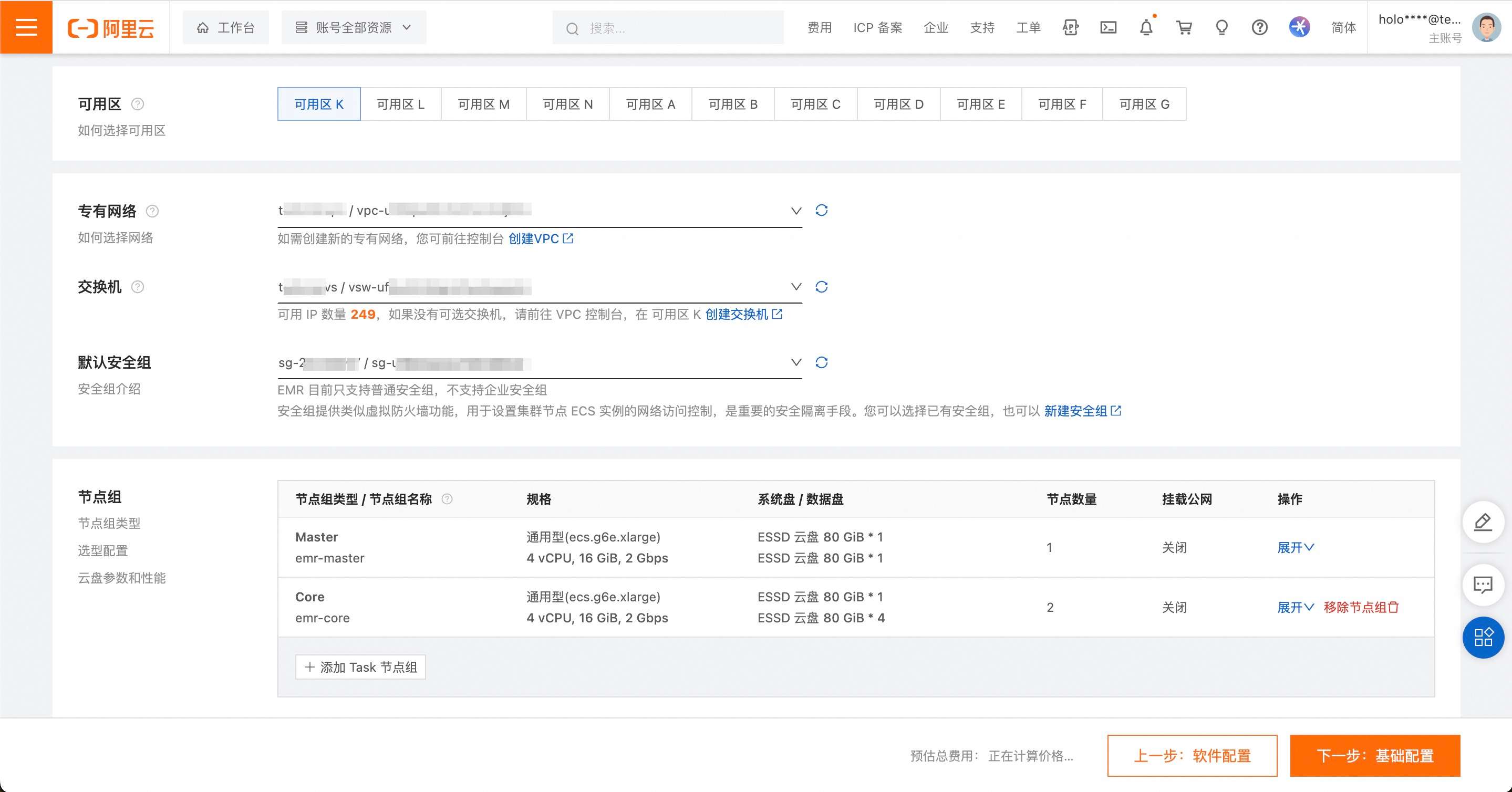
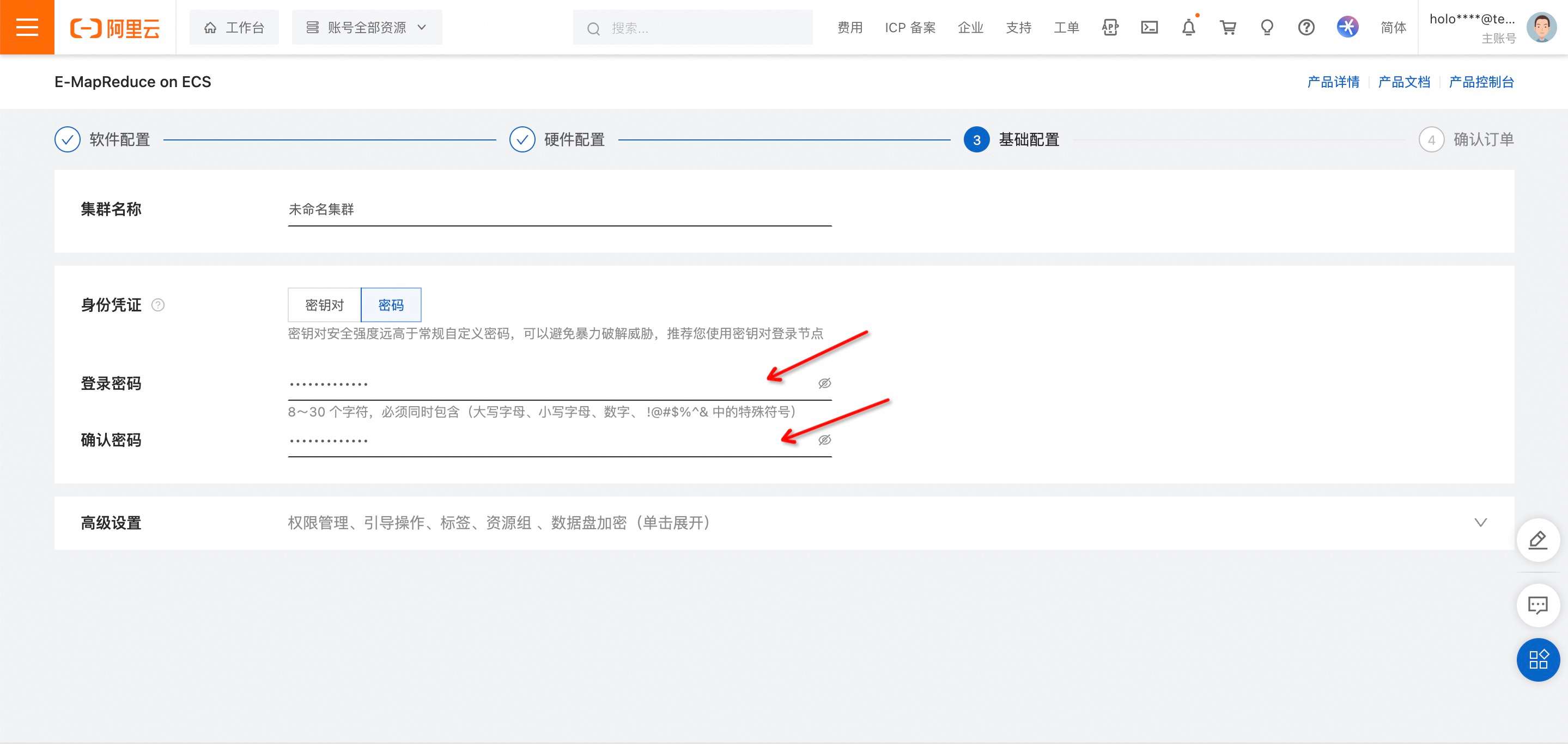
- Prepare an EMR instance, we use Alibaba Cloud EMR as an example, goto [EMR Console](https://emr-next.console.aliyun.com/) and [apply](https://emr-next.console.aliyun.com/#/resource/all/create/ecs) an instance and setup instance password.


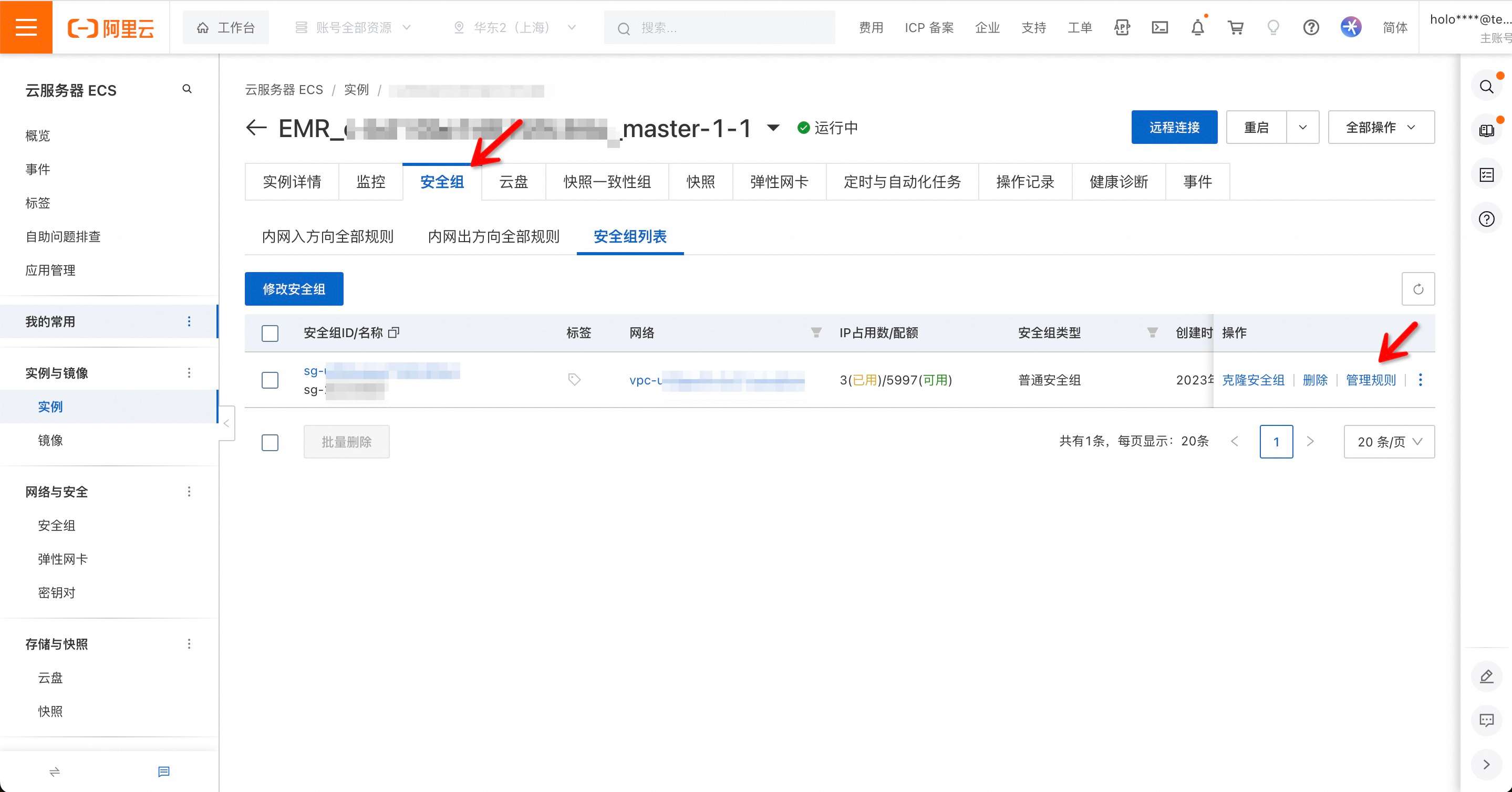
- After instance application, goto [EMR on ECS](https://emr-next.console.aliyun.com/#/region/cn-shanghai/resource/all/ecs/list) and open new applied instance detail page and click master node link (need to wait for instances running).

- Setup a public network card for EMR Master ECS. After the network card setup will get a public IP address.

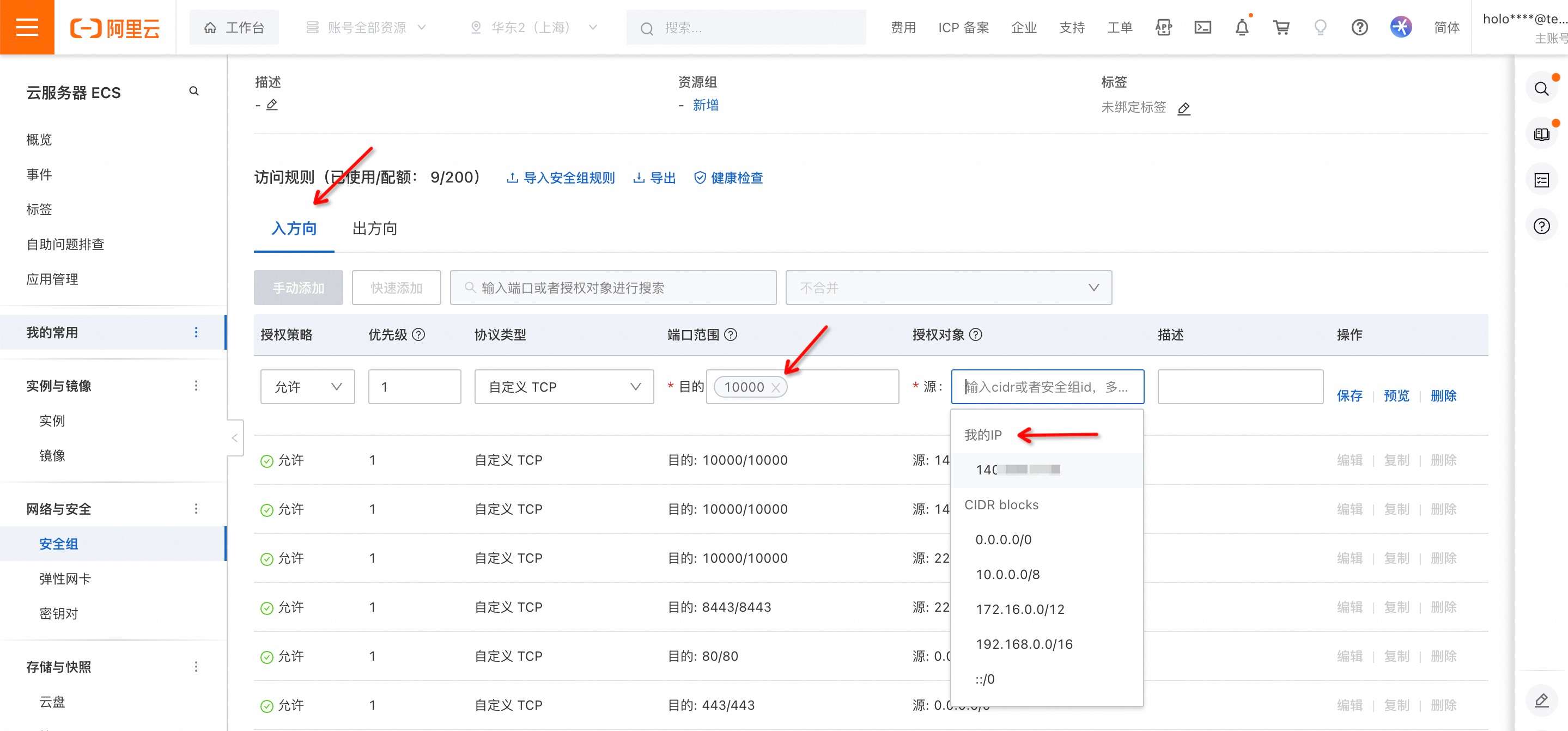
- Switch navigated tabs to security groups and allow port 10000 access from used IP address to EMR Master ECS.
- Install [SQLTools](https://marketplace.visualstudio.com/items?itemName=mtxr.sqltools)
- Install [SQLTools Hive Driver](https://marketplace.visualstudio.com/items?itemName=dataworks.sqltools-driver-hive) plugin.
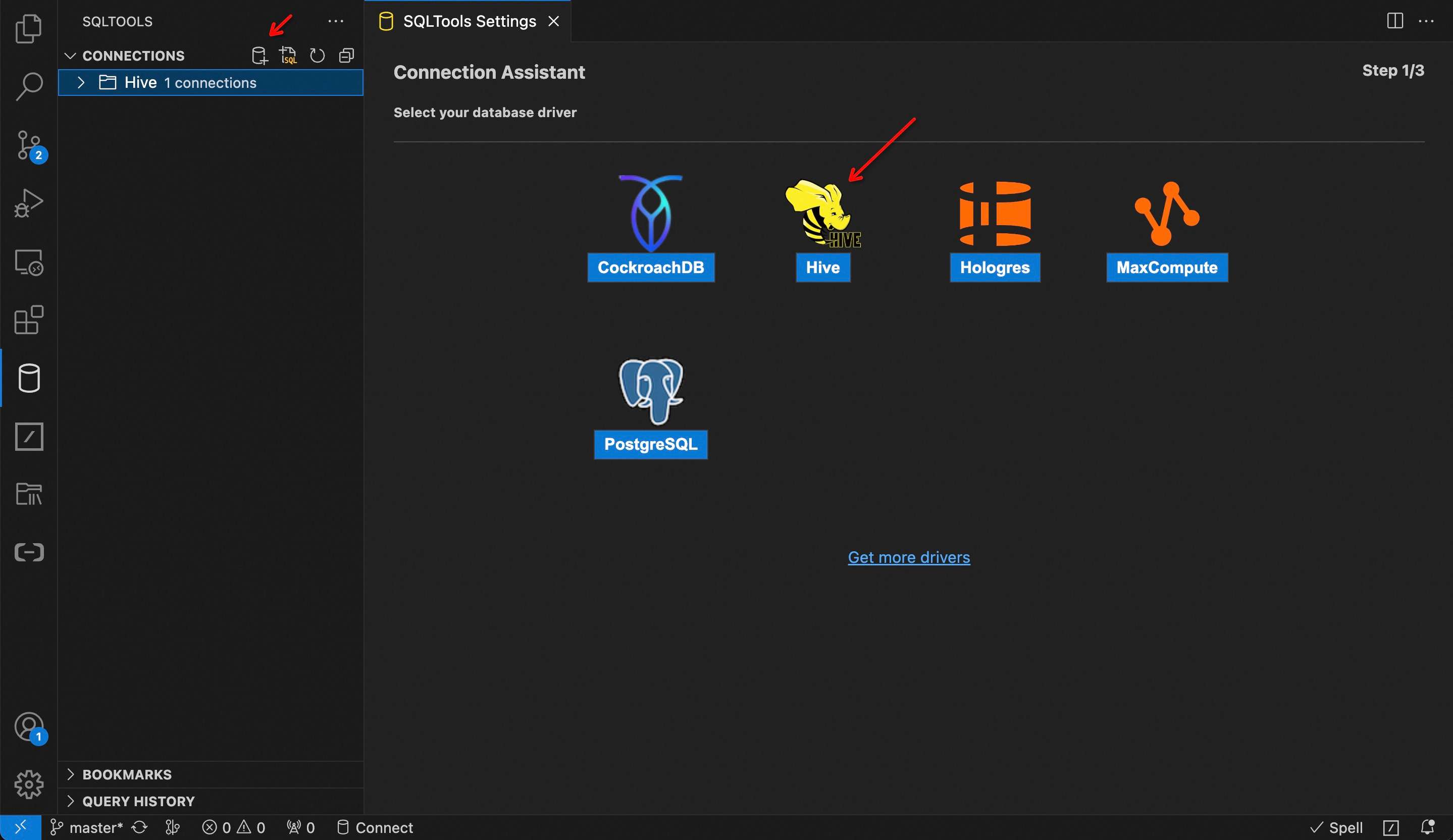
- Open SQLTools and choose Hive as the connection type.
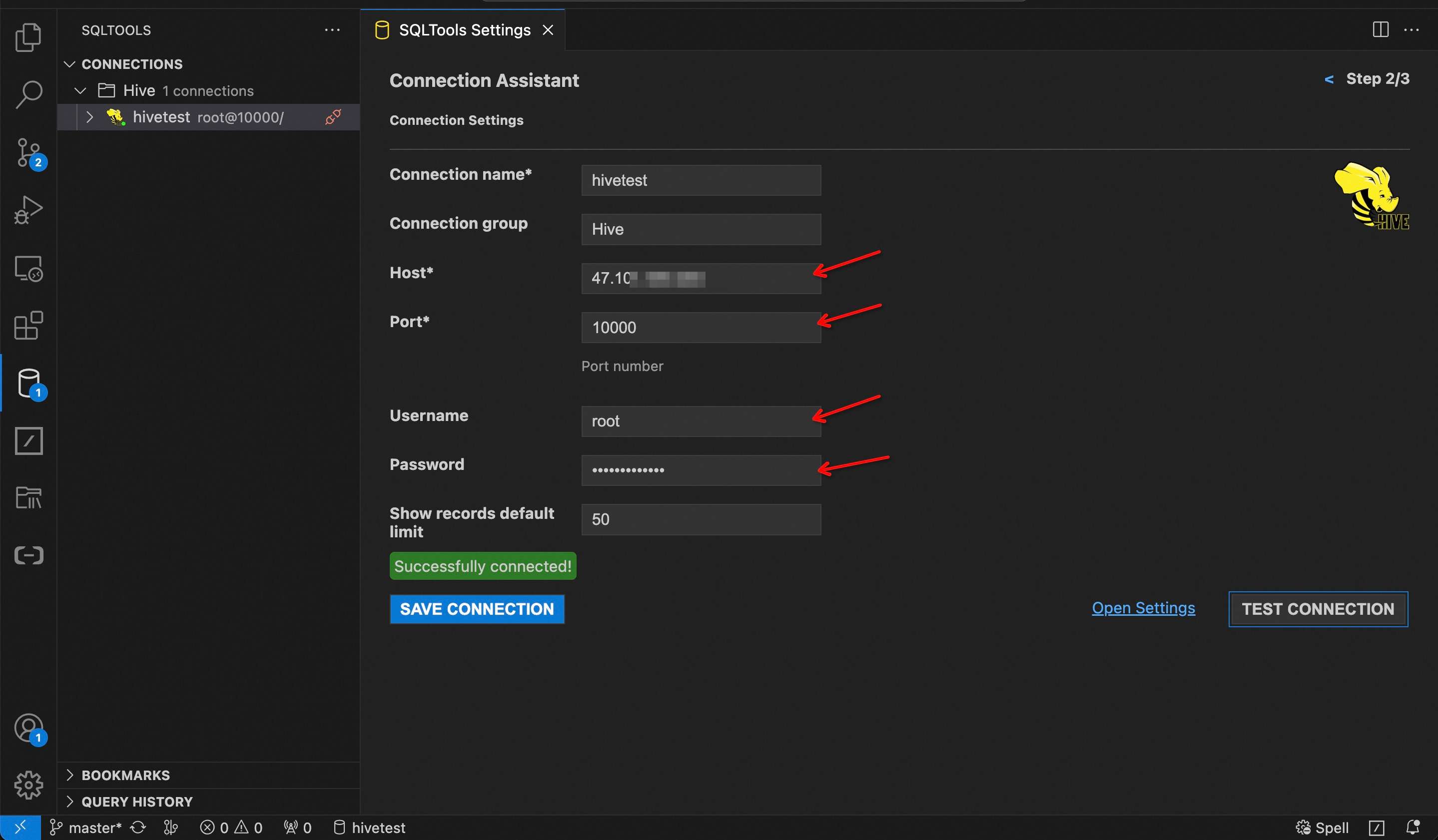
- Input EMR Master ECS public IP address, port 10000, instance username and password.
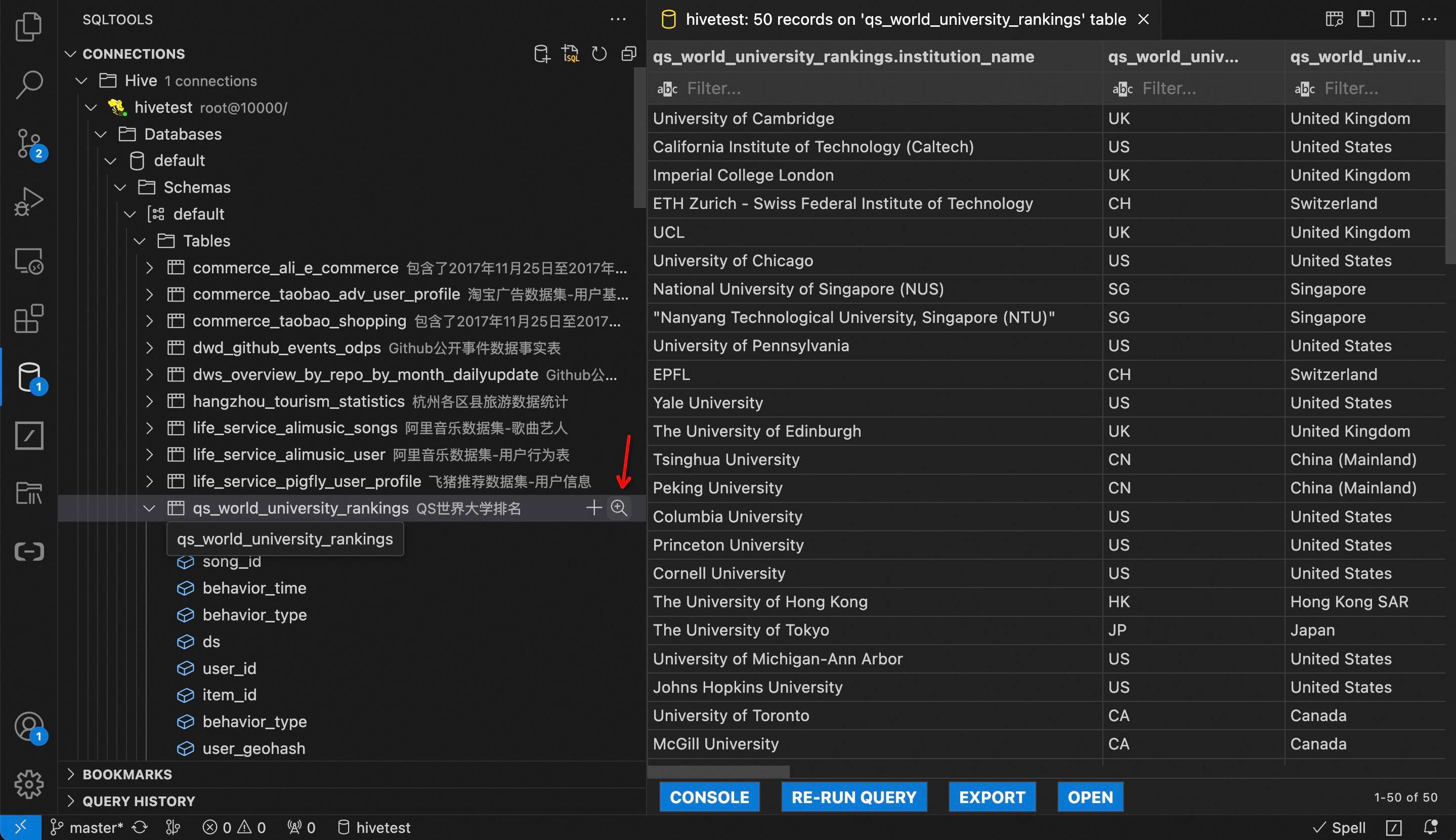
- If you use Alibaba Cloud EMR Hive, it already prepared some sample data, click show table records icon and see results.
- Run SQLs and see results.

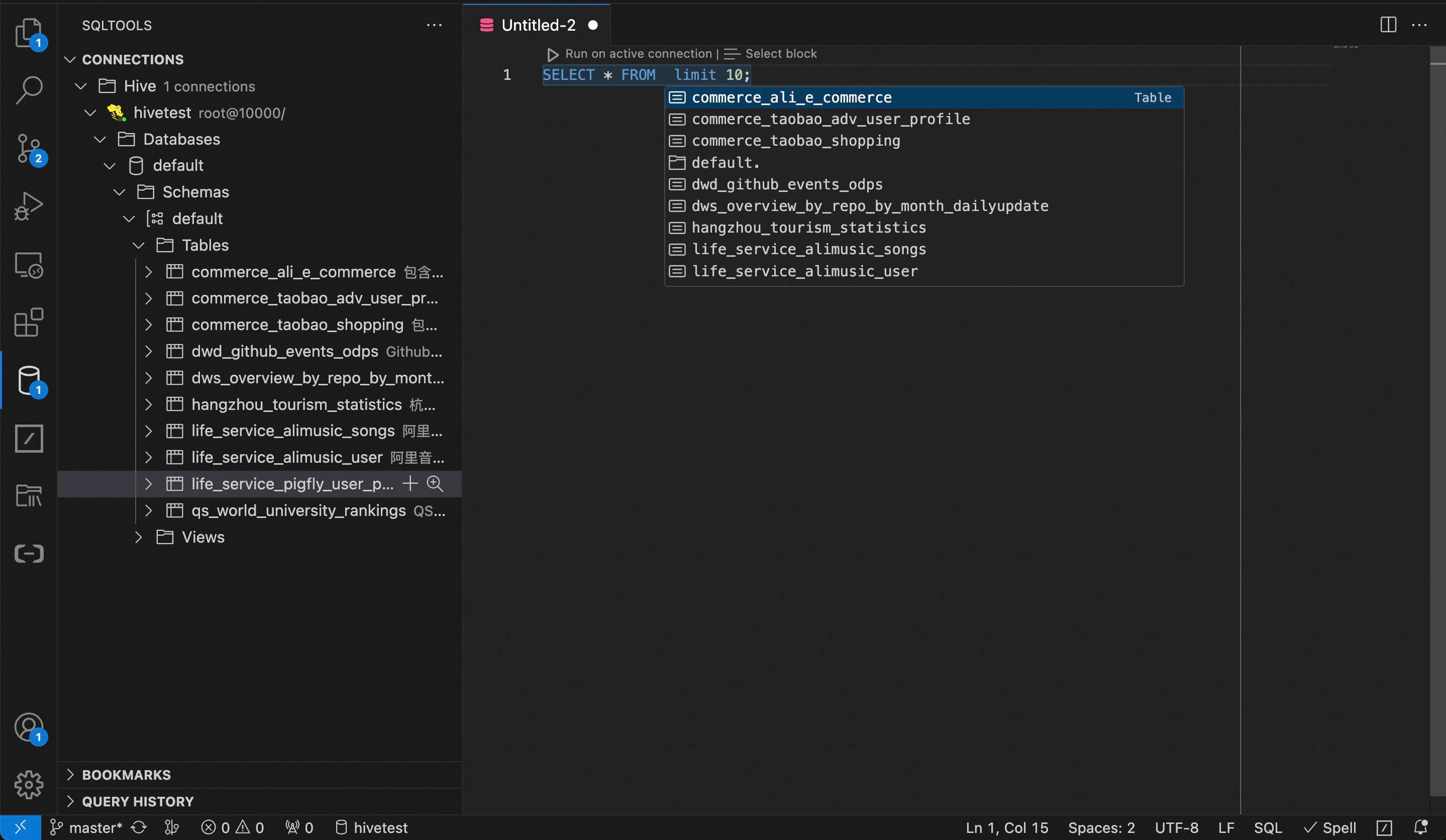
- Support auto database, schema, table and column names SQL completion.

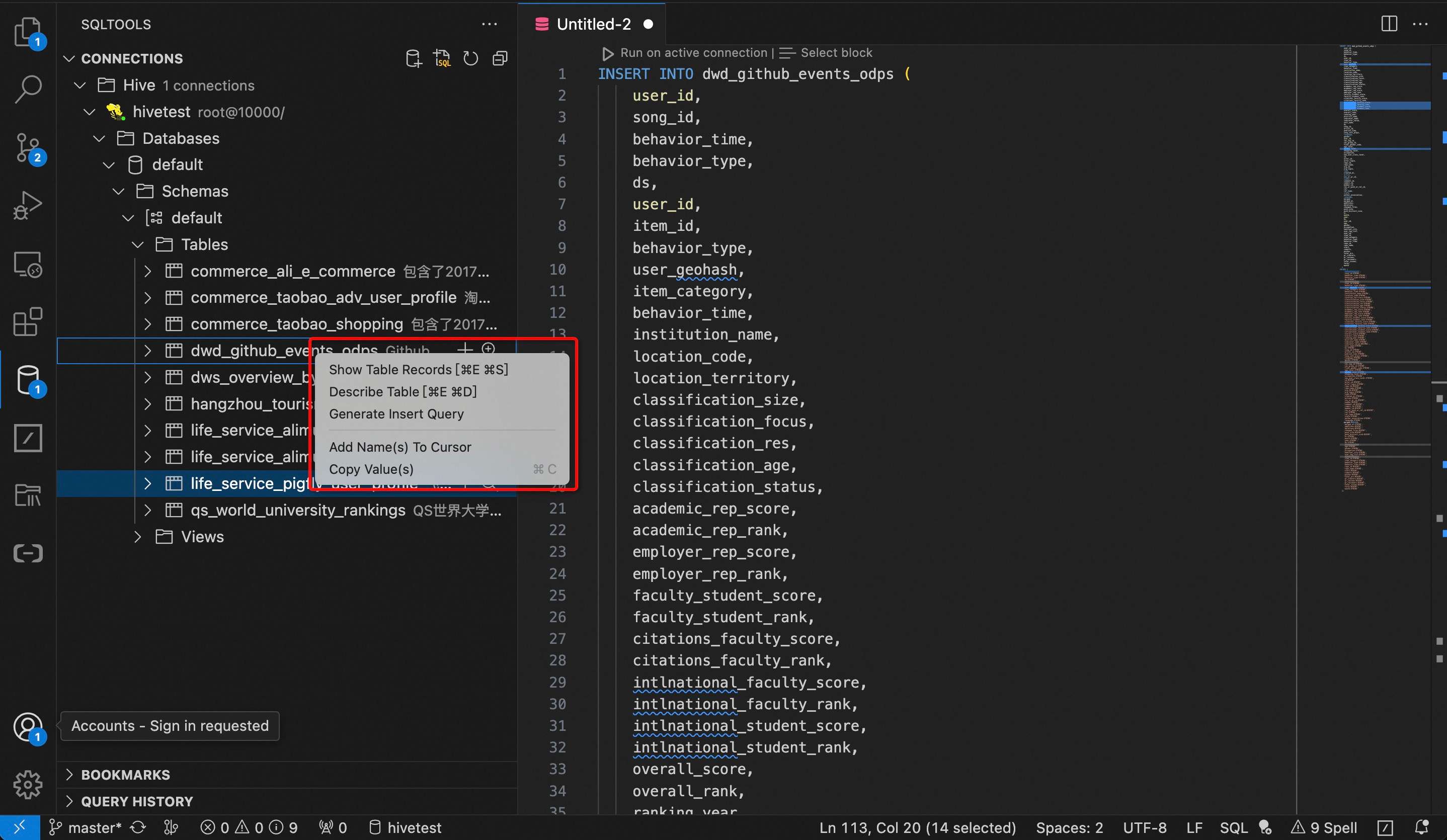
- Support generate SQL insert statements.
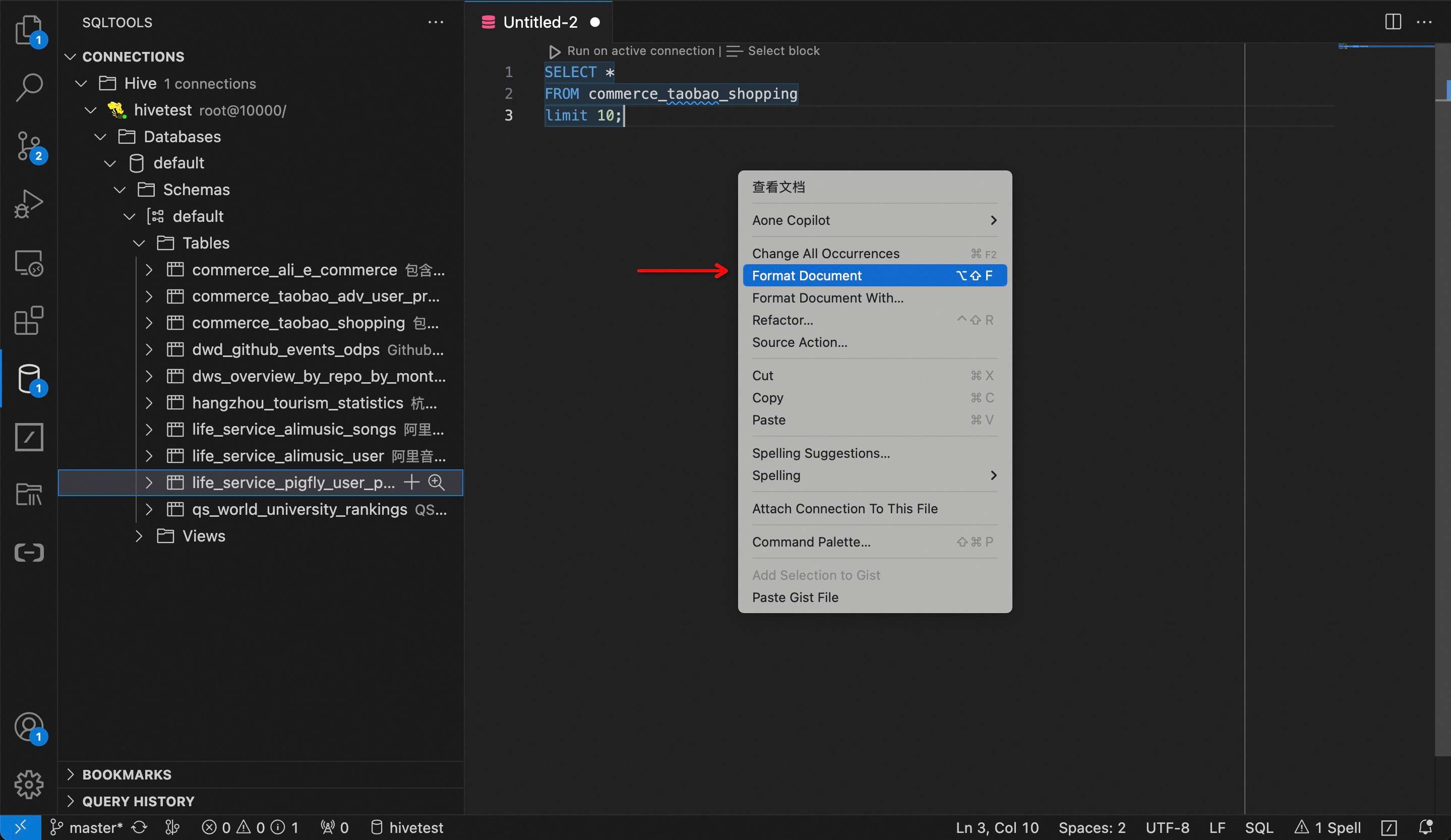
- Support SQL format.