https://github.com/datalayer/codeai
✨ Code AI - A CLI for data analysis that interacts with the Agent Runtimes via AG-UI and ACP protocols.
https://github.com/datalayer/codeai
ai-agents cli code
Last synced: 5 months ago
JSON representation
✨ Code AI - A CLI for data analysis that interacts with the Agent Runtimes via AG-UI and ACP protocols.
- Host: GitHub
- URL: https://github.com/datalayer/codeai
- Owner: datalayer
- License: bsd-3-clause
- Created: 2025-12-05T18:56:15.000Z (7 months ago)
- Default Branch: main
- Last Pushed: 2026-02-14T19:38:46.000Z (5 months ago)
- Last Synced: 2026-02-15T01:35:39.074Z (5 months ago)
- Topics: ai-agents, cli, code
- Language: Python
- Homepage: https://codeai.datalayer.tech
- Size: 715 KB
- Stars: 2
- Watchers: 0
- Forks: 0
- Open Issues: 1
-
Metadata Files:
- Readme: README.md
- Changelog: CHANGELOG.md
- License: LICENSE
Awesome Lists containing this project
README
[](https://datalayer.ai)
[](https://github.com/sponsors/datalayer)
# ✨ Code AI
[](https://pypi.org/project/codeai)
> A CLI for data analysis that interacts with the Agent Runtimes via AG-UI and ACP protocols.
Code AI is an AI-powered CLI agent built on [Pydantic AI](https://ai.pydantic.dev) that helps with code analysis, Jupyter notebooks, and data science workflows.
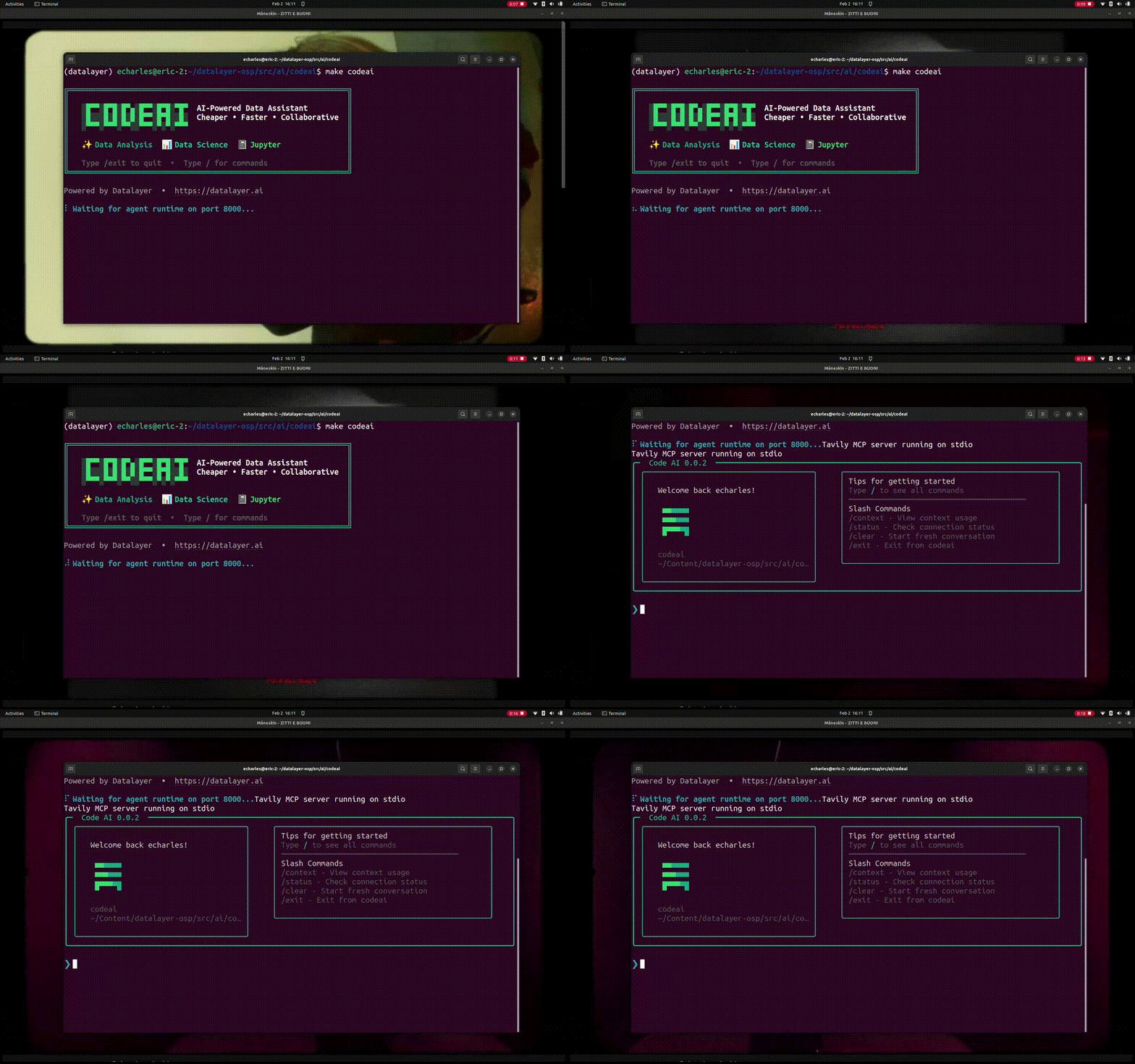
## Installation
### Via pip
```bash
pip install codeai
```
### From Source
```bash
git clone https://github.com/datalayer/codeai.git
cd codeai
pip install -e .
```
### Quick Install (Recommended)
```bash
curl -fsSL https://raw.githubusercontent.com/datalayer/codeai/main/install.sh | bash
```
## Usage
Special commands available in interactive mode:
- `/exit`: Exit the session
- `/markdown`: Show the last response in markdown format
- `/multiline`: Toggle multiline input mode (use Ctrl+D to submit)
- `/cp`: Copy the last response to clipboard
### Launch with Preconfigured Agent
You can launch CodeAI with a specific agent configuration using the `--agentspec-id` parameter:
```bash
codeai --agentspec-id codemode-paper/financial-viz
```
Available agent IDs can be found in the [agentspecs repository](https://github.com/datalayer/agentspecs/tree/main/agentspecs/agents). Each agent is optimized for specific tasks and comes with pre-configured tools and capabilities.
**Important:** Before launching an agent, make sure to set the required environment variables for its MCP servers and skills. Check the agent's configuration in the agentspecs repository to see which MCP servers and skills it uses, then refer to:
- [MCP Servers environment variables](https://github.com/datalayer/agentspecs/tree/main/agentspecs/mcp-servers)
- [Skills environment variables](https://github.com/datalayer/agentspecs/tree/main/agentspecs/skills)
- [Environment variables documentation](https://github.com/datalayer/agentspecs/tree/main/agentspecs/envvars)
### Custom Agent
You can customize the agent by importing and modifying it:
```python
from codeai.cli import agent
# Add custom tools or modify behavior
@agent.tool()
def my_custom_tool(data: str) -> str:
"""Custom tool description"""
return f"Processed: {data}"
# Run the CLI with customizations
agent.to_cli_sync()
```
## Features
- **Data Analysis**: Get help with code review, debugging, and optimization
- **Jupyter Notebooks**: Assistance with notebook workflows and data exploration
- **Data Science**: Support for pandas, numpy, scikit-learn, and other libraries
- **Interactive Chat**: Conversational interface for iterative problem-solving
- **Animated Loading**: Beautiful spinner animation while processing queries
- **Powered by Pydantic AI**: Built on the robust Pydantic AI framework
## Development
Install development dependencies:
```bash
pip install -e ".[test,lint,typing]"
```
Run tests:
```bash
pytest
```
## License
BSD 3-Clause License - see [LICENSE](LICENSE) for details.